How Are Gaming Headphones Different: Key Differences

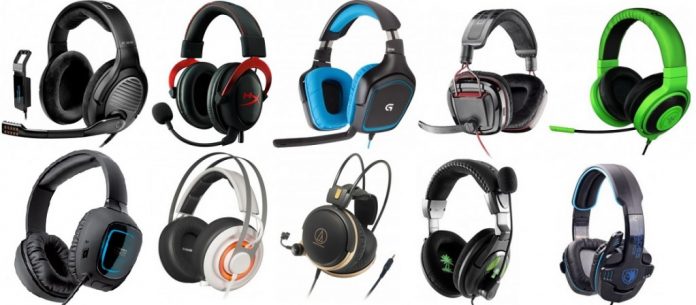
Gaming headphones differ from regular headphones because they are built for play, not just music or video. They often add a boom microphone, game-focused sound tuning, spatial audio support, low-lag connections, chat controls, and comfort features for long sessions. However, these features do not always mean better sound or better value.
For gamers in the United States, the best choice depends on the platform, game type, connection method, microphone needs, and personal comfort. A competitive PC player may need low latency and clear positional sound. A console player may value easy setup and wireless battery life. A casual player may get better value from standard headphones with a separate microphone.

Gaming Headphones vs. Regular Headphones
Gaming headphones are designed around interactive audio. Regular headphones are usually designed for music, podcasts, films, or general listening. The difference is not always visible, and some regular headphones work very well for gaming.
The main differences are usually found in five areas:
| Feature | Gaming headphones | Regular headphones |
|---|---|---|
| Microphone | Often includes a boom mic | May have no mic or a small call mic |
| Sound tuning | May emphasize footsteps, voices, or effects | Often tuned for music or balanced listening |
| Spatial audio | Frequently supports virtual surround or 3D audio | May rely on the device or app |
| Connection | Often includes USB, 2.4 GHz wireless, or console support | Commonly uses Bluetooth or a standard wired plug |
| Controls | Game/chat mix, mute, volume, EQ, or platform controls | Usually basic volume and playback controls |
| Design | Built for long play sessions | May focus more on travel, calls, or music |
The most important point is that “gaming” describes the intended use. It does not guarantee better drivers, stronger bass, clearer sound, or a better microphone. Some gaming models are excellent. Others add software and lights without improving the parts that matter most.
A good gaming headset is a complete package. It combines headphones and a microphone in one device. Gaming headphones may also mean a headset, although some buyers use the term for headphones used with a separate microphone.

What Makes Gaming Headphones Different?
Gaming headphones differ through their sound design, microphone, connection system, controls, and software. Each feature solves a specific problem, but each also has limits.
Sound tuning for games
Many gaming headphones use a sound profile that makes certain game sounds easier to hear. This may include footsteps, reload sounds, dialogue, warning tones, and other small details.
Some models raise the high and upper-mid frequencies. This can make footsteps seem clearer in competitive shooters. The trade-off is that music, explosions, or voices may sound thinner or sharper.
Other models add strong bass. This can make explosions and engine sounds feel more powerful. Too much bass may cover quiet sounds, reduce speech clarity, or make the mix harder to read.
A balanced headset is often better for players who use one device for games, music, films, and calls. A competitive player may prefer a brighter sound profile, but the best choice depends on the game and the listener.
A built-in boom microphone
a boom microphone sits close to the player’s mouth. Its position helps it capture speech while reducing the need to raise the microphone gain.
Gaming boom mics may include:
- A flip-to-mute arm
- A physical mute button
- Noise filtering
- Mic monitoring, also called sidetone
- Detachable or retractable designs
- Software controls for gain and tone
A boom mic is often clearer than the tiny microphone built into Bluetooth headphones. Still, the result depends on mic placement, room noise, software processing, and the quality of the headset.
Noise cancellation can also create trade-offs. Strong processing may reduce keyboard or fan noise, but it can make speech sound compressed or artificial. A quiet room and correct mic placement often help more than a long list of software features.
Virtual surround and spatial audio
Gaming headphones may support virtual surround sound or spatial audio. These systems process a stereo signal to create the impression that sounds come from different directions.
Examples include:
- Front and rear positioning
- Height effects
- Wider environmental sound
- More realistic game worlds
- Better separation between effects and dialogue
Spatial audio is not the same as having several physical speakers inside each ear cup. Most gaming headsets still use one driver per side and create direction through signal processing.
The feature can help in games that support it. It can also make sound less natural, add processing artifacts, or reduce clarity when used with the wrong game or software mode. Players should test stereo and spatial modes rather than assume one is always better.
Microsoft documents Windows Sonic for Headphones as a spatial sound option in Windows. Sony and Microsoft also provide platform-specific audio features for PlayStation and Xbox products. Support can vary by console, game, headset, and connection method.
Low-latency connections
Gaming headphones often use wired USB, a 3.5-millimeter cable, or a dedicated 2.4 GHz wireless receiver. These connections are built for fast audio transfer.
Bluetooth is common in regular headphones. It works well for music and calls, but standard Bluetooth audio can introduce delay in games. The exact delay depends on the codec, device, operating system, and implementation.
A 2.4 GHz gaming headset usually connects through a USB dongle. This can provide a more direct link between the headset and the console or PC. It may also support the headset’s microphone and game/chat controls.
Wired models avoid battery limits and wireless interference. Wireless models offer more freedom of movement but require charging and may have platform restrictions.
Game and chat controls
Many gaming headphones include separate controls for game audio and voice chat. This is useful when a player needs to lower teammates without opening a menu.
Common controls include:
- Volume wheel
- Game/chat balance
- Microphone mute
- Sidetone level
- Preset or equalizer button
- Connection switching
These controls are useful only when they work with the chosen platform. A headset may offer full game/chat mixing on a PC but limited control on a console. Always check the manufacturer’s compatibility details for the exact device and connection.
Do Gaming Headphones Improve Competitive Performance?
Gaming headphones can make important sounds easier to hear, but they cannot guarantee better performance. Skill, game knowledge, network conditions, settings, and concentration still matter more.
A headset may help when it provides:
- Clear separation between voices and effects.
- Accurate left-right imaging.
- A microphone that keeps team communication easy.
- Low audio delay.
- A comfortable fit that does not distract the player.
Soundstage and imaging are related but different. Soundstage describes the perceived size of the audio space. Imaging describes how accurately the headset places a sound within that space.
A wide soundstage is not always best for competitive play. A large, echo-like presentation can make sounds feel distant. Accurate imaging and clear midrange detail may matter more than a wide presentation.
Players should also avoid assuming that more virtual surround is better. A game may already use its own 3D audio system. Adding another surround layer can process the sound twice and make direction less reliable.
For competitive games, compare:
- Footstep clarity
- Direction accuracy
- Voice clarity
- Bass control
- Audio delay
- Mic quality
- Comfort during long sessions
Use the game’s recommended audio mode when available. If the game supports a built-in 3D mode, test it with the headset in stereo before adding a second virtual surround feature.
Wired vs. Wireless Gaming Headphones
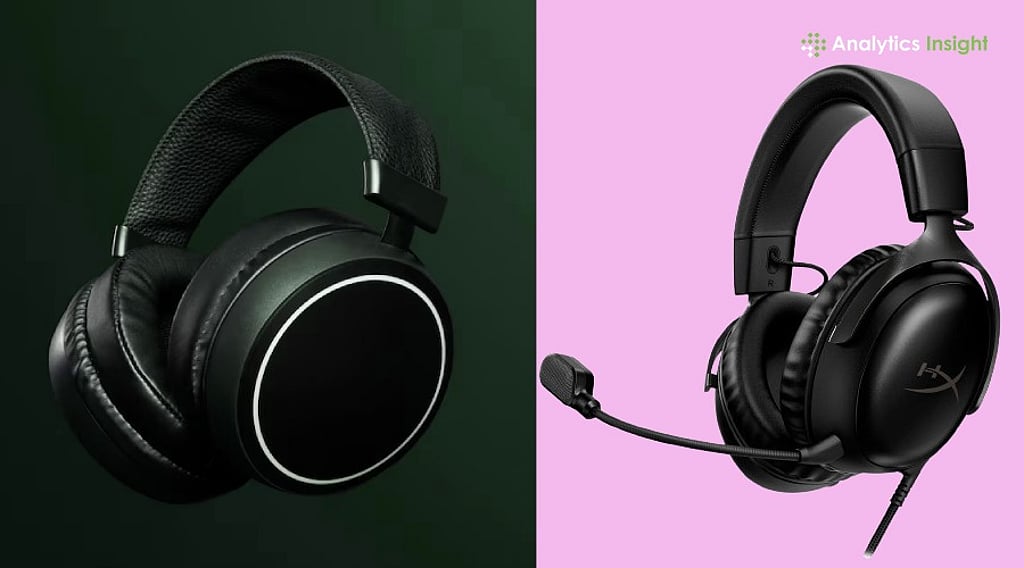
Wired and wireless gaming headphones can both work well. The better option depends on whether the player values battery-free use or freedom of movement.
Wired gaming headphones
Wired models connect through USB, 3.5 mm, or sometimes both.
Advantages:
- No battery to charge
- Usually lower cost
- Simple signal path
- Often broad device compatibility
- No wireless interference
Limitations:
- A cable can snag or limit movement
- USB models may need software
- 3.5 mm connections may provide fewer controls
- Some devices may need a separate adapter
A 3.5 mm headset is often the easiest option for controllers, laptops, and devices with a headset jack. USB models may provide better software control, but they depend on device support and available ports.
Wireless gaming headphones
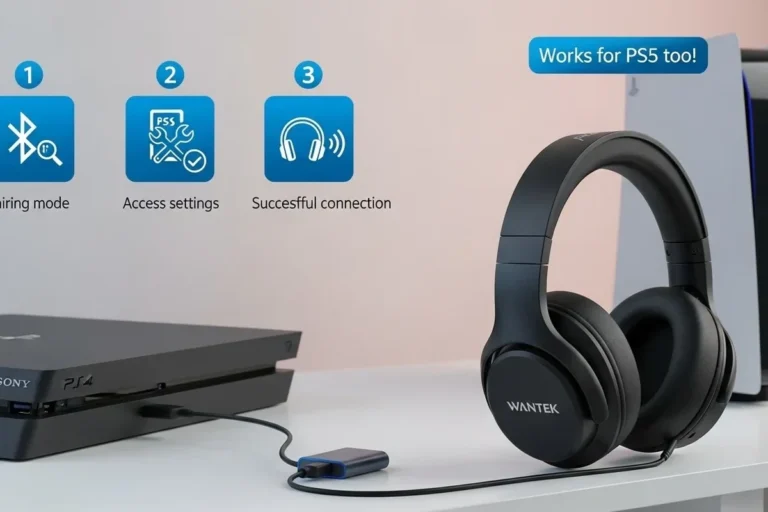
Wireless gaming models usually use either a 2.4 GHz USB receiver or Bluetooth. Some support both.
Advantages:
- No cable across the desk
- Easy movement
- Often include game/chat controls
- Some can connect to two devices
Limitations:
- Battery charging is required
- Wireless range can vary
- USB receiver support differs by platform
- Battery life may decline over years
- Wireless features can raise the price
For serious gaming, 2.4 GHz wireless is usually more suitable than standard Bluetooth when the headset supports it. Bluetooth can still be useful for phones, music, and travel.
Check whether the receiver works with the intended device. A headset may support PC and PlayStation but not Xbox, or it may need a special Xbox version. Compatibility claims should be checked on the manufacturer’s current support page before purchase.
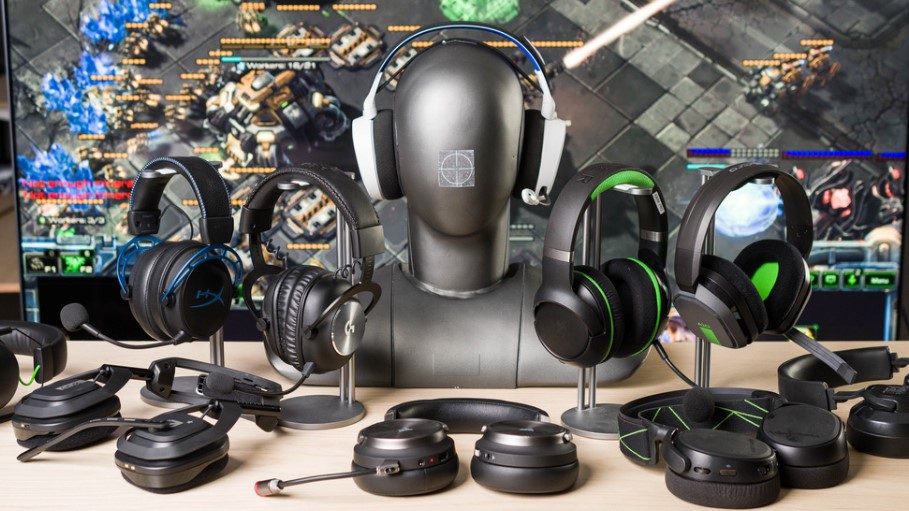
How Gaming Headphones Work With PC, PlayStation, Xbox, and Switch
Compatibility depends on the connector, wireless protocol, chat support, and platform license. A headset that works for audio may not support every chat or control feature.
| Platform | Common connection options | Main checks |
|---|---|---|
| Windows PC | USB, 3.5 mm, 2.4 GHz, Bluetooth | Software, chat mixer, spatial audio |
| PlayStation 5 | USB, 3.5 mm controller jack, supported wireless receiver | 3D audio, receiver support, microphone |
| Xbox Series X/S | 3.5 mm controller jack, licensed wireless models, selected USB devices | Xbox compatibility, chat support |
| Nintendo Switch | 3.5 mm, USB, selected wireless options | Handheld versus docked use, Bluetooth limits |
| Mobile devices | USB-C, 3.5 mm adapter, Bluetooth | Port type, microphone support, latency |
The safest process is to check the exact model’s compatibility list. Do not rely only on the words “PC and console compatible.” That phrase may mean audio works on both platforms while chat, wireless use, or software features work on only one.
For a controller with a 3.5 mm jack, the headset may receive both game audio and chat through one plug. On a PC, separate microphone and headphone jacks may require a splitter. USB headsets may avoid that issue but can be less flexible across devices.
On Nintendo Switch, Bluetooth audio support can vary by system version and accessory use. A wired connection may be simpler when low delay and microphone support are priorities.

Comfort, Fit, and Build Quality Matter More Than Many Features
Comfort is a core gaming feature because a headset may remain on the head for several hours. A technically strong headset is a poor choice if it creates pressure, heat, or pain.
Check these design points:
- Weight
- Headband pressure
- Ear cup depth
- Cushion material
- Clamp force
- Glasses compatibility
- Cable or receiver placement
- Heat buildup
- Adjustability
Closed-back ear cups block more outside sound and help prevent game audio from disturbing others. They can also feel warmer and create a less open sound.
Open-back headphones allow more airflow and can create a more natural sense of space. They leak sound in both directions, so they are less suitable for shared rooms, streaming, or noisy homes.
The ear pads also affect sound. A change in pad shape or material can change the seal around the ear, which may alter bass and outside-noise isolation. Replacement pads can extend the life of a headset, but they may change its sound and may not be available for every model.
Build quality is more than the material used in the frame. Look at the hinges, headband joints, cable, microphone arm, and replaceable parts. A removable cable or replaceable ear pads may make repairs easier.

Gaming Headphones and Hearing Safety
Gaming headphones can produce sound levels that may harm hearing when the volume is too high or listening time is too long. The risk comes from loud sound exposure, not from the “gaming” label.
The World Health Organization recommends safe listening practices, including lowering volume, taking breaks, and using well-fitted headphones. The National Institute for Occupational Safety and Health also treats sound exposure as a combination of volume and time.
Practical habits include:
- Start at a low volume and raise it only as needed.
- Take regular quiet breaks.
- Avoid turning up the headset to overcome room noise.
- Stop if you notice ringing, muffled hearing, pain, or dizziness.
- Keep microphone monitoring comfortable so you do not raise the volume to hear yourself.
- Use a well-fitting headset that blocks enough outside noise without needing excessive volume.
Hearing symptoms that persist should be discussed with a qualified health professional. A headset’s maximum volume rating does not tell you how safe a particular listening session is.

Common Mistakes When Choosing Gaming Headphones
Many buying mistakes come from treating marketing terms as performance proof.
Mistake 1: Assuming surround sound is always better
Virtual surround may help in some games, but it can also make audio less clear. Test the game in stereo and spatial modes.
Mistake 2: Choosing by bass alone
Strong bass can make explosions feel exciting. It may also hide footsteps, dialogue, and small sound cues.
Mistake 3: Ignoring platform compatibility
A headset may work for sound but not for wireless chat, game/chat mixing, or software settings. Check the exact platform version.
Mistake 4: Treating battery life as a fixed number
Battery claims often depend on lighting, volume, wireless mode, and microphone use. Real use may differ from the advertised maximum.
Mistake 5: Buying a headset that cannot fit comfortably
Weight and clamp pressure matter more after several hours than they do during a short store test.
Mistake 6: Confusing noise cancellation with microphone noise reduction
Active noise cancellation affects what the wearer hears. Microphone noise reduction affects what other people hear. These are separate features.
Mistake 7: Using two spatial audio systems at once
A headset app, operating system, console, and game may each offer processing. Combining several modes can produce unclear or unnatural sound.
How to Choose the Right Gaming Headphones
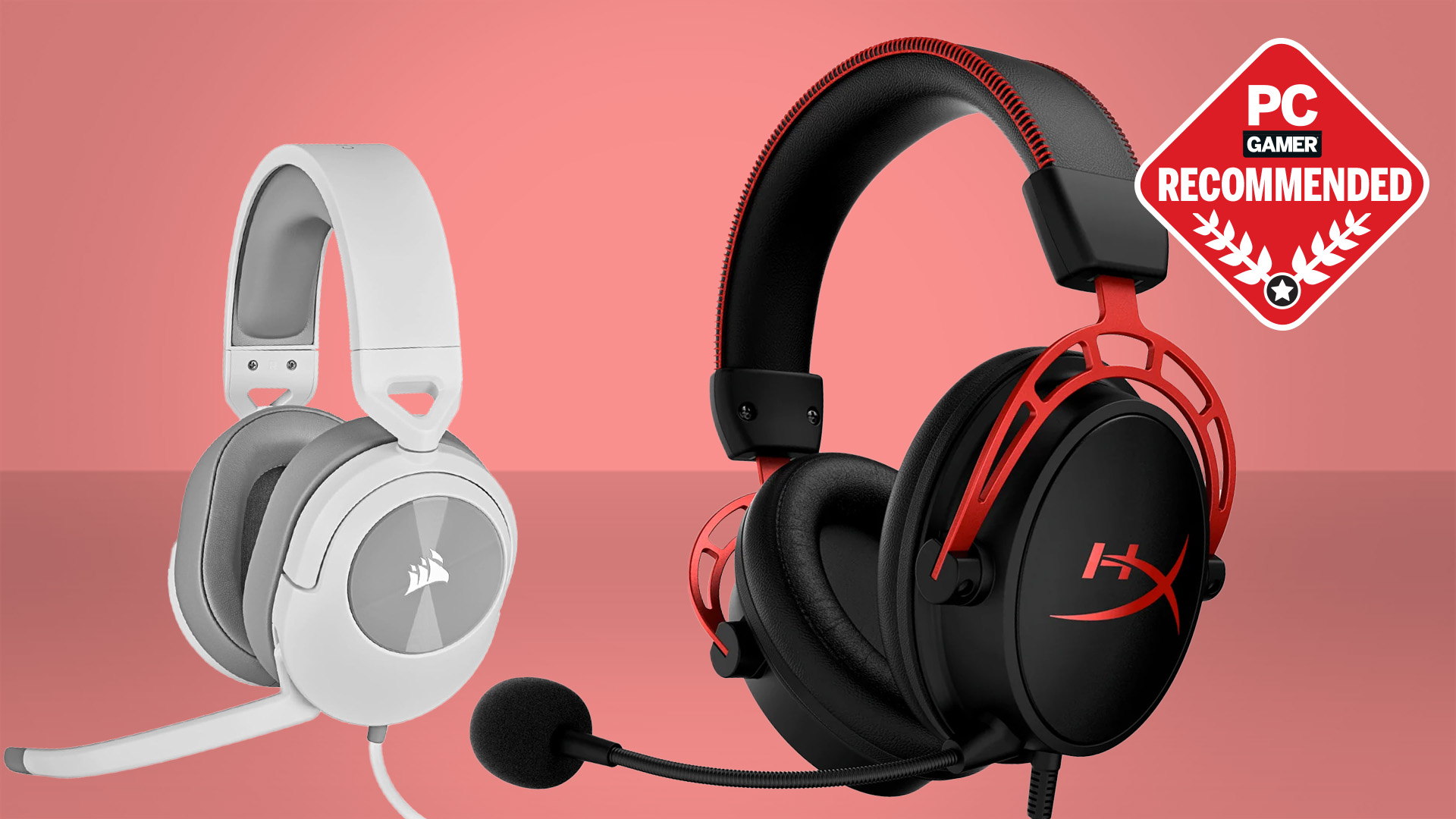
Start with the platform and connection. Then choose features based on the way you play.
| Your priority | Features to seek | Main trade-off |
|---|---|---|
| Competitive shooters | Clear imaging, controlled bass, low delay, good mic | Music may sound less warm |
| Story and role-playing games | Balanced sound, comfort, spatial support | May cost more for extra features |
| Team chat | Clear boom mic, mute control, sidetone | Mic processing may add software needs |
| Console play | Verified console support, simple controls | Fewer EQ options on some consoles |
| PC gaming | USB or 2.4 GHz, software, chat mixing | More setup and app dependence |
| Shared room | Closed-back design, good isolation | More heat and less sound leakage |
| Long sessions | Low weight, soft pads, moderate clamp | Lightweight parts may need more care |
| Multiple devices | Bluetooth plus 2.4 GHz or wired support | Higher price and more complex controls |
A simple buying process works well:
- List the devices you use. Include PC, console, phone, and controller.
- Choose wired or wireless. Consider charging and movement.
- Decide whether you need a boom mic. A separate microphone may sound better but adds cost and desk space.
- Prioritize comfort. Weight, clamp, pads, and glasses fit can determine daily use.
- Test sound without relying on presets. Compare stereo, spatial, and EQ modes.
- Check return terms. Fit and sound are personal, so a reasonable return policy reduces risk.
- Check replacement parts. Pads, cables, and receivers can affect long-term value.
If you already own good headphones, buying a separate USB or boom microphone may provide better voice quality than replacing the headphones. That setup is less portable, but it separates the two jobs.

Do You Need Gaming Headphones?
You need gaming headphones only if their specific features solve a problem for you. A regular pair of headphones can be enough when you play alone, do not use voice chat, and already like the sound.
Gaming headphones are more useful when you:
- Play team-based games
- Need a close microphone
- Want wireless movement
- Use game/chat balance controls
- Need platform-specific audio support
- Play for long sessions
- Want one device for game audio and voice chat
A regular headphone can be the better choice when music quality, comfort, or multipurpose use matters most. Audiophile headphones may offer a more natural sound, but they often require a separate microphone and may not include convenient console controls.
The best option is the one that fits the entire setup. A headset with many features is not automatically better if its microphone is poor, its connection does not support your console, or its fit becomes painful.
Key Takeaways
- Gaming headphones are built around interactive audio, voice chat, and low-latency use.
- Their main differences are the microphone, sound tuning, spatial audio, connection, controls, and software.
- A gaming label does not guarantee better sound.
- 2.4 GHz wireless is generally more gaming-focused than standard Bluetooth.
- Wired headsets avoid charging and often cost less.
- Compatibility must be checked for the exact PC, console, and connection.
- Comfort, microphone quality, and correct setup often matter more than RGB lighting or extra presets.
- Loud volume and long listening sessions can harm hearing, regardless of headset type.
Frequently Asked Questions
Are gaming headphones better than regular headphones?
Not always. Gaming headphones are usually better for built-in microphones, game/chat controls, low-latency wireless, and platform support. Regular headphones may sound better for music or offer greater comfort. The better choice depends on the intended use.
Can I use regular headphones for gaming?
Yes. Regular headphones can work well for gaming, especially when connected by 3.5 mm, USB, or a supported wireless method. Add a separate microphone if you need voice chat.
Is Bluetooth good for gaming?
Bluetooth can work for casual gaming, but standard Bluetooth may introduce noticeable delay. A wired connection or dedicated 2.4 GHz wireless receiver is usually a better choice when timing matters.
Do gaming headphones help you hear footsteps?
They can make footsteps easier to hear through sound tuning, imaging, and game settings. Results vary by headset, game, audio mix, and player. More bass or virtual surround does not automatically improve footstep detection.
Are 7.1 gaming headsets real surround sound?
Most “7.1” gaming headsets use virtual processing rather than seven physical speakers in each ear cup. The processing may create a wider or more directional effect, but its usefulness depends on the game and settings.
Should I buy open-back or closed-back gaming headphones?
Choose closed-back headphones for isolation and shared spaces. Choose open-back headphones for airflow and a more open presentation when sound leakage is acceptable.
Conclusion
Gaming headphones differ from regular headphones mainly through their focus on game sound, voice chat, low-latency connections, and platform controls. These features can improve convenience and communication, but they do not replace careful attention to sound quality, fit, compatibility, and hearing safety.
For most buyers, the best approach is simple: choose the platform first, decide between wired and wireless, prioritize comfort and microphone quality, then test stereo and spatial audio settings. The right gaming headphones should make play easier without adding problems that the feature list fails to mention.