10 Best Xbox Headsets for Gaming in 2026

Picking a headset for best Xbox headsets comes down to one question most shoppers overlook: how the headset actually connects to the console. Xbox doesn’t support standard Bluetooth for game audio, so a headset needs either a wired 3.5mm connection through the controller, a proprietary wireless dongle, or a base station built for Xbox’s system. That single fact rules out a lot of headsets that work fine on PC or PlayStation but stumble on Xbox.
Beyond connection type, the gap between budget and premium headsets shows up in battery life, microphone clarity, and comfort during long sessions. Wired headsets skip battery worries entirely and tend to cost less, while wireless systems add convenience and often better software controls, at a higher price. Competitive players care about low latency and precise positional audio, while single-player fans lean toward comfort and immersive sound over a full weekend of play.
The best Xbox headset depends on how it connects to the console, how long it needs to last on battery, and whether the microphone holds up in a full squad chat. Some players need multi-platform flexibility for a house with an Xbox, a PS5, and a Switch. Others just want a reliable wired headset that plugs in and works.
Best for multi-platform households: Logitech G Astro A50
Best for competitive squad chat: SteelSeries Arctis Nova Pro Wireless
Best for simple Xbox-first wireless: ASTRO A20 Gen 2
Best for wired sound quality on a budget: HyperX Cloud III
Best for long wireless sessions: RIG 800 PRO HX
Best for switching between Bluetooth and Xbox wireless: Turtle Beach Stealth 500
Best for controller-plug simplicity: HyperX CloudX
Best for tight budgets: Turtle Beach Recon 50
best Xbox headsets
Logitech G Astro A50
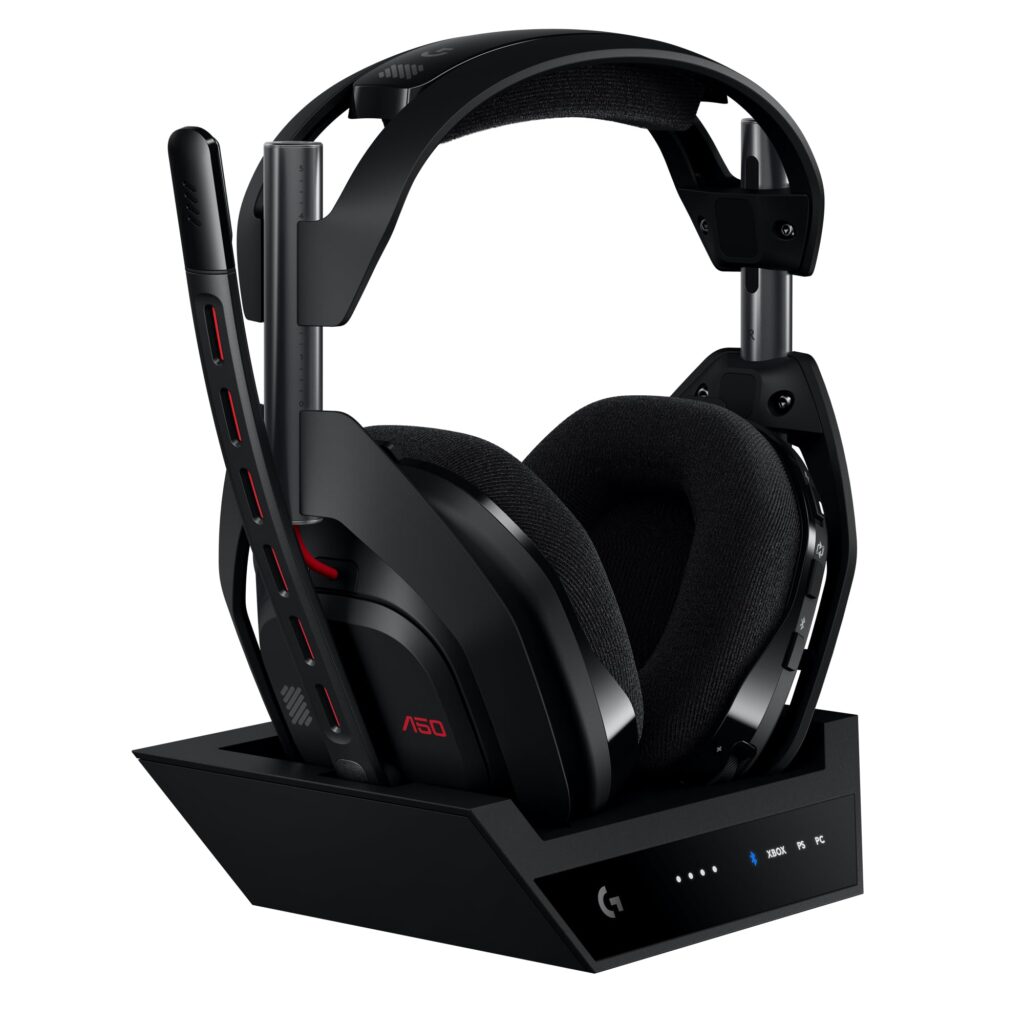
This is the pick for players who split time between Xbox, PS5, PC, and Switch and want one headset that handles all of them without a mess of dongles.
Pros
- PLAYSYNC lets three systems stay connected at once with instant switching
- Base station charges the headset automatically between sessions
- Graphene drivers give sharp detail on footsteps and directional cues
Cons
- Premium price compared to single-platform wireless headsets
- Bulkier design than most on-ear competitors
- App dependency for full EQ control
The base station is the real advantage here. Instead of unplugging a USB dongle every time the console changes, the A50 keeps Xbox, PC, and a third system connected simultaneously, switching with one button on the ear cup. Battery life lands around 24 hours, and the magnetic dock means it’s rarely below full charge.
Audio quality holds up well in competitive shooters, with clear separation between footsteps, gunfire, and voice chat. The mic is broadcast-grade, a real upgrade for anyone who streams or plays with a full squad. The cost is steep for players who only need Xbox support, and the parametric EQ and noise gate settings require Logitech’s G HUB software to unlock fully.
SteelSeries Arctis Nova Pro Wireless

This headset suits players who want active noise cancellation and near-zero downtime thanks to a hot-swappable dual-battery system.
Pros
- Two batteries mean charging never interrupts a session
- Active noise cancellation blocks out household noise during chat
- Onboard EQ profiles tuned for specific competitive titles
Cons
- Ear cups run tight for players who wear glasses
- Heavier than most headsets in this price range
- Requires the base station for full feature access on Xbox
Battery anxiety disappears with the swap system. One battery charges in the base station while the other powers the headset, so there’s no need to plan charging around a gaming session. Xbox chat clarity is a strength, with the noise cancellation cutting out background hum without muffling voices.
Comfort is the compromise. The clamping force works for shorter sessions but some players feel pressure build after a few hours, particularly around the ANC microphones embedded near the ear. Sound quality justifies the price for players serious about footstep detection in games like Call of Duty or Apex Legends.
ASTRO A20 Gen 2

This is a straightforward wireless option built around a strong Xbox connection without the complexity of a base station.
Pros
- 2.4GHz connection stays stable up to 15 meters
- Over 15 hours of battery per charge
- Flip-to-mute mic makes muting fast and obvious
Cons
- No active noise cancellation
- Extra dongle needed for PlayStation compatibility
- Fewer EQ presets than premium competitors
The A20 Gen 2 keeps things simple. Plug the USB transmitter into an Xbox controller or console, and the connection holds steady across a large room, useful for players who move around while gaming. Battery life covers a full evening without needing a mid-session charge.
Sound balance leans toward clear mids, good for dialogue and voice chat, though bass response is more modest than pricier headsets. The three onboard EQ presets cover most needs without requiring software, a plus for players who want a “plug in and play” setup rather than tuning settings on a PC.
HyperX Cloud III
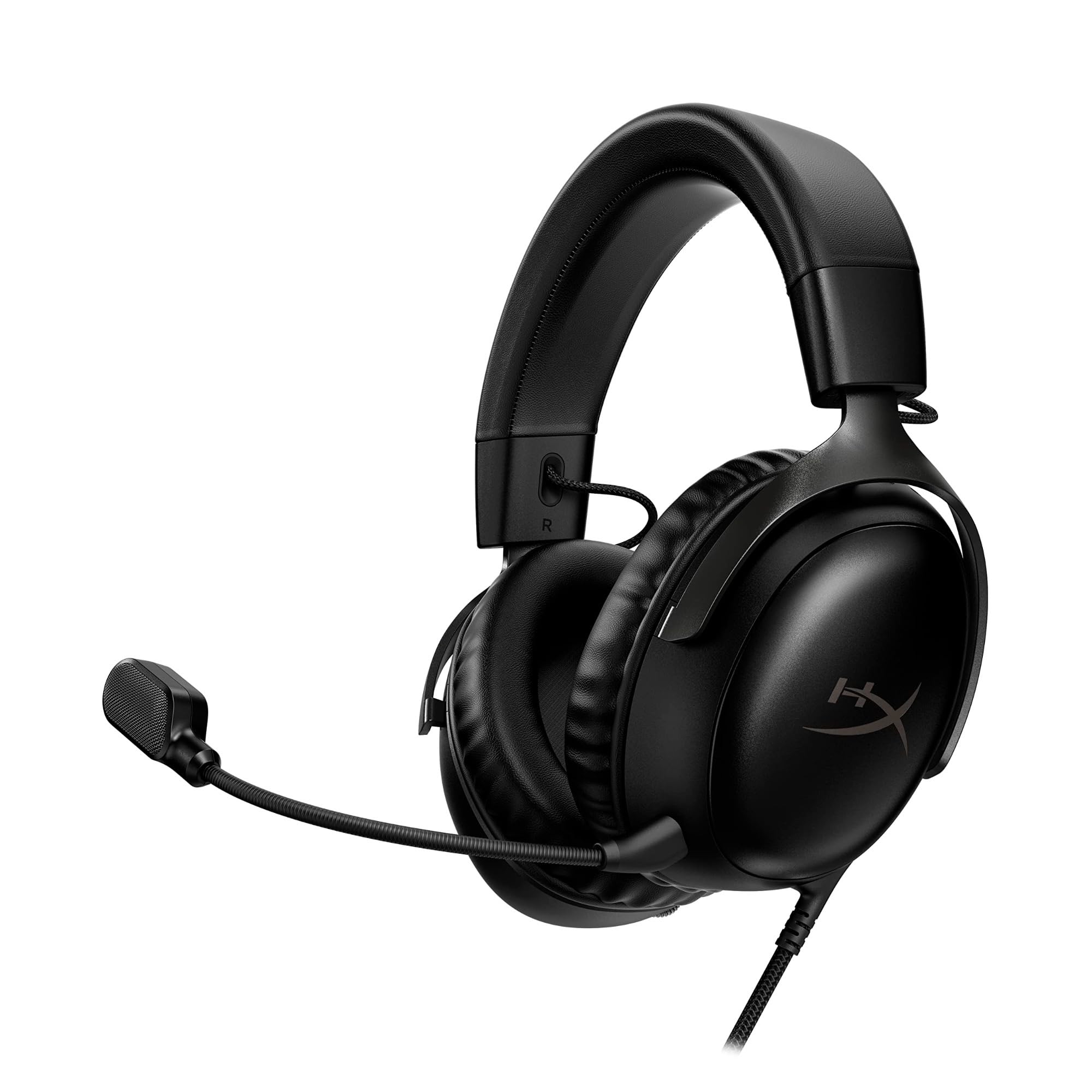
This wired headset delivers strong comfort and sound quality for players who want reliable performance without wireless costs or battery management.
Pros
- Memory foam cushions stay comfortable through long sessions
- Angled 53mm drivers give balanced, detailed sound
- Works across Xbox, PC, PS5, and mobile with the same cable
Cons
- No wireless option
- Mic performance is solid but not exceptional for competitive callouts
- Retractable cable can feel short for couch setups
The Cloud III earns its reputation for comfort. The headband and ear cushions distribute weight evenly, which matters during multi-hour sessions where lighter headsets start pressing on the temples. Sound clarity extends across bass-heavy action games and dialogue-driven titles without needing an equalizer app.
The wired connection means zero latency and no charging routine, appealing for players who dislike managing battery levels. The tradeoff is mobility. Xbox controller cable length limits how far a player can move from the console, a minor issue for couch or desk setups but a real one for anyone pacing during matches.
RIG 800 PRO HX

This headset is built for players who want long battery life and Dolby Atmos support without paying premium prices.
Pros
- Up to 60 hours of battery life per charge
- Dolby Atmos support adds spatial detail on Xbox and PC
- Multi-function base station handles charging and connectivity
Cons
- Bass can feel heavy in explosion-heavy games
- Base station adds desk space requirements
- Plastic build feels less premium than metal-framed competitors
Battery life is the standout feature. At up to 60 hours per charge, the 800 PRO HX outlasts most competitors by a wide margin, useful for players who forget to charge headsets regularly. The base station doubles as a charging dock and USB wireless receiver, keeping setup tidy.
Dolby Atmos adds meaningful directional detail once activated through the Dolby Access app, though it requires an extra setup step most players complete once and forget about. Bass response runs strong, flattering action games but sometimes overwhelming dialogue in quieter scenes.
Turtle Beach Stealth 500
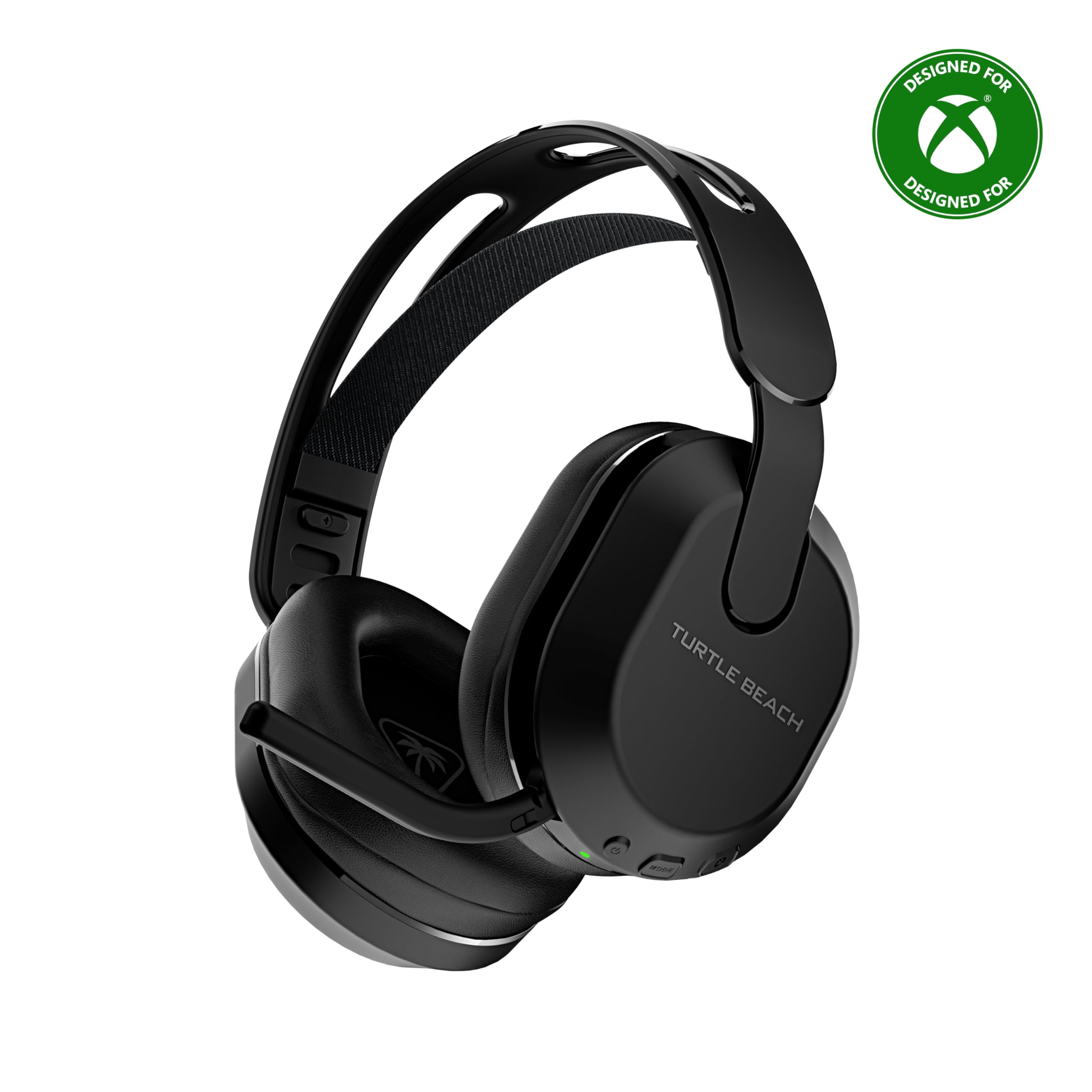
This headset stands out for its QuickSwitch button, letting players toggle between Xbox’s 2.4GHz wireless and Bluetooth for mobile calls or music.
Pros
- Up to 40 hours of battery life
- QuickSwitch button toggles connections without menus
- Lightweight floating headband reduces pressure during long sessions
Cons
- Bluetooth mode limits access to some advanced audio features
- Build feels less rugged than metal-framed competitors
- Superhuman Hearing setting requires the Swarm II app
Switching between game audio and a phone call used to mean removing the headset. The Stealth 500 solves that with one button, moving between Xbox wireless and Bluetooth without digging through settings menus. Battery life at 40 hours covers several days of typical use.
The floating headband design distributes weight well, and the memory foam cushions add comfort during marathon sessions. Voice chat comes through clearly thanks to the omni-directional mic, though players wanting the full 10-band EQ and Superhuman Hearing sound profiles need to install the Swarm II software first.
HyperX CloudX

This is an officially licensed Xbox headset that plugs directly into a controller for instant, no-fuss compatibility.
Pros
- Tested and approved by Microsoft for Xbox controllers
- Detachable mic doubles as a music headphone
- Durable aluminum frame withstands daily wear
Cons
- Wired only, limiting movement range
- No onboard EQ or companion app
- Mic clarity is good but not top-tier for team callouts
Setup takes seconds: plug the 3.5mm cable into an Xbox controller, and audio starts working immediately. No pairing, no app, no battery to track. That simplicity makes the CloudX a solid pick for younger gamers or anyone who wants a dependable backup headset.
Sound quality punches above its price with 53mm drivers delivering clean mids and enough bass for action titles. The detachable mic is a thoughtful touch, letting the headset double as a portable pair of headphones when gaming isn’t the focus. It lacks the software depth of pricier headsets, but for straightforward Xbox use, that’s rarely a problem.
Turtle Beach Recon 50
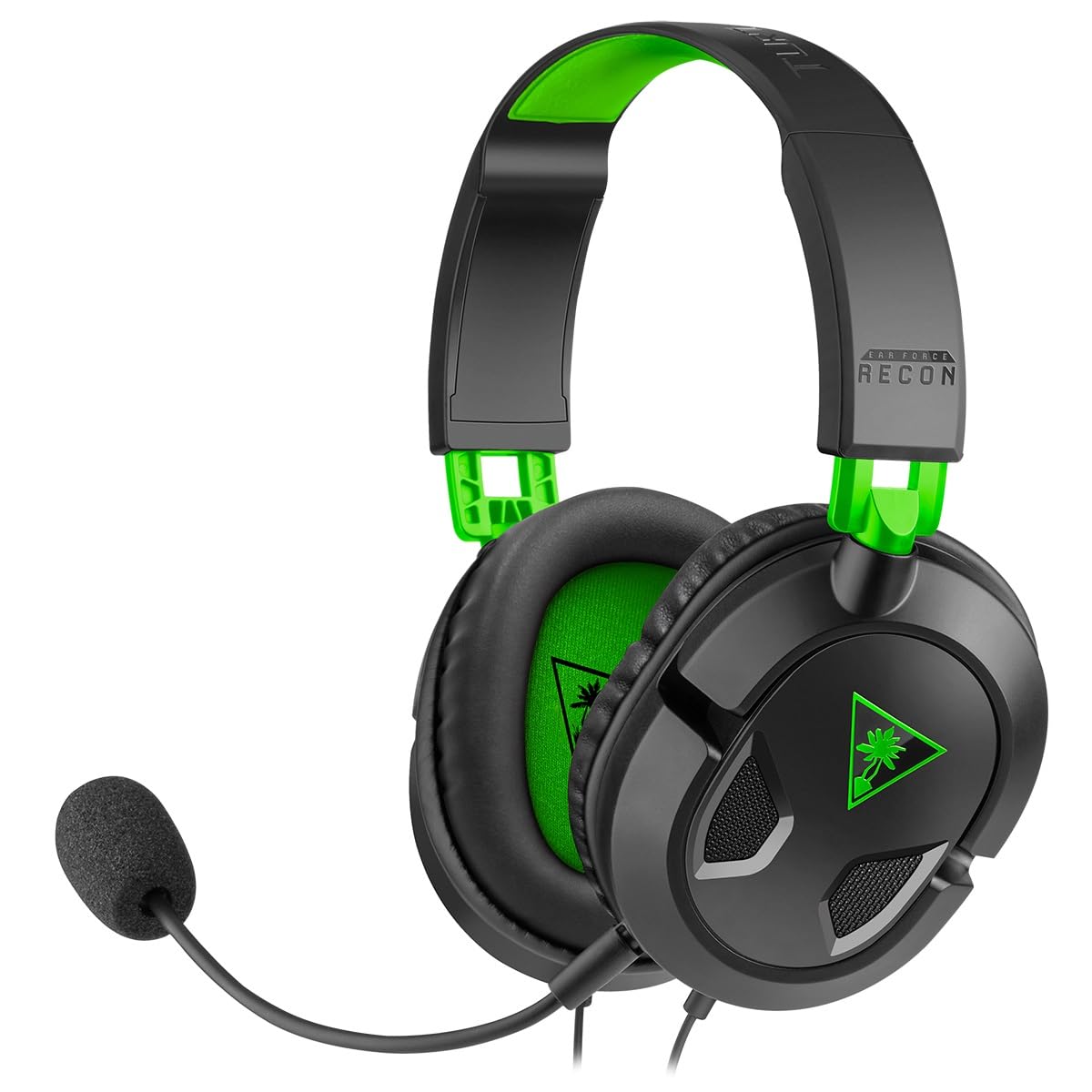
This is the budget pick for players who want a reliable wired headset without paying for features they won’t use.
Pros
- Competitively priced compared to nearly every headset on this list
- Lightweight design suits younger players and long sessions
- Works across Xbox, PlayStation, PC, and mobile with one cable
Cons
- No noise cancellation or spatial audio out of the box
- Smaller ear cups may not fit larger heads comfortably
- Build quality feels basic next to pricier headsets
The Recon 50 covers the basics without complication. A 3.5mm cable connects to an Xbox controller, PS5, or PC, and in-line controls handle volume and mic mute without needing a companion app. It’s a dependable choice for households buying multiple headsets for kids or casual players.
Sound quality is acceptable for the price, with clear mids that handle dialogue and chat well, though bass and detail fall short of pricier wired options like the Cloud III. Comfort works fine for shorter sessions, but the smaller ear cups can feel tight during extended play for players with larger heads.
Buying Guide
Check the Connection Type First
Xbox headsets fall into a few connection categories, and this matters more than any other spec on the list.
| Connection Type | How It Works | Best For |
|---|---|---|
| 3.5mm wired | Plugs into controller jack | Simplicity, zero latency, no battery |
| USB wireless dongle | Plugs into console or PC | Stable range without Bluetooth limits |
| Base station | Dock connects to console, headset pairs wirelessly | Multi-device switching, extra features |
| Bluetooth | Pairs with phone or PC (not native Xbox audio) | Calls, music, secondary connection only |
Xbox does not support Bluetooth for primary game audio, so a headset advertising Bluetooth alone won’t work as a main headset on the console. Confirm the listing mentions Xbox-specific wireless support or a 3.5mm jack.
Battery Life and Charging Habits
Wireless headsets vary widely in battery life, from around 15 hours up to 60 hours per charge. Players who forget to charge devices regularly should look for headsets with base stations or dual-battery systems, since those remove the need to plan ahead.
Microphone Quality for Chat
Squad-based games and party chat put real demands on a microphone. Look for these mic details:
- Noise cancellation or noise gating to reduce background sound
- Flip-to-mute or in-line mute controls for quick access
- Detachable or boom mics for flexible positioning
Comfort for Long Sessions
Weight, clamping force, and cushion material affect how a headset feels after a few hours. Memory foam ear cushions and a floating or self-adjusting headband reduce pressure points better than basic padding.
Extra Features Worth the Price
Spatial audio formats like Dolby Atmos or Windows Sonic add directional detail useful in competitive shooters. Companion apps with EQ adjustment give more control over sound but add setup steps. Weigh these features against actual use. A player who only plays casually may not need the deeper customization a competitive player relies on.