Can You Plug Headphones Into PS5 Controller Easily

Yes, you can plug most standard wired headphones into a PS5 controller using the 3.5mm jack. It is one of the easiest ways to get low-latency game audio and mic support on PS5.
If you’re asking can you plug headphones into ps5 controller, the short answer is yes. The PS5 DualSense controller includes a 3.5mm headphone jack, so most wired headphones, earbuds, and many gaming headsets can connect directly for simple play-and-chat audio.
That makes the controller one of the easiest ways to listen on PS5, especially if you want low-latency sound without dealing with pairing or extra dongles. For many players, it’s the quickest budget-friendly setup, though the best choice still depends on your headset type, comfort, and how you like to play.
- Compatibility: Most 3.5mm wired earbuds and headsets work.
- Setup: You may need to select the controller as the audio output.
- Best use: Great for simple, low-latency gaming and party chat.
- Watch for: USB-only headsets and wrong adapters can cause issues.
Can You Plug Headphones Into a PS5 Controller? Quick Answer and What It Means in 2025

Yes, you can plug headphones into a PS5 controller through the built-in 3.5mm jack on the DualSense. In practical terms, that means any standard wired headphone plug should work, as long as the headset and cable are in good condition and the device is compatible with the PS5’s audio output options.
In 2025, this remains one of the most straightforward ways to get game audio on PS5. It’s especially useful if you want to avoid Bluetooth lag, keep setup simple, or use a familiar pair of earbuds from your phone or laptop.
Compatibility can vary slightly by headset model, inline controls, and adapter quality. If your headphones use a nonstandard plug, you may need the correct adapter for reliable audio and microphone support.
How the PS5 DualSense Headphone Jack Works for Wired Audio

The DualSense controller acts as a small audio pass-through point. When you plug in a wired headset, the PS5 can send game sound, party chat, and system audio through the controller instead of the TV or console speakers.
This is why the setup feels so convenient. You do not need a separate receiver or a complicated pairing process, and the connection is usually stable as long as the cable is seated properly.
Compatible headphone types: 3.5mm wired earbuds, headsets, and adapters
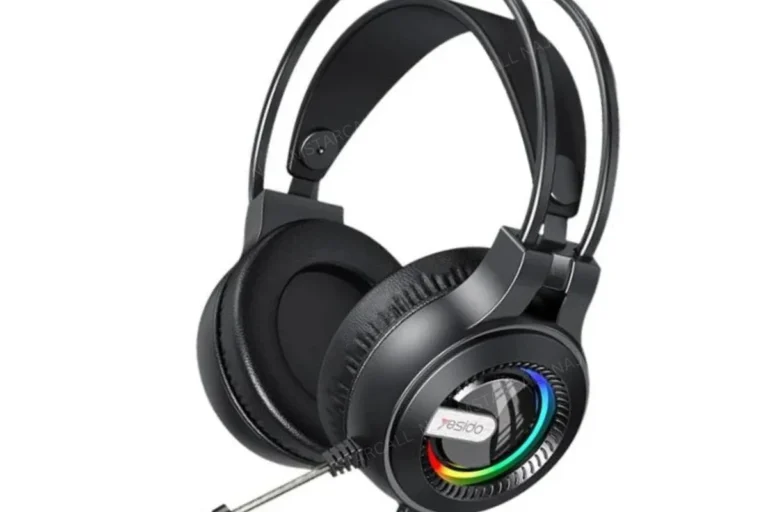
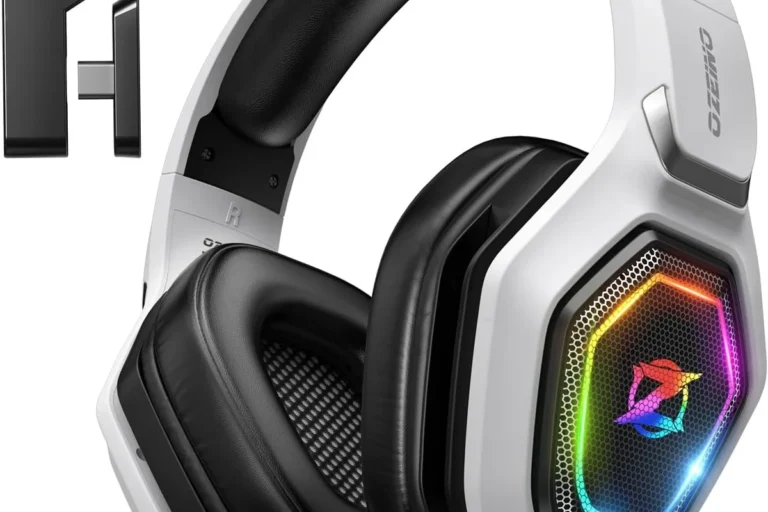
Most standard 3.5mm wired earbuds and headsets should work with the PS5 controller. That includes many gaming headsets with a single combo plug, as well as basic earphones that have a standard audio connector.
If your headphones use a different connector, such as USB-only, USB-C only, or a split PC-style microphone and headphone plug, you may need an adapter. The adapter must be the right type, or you could lose mic support, get weak audio, or hear only one side.
What audio and mic functions you can expect through the controller
With a compatible headset, you can usually hear game audio, voice chat, and system sounds through the controller jack. Many headsets also support the microphone through the same cable, which is useful for party chat and multiplayer games.
Still, features can vary by headset. Some inline remote buttons may work, while others may not. Mic quality, volume level, and stereo balance can also depend on the headset design and how the PS5 is configured.
Wired controller audio is often preferred by competitive players because it avoids wireless lag and does not need battery charging.
Step-by-Step: How to Connect Headphones to a PS5 Controller
Connecting headphones to a PS5 controller is usually simple, but it helps to follow a clean setup process. A few small settings can make the difference between “it works” and “why is the sound still coming from the TV?”
Simple plug-in setup for everyday gaming
First, insert the 3.5mm plug firmly into the bottom jack of the DualSense controller. You should feel a secure fit, and the cable should not wobble too much once connected.
Then put on the headphones and check whether the PS5 automatically routes audio to the controller. In many cases, it does this on its own, but if not, you may need to change the output manually in the sound settings.
Insert the 3.5mm connector fully into the controller jack.
Make sure the PS5 is sending audio to the controller, not the TV or another device.
Open party chat or the input settings to confirm your mic is detected correctly.
Checking PS5 audio output and microphone settings
If the sound does not switch automatically, go to the PS5 sound settings and confirm the controller/headset is selected as the output device. You can also check microphone input there if your headset has a built-in mic.
This is especially important with gaming headsets that have multiple controls. Sometimes the mic mute switch is on, or the headset volume is turned down, which can make it seem like the connection failed when the real issue is a simple setting.
- Headphone plug is fully inserted
- PS5 audio output is set to the controller
- Mic is not muted on the headset or in system settings
- Volume is high enough for comfortable listening
Best Use Cases for Controller-Plugged Headphones
Using headphones through the PS5 controller is not just possible; it is often the smartest choice for certain gaming setups. It works best when you want convenience, portability, and dependable sound without extra gear.
Gaming in bed, on the couch, or with a portable setup
Controller-plugged headphones are great for relaxed gaming in bed or on the couch. You can keep the setup compact, avoid long cables across the room, and listen privately without disturbing other people.
This also works well for a portable PS5 setup, such as gaming in a shared space or moving between rooms. If you are already sitting close to the console, wired audio through the controller is often the cleanest solution.
Casual play, party chat, and low-latency audio needs
For casual gaming and online chat, the controller jack is usually more than enough. It gives you quick access to party chat and game sound without waiting for Bluetooth pairing or separate transmitter setup.
It is also a strong choice if you care about low latency. Wired audio typically avoids the delay that can happen with wireless headphones, which matters more in fast games where timing and directional cues are important.
If you mainly play story games, sports titles, or party chat sessions, a simple wired headset can be a very practical PS5 choice.
Common Problems and Mistakes When Using Headphones With a PS5 Controller
Most PS5 headphone issues are easy to fix, but they usually come from a few common mistakes. The good news is that the controller jack itself is not complicated; it just needs the right plug, settings, and cable condition.
No sound, weak volume, or mic not working
If you hear nothing, first check that the plug is fully inserted and the headset volume is turned up. Weak volume can also happen if the headphones are not designed for console use or if the cable is partially damaged.
If the mic does not work, confirm that the headset actually includes a microphone and that it is not muted. Some headphones are audio-only, so they can play sound but cannot send voice input.
Using worn cables, loose plugs, or low-quality adapters can cause crackling, one-sided audio, or intermittent microphone dropouts. If the connection cuts in and out, test another cable or adapter before assuming the controller is the problem.
Forgetting to set the controller as the audio output device
One of the most common mistakes is assuming the PS5 will automatically switch audio every time. In many cases it does, but not always, especially if you have used other output devices before.
If sound still comes from the TV, open the PS5 audio settings and select the controller or headset output manually. This small step solves a surprising number of “my headphones are plugged in but nothing changed” problems.
Using incompatible USB-only headsets or the wrong adapter
Not every headset can plug directly into the controller. USB-only gaming headsets usually need a USB port or dongle, while some PC headsets require a splitter adapter to separate the mic and headphone signals correctly.
If you use the wrong adapter, you may get audio but no mic, or the opposite. Before buying extra accessories, check whether your headset is meant for a standard 3.5mm analog connection or a USB-based setup.
If you notice persistent buzzing, distortion, or one-sided audio across multiple cables and headsets, it may be worth asking a repair specialist or audio professional to check the controller jack. For hearing discomfort, ringing, or sensitivity to sound, consult an audiologist.
Wired vs Wireless Headphones on PS5: Which Is Better for You?
There is no single best option for every player. Wired controller audio is simpler and often more reliable, while wireless headphones can be more comfortable and flexible if you want to move around.
Latency, convenience, battery life, and sound quality comparison
Wired headphones usually win on latency because the signal is direct. That can make them a better match for competitive play, rhythm games, or anyone who notices even small audio delays.
Wireless headphones can be more convenient, especially if you dislike cables, but they may require charging and sometimes extra setup. Sound quality can be excellent on both wired and wireless models, though it varies by brand, tuning, and the specific headset design.
- Wired controller audio is simple and low-latency.
- Wireless can be more comfortable but needs charging.
- Sound quality depends more on the headset than the connection type.
When a wired controller connection is the smarter budget choice
If you want the cheapest easy setup, wired is often the smarter route. You may already own a compatible headset, and that means you can skip buying a separate wireless headset or USB dongle.
This is also a good option if you are comparing different headphone styles. If you are still deciding between different headphone types explained, a wired PS5 setup is a simple starting point before spending more on specialized gear.
Expert Advice: When You Should Avoid Relying on the Controller Jack
The controller jack is useful, but it is not always the best long-term solution. If you game often, use demanding headsets, or notice recurring audio issues, a different connection method may make more sense.
Warning signs for poor cable quality, damaged ports, or noisy audio
If the audio crackles when you move the cable, the plug feels loose, or one ear cuts out randomly, the cable or port may be wearing out. These issues are common with older earbuds and heavily used headset cords.
Noise in the signal can also come from cheap adapters or damaged inline controls. If you hear hiss, buzzing, or static every time you use the controller jack, test another headset before blaming the PS5 itself.
Listening at high volumes for long periods can cause hearing damage. Keep volume at 60% or below for extended sessions.
When a dedicated headset or USB dongle may be worth the extra cost
If you want better convenience, a dedicated gaming headset with a USB dongle or a strong wireless connection may be worth it. That can be especially true for players who sit farther from the console or switch between gaming and other devices often.
Some users also prefer dedicated headsets for better microphone control, more consistent fit, or features like noise cancellation. If you are exploring that route, our guide on how noise cancelling headphones work can help you understand what those features actually do.
Final Verdict: Is Plugging Headphones Into a PS5 Controller Worth It?
For most PS5 owners, yes, plugging headphones into the controller is absolutely worth it. It is the easiest wired setup, it keeps latency low, and it works well for everyday gaming, party chat, and budget-conscious buyers.
The main tradeoff is that you are limited to compatible wired audio gear, and cable quality matters. If you want the simplest possible PS5 headphone setup, the DualSense jack is still one of the best starting points.
Key takeaways for PS5 owners choosing the easiest audio setup
If you want a fast answer to can you plug headphones into ps5 controller, the answer is yes, and it is often the most convenient option. Just make sure your headset uses a standard 3.5mm plug, your audio output is set correctly, and your volume stays at a safe level for long sessions.
For readers comparing wired and wireless audio more broadly, this is also a good reminder that the best headphone setup depends on comfort, latency, mic needs, and how often you play. A simple wired connection is not flashy, but for many PS5 players, it is the easiest and most dependable choice.
Frequently Asked Questions
Not always, but wired headphones often avoid latency and connection drops. Sound quality depends more on the headset model and tuning than the connection type.
They can be useful if you want less background noise from a TV, fan, or roommates. For gaming, comfort and mic support still matter just as much as noise cancellation.
Closed-back headphones usually block more outside sound and are better for shared spaces. Open-back models can feel more spacious, but they leak sound and are less private.
Look at connection type, comfort, microphone support, and how the headset is tuned. Driver type, frequency response, bass balance, and clarity can affect how footsteps, dialogue, and effects sound.
Start with a compatible 3.5mm wired headset if you want the easiest low-cost option. Check comfort, cable quality, and mic support before paying extra for features you may not use.
Focus on lightweight comfort, soft ear cushions, and a secure but not tight fit. Durable cables and good build quality also matter if you game often for long periods.