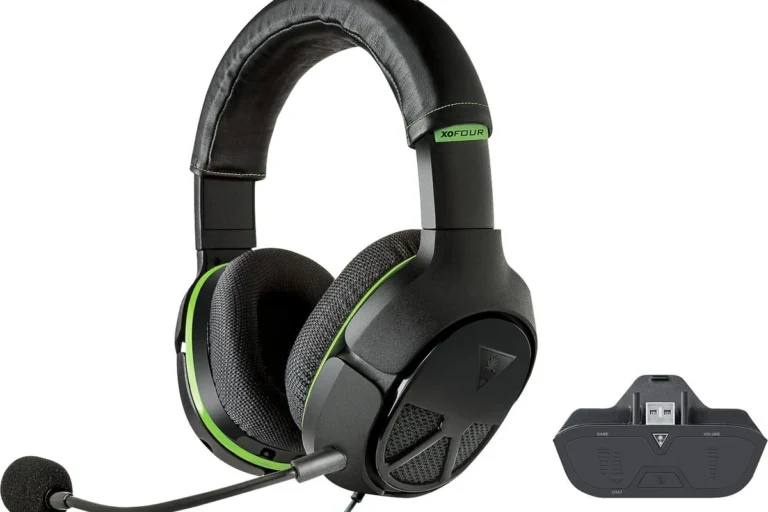
Can You Connect Bluetooth Headphones to Switch Easily

Yes, you can connect Bluetooth headphones to a Nintendo Switch, and it usually works without extra accessories. The main trade-offs are audio lag, limited mic support, and occasional pairing issues.
If you’re asking can you connect bluetooth headphones to switch, the short answer is yes. Nintendo Switch supports Bluetooth audio, so most wireless headphones and earbuds can pair without extra accessories.
That said, the experience is not always perfect. Some headsets connect easily, while others may run into lag, limited microphone support, or pairing trouble depending on the model and how you play.
- Easy setup: Built-in Bluetooth audio works for most Switch users.
- Main drawback: Latency can affect fast-paced games and video sync.
- Best use: Handheld play and casual gaming are the smoothest fit.
- Better alternatives: Wired headphones or adapters can reduce frustration.
Can You Connect Bluetooth Headphones to Switch? Quick Answer and What It Means in 2026
Yes, you can connect Bluetooth headphones to a Nintendo Switch in 2026, and the feature is built into the console. For many players, that means no dongle is needed for basic wireless listening.
What it means in practice is simple: the Switch is convenient, but not as flexible as a phone or laptop. You can usually listen to game audio wirelessly, but voice chat, latency, and connection stability can still depend on the headset and the game.
Bluetooth audio support on Switch is meant for convenience first. If you want the lowest lag or the most reliable chat setup, wired or adapter-based options may still be better.
How Nintendo Switch Bluetooth Audio Works: Built-In Support, Limits, and Device Compatibility
The Switch uses built-in Bluetooth audio support for compatible headphones, earbuds, and some gaming headsets. Once paired, audio is sent wirelessly from the console to your headset, whether you are playing handheld or docked.
Compatibility is broad, but not universal. Some devices pair right away, while others may need a reset, a fresh pairing attempt, or a different connection method if they are picky about how they negotiate Bluetooth.
If you want a general refresher on pairing basics, our guide on how to connect Bluetooth headphones covers the usual steps that also help with console setups.
Why some headphones pair instantly while others fail
Some headphones pair instantly because their Bluetooth implementation is simple and stable. Others fail because the headset is already connected to another device, the Switch is not in pairing mode, or the headset expects a newer feature set than the console handles cleanly.
Brand matters less than behavior. Even a premium headset can be annoying if it auto-connects to your phone before the Switch gets a chance.
Bluetooth version, codec, and latency basics for Switch users
Bluetooth version can affect range and reliability, but it is not the only thing that matters. Codec support, interference, and the headset’s internal processing all influence how fast audio reaches your ears.
For gaming, latency is the big issue. Even a small delay can make dialogue, footsteps, and rhythm timing feel off, especially in fast-action titles or streaming apps where lip-sync is noticeable.
Step-by-Step Guide to Pair Bluetooth Headphones with a Nintendo Switch
Pairing is straightforward once you know where the setting lives. The main rule is to put your headphones into pairing mode first, then connect them from the Switch’s Bluetooth Audio menu.
Pairing in handheld mode
From the home screen, go to System Settings, then find the Bluetooth Audio section.
Put your headphones or earbuds into pairing mode using the manufacturer’s method.
Choose the headset from the list and confirm the connection once it appears.
Handheld mode is usually the easiest way to connect. Once paired, you can keep playing without cables, which is especially useful for travel or couch play.
Pairing in docked mode with a TV setup
Docked mode works the same way from the console side, but your TV setup can add extra variables. If your TV is also sending audio through its own speakers or soundbar, you may need to decide whether the Switch or the TV should be the main audio source.
For a cleaner living-room setup, Bluetooth headphones can help reduce cable clutter. Still, if your TV has strong audio delay of its own, you may notice the sound path feels less immediate than a direct wired connection.
What to do if the Switch cannot find your headphones
If the Switch does not see your headphones, first make sure they are not connected to another device. Many headsets will automatically reconnect to your phone or tablet before the Switch can detect them.
Next, restart pairing mode on the headset, move closer to the console, and try again. If needed, remove the device from the Switch’s paired list and start fresh.
- Headphones are in pairing mode
- No other device is stealing the connection
- Battery is charged
- Switch software is up to date
Best Real-World Use Cases for Bluetooth Headphones on Switch
Bluetooth audio makes the most sense when convenience matters more than absolute precision. If you want fewer cables and easier movement, the Switch’s wireless support is genuinely helpful.
Gaming on the go: travel, commuting, and handheld play
Handheld play is where Bluetooth headphones feel most natural. They keep your bag lighter, reduce cable tangles, and make the Switch easier to use on planes, trains, or in waiting rooms.
For players who also use headphones on the move, our article on wireless headphones on a plane is a useful read for travel comfort and battery planning.
Living-room play: avoiding cable clutter during TV sessions
In the living room, Bluetooth headphones are useful when you want to sit farther from the console or avoid running a cable across the floor. That can be especially nice if the dock is tucked behind a TV stand.
They are also convenient for late-night sessions, when you want to keep game audio to yourself without disturbing other people in the room.
Party play and split-screen situations where Bluetooth audio helps most
Bluetooth headphones can help in split-screen or shared-room situations because they keep your audio private. That matters when one person is watching, another is playing, and the TV volume needs to stay low.
They are less ideal when multiple players need to hear the same audio at the same time. In that case, a TV speaker or shared sound system may still be the simpler option.
Some gaming headsets reconnect faster than regular earbuds because they are designed to stay ready for low-latency play and repeated pairing.
Common Problems When Connecting Bluetooth Headphones to Switch
Bluetooth on Switch is useful, but it is not flawless. The most common complaints are lag, limited voice chat support, and the occasional drop in connection quality.
Audio lag and lip-sync issues in games and streaming apps
Audio lag is the issue most players notice first. In fast games, delayed sound can make action feel slightly disconnected, and in video apps it can create lip-sync mismatch.
If lag is bothering you, a low-latency headset, a wired connection, or a compatible adapter may be a better choice. Our guide to Bluetooth headphone lag fix can also help you reduce delay in everyday use.
Mic limitations, voice chat workarounds, and game-specific restrictions
Bluetooth headphone microphones are not always supported the way people expect on Switch. Some games and chat apps handle voice differently, and certain headset mic features may not work during gameplay.
If voice chat matters a lot, double-check the game’s communication method before buying a headset for Switch use. A separate mic setup or app-based workaround may be needed depending on the title.
Connection drops, low volume, and battery drain
Connection drops can happen if the headset is too far away, the battery is low, or there is a lot of wireless interference nearby. Crowded apartment buildings and busy living rooms can make Bluetooth less stable.
Low volume is another issue, especially if your headset is tuned for phones rather than gaming. Battery drain is also worth watching, since wireless audio adds another device you have to charge regularly.
Bluetooth audio quality, volume, and stability can vary by headset model, room interference, and how far you sit from the console.
Expert Advice: When Bluetooth Is Good Enough and When You Should Use a Dongle or Wired Option
For casual gaming, built-in Bluetooth is often good enough. For competitive play, rhythm games, or anyone sensitive to delay, a different connection method may be the smarter choice.
Warning signs that your headset may not be ideal for Switch
Your headset may not be a great Switch match if it constantly reconnects to other devices, has noticeable delay, or feels too quiet at normal volume. Heavy battery dependence can also be frustrating if you play long sessions.
Another warning sign is complicated pairing behavior. If a headset is hard to reset or refuses to stay connected, it may create more hassle than it saves.
If you have hearing sensitivity, tinnitus, or ongoing ear discomfort, keep volume moderate and consider speaking with an audiologist about safe listening habits and headset fit.
Comparing built-in Bluetooth, USB-C adapters, and 3.5mm wired headphones
Built-in Bluetooth is the easiest option, but not always the best sounding or lowest-latency option. USB-C adapters can improve convenience for some setups, while 3.5mm wired headphones usually offer the simplest and most reliable audio path.
If you want a deeper comparison of wireless and wired listening, our article on Bluetooth vs wired headphones sound quality breaks down the trade-offs in plain language.
Typical price ranges and which option offers the best value
Price varies a lot because headphone quality, gaming features, and wireless performance all change from model to model. Budget earbuds may be fine for casual play, while premium gaming headsets usually cost more because of comfort, battery life, and extra features.
For most Switch players, the best value often comes from choosing the simplest setup that matches your needs. If you care most about reliability, wired headphones can still be the smartest buy.
Final Verdict: The Easiest Way to Connect Bluetooth Headphones to Switch Without Frustration
So, can you connect bluetooth headphones to switch easily? Yes, and for most people the built-in Bluetooth feature is the fastest way to get wireless audio working.
The easiest path is to pair a headset that is already stable, keep expectations realistic about lag and mic support, and switch to wired or adapter-based audio if you want fewer compromises. If you mainly play casually, Bluetooth is usually enough; if you play competitively, simplicity and low latency matter more than cable-free convenience.
- Bluetooth headphones work with Nintendo Switch.
- Pairing is easiest in handheld mode.
- Latency and mic limits are the main trade-offs.
- Wired or adapter options can be better for competitive play.
Listening at high volumes for long periods can cause hearing damage. Keep volume at 60% or below for extended sessions.
Frequently Asked Questions
Wired headphones usually give the most consistent sound and the lowest delay. Wireless headphones are more convenient, but sound quality and latency can vary by model.
Yes, noise cancelling headphones can be useful if you play in a noisy room or want more focus. Just remember that active noise cancelling can slightly change how some games feel, depending on the headset.
Closed-back headphones are usually the better choice for Switch because they block more outside noise and keep game audio private. Open-back models can sound wider, but they leak sound and are less practical for shared spaces.
Over-ear headphones are often the most comfortable for long sessions because they spread pressure more evenly. Ear cushion material, clamping force, and weight matter as much as the headphone style.
Check battery life, comfort, Bluetooth stability, latency, and whether the headset supports wired use as a backup. If you care about sound, look at driver size, tuning, and whether the headset has EQ options.
Choose a lightweight fit with soft ear cushions and a headband that does not clamp too hard. Take breaks, keep the volume moderate, and replace worn pads when they start to feel rough.