How to Connect Wireless Headphones to PS5 Easily

The easiest way to connect wireless headphones to PS5 is usually with a USB dongle or a headset that includes its own transmitter. Standard Bluetooth headphones may work in limited setups, but they are often less reliable for gaming and voice chat.
If you want to know how to connect wireless headphones to PS5, the short answer is that the easiest method is usually a USB wireless dongle or a headset that includes its own transmitter. The PS5 does not support every Bluetooth headphone directly, so the best setup depends on the type of headphones you own and how you plan to use them.
- Best method: Use a USB wireless dongle or 2.4GHz transmitter.
- Bluetooth limit: Not every Bluetooth headset pairs directly with PS5.
- Gaming priority: Low latency matters more than simple wireless convenience.
- Compatibility check: Confirm mic support, firmware, and PS5 audio settings.
How to Connect Wireless Headphones to PS5: What Works in 2025
In 2025, PS5 owners still have a few reliable ways to get wireless audio, but not every path works the same way. Some headphones connect through a USB dongle, some use a dedicated transmitter, and some Bluetooth options work only with extra accessories or limited features.
The main thing to understand is that “wireless” does not always mean “Bluetooth.” Many gaming headsets use 2.4GHz wireless instead, which is often more stable and lower-latency for play on PS5. If you are shopping for a new headset, that distinction matters more than most box labels suggest.
Compatibility can vary by headset brand, PS5 system software, and whether the headset uses Bluetooth, 2.4GHz wireless, or a proprietary transmitter.
PS5 Wireless Audio Basics: Bluetooth, USB Dongles, and Official Support
The PS5 is designed to work smoothly with PlayStation-compatible headsets, USB wireless adapters, and some accessories made specifically for gaming audio. It is much less flexible with standard Bluetooth headphones than many people expect.
That is why two headphones that both say “wireless” on the box can behave very differently on a PS5. One may pair instantly through a USB receiver, while another may not connect at all without an adapter.
Why the PS5 does not support all Bluetooth headphones natively
Standard Bluetooth audio can create latency, which is the delay between what happens on screen and what you hear. For gaming, even a small delay can feel distracting, especially in shooters, rhythm games, or fast action titles.
There is also the issue of voice chat and microphone support. Some Bluetooth headphones may play audio but not handle the mic properly, or they may connect in a way that limits sound quality and chat features.
Many gaming headsets skip standard Bluetooth for 2.4GHz wireless because it usually offers better stability and lower delay for console play.
Which wireless headphone types work best with PS5
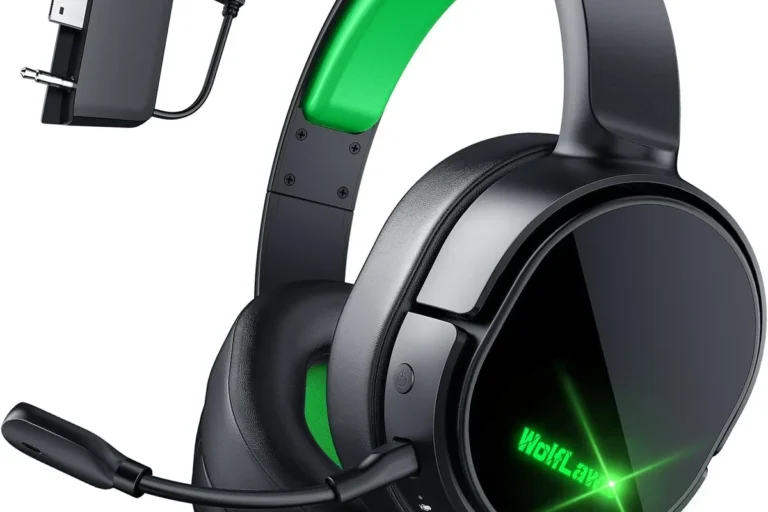
For most PS5 users, the best choices are gaming headsets with a USB dongle or a dedicated transmitter. These are usually the simplest to set up and the most dependable for both game audio and chat.
Wireless earbuds can also work well if they come with a compatible USB receiver. Standard Bluetooth earbuds are less predictable, especially if you want low lag or a working microphone.
Step-by-Step Methods to Connect Wireless Headphones to PS5
The right method depends on your headset type. If your headphones came with a dongle or transmitter, start there first. If they are standard Bluetooth headphones, you may need to use a workaround or accept limited functionality.
Using a USB wireless adapter or dongle
This is the simplest method for many gaming headsets. Plug the USB dongle into the PS5 console, power on the headphones, and wait for the devices to pair automatically.
Once connected, go to the PS5 sound settings and confirm that the output device is set correctly. If the headset includes a microphone, check that the input device is also selected properly.
Plug the dongle into an available USB port on the PS5.
Power on the headphones and wait for the pairing light or connection tone.
Select the headset as the output and input device if needed.
If your headset has both Bluetooth and 2.4GHz wireless, use the 2.4GHz dongle for PS5 gaming and save Bluetooth for phones or travel.
Connecting via the PS5’s built-in Bluetooth options
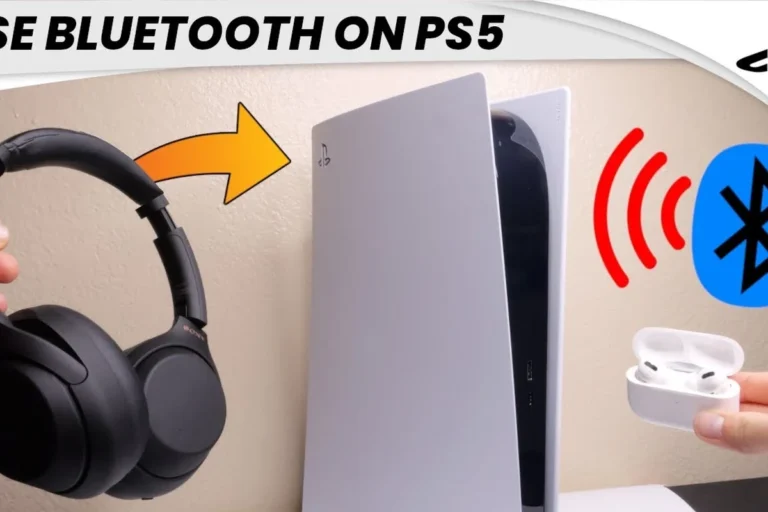
The PS5 is not a universal Bluetooth headphone hub, so this method is limited. In many cases, you will need a Bluetooth adapter or another accessory rather than pairing directly through the console.
If you are trying a Bluetooth workaround, follow the adapter instructions carefully and expect possible limits on mic support or audio delay. For many players, this is acceptable for casual listening but not ideal for competitive gaming.
Do not assume every Bluetooth headset will pair directly with PS5. If the headset connects but audio feels delayed or the mic does not work, the setup may not be suitable for gaming.
Pairing a gaming headset with its dedicated transmitter
Some premium gaming headsets use a dedicated transmitter or base station rather than a simple dongle. The process is similar: connect the transmitter to the PS5, power on the headset, and wait for the link to complete.
This setup can be especially useful if you want a cleaner desk setup or if the headset supports multiple devices. It is also a common choice for players who want a more consistent wireless connection than standard Bluetooth can offer.
- Does the headset include a USB dongle or transmitter?
- Does the PS5 recognize the headset as both output and input?
- Is there noticeable audio delay during gameplay?
Best Real-World Use Cases for PS5 Wireless Headphones
Different players need different things from wireless audio. A casual story-game player may care most about comfort and simplicity, while a competitive player may prioritize low latency and clear voice chat.
Casual gaming, single-player immersion, and TV audio
If you mainly play single-player games, watch streaming apps, or use your PS5 for late-night TV audio, you have more flexibility. Slight latency is less noticeable, and comfort may matter more than ultra-fast response.
In that case, a comfortable over-ear headset or wireless earbuds with decent battery life can be a smart choice. If you also use headphones for other devices, it may be worth reading a broader guide like wired vs wireless headphones to compare tradeoffs before buying.
Competitive play, voice chat, and low-latency needs
For online shooters, fighting games, or any title where timing matters, low latency becomes much more important. A 2.4GHz headset with a USB receiver is usually the safer pick than standard Bluetooth.
Voice chat also works more smoothly with gaming headsets that are built for console use. If you want fewer setup problems, it helps to choose a model designed for gaming rather than a general-purpose headphone first.
If you regularly notice lag, muffled speech, or hearing fatigue during long sessions, consider a different headset style or ask an audiologist or audio specialist for guidance on comfort and safe listening habits.
Common Mistakes When Pairing Wireless Headphones with PS5
Most PS5 wireless audio problems come from a few avoidable mistakes. The good news is that once you know what to look for, setup becomes much easier.
Assuming every Bluetooth headset will connect directly
This is the biggest mistake by far. Many people buy a wireless headset expecting it to pair like a phone accessory, only to find that the PS5 does not support it the way they hoped.
Before buying, check whether the headset supports PS5 through USB wireless, a transmitter, or a specific adapter. If you are still comparing options, a general Bluetooth guide like how to connect Bluetooth headphones can help you understand the pairing basics, but PS5 compatibility still needs its own check.
Ignoring latency, mic compatibility, and firmware updates
Sound delay can ruin the gaming feel even if the headset technically connects. Mic compatibility matters too, especially if you use party chat or online co-op often.
Firmware updates are easy to overlook, but they can improve stability and fix connection issues on some headset models. If your headset brand offers an app or updater, it is worth checking before you assume the headset is defective.
Listening at high volumes for long periods can cause hearing damage. Keep volume at 60% or below for extended sessions.
Expert Advice: How to Avoid Audio Delay and Connection Problems
Wireless audio problems are often caused by the connection type, not the PS5 itself. A few simple choices can make the experience much smoother.
When to choose 2.4GHz wireless over standard Bluetooth
Choose 2.4GHz wireless if you want the best blend of low delay, stable connection, and easy voice chat support. This is usually the better option for gaming headsets on PS5.
Standard Bluetooth is better reserved for casual listening or non-gaming use. If you want a deeper look at why wireless behavior can vary so much, our breakdown of Bluetooth headphones explained simply is a useful companion read.
How to reduce interference and improve sound stability
Keep the USB receiver in a clear port with as little obstruction as possible. If your console is tucked behind furniture, moving the dongle to a front port or using a short USB extension can sometimes help.
Also, keep other wireless devices away from the receiver when possible. Wi-Fi routers, USB hubs, and crowded desk setups can all contribute to dropouts or unstable audio.
If your headset supports both stereo and chat/game balance controls, try adjusting the mix before raising overall volume. Better balance can make dialogue clearer without making everything louder.
Wireless Headphone Price Ranges and Value Comparison for PS5 Users
Prices vary a lot by brand, features, and build quality, so it is better to think in terms of value than exact numbers. A budget headset may be fine for casual play, while a premium model may be worth it if you game often and want better comfort or battery life.
Budget options vs mid-range gaming headsets vs premium models
Budget wireless options usually focus on basic audio and simple pairing. They can be fine for occasional use, but they may compromise on mic quality, comfort, or connection stability.
Mid-range gaming headsets often offer the best balance for PS5 owners. Premium models may add stronger build quality, more refined sound, better battery life, or extra convenience features, but those upgrades are not always necessary for every player.
| Model | Best For | Price Range |
|---|---|---|
| Budget wireless headset | Casual gaming and simple setup | Varies |
| Mid-range 2.4GHz headset | Most PS5 players | Varies by brand |
| Premium gaming headset | Frequent play and better comfort | Varies by model |
What features are worth paying for in 2025
For PS5 users, the most useful features are usually low-latency wireless, a reliable microphone, good comfort for long sessions, and easy device switching. Battery life matters too, especially if you play several nights a week.
Noise cancellation can be helpful, but it is not always essential for gaming. If you want to better understand the difference between passive isolation and active noise control, see our guide on how noise cancelling headphones work.
Final Recap: The Easiest Way to Get Wireless Audio on PS5
If you want the simplest answer to how to connect wireless headphones to PS5, start with a headset that includes a USB dongle or dedicated transmitter. That is usually the fastest, most reliable, and least frustrating path for most players.
Standard Bluetooth headphones can work in some setups, but they are not the best choice if you care about low delay, voice chat, or trouble-free pairing. For most PS5 users, a purpose-built gaming headset still offers the best mix of convenience and performance.
- USB dongles and 2.4GHz wireless are usually the easiest PS5 options.
- Standard Bluetooth may be limited by lag or mic compatibility.
- Choose comfort and low latency if you game often.
- Check firmware, interference, and audio settings if connection issues appear.
Frequently Asked Questions
Wireless headphones are more convenient, but wired models often offer the simplest plug-and-play setup. For gaming, wireless is best when it uses a low-latency USB dongle or transmitter.
They can be helpful if you want less background noise during play. Just remember that comfort, mic quality, and connection stability may matter more than noise cancellation alone.
Closed-back headphones usually block more outside noise and suit most gaming setups better. Open-back models can sound more spacious, but they leak sound and are less private.
There is no single best driver type for everyone, because tuning matters as much as the driver itself. Look for clear dialogue, controlled bass, and a sound signature that matches your games.
Focus on reliable wireless connection, comfort, and a usable microphone before chasing extra features. Budget models can work well if they connect cleanly and feel good during longer sessions.
Look at headband padding, ear cushion material, weight, and build quality. For long sessions, a lighter headset with soft cushions is often more comfortable than a heavier model.