How Long Does Bose Headphones Last Battery Life Guide

Bose headphones usually last long enough for all-day listening, but exact battery life depends on the model, ANC use, volume, and Bluetooth features. With good care, the headphones themselves can stay useful for years, though ear pads and battery capacity will eventually wear down.
If you’re asking how long does Bose headphones last, the short answer is that most modern Bose wireless models can get you through a full day of listening, and often much longer depending on the model and features you use. But “last” can mean two different things: battery life per charge and the overall lifespan of the headphones over years of use.
For buyers, that difference matters. A pair may sound great and hold a charge well today, but its battery, ear cushions, and hinges will still wear down over time. In this guide from the Top Headphone Reviews Editorial Team, we’ll break down what to expect from Bose battery life, how long the headphones themselves usually last, and how to make them last longer in real life.
- Battery life: Most Bose wireless models are built for long daily sessions.
- Real-world use: ANC, volume, and multipoint can reduce runtime.
- Overall lifespan: Ear pads and batteries usually wear before the headphones fully fail.
- Better longevity: Avoid heat, deep drains, and unnecessary feature use.
Bose Headphone Battery Life by Model: QuietComfort, Ultra, and Sport Comparisons
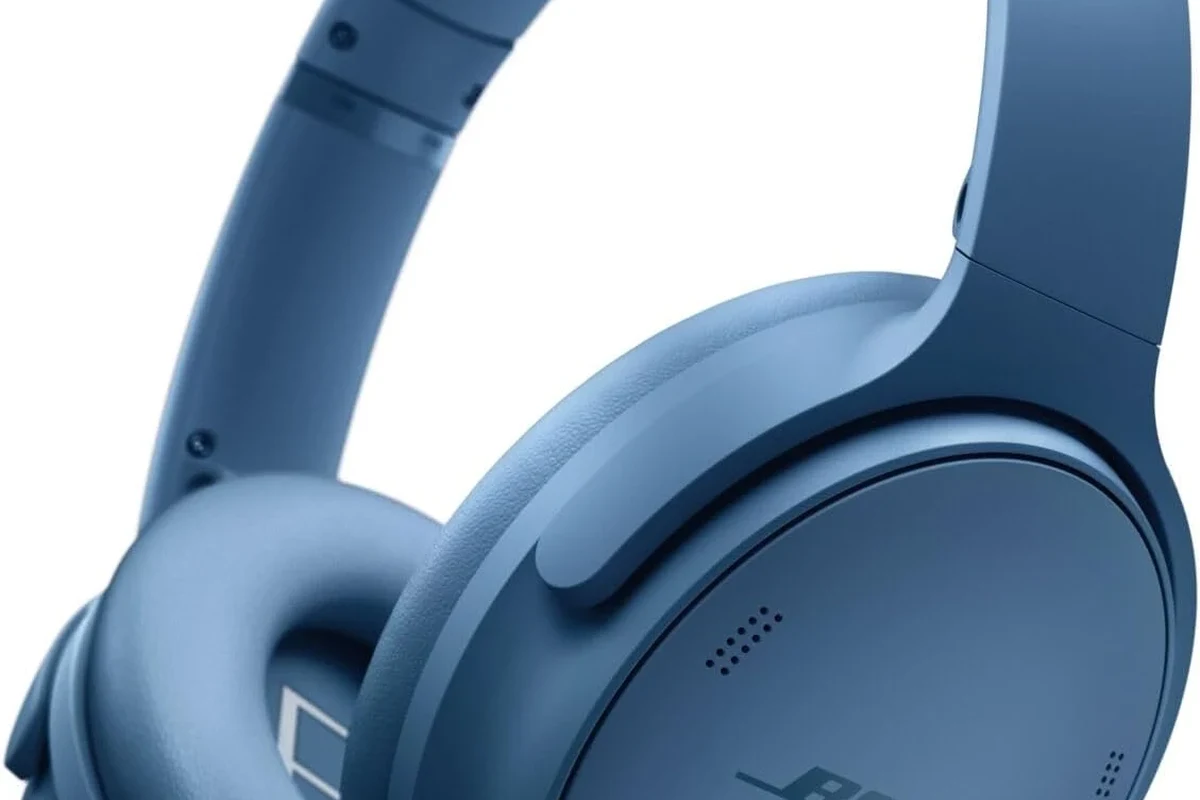
Bose has several wireless headphone lines, and battery life varies by model, feature set, and generation. The QuietComfort family, Ultra models, and sport-focused headphones are all built for different use cases, so there is no single battery answer that fits every Bose product.
If you’re comparing models, it helps to think in terms of use style. QuietComfort and Ultra headphones are usually the better fit for travel, office use, and long commutes, while sport models are designed more for workouts and active listening. For a broader look at how different designs affect comfort and use, you may also want to read our guide to types of headphones explained.
Typical Battery Hours for Popular Bose Wireless Headphones
Battery life is usually listed by the manufacturer under ideal conditions, and real-world results can be lower. That’s normal for any wireless headphone, especially when noise cancellation, higher volume, or multipoint Bluetooth are in use.
| Model Type | Best For | What Battery Life Usually Means |
|---|---|---|
| QuietComfort-style over-ear headphones | Travel, commuting, office use | Often enough for long daily listening and multi-day use between charges |
| Ultra-style premium wireless headphones | Premium ANC and mixed use | Designed for extended sessions, but features can reduce runtime |
| Sport-focused Bose headphones | Workouts and active listening | Usually built for practical daily sessions rather than all-day office wear |
Exact runtime can vary by generation, firmware, and listening habits. If you’re shopping, use the quoted battery figure as a starting point, not a guarantee.
Battery claims from any headphone brand are usually measured under controlled conditions. Real listening time changes with ANC use, volume level, Bluetooth signal strength, and how often you pause and reconnect.
How ANC, Volume, and Codec Use Change Real-World Runtime
Active noise cancellation is one of the biggest battery drains on wireless headphones. If you keep ANC on all day, you’ll usually get less runtime than someone who uses the headphones in quieter rooms with ANC off or set lower.
Volume matters too. Louder playback draws more power, and aggressive bass-heavy EQ can also nudge battery use upward. If you want to learn more about the feature itself, our article on how noise cancelling headphones work explains why ANC affects power so much.
Bluetooth codecs and connection features can also make a difference, though the effect is usually smaller than ANC and volume. Multipoint pairing, unstable wireless environments, and frequent switching between devices can all add extra strain over a long day.
What “Lasts” Means in 2026: Battery Life, Overall Lifespan, and Replacement Cycles
When people ask how long Bose headphones last, they often mean one of two things. First is the number of hours you get per charge. Second is the number of years the headphones stay comfortable, functional, and worth using.
That second meaning is especially important in 2026, when many buyers expect wireless headphones to survive daily commuting, work calls, and travel. A good pair can last for years, but not forever. Battery aging, cushion wear, and mechanical stress all play a role.
Battery Degradation Over Time and Expected Charge Capacity Loss
All rechargeable batteries lose capacity with age. That means a Bose headphone that once lasted through long flights may eventually need charging more often, even if it still powers on normally.
Capacity loss depends on how often you charge, how hot the headphones get, and how deeply you drain the battery. A battery that is used heavily every day will usually age faster than one used only a few times per week. That doesn’t mean the headphones are failing immediately; it just means the battery is following normal wear patterns.
Battery wear is often gradual, so many people notice it only when they compare current runtime with how the headphones performed when new.
When Ear Pads, Hinges, and Batteries Usually Need Attention
Battery life is only part of the lifespan story. Ear pads can flatten, peel, or lose sealing ability, which affects comfort and sometimes sound quality. Hinges and headbands can also loosen over time, especially on foldable over-ear designs.
For many users, the first “replacement cycle” is not the battery at all. It’s usually the ear cushions. Once comfort drops, long listening sessions become less enjoyable, even if the electronics still work well.
If the headphones are wired or can be used in passive mode, they may still be usable after battery wear, but wireless convenience will decline. That’s one reason some buyers compare wired vs wireless headphones before spending more on a premium Bluetooth model.
Real-World Battery Life Examples: Commuting, Calls, Travel, and Workdays
The best way to judge Bose battery life is to picture your actual day. A commuter who listens for an hour in the morning and an hour home has very different needs from someone who wears headphones for meetings, music, and video calls all day.
In practical use, Bose headphones are often chosen because they can handle a full workday or a long travel session without constant charging. But your mileage will vary based on ANC, microphone use, and how often you switch between devices.
Daily Listening Scenarios and What to Expect Per Charge
For commuting, a single charge is usually more than enough for a few days of moderate listening. For office use, the battery may also stretch well if you take breaks, keep volume reasonable, and don’t leave ANC running when it isn’t needed.
For travel, the picture depends on the trip length. A short flight or train ride is easy for most Bose headphones. A long-haul travel day plus airport waiting time is where premium battery life becomes more valuable.
Do Bose headphones last long enough for workdays?
For many users, yes. If you listen at moderate volume and manage features wisely, Bose wireless headphones are generally built for long daily sessions rather than short bursts only.
Fast Charging Performance and Emergency Top-Up Use Cases
Fast charging is one of the most useful features on modern wireless headphones. Even when you forget to charge overnight, a short top-up can often get you back into a meeting, commute, or gym session.
That said, emergency charging should be treated as a convenience, not a replacement for regular charging habits. If you rely on headphones for work calls or travel, it’s smarter to keep them topped up before the battery gets critically low.
If you use headphones for long daily sessions, charge them before they drop too low instead of waiting for a full shutdown. That habit is easier to manage and helps you avoid battery anxiety.
Common Mistakes That Shorten Bose Headphone Battery Life
Most battery problems are caused less by the brand and more by everyday habits. Leaving features on all the time, storing headphones badly, or exposing them to heat can shorten usable battery life faster than expected.
The good news is that many of these habits are easy to fix. A few small changes can make a noticeable difference in how long Bose headphones stay useful between charges and over the years.
Leaving ANC, Bluetooth, or Multipoint On When Not Needed
Noise cancellation is excellent for reducing outside sound, but it also uses power. If you don’t need ANC in a quiet room, turning it down or off can help preserve battery.
Bluetooth and multipoint are different. Bluetooth is required for wireless use, of course, but leaving multiple device connections active when you don’t need them can add unnecessary background activity. If you want a deeper explanation of wireless behavior, our guide to Bluetooth headphones explained simply is a helpful companion read.
Storage Habits, Heat Exposure, and Overcharging Myths
Heat is one of the biggest enemies of battery health. Leaving headphones in a hot car, next to a sunny window, or in a tightly packed bag that traps warmth can age the battery faster.
Overcharging myths still confuse a lot of buyers. Modern headphones generally manage charging safely, but that doesn’t mean it’s ideal to leave them plugged in forever under harsh conditions. A stable, moderate charging habit is the better long-term approach.
Do not store wireless headphones in extreme heat or direct sunlight for long periods. Excess heat can reduce battery health and may damage plastic, cushions, and internal components.
Expert Advice: How to Maximize Bose Headphones Lasting Power
If you want your Bose headphones to last as long as possible, the goal is simple: reduce unnecessary battery stress and avoid physical wear. That means smarter charging, better storage, and regular maintenance.
These are not complicated steps, but they do add up. Small habits often make the biggest difference over a two- or three-year ownership cycle.
Smart Charging Habits and Ideal Battery Percentage Ranges
A practical rule is to avoid letting the battery sit empty for long periods. It’s also wise not to leave the headphones at 0% for extended storage.
For regular use, many owners prefer to recharge before the battery gets critically low. You don’t need to obsess over exact percentages, but keeping the battery in a comfortable middle range is generally a sensible habit for rechargeable electronics.
- Charge before long trips or workdays
- Avoid leaving the battery empty for weeks
- Keep headphones out of hot places
- Use the charging cable and port gently
Firmware Updates, Reset Tips, and Battery Health Best Practices
Firmware updates can sometimes improve connection stability, feature behavior, or power management. They won’t magically create a new battery, but they can help the headphones run more smoothly.
If a Bose headphone seems to drain unusually fast, a reset can sometimes help after you’ve ruled out obvious causes like ANC, multipoint, or a bad Bluetooth connection. If problems continue, it may be worth checking the support process or reading our guide on how to reset Bluetooth headphones.
If battery drain becomes sudden, dramatic, or inconsistent, contact Bose support or a qualified repair professional. If you also notice hearing discomfort, ringing, or sound sensitivity, consult an audiologist.
Listening at high volumes for long periods can cause hearing damage. Keep volume at 60% or below for extended sessions.
Price, Value, and Repair Considerations: Is Bose Worth It Long-Term?
Bose headphones are often purchased for comfort, ANC performance, and easy everyday use. Long-term value depends on whether you care more about premium convenience or the lowest possible ownership cost.
If you plan to keep the headphones for years, think about repairability, battery replacement options, and how replaceable the cushions and pads are. A more expensive model can still be worth it if it stays comfortable and useful longer than cheaper alternatives.
Battery Replacement, Warranty Coverage, and Cost vs. New Headphones
Battery replacement availability can vary by model, region, and service policy. In some cases, replacing the battery or repairing wear parts may be worthwhile. In other cases, the cost of service may push buyers toward a new pair instead.
Warranty coverage also matters, but it usually won’t cover normal battery aging from long-term use. That’s why buyers should compare the expected lifespan of the headphones with the likely cost of ownership over time, not just the upfront price.
- Bose battery life is usually strong enough for daily commuting, work, and travel.
- Real runtime depends heavily on ANC, volume, and Bluetooth features.
- Overall lifespan is often limited by battery wear, ear pads, and hinge durability.
- Smart charging and heat control can help extend usable life.
Final Recap: How Long Bose Headphones Last and What to Expect Before Buying
So, how long does Bose headphones last? In practical terms, most Bose wireless headphones are designed to handle long daily use and should stay useful for several years if cared for properly. Battery life per charge is usually good enough for commuting, work, and travel, but it will always depend on the exact model and how you use it.
Before buying, focus on your real listening habits. If you want strong ANC, comfort, and dependable wireless use, Bose is often a solid long-term choice. If you want the longest possible battery life or the lowest repair cost, compare models carefully and think about how often you’ll actually wear them.
Frequently Asked Questions
Wireless Bose headphones depend on battery life, while wired headphones do not need charging. Wired models can be better if you want uninterrupted listening, but wireless models usually offer more convenience.
Noise cancelling uses extra power, so it usually shortens runtime compared with ANC off. If you need maximum battery life, turn ANC down or off when you are in quiet places.
Over-ear headphones usually feel more comfortable for long sessions because they spread pressure around the ear. On-ear and in-ear styles can be lighter, but comfort depends on fit, materials, and personal preference.
EQ can help you adjust bass, treble, and clarity to match your taste. The best setting depends on the model, your hearing, and the type of music or content you listen to.
Check battery life, comfort, ANC strength, microphone quality, and Bluetooth stability. For gaming, also look for low-lag connection options and whether the headphones work well with your device.
Keep them away from heat, charge them before the battery gets too low, and store them carefully. Cleaning the ear pads and updating firmware can also help maintain performance over time.