Playstation Mic

A PlayStation mic is worth it if you want clearer voice chat, better streaming audio, or fewer communication problems in multiplayer. The best choice depends on whether you need simple party chat, competitive clarity, or a more flexible setup.
A playstation mic is any microphone setup that lets you talk clearly on PS5 or PS4, whether it is built into a headset, attached as a boom mic, or used as part of a streaming setup. If you want better team chat, cleaner party audio, or a more polished broadcast voice in 2026, the right mic matters—but the best choice depends on how you play.
- Best fit: Headset mics suit most PS5 and PS4 players who want simple voice chat.
- Better clarity: Boom mics and USB mics usually sound clearer than tiny built-in mics.
- Key trade-off: Wireless convenience adds charging and pairing, while wired setups stay simpler.
- Buy smart: Always check console, controller, and connection compatibility before ordering.
PlayStation Mic: What It Is and Which PS5/PS4 Players Need One
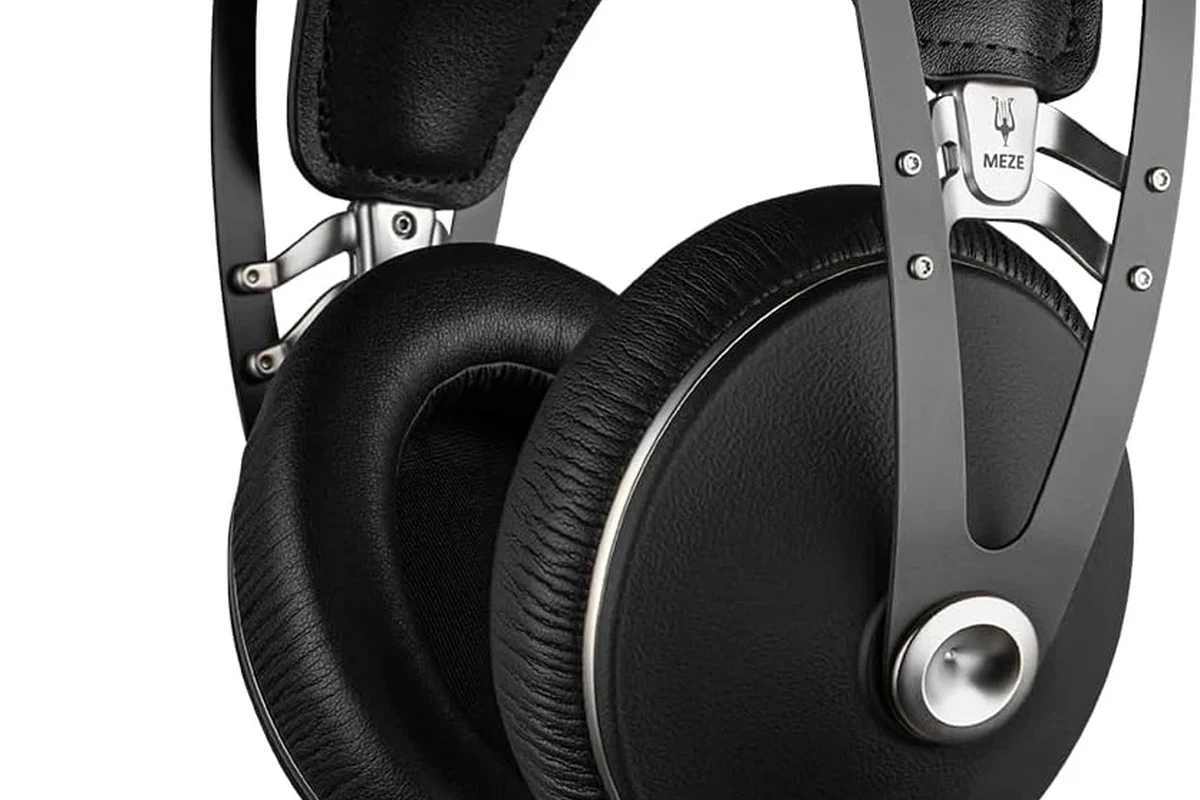
At the simplest level, a PlayStation mic is the voice input side of your gaming audio setup. Some players use the mic built into a headset, while others prefer a dedicated boom mic, a USB desktop microphone, or a wireless headset with a stronger voice pickup pattern.
You probably need one if you play competitive multiplayer, join party chat often, stream to Twitch or YouTube, or use voice chat for co-op games. Casual players may be fine with a basic headset mic, but anyone who wants clearer speech, less background noise, or more control over voice levels should look beyond the cheapest option.
For PlayStation users, the right microphone is less about “the loudest voice” and more about clear speech, low hassle, and compatibility with your console, controller, and headset.
Best PlayStation Mic Options in 2026: Quick Verdict and Top Picks
There is no single best playstation mic for every player. The right pick depends on whether you care most about voice clarity, low cost, or a setup that can also handle streaming, calls, and general PC use.
Competitive gaming and clear team chat
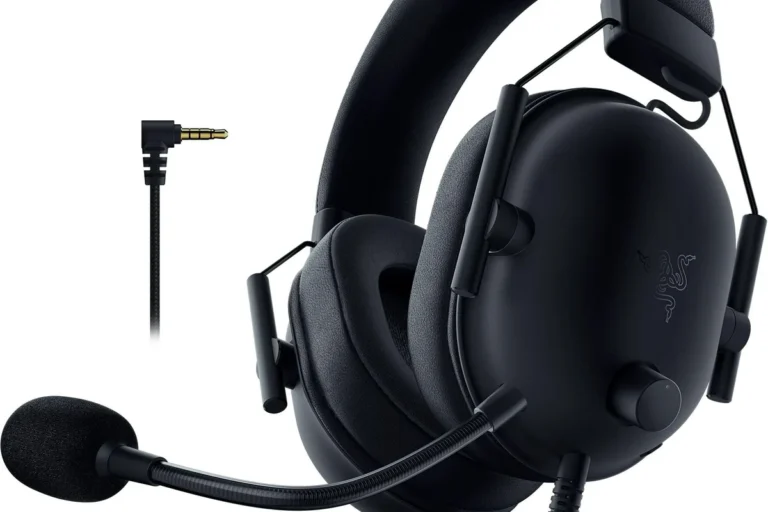
A quality wired or wireless headset with a good boom mic is usually the safest choice. It keeps voice pickup close to your mouth, which helps teammates hear you over game audio and room noise. The trade-off is that comfort and mic quality can vary a lot by model, so check compatibility and fit carefully.
Budget buyers and casual party chat
A simple plug-in headset mic or controller-connected option can be enough for occasional chat. This is the easiest route if you mainly want basic voice communication and do not need studio-style clarity. Just make sure the cable, inline controls, and console support match your setup.
Streaming, content creation, and multi-use setups
A USB microphone or a higher-end headset with strong voice isolation makes sense if you also record commentary, stream, or work from the same desk. These options can sound more natural than tiny headset mics, but they are less convenient for couch gaming and can need more desk space.
Best for Competitive Gaming and Clear Team Chat
For fast-paced games, the best mic is usually the one that keeps your voice stable and easy to understand when the action gets loud. A boom mic placed close to your mouth often does a better job than a far-away built-in mic because it captures more speech and less room echo.
Look for a headset or mic setup with strong noise rejection, easy mute access, and comfortable long-session wear. If you want to understand why some headsets work better with consoles, our guide on how to connect PlayStation headphones to PS5 easily can help you think through the connection side before buying.
Best for Budget Buyers and Casual Party Chat
If you mostly use voice chat with friends, a budget-friendly playstation mic does not need to be fancy. What matters most is that it connects cleanly, stays comfortable, and does not make your voice sound muffled or distorted.
For many players, a basic wired headset is the least complicated option because it avoids battery charging and pairing issues. Just remember that cheaper mics may pick up more controller noise, breathing, or background sound, especially if the mic sits too far from your mouth.
Best for Streaming, Content Creation, and Multi-Use Setups
If your PlayStation mic also needs to handle streaming or voiceovers, a USB desktop mic can be a smart upgrade. These mics often give a fuller, more natural sound than typical headset mics, though they are better for a desk than a couch.
For players who split time between console and other devices, compatibility matters just as much as sound. A mic that works well on PS5 may also need a PC or capture-card-friendly connection if you plan to record content later.
How to Choose the Right PlayStation Mic
The best choice comes down to how you play, where you play, and how much setup effort you want. Before shopping, think about whether you need a mic for quick party chat, competitive communication, or more serious voice recording.
- Decide whether you need headset chat, a standalone mic, or a streaming-friendly desktop setup.
- Confirm PS5 or PS4 compatibility, plus controller, USB, or 3.5 mm support.
- Check return policy, warranty details, and whether the mic needs firmware or app setup.
Wired vs Wireless Connectivity
Wired mics are usually simpler. You plug them in, set the levels, and start talking. That can be ideal for players who want fewer connection problems and do not want to worry about charging.
Wireless options reduce cable clutter and can feel more comfortable, but they add battery management and sometimes a little more setup complexity. If you are curious about console wireless audio more broadly, our article on whether PlayStation 5 can connect to Bluetooth headphones explains why some wireless routes are easier than others.
Mic Quality, Noise Rejection, and Voice Clarity
Mic quality is not just about sounding “loud.” It is about how well the mic captures speech while rejecting background noise such as fans, keyboard taps, or TV sound. A good boom mic often sounds clearer because it sits closer to your mouth.
Terms like cardioid or noise-reducing describe the pickup pattern, which is simply the direction the mic hears best. For most gamers, the goal is easy-to-understand speech rather than studio perfection.
If your voice sounds thin or distant, try moving the mic slightly closer before raising the gain. Too much gain can amplify room noise and make speech less clear.
Comfort, Fit, and Long-Session Wearability
Comfort matters because a mic is only useful if you can wear or position it for long sessions. Headset mics depend on the headset’s earcup pressure, headband padding, and overall weight, while desktop mics depend on desk space and placement.
For players who stream for hours or play long co-op sessions, small comfort issues become big ones. Clamp force, boom stiffness, and cable routing can all affect whether the setup feels easy or annoying after a while.
Build Quality, Materials, and Controller/Console Compatibility
Build quality matters because gaming gear gets moved, unplugged, and stored more often than many people expect. Flexible booms, reinforced plugs, and durable cables tend to hold up better than flimsy parts, especially in shared households.
Compatibility is equally important. Some mics work through the DualSense or DualShock controller’s 3.5 mm jack, some use USB, and some need a specific app or transmitter. Always confirm official manufacturer specs and PS5 or PS4 support before buying, since availability and features can vary by region or firmware.
Real-World Benefits and Limitations of a PlayStation Mic
A good mic can make multiplayer feel smoother, but it does not automatically fix every voice issue. The room, the game volume, and the way you place the mic all affect how well other players hear you.
When It Improves Gameplay, Party Chat, and Streaming
A clear mic helps teammates react faster, which matters in shooters, sports games, and raid-style co-op. It also makes party chat less frustrating because people do not have to ask you to repeat yourself.
For streamers, voice clarity can be even more important than game audio. Viewers often tolerate average game sound, but they notice muffled speech, echo, and clipping right away.
Keeping a microphone close to the mouth usually improves speech intelligibility more than simply turning the volume up, because it captures more direct voice and less room sound.
Common Trade-Offs: Latency, Battery Life, and Voice Pickup
Wireless convenience can come with battery management, and some setups may introduce a tiny amount of delay. In voice chat, that delay is often small, but if you are very sensitive to timing, wired can feel more predictable.
Battery life claims vary by model and firmware, so confirm current specifications before you buy. Voice pickup also changes with distance, room acoustics, and mic position, which is why the same mic can sound excellent in one room and only average in another.
- Clearer team communication in noisy games
- Better streaming and party-chat voice quality
- More control over volume and mute settings
- Cheap mics can sound hollow or pick up background noise
- Wireless models may need charging and pairing
- Compatibility can vary across PS5, PS4, and accessories
Setup Guide: How to Connect and Configure a PlayStation Mic
Most setup problems come from simple settings, not broken hardware. Start with the connection type, then fine-tune input volume, output balance, and sidetone so your voice sounds natural in chat.
PS5 and PS4 Audio Settings That Matter Most
On PS5 and PS4, check the input device, output device, microphone level, and chat/game balance. If the console is listening to the wrong source, even a good mic can seem quiet or unusable.
Also review any mute status on the controller, headset, or inline cable controls. Some “bad mic” problems are actually just a muted input or a setting that switched after a firmware update.
Use the port or receiver recommended by the manufacturer, then confirm the console recognizes it as the active input device.
Speak at your normal voice and raise the level only enough to keep speech clear without distortion.
Adjust game and chat audio so you can hear teammates without blasting the overall volume.
Mic Placement, Volume Balancing, and Sidetone Tips
Sidetone is the feature that lets you hear your own voice in the headset. It can help prevent shouting, but too much sidetone can be distracting, so keep it at a natural level if your mic or headset allows it.
Place boom mics slightly off to the side of your mouth rather than directly in front of it. That can reduce breath noise and plosives, which are the harsh bursts of air that happen on letters like “p” and “b.”
- Start with lower mic gain and raise it only as needed.
- Keep the mic close enough for clarity, but not touching your face.
- Use a quiet room when possible to reduce background pickup.
Common Mistakes to Avoid When Buying or Using a PlayStation Mic
Many buyers focus on brand names or appearance and overlook the practical details that affect daily use. A mic can look premium and still be the wrong fit for your console, controller, or room.
Choosing the Wrong Connection Type
Some players buy a USB mic when they really need a quick controller-connected chat solution, while others buy a simple headset and later wish they had a better voice setup for streaming. The connection type should match your main use case, not just your budget.
If you are unsure which PlayStation audio route fits your setup, it helps to understand the broader headset and controller ecosystem first. That is especially true if you switch between console, handheld, and remote-play-style devices.
Overlooking Console, Controller, or Headset Compatibility
Compatibility issues are one of the most common frustrations. A mic may work with PS5 but need an adapter, transmitter, or different settings on PS4, and some features may not carry over between devices.
Before you buy, check the official product page and warranty or support documentation. That is the safest way to confirm whether the mic supports your exact console model and region.
Do not force plugs, use damaged cables, or keep using a mic that gets unusually hot, crackles, or cuts in and out. Stop using any charging cable, battery, or unit that is frayed, swollen, cracked, or overheating, and follow the manufacturer’s safety guidance.
Ignoring Mic Positioning and Game/Chat Balance
Even a good mic can sound poor if it is too far away, aimed the wrong way, or buried under game volume. Positioning and balance are part of the product experience, not just after-the-fact tweaks.
For players who want a clearer picture of how PlayStation audio routing works, our guide on using headphones with PlayStation Portal is useful for understanding how connection choices affect everyday listening.
Safety, Care, and Cleaning Tips for Long-Term Use
Good care extends the life of your mic and keeps it more comfortable to use. That includes safe charging habits for wireless gear, gentle cleaning for boom mics and ear cushions, and sensible storage away from heat and moisture.
Cleaning the Boom Mic, Ear Cushions, and Cables
Use a soft, dry or slightly damp cloth for most surfaces, and follow the manufacturer’s care instructions for removable pads or foam covers. Avoid harsh cleaners unless the brand specifically approves them, since they can damage coatings and plastics.
Wipe the boom mic regularly, especially if multiple people share the headset. Skin oils, dust, and moisture can build up quickly in gaming setups and affect comfort over time.
Storage, Moisture, and Wear Prevention
Store your mic or headset in a cool, dry place when not in use. Do not leave wireless gear charging on soft bedding or in hot spaces, and avoid bending cables tightly around sharp edges.
For general hearing care, recognized health authorities such as the World Health Organization recommend keeping listening levels moderate and taking breaks. That advice matters for gaming headsets too, especially during long sessions.
- Charge with manufacturer-approved or compatible equipment
- Unplug and inspect gear if it smells hot or behaves oddly
- Store the mic in a dry place away from direct sun
- Using damaged charging cables or bent plugs
- Leaving batteries exposed to extreme heat
- Wrapping cables tightly around the mic body
Final Recommendation: Is a PlayStation Mic Worth It in 2026?
Yes, a playstation mic is worth it for most PS5 and PS4 players who use voice chat regularly, stream, or want cleaner team communication. The best choice is usually a simple one: pick the connection type that matches your setup, then prioritize clear voice pickup, comfort, and official compatibility over flashy extras.
If you only chat occasionally, a basic headset mic may be enough. If you stream, record, or want a more professional voice sound, a better boom mic or USB microphone can be a smarter long-term buy—as long as you confirm current specs, support, and availability before purchasing.
For most players in 2026, a PlayStation mic is absolutely useful, but the best value comes from matching the mic to your main use case rather than chasing the most expensive option. Casual gamers can keep it simple with a headset mic, while competitive players and streamers should look for stronger noise rejection, better comfort, and dependable PS5/PS4 compatibility.
Common Questions
It is any microphone setup used for voice chat or recording on PS5 or PS4. That can include a headset mic, a boom mic, or a USB microphone.
Only if you want to talk in party chat, co-op, or streaming. Solo players may not need one at all.
Yes, for most casual and competitive players it is. A better boom mic or USB mic is mainly for clearer voice and more control.
Wired is simpler and avoids battery concerns. Wireless is cleaner and more flexible, but it needs charging.
Keep it clean, store it safely, and avoid damaged cables or overheating batteries. Also keep your voice and chat volume at a moderate level.
Frequently Asked Questions
Focus on voice clarity, comfort, and compatibility with your console and controller. If you play in noisy rooms, noise rejection and a boom mic close to your mouth matter even more.
For streaming or desk-based play, a USB mic can sound more natural. For couch gaming and quick chat, a headset mic is usually easier and more convenient.
They often choose the wrong connection type or forget to check compatibility. A mic that looks good on paper may still be awkward on PS5 or PS4 if it needs extra adapters.
Place the mic close to your mouth, lower the gain if needed, and reduce background noise. Also check that the console is using the correct input device.
Use a soft cloth and follow the manufacturer’s care instructions. Store it in a cool, dry place and avoid tight cable wraps or hot charging areas.
Yes, as long as you follow safe charging and storage practices. Keep listening levels moderate, take breaks, and stop using any cable or battery that looks damaged or overheats.