How Long Do Audio Technica Headphones Last: Lifespan

Audio-Technica headphones often last 3 to 7 years with normal use. Wired models may last longer because they have fewer electronic parts. Wireless models can also last for years, but their built-in battery may lose charge capacity after about 2 to 4 years, depending on use, heat, and charging habits.
The exact life of your Audio-Technica headphones depends on the model, build, care, storage, and repair options. Ear pads, cables, hinges, and batteries usually wear out before the main speaker drivers.
This guide focuses on Audio-Technica headphones sold and used in the United States. It explains what affects their life, how to spot wear, and when repair makes more sense than replacement.
Typical Audio-Technica Headphone Lifespan
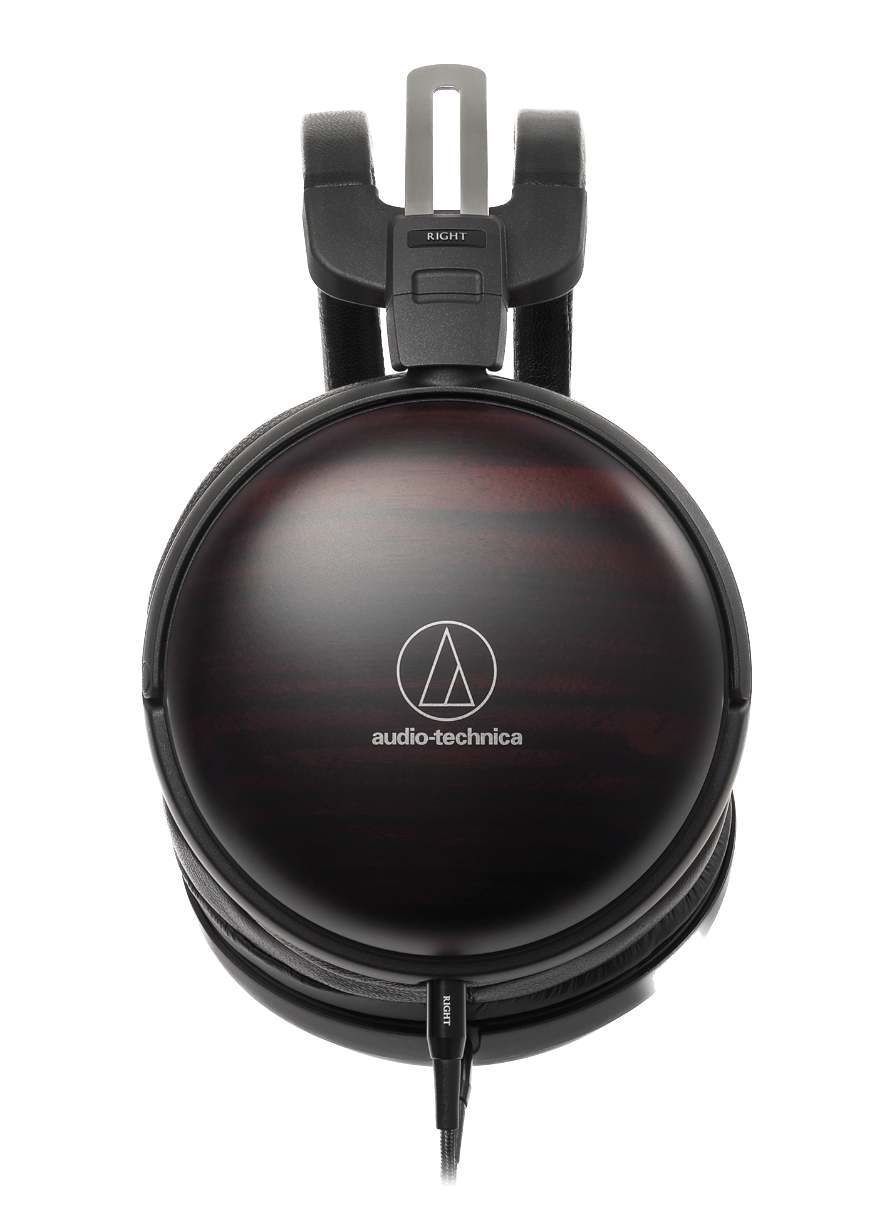
Most Audio-Technica headphones can provide several years of service when they are kept dry, stored safely, and handled with care. A wired over-ear model may last 5 years or more, while a daily-use wireless model may need battery service or replacement sooner.
These are practical estimates, not guarantees:
| Headphone type | Typical useful life | Main limit |
|---|---|---|
| Wired over-ear headphones | 5–10 years | Cable, ear pads, hinges, or physical damage |
| Wired on-ear headphones | 3–7 years | Cable strain, pad wear, and headband stress |
| Wireless over-ear headphones | 3–7 years | Battery aging and charging parts |
| True wireless earbuds | 2–4 years | Small batteries and charging case wear |
| Studio headphones used lightly | 7–10+ years | Pads, cables, and replacement parts |
A headphone can still play sound after its “useful life.” In practice, useful life means the period when the headphones still meet your needs and repairs remain reasonable.
Audio-Technica makes many types of headphones. The ATH-M20x, ATH-M50x, ATH-M50xBT2, ATH-R70x, and ATH-ANC series do not have the same parts, battery design, or repair path. Always check the manual and support page for your exact model.
Wired models usually last longer
Wired headphones have no rechargeable battery. They also have fewer wireless parts, firmware limits, and charging circuits. That gives them fewer common failure points.
The cable is often the first weak point. Repeated bending near the plug can break the wires inside the cable. Models with detachable cables have an advantage because you can replace the cable without replacing the headphones.
Wireless models have more parts that can age
Wireless Audio-Technica headphones use a battery, Bluetooth electronics, charging hardware, and firmware. Each part adds another possible failure point.
The speaker drivers may still work well after the battery becomes weak. However, a battery that lasts only a short time can make an otherwise good pair less useful. Whether the battery can be replaced depends on the model and the service options available in the United States.
True wireless earbuds have the shortest expected life
True wireless earbuds contain very small batteries. Those batteries face frequent charge cycles because users often charge the buds after each listening session.
The charging case also has a battery and a USB port. Damage to either part can affect the whole system. For this reason, true wireless models often have a shorter practical life than full-size wired headphones.

What determines How Long Audio-Technica Headphones Last?
The biggest factors are use, storage, moisture, heat, and part quality. Two people can own the same model and get very different results.
1. Daily use
Headphones used for several hours every day face more stress than a pair used once a week. Daily use increases:
- Cable bends
- Hinge movement
- Sweat exposure
- Ear pad compression
- Battery charge cycles
- Dust and skin oil buildup
This does not mean daily use will quickly ruin your headphones. It means regular care matters more.
2. Sweat and moisture
Sweat can damage ear pads, metal parts, microphones, charging contacts, and circuit boards. Most over-ear headphones are not designed for heavy sweat unless Audio-Technica clearly lists a suitable water-resistance rating.
Do not assume that “wireless” means “waterproof.” Keep headphones away from rain, showers, pools, and very damp gym bags.
If moisture reaches the headphones, turn them off. Disconnect the cable if possible. Let them dry at room temperature before charging or using them again. Do not use a hair dryer, oven, or direct heater.
3. Heat and sunlight
High heat can shorten battery life and weaken plastics, glue, and ear pad materials. Avoid leaving headphones in:
- A parked car
- A sunny window
- A hot attic
- A closed bag near a heater
- Direct sunlight for long periods
A cool, dry storage place is safer.
4. Storage and travel
A hard or padded case can prevent many common failures. It protects the headband, hinges, ear cups, and cable from pressure.
Do not wrap a fixed cable tightly around the ear cups. Tight bends can damage the cable. For detachable cables, unplug the cable before placing the headphones in a case if the design allows it.
5. Ear pad and headband materials
Ear pads are wear parts. Sweat, oil, friction, and heat can cause synthetic leather to crack or peel. Fabric pads may flatten or hold odors.
Worn pads do not always mean the headphones are finished. Replacement pads may restore comfort and improve the seal. They can also change the sound, so use pads made for your model or follow a trusted compatibility guide.
6. Volume and sound exposure
High volume may not directly destroy a headphone quickly, but it can damage your hearing. The National Institute for Occupational Safety and Health and the World Health Organization both warn that loud sound can cause permanent hearing harm.
Use a volume level that lets you hear detail without pain or ringing. If you notice ringing, muffled hearing, or discomfort, stop listening and lower the volume next time. Seek medical advice for ongoing symptoms.

Which Audio-Technica Part Usually Fails First?
The first failing part is often a cable, ear pad, hinge, or battery rather than the driver. The repair value depends on whether the part is replaceable.
Ear pads
Ear pads may crack, flake, flatten, or become loose. This is normal wear. New pads can often extend the life of over-ear headphones.
Replace the pads when:
- The surface flakes onto your skin or clothes
- The foam has flattened
- The ear cups no longer seal well
- The pads cause discomfort
- The left and right pads have different shapes
A poor seal can reduce bass and outside-noise blocking. This may make the headphones seem broken when the drivers are still working.
Cables and plugs
A cable may fail when sound cuts out as you move the plug or cable. You may hear crackling, one-sided audio, or sound that returns when the cable is bent.
For a detachable-cable model, test a known-good compatible cable first. For a fixed-cable model, cable repair may require soldering or professional service. Do not keep forcing a loose plug into the device.
Hinges and headbands
Cracks near the hinges often grow with continued use. Stop applying force to a cracked part. A temporary repair may hold the headphones together, but glue can limit future service and may damage moving parts.
Use both ear cups when putting on or removing the headphones. Pulling from one side places extra stress on the headband.
Rechargeable batteries
A wireless battery normally loses capacity over time. Signs include:
- Much shorter play time
- The battery percentage drops quickly
- The headphones shut off under light use
- Charging takes an unusual amount of time
- The headphones work only while connected to a charger
Battery life also changes with volume, noise cancellation, Bluetooth settings, codec use, and microphone activity. A short runtime does not always prove that the battery has failed.
For battery replacement, check Audio-Technica’s United States support and service information. Some batteries are not intended for user replacement. Opening a battery-powered device can create a fire, shock, or damage risk.
How to Make Audio-Technica Headphones Last Longer
Simple care can add years to a headphone’s useful life. The goal is to reduce moisture, heat, bending, and battery stress.
Use this care routine
-
Wipe the headphones after long use.
Use a soft, dry cloth. For removable pads, follow the care instructions for the pad material. -
Let them dry before storage.
If the headphones feel damp, leave them in a dry room before placing them in a case. -
Protect the cable.
Make loose loops. Avoid sharp bends near the plug and ear cup. -
Store them in a case.
Keep the ear cups from being crushed inside a backpack. -
Keep them away from heat.
Do not leave them in a hot vehicle or near a radiator. -
Charge with suitable equipment.
Use the cable and power source recommended in the product instructions. Avoid damaged cables and loose charging ports. -
Do not over-tighten or stretch the headband.
Adjust it in small steps and use both sides evenly. -
Clean the charging contacts on earbuds.
Use a dry, soft tool or cloth. Do not put liquid into the case or charging port. -
Update firmware only through official instructions.
If your model supports an Audio-Technica app or firmware update, follow the model-specific process. Do not interrupt an update unless the instructions say it is safe. -
Replace worn parts early.
A damaged cable or cracked pad can place more strain on other parts.
Cleaning products need care. Do not spray liquid directly onto headphones. Do not use alcohol, solvents, or disinfectants unless Audio-Technica specifically approves them for that surface.
How to Tell Whether Your Headphones Are Dying
A single symptom does not always mean the headphones need replacement. Start with simple checks before buying a new pair.
One side has no sound
Possible causes include:
- A damaged cable
- A loose plug
- A dirty connector
- A device balance setting
- A Bluetooth connection problem
- A failed driver
Try another device and another compatible cable. Check the left-right balance setting. If the same side stays silent across devices and cables, the headphones may need service.
The sound cuts out
Intermittent audio often points to a cable, plug, charging contact, or wireless connection. Move the cable gently. If the sound changes when the cable moves, stop bending it and replace it if possible.
For wireless headphones, disconnect and pair them again. Test with another phone or computer. Keep the headphones close to the device during the test.
The battery drains fast
First, fully charge the headphones according to the manual. Then test them at a moderate volume with features such as noise cancellation set as you normally use them.
If the runtime remains far below the model’s documented estimate, the battery may be aging. Manufacturer battery figures are usually measured under stated test conditions, so real use can produce a different result.
Bluetooth keeps disconnecting
Try these steps:
- Move the headphones close to the source device.
- Turn Bluetooth off and back on.
- Remove the headphones from the device’s Bluetooth list.
- Restart both devices.
- Pair the headphones again.
- Test with another source device.
If disconnections happen with several devices, check the model’s support page for reset instructions and firmware information.
The headphones sound different
Check the ear pads first. A flattened or damaged pad changes the seal around the ear. Also check equalizer settings, hearing protection settings, mono audio, and left-right balance on the source device.
A difference between two devices does not always mean the headphones are failing. Source settings, Bluetooth codecs, and audio files can change the result.
Repair or Replace: Which Option Makes Sense?
Repair is often worthwhile for a good wired Audio-Technica model with replaceable pads or cables. Replacement may be more practical when a wireless battery, charging board, or cracked frame needs costly service.
Use this decision guide:
| Problem | Likely action |
|---|---|
| Worn ear pads | Replace the pads |
| Damaged detachable cable | Replace the cable |
| Dirty plug or charging contact | Clean carefully |
| One-sided sound after cable testing | Request service or replace |
| Weak wireless battery | Check official battery service |
| Cracked headband | Compare repair cost with replacement |
| Water or liquid damage | Stop using and seek service |
| Loose charging port | Stop forcing the cable; seek service |
Before paying for repair, check:
- The exact model number
- Whether the product is still under its US warranty
- Whether the part is available
- Shipping and service fees
- The price of a comparable replacement
- Whether the repair restores safety and comfort
Audio-Technica’s warranty terms and service procedures can vary by product and region. Use the official United States warranty and support pages for the current rules. A warranty may cover a manufacturing defect but not normal pad wear, accidental damage, or liquid damage.
Do not open a lithium-battery device unless you have the right tools and training. A damaged lithium battery can overheat or catch fire. If the battery is swollen, hot, leaking, or emitting an unusual smell, stop using the device and follow local battery disposal guidance.

How Long Do Audio-Technica Headphones Last in Real Use?
A reasonable planning estimate is:
- Light use: 5–10 years for many wired models
- Daily home or office use: 3–7 years
- Heavy travel or gym use: 2–5 years
- True wireless daily use: 2–4 years
These ranges describe likely service periods, not a promised failure date. Good storage and replaceable parts can extend life. Heat, sweat, drops, and daily charging can shorten it.
For example, a wired ATH-M50x with replaceable cables and fresh ear pads may remain useful for many years. A wireless model may still sound good after the same period, but its original battery may no longer provide acceptable playback time.
The best way to estimate your own headphones’ remaining life is to track three things:
- Physical condition: cracks, loose hinges, worn pads, and cable damage
- Performance: sound balance, connection stability, and battery runtime
- Repair value: part availability, cost, and safety
If the headphones sound normal, fit well, and hold a useful charge, there is no need to replace them just because they are several years old.
Common Mistakes That Shorten Headphone Life
Many failures come from routine habits rather than normal age. Avoid these common mistakes:
- Tossing headphones loose into a bag
- Wrapping the cable tightly around the ear cups
- Charging with a damaged cable
- Leaving wireless headphones in a hot car
- Storing damp earbuds in the charging case
- Pulling the plug out by the cable
- Stretching the headband to its limit
- Using liquid cleaner near buttons or ports
- Continuing to use a cracked hinge
- Buying pads or cables that do not fit the model
Do not use a headphone splitter, cable, or replacement battery based only on a similar appearance. Check the connector, wiring, voltage, dimensions, and model compatibility.
If your headphones have been dropped into water, do not charge them to “see if they still work.” Power can worsen internal damage. Let a qualified service provider assess the device.

Frequently Asked Questions
Do Audio-Technica headphones have a lifetime warranty?
Usually, no. Warranty coverage depends on the product, seller, purchase location, and current Audio-Technica US warranty terms. Check the official warranty document for your exact model and keep proof of purchase.
Can Audio-Technica headphones last 10 years?
Yes, some wired models can remain useful for 10 years or more with careful use and replacement parts. Wireless models may also remain functional, but their battery and charging system can limit practical use before the drivers fail.
Can I replace the battery in Audio-Technica wireless headphones?
It depends on the model. Some batteries may require authorized service, while others are not designed for simple user replacement. Check the model’s manual and Audio-Technica US support information before opening the headphones.
Why do my Audio-Technica headphones hurt after a few years?
Old ear pads may flatten or harden. This can increase pressure and reduce the cushion around your ears. Replacing the pads may improve comfort. A bent headband or stretched clamp can also change the fit.
Are Audio-Technica headphones good for long-term use?
Many models can be good long-term options because some use detachable cables and replaceable ear pads. Long-term value still depends on the model, care, repair access, and whether you need wireless features.
Conclusion
Audio-Technica headphones commonly last 3 to 7 years, while well-cared-for wired models may last 5 to 10 years or longer. The first problem is often a worn pad, cable, hinge, or battery—not a failed speaker driver.
Keep headphones dry and cool, store them in a case, avoid cable strain, and replace small worn parts early. If the headphones still sound clear and remain comfortable, age alone is not a reason to replace them. Start with the exact model’s manual and Audio-Technica’s United States support page before attempting repair.