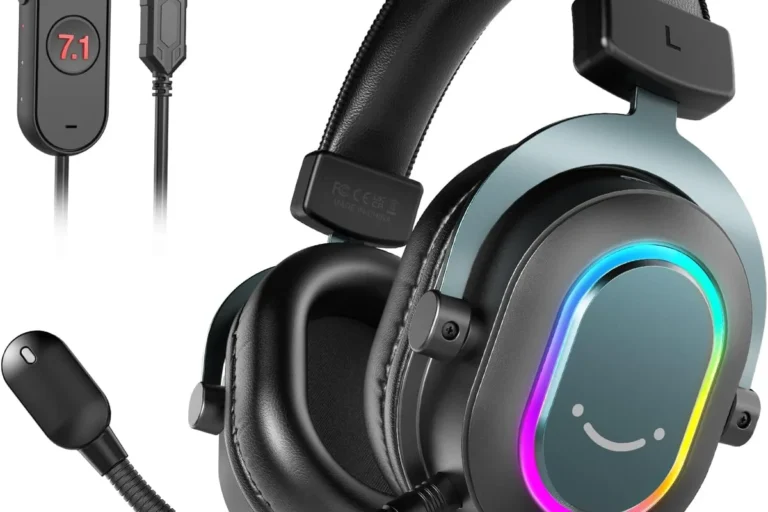
Headset Pc Microphone

A headset PC microphone is a practical all-in-one choice for calls, gaming, and remote work. The best option depends on mic clarity, comfort, and whether you prefer wired reliability or wireless freedom.
A headset PC microphone is the easiest all-in-one option for clear voice chat, meetings, classes, and gaming because it combines headphones and a mic in one device. The best choice depends on how much you value voice clarity, comfort, connection type, and everyday convenience.
- Best use: Great for voice calls, gaming chat, online classes, and everyday remote work.
- Top priorities: Look for clear speech, good noise rejection, and comfortable long-session fit.
- Connection choice: Wired is usually simpler and more reliable; wireless adds mobility but needs charging.
- Smart buying move: Check PC compatibility, controls, warranty, and return policy before you buy.
Headset Pc Microphone: Best Uses, Key Features, and Who It’s For
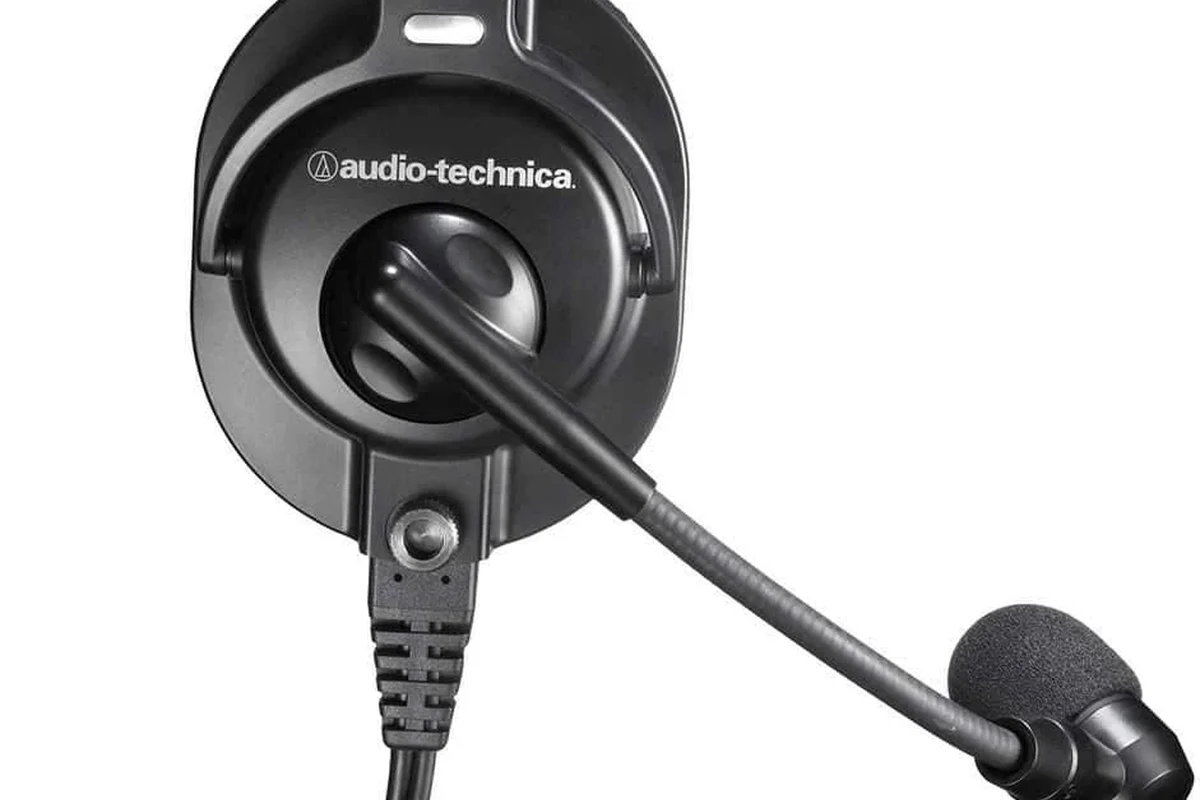
A headset PC microphone is simply a headset built to handle both listening and speaking on a computer. It matters because a good headset can make your voice easier to understand, reduce desk clutter, and keep you from relying on a laptop’s built-in mic, which often picks up more room noise.
For many people, the biggest advantage is consistency. A headset mic stays close to your mouth, so your voice usually sounds more direct than it would through a webcam or monitor microphone. That makes it useful for Zoom calls, Discord chats, online classes, and gaming voice channels.
When shoppers say “headset PC microphone,” they usually want a comfortable headset with a boom mic, simple controls, and dependable computer compatibility.
What a headset PC microphone is and why it matters for calls, gaming, and remote work
Most headset PC microphones use a boom arm, which is the small mic that extends toward your mouth. That design helps capture speech more clearly than a tiny inline mic on a cable or a far-away laptop mic. In plain terms, the closer the mic sits to your mouth, the less the room tends to matter.
This matters most in noisy places. A headset mic can help keep your voice more intelligible when you are in a shared office, dorm, or home with background activity. It is also helpful for people who switch between talking and listening often, since the headset keeps both audio roles in one place.
Who should buy one: students, gamers, streamers, professionals, and casual users
Students often benefit because a headset is easy to use for classes, study groups, and language practice. Gamers usually want quick mute controls, low-latency audio, and a mic that teammates can understand without extra setup. Streamers and content creators may prefer more advanced mic tuning, but a headset can still work well for casual streaming or backup communication.
Professionals who spend time in meetings may value a clean, simple headset that looks neutral on camera and is easy to manage throughout the day. Casual users may just want something reliable for calls, voice messages, and occasional gaming without learning a lot of audio settings.
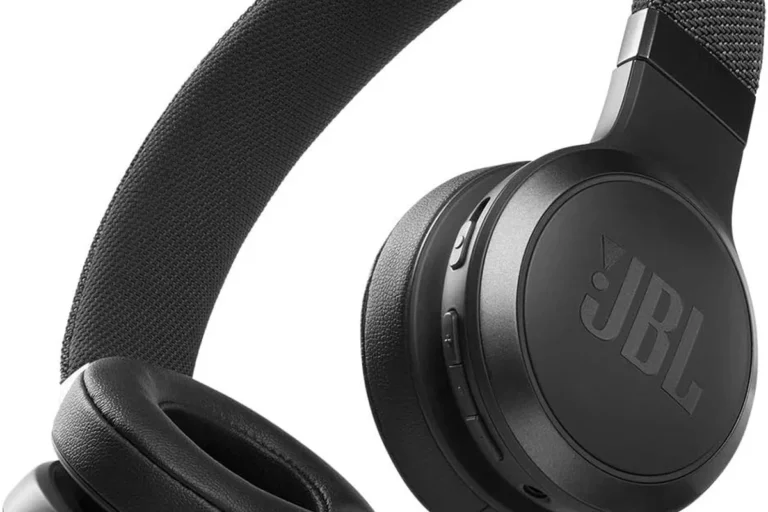
Good if you need quick setup, a clear mic, and all-day comfort for classes and study sessions.
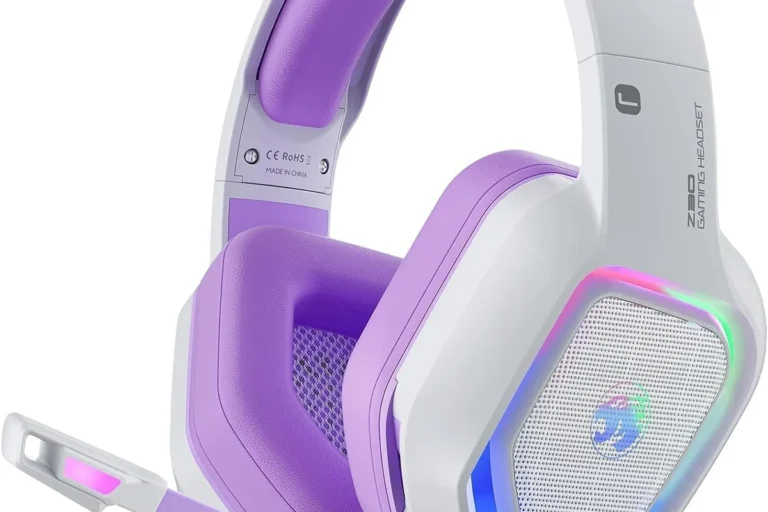
Good if you want voice chat clarity, easy mute access, and stable performance with PC games.
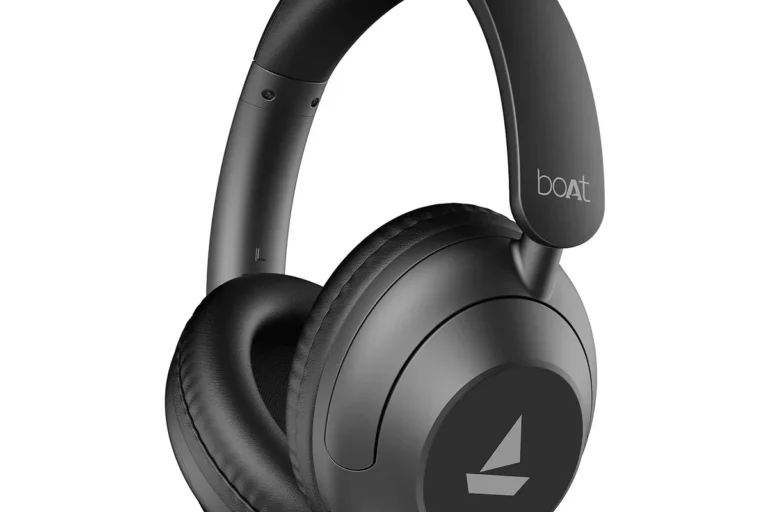
Good if you want a simple, professional-looking headset for meetings and long calls.
How to Choose the Right Headset PC Microphone in 2026
In 2026, the best headset choice is less about flashy specs and more about how well the headset matches your computer, your room, and your daily routine. A model that looks strong on paper can still be frustrating if the mic sounds thin, the earcups clamp too hard, or the connection is awkward for your device.
Sound quality priorities: voice clarity, background noise rejection, and mic pickup pattern
For a headset PC microphone, voice clarity should come first. You want speech to sound natural and easy to understand, not overly sharp or muffled. Background noise rejection is also important, especially if you work near fans, keyboards, pets, or other people.
Mic pickup pattern is the way a microphone “listens.” A cardioid-style pattern, for example, is designed to focus more on the front and less on the sides, which can help in busy rooms. Manufacturers may describe this differently, so check the official product page for the exact mic design rather than assuming all headset mics behave the same.
Comfort and fit: earcup design, headband pressure, weight, and long-session wearability
Comfort is one of the biggest reasons people keep or return a headset. Earcup shape can affect whether your ears feel cramped, while headband pressure can determine whether the headset feels secure or tiring after long use. Weight matters too, but a lighter headset is not always more comfortable if the padding or clamping force is poor.
For long sessions, look for adjustable headbands, soft cushions, and enough room around the ears. If you wear glasses, the seal around the earcups may matter even more because pressure points can become noticeable over time.
Connectivity choices: wired USB, 3.5mm, USB-C, and wireless trade-offs
Wired USB headsets are usually the simplest for PC use because they can offer plug-and-play setup and built-in controls. A 3.5mm headset can be flexible across devices, but compatibility may depend on whether your PC has separate mic and headphone jacks or a combined audio port. USB-C is increasingly useful for newer laptops and portable setups, though support can vary by device.
Wireless headsets offer desk freedom and fewer cable snags, but they depend on battery life, wireless stability, and software support. If you want fewer interruptions and less charging, wired is often easier. If you move around your desk a lot, wireless may be worth the trade-off.
Budget and value: what you gain at entry-level, midrange, and premium price points
Entry-level headsets can be perfectly usable for voice calls and basic gaming, but they may use simpler materials, smaller cushions, and less refined mic tuning. Midrange models often improve comfort, cable quality, microphone performance, and software features. Premium headsets may add better build quality, stronger noise control, and more polished controls, though the value depends on whether you will actually use those extras.
Because prices and availability change often, confirm current listings, warranty terms, and return policies before buying. In many cases, the best value is the headset that solves your main problem without paying for features you will not use.
Top Features That Improve Real-World Performance
Small design details often matter more than marketing claims. A headset that sounds “good enough” in a quiet room can become annoying if the mute switch is hard to reach, the boom feels flimsy, or the headset creates pressure during long calls.
Mic boom design, mute controls, and sidetone for better communication
A flexible boom helps you place the mic near your mouth without blocking your view or rubbing against clothing. Physical mute controls are useful because they are easier to find by feel than software buttons during a call. Sidetone, which lets you hear a little of your own voice in the headset, can make speaking feel more natural and help you avoid talking too loudly.
If you join meetings often, test the mute button and volume controls before your first important call. Easy-to-reach controls reduce mistakes when you are multitasking.
Audio tuning, ANC, and isolation for focus in noisy environments
Audio tuning refers to how the headset is balanced across bass, mids, and treble. For work and voice chat, clear mids usually matter more than heavy bass. ANC, or active noise cancellation, uses electronics to reduce steady background noise like air conditioning or engine hum. It can help with focus, but it does not replace a good mic or a proper fit.
Passive isolation comes from the earcups themselves blocking outside sound. This depends on pad material, clamping force, and seal quality. In noisy spaces, a headset with decent isolation can make it easier to hear speech without turning the volume up too far.
Build materials, durability, and everyday ease of use
Look for hinges, sliders, and cable joints that seem sturdy in the product description and support materials. These are common wear points on many headsets. Soft-touch finishes and plush pads can feel nice, but they should not come at the expense of durability or easy cleaning.
Many headset problems start at the moving parts, not the speaker drivers. Hinges, cable strain points, and ear cushion wear often determine how long a headset stays pleasant to use.
Headset PC Microphone Reviews: What to Expect From Different Types
Rather than chasing a single “best” headset, it helps to think in categories. Different types are built for different priorities, and the right one depends on whether you care most about gaming latency, meeting clarity, portability, or all-day comfort.
Best for gaming: low-latency sound, chat clarity, and long-session comfort
Gaming-focused headsets usually aim for stable voice chat, comfortable earcups, and easy controls. Low latency matters because audio delay can make games feel less responsive, especially in competitive titles. A good gaming headset also keeps teammate voices clear without forcing you to raise the volume too much.
If you want help getting your setup recognized properly, our guide on how to get headphones to work on PC can be useful when troubleshooting port, driver, or default-device issues.
Best for work and meetings: voice accuracy, simple controls, and professional appearance
For office use, the best headset is often the one that sounds clean and disappears into the background. Neutral styling, reliable mute controls, and a microphone that keeps speech understandable are usually more important than dramatic bass or gaming visuals. If you work across multiple apps, compatibility with Windows or macOS audio settings also matters.
Some users also need device-specific guidance. If you use Apple-branded headphones with a computer, it helps to confirm compatibility details first; our article on whether Apple headphones work on PC covers the main considerations.
Best for travel or hybrid use: portability, foldability, and case-friendly designs
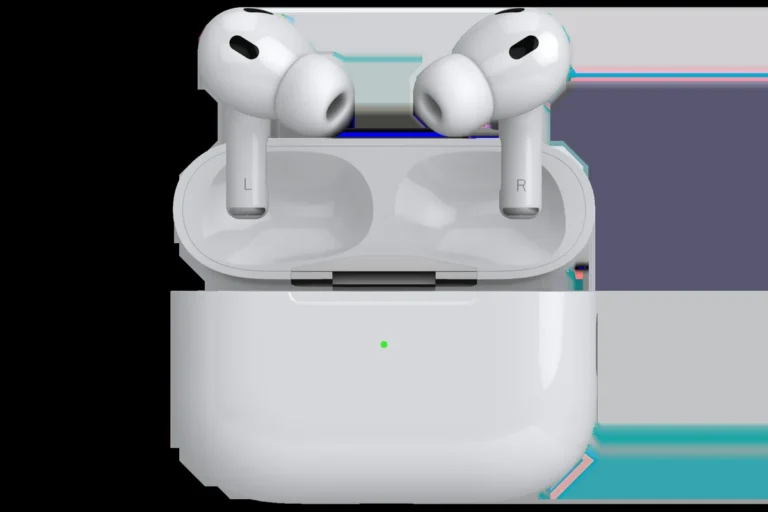
Hybrid users should look for foldable frames, detachable cables, or compact charging cases if the headset is wireless. Portability matters because the best office headset may not be the best bag-friendly headset. A durable travel model should also tolerate being packed and unpacked often without stressing the hinges.
Limitations to watch for: weak mics, poor app support, and fragile hinges
Some headsets sound fine for music but disappointing for voice. Others depend too heavily on software that may be buggy, limited, or unavailable on your operating system. Fragile hinges are another common weak point, especially in lightweight designs that prioritize portability over strength.
- All-in-one convenience for speaking and listening
- Usually easier to set up than separate mic and headphones
- Good for calls, gaming, and online classes
- Mic quality may not match a dedicated microphone
- Comfort and build quality vary widely by model
- Wireless versions require battery management
Comparison Guide: Wired vs Wireless Headset PC Microphone Options
The wired-versus-wireless decision affects more than convenience. It changes reliability, desk setup, battery concerns, and how much flexibility you have while moving around.
When wired is the smarter choice for reliability and value
Wired headsets are often the better pick if you want fewer variables. They do not need charging, and they usually avoid pairing problems or wireless interference. For many buyers, wired also offers stronger value because you are paying for the headset itself rather than extra wireless electronics.
If you are using a console-to-PC setup, compatibility can get confusing. A guide like how to pair PS5 headphones to PC can help explain why some headsets connect easily while others need adapters or specific settings.
When wireless is worth it for mobility and desk freedom
Wireless makes sense if you stand up often, move around during calls, or dislike cable clutter. It is also helpful in clean desk setups where you want fewer cords crossing your workspace. Just remember that wireless convenience comes with battery charging and occasional software management.
Common mistakes buyers make when comparing specs only
One common mistake is focusing on a single spec, such as frequency response or battery life, without considering comfort or mic placement. Another is assuming all USB or Bluetooth headsets will work the same way across every PC, app, and operating system. It is smarter to check the official compatibility notes, especially if you use a less common setup.
| Option | Best For | Key Consideration |
|---|---|---|
| Wired USB | Reliable PC calls and gaming | Simple setup, no charging |
| 3.5mm wired | Flexible multi-device use | Port compatibility matters |
| Wireless | Desk freedom and mobility | Battery life and pairing support |
Setup and Optimization Tips for Better Mic Quality
Even a decent headset can sound worse than it should if it is positioned poorly or configured incorrectly. A few small adjustments can make speech clearer and reduce the need to repeat yourself.
How to position the mic for clearer speech and less plosive noise
Place the mic slightly to the side of your mouth rather than directly in front of it. That helps reduce plosive noise, which is the burst of air from sounds like “p” and “b.” Keep the mic close enough to capture your voice clearly, but not so close that breathing sounds become distracting.
Angle the mic toward the corner of your mouth instead of directly in front of it.
Speak naturally and adjust until your voice sounds full without clipping or popping.
Windows, Mac, and app settings to check before your first call
Before your first meeting or gaming session, verify that the headset is the default input and output device in your system settings. Also check the app itself, because some platforms let you choose a different microphone than the one your computer uses by default. If the headset has its own software, look for sidetone, noise reduction, or gain controls that may affect voice quality.
How to reduce echo, clipping, and background noise at home or in the office
Echo often comes from room reflections, especially in empty or echo-prone spaces. Soft furnishings can help reduce that effect. Clipping happens when the mic input is too hot and your voice distorts, so lower the input gain if your system or app allows it. If the room is noisy, close windows, reduce fan noise where possible, and use the headset mic’s noise reduction only as a supplement rather than the only solution.
- Test your mic in a short voice note before an important call.
- Keep the boom positioned consistently so your voice level stays stable.
- Use app-level noise suppression carefully; too much can make speech sound unnatural.
Safe Use, Cleaning, and Care for Longer Headset Life
Good care does not just protect the headset; it also helps keep the mic and controls working the way they should. A little maintenance goes a long way, especially for daily-use headsets.
Cleaning ear cushions, headbands, and microphone tips safely
Use the manufacturer’s cleaning guidance when available. In general, a dry or slightly damp soft cloth is safer than harsh cleaners, which can damage pads, plastics, or microphone mesh. If cushions are removable, clean them gently and let them dry fully before reattaching.
Do not use liquid cleaners directly on the microphone opening, charging port, or cable connectors. Moisture in those areas can damage the headset or affect audio quality.
Battery care for wireless models and storage tips for daily use
For wireless models, follow the charging guidance in the user manual and avoid damaged cables or overheated charging conditions. Store the headset in a cool, dry place when possible, and do not leave it in extreme heat, such as a hot car. If your model uses a case, use it to protect hinges and earcups during transport.
Stop using any charging cable, battery, or unit that is frayed, swollen, cracked, or overheating, and follow the manufacturer’s safety guidance.
Signs it’s time to replace cushions, cables, or the headset itself
Worn cushions, crackling cables, loose hinges, or a microphone that cuts in and out can all be signs that repair or replacement is due. If the headset no longer fits securely or the mic quality has dropped enough that people struggle to hear you, replacement may be the more practical option. Always compare repair costs with the price and warranty of a new model before deciding.
Final Verdict: Is a Headset PC Microphone Worth It?
Yes, for most people a headset PC microphone is worth it because it combines practical voice communication with easy computer use. It is especially smart for students, remote workers, gamers, and anyone who wants a simple setup without buying separate headphones and a desktop mic.
Best-value recommendation by use case and budget
If you want the safest all-around value, choose a wired headset with a clear boom mic, comfortable earcups, and straightforward controls. If you need more freedom at your desk, a wireless model can be worth the extra cost as long as you are comfortable managing charging and pairing. For travel or mixed-device use, prioritize foldability, portability, and confirmed compatibility over flashy feature lists.
Transparent buying advice: where to spend more and where to save
Spend more on comfort, microphone quality, and build durability if you plan to wear the headset for long periods. Save on premium extras like advanced app features or decorative gaming effects if your main need is meetings, classes, or basic voice chat. Before buying, check the official specs, warranty, and return policy so you know exactly what you are getting in 2026.
A headset PC microphone is a practical, high-value choice for most computer users who need clear voice chat and simple setup. Choose wired for reliability and value, or wireless for mobility, and prioritize mic clarity, comfort, and compatibility over spec-sheet hype.
Common Questions
It is a headset with a built-in microphone designed for computer calls, chat, and meetings.
Yes, especially if you want clear voice chat and easy mute controls.
They can, but battery life and pairing support matter more than with wired models.
Position the boom close to your mouth and lower input gain if your voice sounds distorted.
USB is simpler for many PCs, while 3.5mm can be more flexible across devices.
Frequently Asked Questions
The main benefit is convenience. You get headphones and a microphone in one device, which makes calls, gaming, and classes easier to manage.
Start with your main use case: work, gaming, travel, or casual calls. Then check comfort, mic clarity, and whether the headset works with your PC and apps.
Many buyers focus on specs alone and ignore comfort or compatibility. A headset that sounds good on paper can still be frustrating if it is uncomfortable or hard to connect.
Use a soft cloth and follow the manufacturer’s cleaning instructions. Avoid spraying liquid directly onto the mic, ports, or charging areas.
Yes, as long as you follow normal charging and storage guidance. Avoid damaged cables, overheating, and extreme heat exposure.
No, keep listening volume moderate and use the headset’s mic and app settings instead. If you have hearing concerns, speak with a hearing specialist or follow recognized safe-listening guidance from a health authority.