How Do You Connect Bluetooth Headphones to an Xbox One Guide

Most Bluetooth headphones do not connect directly to an Xbox One. The easiest working options are an Xbox Wireless headset, a wired controller headset, or a Bluetooth transmitter workaround.
If you’re asking how do you connect bluetooth headphones to an xbox one, the short answer is that most Bluetooth headphones do not connect directly to the console. Xbox One usually works best with an Xbox Wireless headset, a wired headset through the controller, or a Bluetooth transmitter workaround.
That can be frustrating if you already own a good pair of Bluetooth headphones, but there are still a few practical ways to get private game audio, party chat, or TV sound working. The right method depends on your headset, your budget, and whether you care most about convenience, latency, or microphone support.
- Direct pairing: Standard Bluetooth headphones usually will not pair directly with Xbox One.
- Best wireless option: Xbox Wireless headsets are the cleanest and most reliable choice.
- Budget fix: A wired headset or Bluetooth transmitter can work, depending on your needs.
- Common issue: Audio lag and mic limitations are the biggest problems with workarounds.
Can You Connect Bluetooth Headphones to an Xbox One in 2026?
Contents
- 1 Can You Connect Bluetooth Headphones to an Xbox One in 2026?
- 2 Fast Answer: The Best Ways to Use Wireless Headphones with Xbox One
- 3 Step-by-Step Methods to Connect Headphones to Xbox One
- 4 Best Headphone Types for Xbox One: What Actually Works
- 5 Common Connection Problems and Mistakes to Avoid
- 6 Expert Advice: Choosing the Right Setup for Gaming, Chat, and TV Use
- 7 Price Comparison: Cheapest Fix vs Best Long-Term Solution
- 8 Final Recap: The Easiest Way to Connect Bluetooth Headphones to an Xbox One
- 9 Frequently Asked Questions
- 10 Author
What Xbox One supports and why standard Bluetooth audio is a problem
Xbox One does not include standard Bluetooth audio support for headphones. That means most wireless earbuds and Bluetooth headsets cannot be paired to the console the same way they would connect to a phone, laptop, or tablet.
There is a common point of confusion here: some Xbox controllers may support Bluetooth for connecting to other devices, but that does not mean the controller can send game audio to Bluetooth headphones. In other words, controller Bluetooth support is not the same thing as Bluetooth headphone support.
Xbox One audio compatibility can vary by console model, controller version, and headset type. If a product claims “wireless” support, check whether it means Xbox Wireless, Bluetooth, or a USB dongle connection.
What readers are really trying to do: private gaming, party chat, and TV audio
Most people asking this question want one of three things: private gaming at night, clear party chat with friends, or a simple way to hear TV audio without disturbing others. The best solution changes depending on which of those matters most.
If you only need game sound, a transmitter or TV route may be enough. If you want chat plus game audio with low delay, an Xbox Wireless headset or a wired controller headset is usually the cleaner option.
Many “Bluetooth” gaming headaches come from latency, not just pairing. Even when audio works, a small delay can make footsteps, dialogue, and gunfire feel out of sync.
Fast Answer: The Best Ways to Use Wireless Headphones with Xbox One
Xbox Wireless headsets vs Bluetooth workarounds
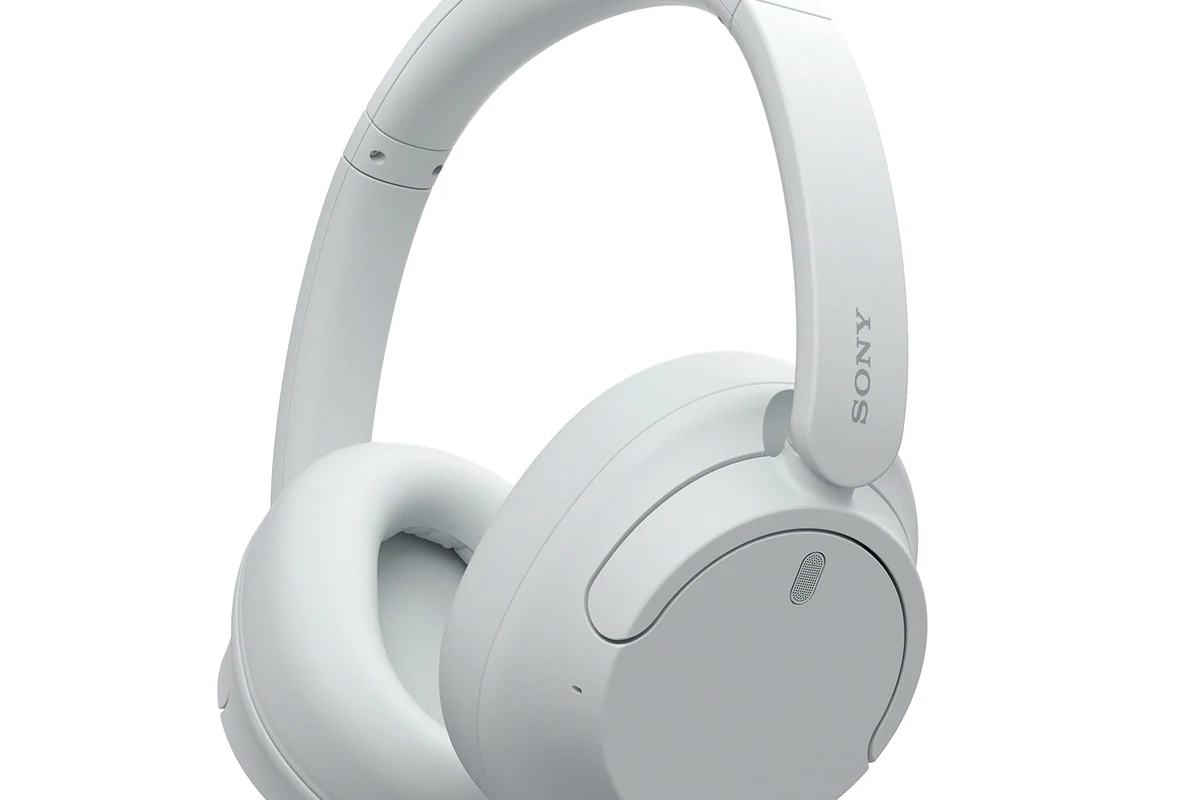
The easiest long-term answer is usually an Xbox Wireless-compatible headset. These are designed to work with Xbox consoles more smoothly than standard Bluetooth headphones, especially for gaming and chat.
If you already own Bluetooth headphones, a workaround may still be worth trying. Just know that a workaround often solves audio output only, and mic support can be limited or unavailable depending on the adapter or transmitter.
Controller jack, USB dongles, and TV-based audio routes
For budget users, a wired headset plugged into the Xbox controller’s 3.5mm jack is the most reliable option. It avoids pairing issues, lag, and many of the compatibility problems that come with wireless audio.
USB dongles and TV audio outputs can also help, but they are not universal fixes. Some USB wireless headphones use proprietary dongles that work well, while others may not be supported by Xbox One at all.
If your goal is fewer problems, choose the connection method first and the headphone model second. On Xbox One, compatibility matters more than brand hype.
Step-by-Step Methods to Connect Headphones to Xbox One
Method 1: Pairing an Xbox Wireless headset directly
If you have an Xbox Wireless headset, this is usually the simplest path. Put the headset in pairing mode, then use the console’s pairing button or follow the headset’s included instructions until the connection completes.
Check the headset manual for the exact button combination. Xbox Wireless headsets often use a dedicated pairing button or power-button hold.
Use the console’s pairing function so the headset and Xbox can find each other. Wait for the lights or tone that confirm pairing.
Open a game or party chat and confirm both sound and microphone input are working. Adjust volume and chat mix if needed.
This method is usually the most stable for gaming because it is built for the platform. It is also the least frustrating if you want both chat and game audio in one headset.
Method 2: Using a Bluetooth transmitter with the Xbox One controller or TV
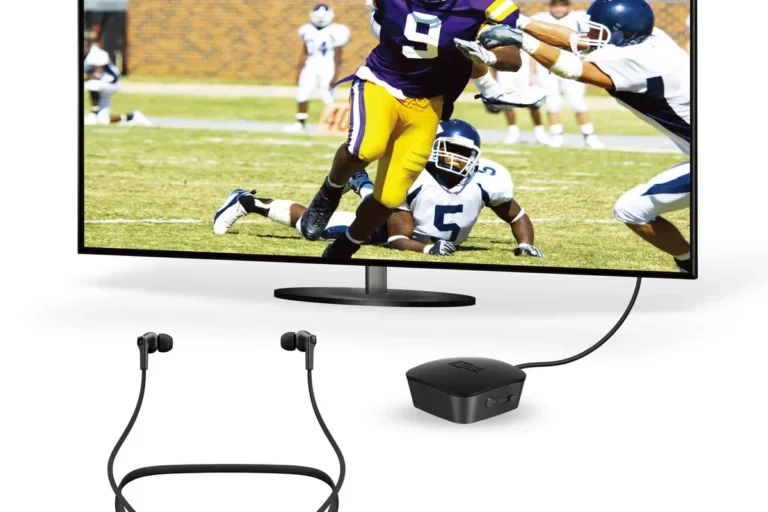
If you want to use Bluetooth headphones, a transmitter is one of the most common workarounds. In many setups, the transmitter plugs into the controller’s 3.5mm jack, the TV’s audio output, or another audio source that can send sound outward.
Connect the transmitter to the audio source, put the headphones in pairing mode, and wait for the devices to link. Then test the sound in a game or menu and check for delay, volume level, and stable connection.
Not every transmitter supports voice chat, low-latency audio, or microphone input. Some are audio-only, and some can add noticeable lag that makes fast-paced games feel off.
Method 3: Connecting through the TV or monitor for game audio
Another option is to send Xbox audio to the TV or monitor first, then connect your headphones to that device. This can work well if your TV has Bluetooth built in or if it supports an audio-out port for a transmitter.
This route is often easier for couch gaming because you do not have to modify the console itself. It can also be useful if you want one headphone setup for both Xbox and regular TV watching.
For readers who want a broader explanation of headset setup basics, our guide on how to connect Bluetooth headphones covers the general pairing process across devices. If you are comparing wireless audio quality, our article on Bluetooth vs wired headphones sound quality may also help you decide whether a workaround is worth it.
Method 4: Using the Xbox app or remote play for limited audio use cases
Some players use the Xbox app or remote play as a secondary way to hear game audio or manage chat. This is not the same as directly connecting headphones to the console, but it can help in certain casual setups.
Think of this as a convenience option rather than a full replacement for a proper headset connection. It may be useful for menu navigation, remote play sessions, or monitoring audio when you are away from the main screen.
Best Headphone Types for Xbox One: What Actually Works
Bluetooth-only headphones and their limitations
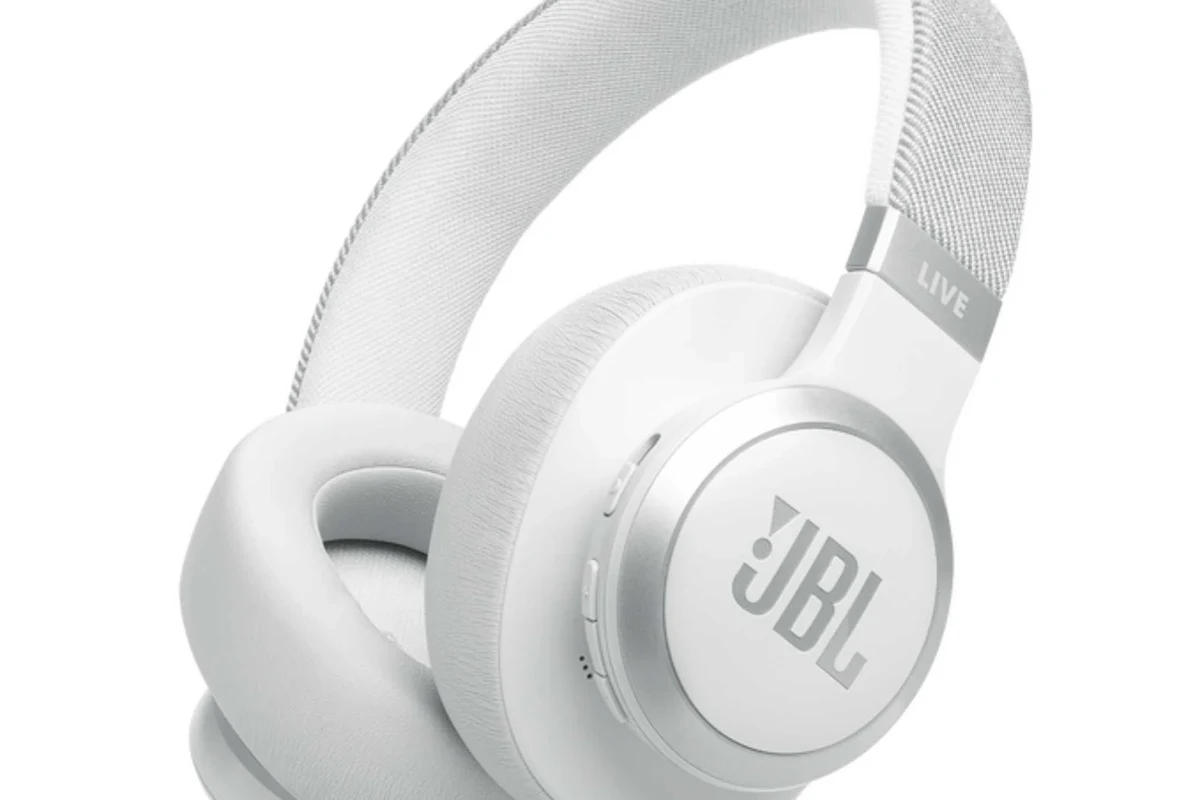
Bluetooth-only headphones are the most likely to disappoint on Xbox One because they usually cannot pair directly. Even when a workaround works, you may lose microphone support or experience audio delay.
These headphones still make sense if you already own them and only need casual listening. But for regular gaming, they are usually not the most dependable choice.
- Often already owned
- Good for general listening
- Can work with a transmitter
- No direct Xbox One pairing
- Possible latency
- Mic support may be limited
Xbox Wireless-compatible headsets and why they are the easiest option
Xbox Wireless headsets are usually the best match for Xbox One because they are made for the platform’s audio system. They tend to be easier to set up, easier to use for chat, and more reliable than improvised Bluetooth solutions.
If you want a simple “turn it on and play” experience, this is the category to prioritize. It is especially helpful for players who do not want to troubleshoot adapters every time they sit down.
Wired headphones with a controller adapter for budget gamers
Wired headphones remain a smart budget choice because they avoid pairing problems and often deliver the most predictable results. A headset with a 3.5mm plug can connect directly to the controller on many Xbox One setups.
For readers who are comparing comfort styles, our general guide to types of headphones explained can help you choose between over-ear, on-ear, and in-ear designs. If you want to understand why some wireless setups feel delayed, our article on Bluetooth headphone lag fix explains the common causes in simple terms.
Common Connection Problems and Mistakes to Avoid
Why Bluetooth headphones often fail to pair directly with Xbox One
The biggest mistake is assuming every console supports standard Bluetooth audio. Xbox One is different from phones and PCs, so a headset that works perfectly elsewhere may not show up as a normal pairing option on the console.
That does not always mean the headphones are broken. Usually, it means the connection type is wrong for the device.
Audio lag, mic issues, low volume, and one-ear sound problems
Even when you get audio working through a transmitter, you may run into delay, low volume, or uneven sound. Some headphones also behave oddly with mono output or chat routing, which can make audio come through one ear or sound unbalanced.
Mic problems are another common issue. A setup that carries game audio over Bluetooth may not carry voice chat cleanly, so always check whether the adapter supports both listening and speaking before you buy.
If you notice repeated dropouts, severe lag, or poor mic pickup across multiple devices, it may be worth asking an audio specialist or retailer to confirm whether your headset is compatible before you spend more on adapters.
Misunderstanding controller Bluetooth support versus audio support
Another common mistake is thinking that because an Xbox controller can connect to something via Bluetooth, the console can also send audio to Bluetooth headphones. Those are separate functions.
The controller may pair with devices for control or syncing, but that does not mean it acts as a universal Bluetooth audio hub. That distinction is the reason many users get stuck during setup.
Expert Advice: Choosing the Right Setup for Gaming, Chat, and TV Use
When to prioritize latency, mic quality, or convenience
If you play competitive games, latency should come first. Delayed audio can make timing-based gameplay feel worse, even if the sound quality itself is acceptable.
If you mainly use party chat, microphone clarity and stable connection matter more than fancy features. If you just want convenience for movies or casual games, a TV-based route may be enough.
Best use cases for casual play, competitive gaming, and couch co-op
Casual players can often get by with a transmitter or TV Bluetooth output, especially if they are not sensitive to delay. Competitive players should lean toward Xbox Wireless or wired options for the most responsive experience.
Couch co-op and family gaming often benefit from simple wired headphones or shared TV audio. In those cases, ease of use usually matters more than advanced wireless features.
Warning signs that a cheap transmitter or adapter will disappoint
If a product description is vague about latency, chat support, or device compatibility, be cautious. Very cheap adapters can work for basic listening, but they may struggle with stable audio, clean voice pickup, or long sessions.
Also watch for products that promise support for every console and every headphone type. Those claims are often too broad to be reliable in real use.
Listening at high volumes for long periods can cause hearing damage. Keep volume at 60% or below for extended sessions.
Price Comparison: Cheapest Fix vs Best Long-Term Solution
Budget Bluetooth transmitter setup
The cheapest path is usually a basic Bluetooth transmitter plus your existing headphones. This can be a good short-term fix if you only need game audio and do not mind occasional trade-offs.
Still, budget transmitters may vary a lot in quality. Some are perfectly acceptable for casual use, while others introduce lag, hiss, or weak connection range.
Mid-range wireless headset options
Mid-range wireless headsets often give you a better balance of comfort, sound quality, and convenience. Many players find this tier more practical than constantly troubleshooting adapters.
At this level, you are usually paying for better build quality, easier pairing, and more consistent everyday use. Exact value depends on the model, the fit, and how long you plan to game each week.
Premium Xbox Wireless headsets and value for 2026 buyers
Premium Xbox Wireless headsets make the most sense if you want the cleanest setup and expect to use the headset often. They are usually the strongest long-term value for players who care about low hassle and reliable compatibility.
For 2026 buyers, the best value is not always the cheapest product. It is the one that works with your console, your chat needs, and your comfort preferences without extra accessories.
Final Recap: The Easiest Way to Connect Bluetooth Headphones to an Xbox One
Summary of the best method based on your headphones and budget
If you already own Bluetooth headphones, the most realistic route is usually a Bluetooth transmitter or a TV-based audio setup. If you want the best overall experience, an Xbox Wireless headset or wired controller headset is typically the safer choice.
For more on wireless headphone basics and compatibility, you may also find our guide on Bluetooth headphones explained simply useful before you buy anything new.
Quick takeaway for readers who want the shortest path to working audio
The shortest path is this: Xbox Wireless for the cleanest wireless setup, wired headphones for the simplest budget option, and a Bluetooth transmitter only if you specifically want to keep using Bluetooth headphones. That is the most practical answer to how do you connect bluetooth headphones to an xbox one.
Frequently Asked Questions
Usually, no. Xbox One does not support standard Bluetooth audio the way phones and laptops do, so most Bluetooth headphones need a workaround or a different headset type.
Xbox Wireless-compatible headsets are usually the easiest and most reliable choice. They are designed for Xbox audio and chat, so setup is typically simpler than using Bluetooth headphones.
Often, yes, if you want to use Bluetooth headphones with game audio. A Bluetooth transmitter can send audio from the controller, TV, or monitor to your headphones, but results vary by model.
Wired headphones are often better for reliability and low latency. They are a strong budget option if you want simple plug-and-play audio without pairing issues.
Check the connection type, microphone support, latency, comfort, and whether the headset is Xbox Wireless, Bluetooth, or wired. The best choice depends on whether you care most about chat, game audio, or convenience.
Choose a lightweight headset with soft ear cushions and a secure but not tight fit. Keep volume at a safe level during long sessions, and consult an audiologist if you have hearing concerns or tinnitus.