What Bluetooth Headphones Work With PS5 Best Picks

Most Bluetooth headphones do not work directly with PS5 for game audio, so the best choices are wireless headsets with USB dongles or Bluetooth headphones used with a compatible transmitter. If you want the least lag and best chat support, pick a low-latency wireless gaming headset instead of relying on standard Bluetooth pairing.
If you are wondering what bluetooth headphones work with ps5, the short answer is: most standard Bluetooth headphones do not connect directly to the console for game audio. The safest options are wireless headsets with a USB dongle, Bluetooth headphones used with a USB transmitter, or headphones connected through your TV, monitor, or Remote Play setup.
- Direct support: Standard Bluetooth is limited on PS5.
- Best workaround: Use a USB dongle or transmitter.
- Latency matters: Low delay is crucial for gaming sync.
- Mic check: Party chat support varies a lot by model.
- Best fit: Casual players have more flexibility than competitive players.
What Bluetooth Headphones Work With PS5: What You Need to Know First
Contents
- 1 What Bluetooth Headphones Work With PS5: What You Need to Know First
- 2 Best Bluetooth Headphones That Work With PS5 Through Workarounds
- 3 How to Use Bluetooth Headphones on PS5 Without Audio Lag
- 4 What to Look for When Choosing PS5 Bluetooth Headphones
- 5 Price Comparison: Budget vs Mid-Range vs Premium PS5-Friendly Options
- 6 Common Mistakes Gamers Make When Buying Bluetooth Headphones for PS5
- 7 Expert Advice: What the Top Headphone Reviews Editorial Team Recommends in 2025
- 8 Final Recap: The Best Way to Find Bluetooth Headphones That Work With PS5
- 9 Frequently Asked Questions
- 10 Author
The PS5 is a great gaming console, but it is not built like a phone or laptop when it comes to Bluetooth audio. That means compatibility is less about the headphone brand and more about the connection method.
If you want a deeper refresher on how Bluetooth audio behaves in general, our Bluetooth headphones explained guide can help you understand why wireless audio sometimes behaves differently across devices.
Why the PS5 Does Not Support Standard Bluetooth Audio Well
Sony limits direct Bluetooth audio support on PS5 because gaming needs low latency. Regular Bluetooth can introduce a delay between what you see on screen and what you hear, which is especially noticeable in shooters, rhythm games, and fast action titles.
That delay can also affect chat timing and directional sound cues. For many players, even a small lag is enough to make audio feel disconnected from the game.
Not every Bluetooth headphone will pair cleanly with PS5, and some may only work for menus or voice features through workarounds rather than full game audio.
What “Compatible” Really Means for PS5 Headphones in 2025
When people say a headphone is “compatible” with PS5, they usually mean it works well through a supported wireless dongle, a USB Bluetooth transmitter, or another external device. It does not always mean the headset connects directly through the console’s built-in Bluetooth.
In 2025, the best PS5-friendly choices are still the ones that prioritize low latency, stable wireless performance, and reliable microphone support. For casual play, almost any workable setup may be fine, but competitive players should be more selective.
Compatibility can vary by headset model, firmware, transmitter quality, TV settings, and even the room layout around your console.
Best Bluetooth Headphones That Work With PS5 Through Workarounds
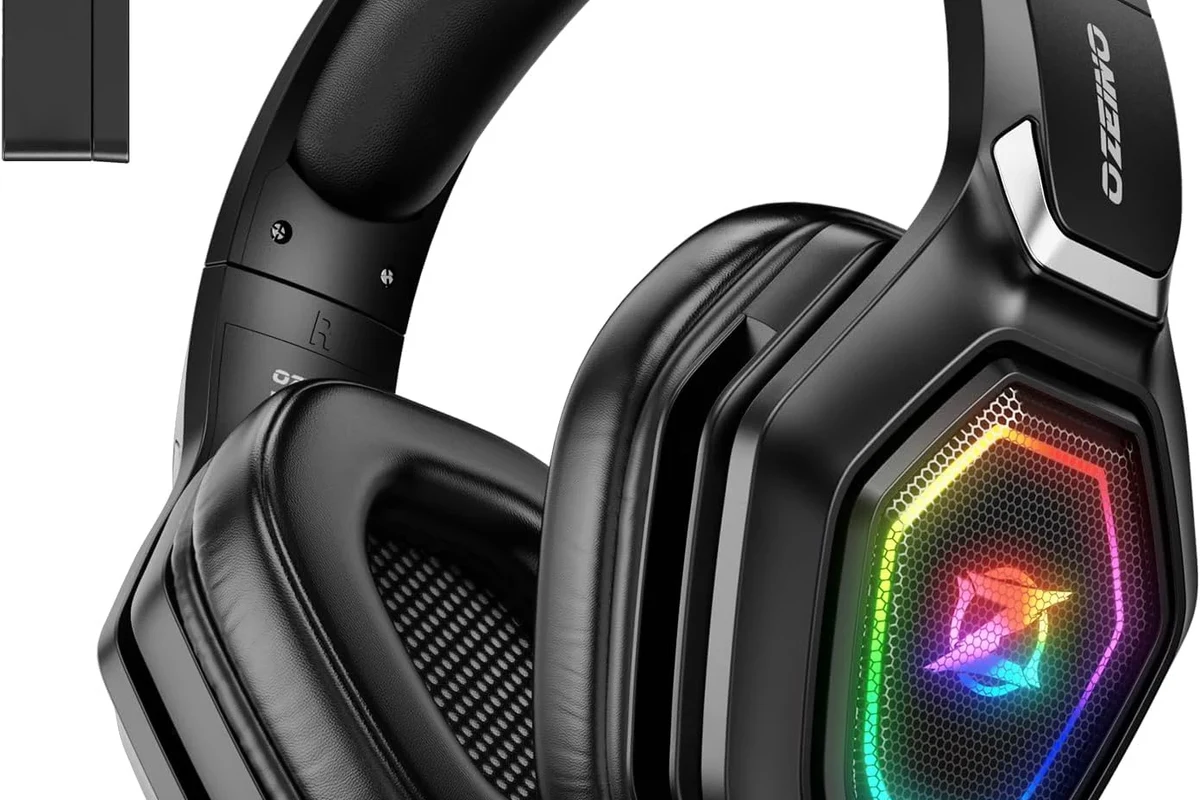
Instead of looking only for “Bluetooth” on the box, look for headphones that can connect in a PS5-friendly way. In practice, that usually means wireless gaming headsets with USB dongles or Bluetooth headphones paired through a separate adapter.
If you are comparing wireless options more broadly, our Bluetooth vs wired headphones sound quality guide is useful for understanding the tradeoffs before you buy.
Wireless Headphones With USB Dongles for Low-Latency Gaming
These are often the easiest and most reliable choice for PS5 players. A USB dongle gives you a direct wireless link to the console with much lower delay than standard Bluetooth.
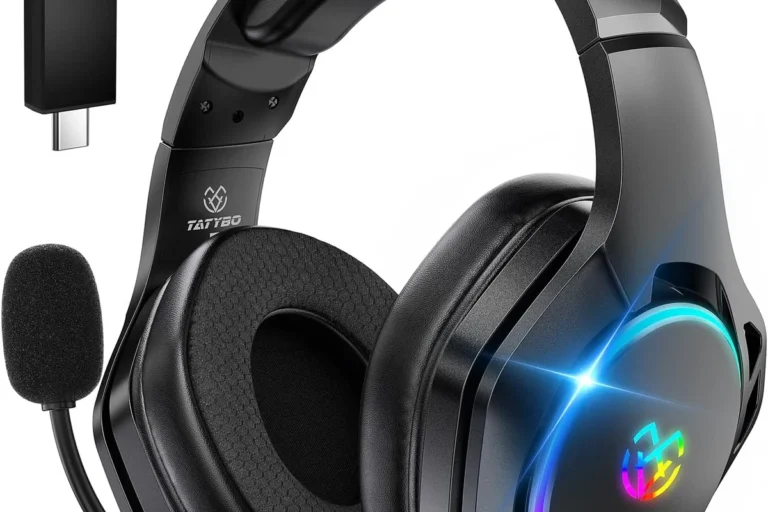
Many gaming headsets in this category are not “Bluetooth-only” headphones, but they are still the most practical wireless option for PS5 use. They usually support voice chat better too.
Bluetooth Headphones That Pair Well With a Compatible USB Adapter
Some traditional Bluetooth headphones can work well if you add a USB Bluetooth transmitter to the PS5. This can be a good option if you already own a favorite pair and do not want to buy a full gaming headset.
Still, the result depends on the adapter’s quality and supported codec behavior. If you want the most stable experience, choose an adapter known for low-latency gaming use rather than a basic generic transmitter.
If your headphones have a low-latency mode or gaming mode, turn it on before judging performance. It can make a noticeable difference in lip sync and gameplay timing.
Examples of Popular Picks for Casual, Competitive, and Budget Players
For casual players, comfort and battery life may matter more than ultra-low latency. A solid Bluetooth headphone with a good USB adapter can be perfectly fine for story games, streaming, and single-player sessions.
Competitive players usually do better with a dedicated wireless gaming headset and USB dongle. Budget shoppers should focus on stable connection quality first, then sound and mic quality second.
Should I buy Bluetooth headphones or a gaming headset for PS5?
If you mainly play competitive games, a gaming headset is usually the safer choice. If you mostly play casually, Bluetooth headphones with a good adapter can still work well.
How to Use Bluetooth Headphones on PS5 Without Audio Lag
Audio lag is the main problem with Bluetooth on PS5, so the goal is to reduce delay as much as possible. The best method depends on what equipment you already own and how sensitive you are to sync issues.
Using a USB Bluetooth Transmitter on the Console
This is one of the most common workarounds. You plug the transmitter into the PS5’s USB port, put your headphones into pairing mode, and let the adapter handle the wireless connection.
Results can vary, but a good transmitter is usually better than trying to force a direct Bluetooth connection. If you go this route, look for low-latency support and broad headphone compatibility.
Use a PS5 USB port and let the adapter power up fully.
Follow the adapter’s pairing instructions, then test game audio and chat.
Connecting Through a TV, Monitor, or AV Receiver
Some TVs and receivers can send audio to Bluetooth headphones, which gives you another path to PS5 sound. This can be convenient if your display already has solid Bluetooth support or an audio output with transmitter capability.
The downside is that TV and receiver processing can add delay. If you are sensitive to lag, test this setup carefully before using it for fast-paced games.
Even a great pair of headphones can feel “bad” for gaming if the display or adapter adds too much delay.
Using Remote Play or a Controller-Connected Device as a Backup Option
Remote Play can be a useful backup if you want to listen through a phone, tablet, or computer that supports your Bluetooth headphones. It is not the most direct or lowest-latency route, but it can work in a pinch.
Another option is to connect headphones to a device paired with your controller or streaming setup, though audio quality and sync can vary. This is usually more of a convenience solution than a competitive gaming solution.
What to Look for When Choosing PS5 Bluetooth Headphones
The right choice depends on how you play. If you care about competitive responsiveness, you need different features than someone who mainly plays cinematic games or watches movies on the PS5.
Latency, Codec Support, and Gaming Performance
Latency is the biggest factor. Lower latency means better sync between the picture and the sound, which helps with aiming, timing, and immersion.
Codec support can matter too, but it is not a magic fix. Even a well-known codec will not solve a poor adapter or a weak wireless connection.
- Low-latency support
- Reliable USB dongle or transmitter
- Stable connection at your seating distance
Microphone Quality for Party Chat and Online Play
If you use party chat, mic quality matters as much as headphone sound. Some Bluetooth headphones sound fine for listening but are weak for voice pickup, especially in noisy rooms.
For team chat, a headset with a built-in boom mic or a known gaming mic solution is often better than a music-first Bluetooth headphone.
Battery Life, Comfort, and Range for Long Sessions
Long battery life is helpful, but comfort is just as important. Heavy earcups, tight clamping force, or warm pads can become distracting during long PS5 sessions.
Range matters too if you step away from the console often. Just remember that real-world range can be affected by walls, interference, and the placement of your transmitter.
Listening at high volumes for long periods can cause hearing damage. Keep volume at 60% or below for extended sessions.
Price Comparison: Budget vs Mid-Range vs Premium PS5-Friendly Options
Price does not always equal better gaming performance, but it often affects connection quality, mic clarity, and comfort. The best value depends on whether you need a simple casual setup or a more dependable competitive one.
Best Value Picks for Under $100
Budget-friendly options often include basic Bluetooth headphones paired with a USB transmitter, or entry-level wireless gaming headsets with a dongle. These can be good for single-player games, streaming, and everyday use.
Just be realistic about mic quality and lag. At this price, the goal is usually “good enough” rather than perfect.
Mid-Range Headphones for Better Sound and Stability
Mid-range models often deliver a better balance of comfort, wireless stability, and sound quality. This is a sweet spot for players who want dependable PS5 audio without jumping to premium pricing.
If you split time between games, movies, and music, this category is often the easiest place to find a well-rounded option.
Premium Wireless Options for Serious PS5 Gamers
Premium models usually focus on stronger build quality, better comfort, cleaner mic performance, and more reliable wireless behavior. They are often the best choice if you spend many hours gaming each week.
Still, premium does not automatically mean “best for PS5 Bluetooth.” The connection method and latency support matter more than the price tag.
| Model | Best For | Price Range |
|---|---|---|
| USB dongle gaming headsets | Competitive PS5 play | Varies |
| Bluetooth headphones with transmitter | Casual gaming and media | Varies |
| Premium wireless headsets | Long sessions and chat | Varies by brand |
Common Mistakes Gamers Make When Buying Bluetooth Headphones for PS5
A lot of disappointment comes from buying the wrong type of wireless headphone for the job. The good news is that most of these mistakes are easy to avoid once you know what to watch for.
Assuming All Bluetooth Headphones Work Directly With PS5
This is the biggest mistake. Many shoppers assume Bluetooth means universal compatibility, but PS5 is more restrictive than a phone or laptop.
Always check whether the headset needs a dongle, transmitter, or TV-based workaround before buying.
Ignoring Latency and Audio Sync Issues
Even if a headset pairs successfully, it may still feel off in actual gameplay. If audio timing matters to you, lag should be one of your top buying filters.
This is especially important for shooters, sports games, and rhythm titles where sound cues matter.
Overlooking Mic Limitations and Chat Compatibility
Some Bluetooth headphones are better at playback than voice capture. If you plan to use party chat, make sure the mic works well on PS5 and not just on your phone.
For a simple overview of wireless behavior across devices, our how to connect Bluetooth headphones guide may also help if you are setting up a new pair.
Expert Advice: What the Top Headphone Reviews Editorial Team Recommends in 2025
Our editorial advice is simple: choose the connection method first, then the headphone model. That approach saves you from buying something that sounds great on paper but frustrates you on PS5.
If you have ongoing ear pain, tinnitus, or hearing sensitivity, speak with an audiologist before using headphones for long gaming sessions. Safe listening matters more than any feature list.
When to Choose Bluetooth vs Dedicated Wireless Gaming Headsets
Choose Bluetooth headphones if you already own a good pair and mainly play casually. Choose a dedicated wireless gaming headset if you want the easiest PS5 setup, lower lag, and better chat support.
If you care about convenience, gaming headsets usually win. If you care about reusing a favorite everyday headphone, Bluetooth with an adapter can be a smart compromise.
Best Use Cases for Casual Gaming, Movies, and Competitive Play
For casual gaming and movies, Bluetooth headphones can be perfectly enjoyable with the right adapter or TV setup. For competitive play, a low-latency wireless headset is usually the safer choice.
If you want one headset for everything, prioritize comfort, stable wireless performance, and a mic that works well in noisy rooms.
Final Recap: The Best Way to Find Bluetooth Headphones That Work With PS5
The best way to find what bluetooth headphones work with ps5 is to focus on how they connect, not just whether they are Bluetooth. A USB dongle, quality transmitter, or compatible display-based audio path matters more than the headphone label itself.
Quick Summary of the Safest Buying Approach
Start by deciding whether you need low latency, good chat support, or just casual listening. Then choose the connection method that best fits your play style and budget.
- PS5 does not handle standard Bluetooth audio well.
- USB dongles and transmitters are the most practical workarounds.
- Latency and mic quality matter more than the Bluetooth label.
- Casual players have more flexibility than competitive players.
Which Type of PS5 Player Each Option Is Best For
Casual players can often get good results from Bluetooth headphones plus a transmitter or TV-based audio route. Competitive players should lean toward a dedicated wireless gaming headset with a USB dongle.
If you want the least risky choice, buy for low latency first and brand second. That is the most reliable path to a better PS5 headphone setup.
Frequently Asked Questions
Most standard Bluetooth headphones do not connect directly to PS5 for game audio. You usually need a USB dongle, Bluetooth transmitter, TV audio output, or Remote Play workaround.
A wireless gaming headset with a USB dongle is usually the most reliable choice. It typically offers lower latency and better chat support than standard Bluetooth.
Use a low-latency USB transmitter or a headset with a dedicated dongle. Avoid relying on basic Bluetooth pairing if timing matters in your games.
Over-ear models are usually the most comfortable for long sessions and often offer better isolation. In-ear options can be portable, but fit and mic performance vary by model.
Check latency support, connection method, mic quality, battery life, and comfort. Codec support can help, but it matters less than a stable low-latency connection.
Not always. A premium model may sound and feel better, but the connection type and latency are more important for gaming performance.