Can PS4 Use Bluetooth Headphones Easy Guide and Tips

Yes, but not usually by direct pairing with standard Bluetooth headphones. Most PS4 users need a USB dongle, Bluetooth transmitter, or wired controller connection for reliable audio.
If you’re asking can PS4 use bluetooth headphones, the short answer is yes, but not always in the simple way people expect. The PS4 has limited native Bluetooth audio support, so most standard Bluetooth headphones will not pair directly for full game sound and chat.
That does not mean wireless audio is off the table. With the right adapter, transmitter, or connection method, you can still get a solid PS4 listening setup that fits casual gaming, party chat, or movie nights.
- Direct pairing: Many standard Bluetooth headphones will not connect normally.
- Best workaround: USB dongles and transmitters are the most common fixes.
- Lowest delay: Wired through the DualShock 4 controller is usually best.
- Chat support: Always confirm microphone compatibility before buying.
Can PS4 Use Bluetooth Headphones? What Works in 2025
PS4 owners still ask this because Bluetooth headphones are now the default for phones, tablets, and laptops. It feels natural to expect the same convenience on a console, especially if you already own a good pair of wireless headphones.
The catch is that the PS4 is much stricter than many other devices when it comes to Bluetooth audio. Some devices connect, some only work for sound, and some are blocked entirely by the console’s Bluetooth rules.
Why this question still matters for PS4 owners
A lot of people still play on PS4, and many want one headset that works across console, TV, and mobile use. If you are trying to reduce cable clutter or share a headset between devices, Bluetooth compatibility becomes a real buying concern.
This is also important for budget buyers. You may already own wireless headphones and want to know whether you need to buy another headset or just add an adapter.
What most users actually mean when they ask about Bluetooth audio
When people ask about Bluetooth on PS4, they usually mean one of three things: hearing game audio, using a microphone for chat, or connecting headphones without a cable. Those are not the same thing, and the PS4 handles each one differently.
In practice, “Bluetooth support” can mean direct pairing, USB dongle support, or audio routed through the TV. The best method depends on whether you care most about sound quality, voice chat, or low delay.
How PS4 Bluetooth Audio Support Works
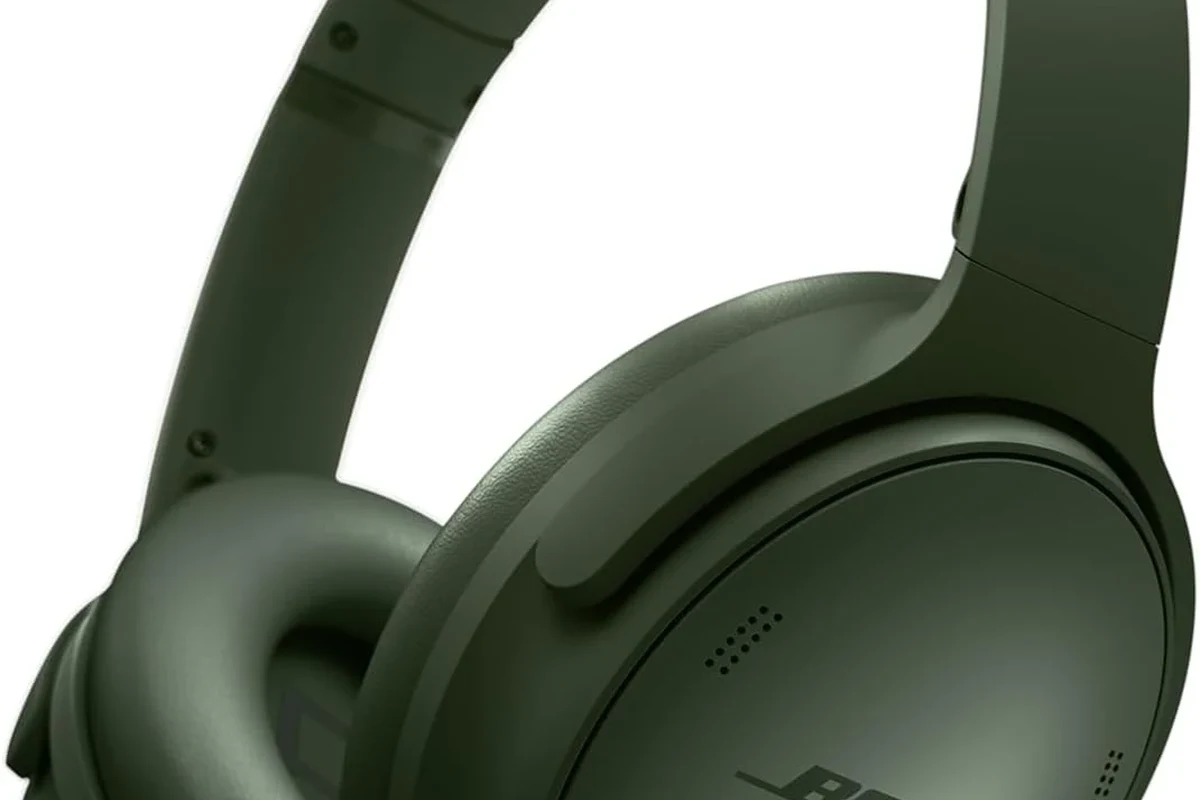
The PS4 does support some Bluetooth accessories, but Sony limits which audio devices can connect. That is why a pair of headphones that works instantly with your phone may fail on the console.
For headphone buyers, the key point is simple: PS4 Bluetooth is not as open as standard Bluetooth on mobile devices. You usually need a workaround for reliable wireless audio.
Why the PS4 blocks many standard Bluetooth headphones
The console blocks many common Bluetooth headsets to reduce connection problems, latency, and compatibility issues. This is frustrating, but it is also why the system is usually more stable with approved accessories than with random pairings.
If your headphones do not appear in the PS4 device list, that does not necessarily mean they are broken. It usually means the console does not accept that model for direct audio pairing.
Supported device types and Sony’s pairing limitations
Some Bluetooth accessories are supported, but the PS4 is selective. In many cases, Sony-approved or PS4-specific wireless headsets work better than generic Bluetooth headphones.
USB wireless dongles are often the easiest path because the headset and dongle are designed to talk to each other. That avoids some of the pairing issues common with standard Bluetooth.
Compatibility can vary by headset model, firmware version, and PS4 system software. Always check the manufacturer’s PS4 support notes before buying.
Latency, interference, and voice chat issues to know
Even when Bluetooth headphones do connect, delay can be a problem. In fast games, a small audio lag can make explosions, footsteps, and gunfire feel slightly out of sync.
Voice chat is another common weak point. Some setups carry game audio but not microphone audio, while others need extra settings or a separate mic path to work properly.
Do not assume a wireless connection automatically means “gaming-ready.” Latency, dropouts, and mic support matter just as much as pairing success.
Best Ways to Connect Bluetooth Headphones to PS4
If direct Bluetooth pairing is unreliable, there are still several good ways to use wireless headphones with PS4. The best option depends on whether you want simplicity, chat support, or the lowest delay possible.
Before buying anything, it helps to understand the common connection paths and their trade-offs. For a broader overview of wireless audio basics, see our guide on Bluetooth headphones explained.
Using a Bluetooth USB dongle for direct wireless audio
A Bluetooth USB dongle can act as a bridge between the PS4 and your headphones. You plug the dongle into the console, pair the headphones to the dongle, and route audio through that connection.
This is one of the most common workarounds for players who want a wireless setup without replacing their headphones. It can be convenient, though sound quality and latency may vary by adapter.
If you buy a dongle, look for low-latency support and clear PS4 compatibility notes. Cheap generic adapters may connect, but still sound delayed or unstable.
Connecting through the DualShock 4 controller’s 3.5mm jack
This is not Bluetooth, but it is one of the easiest ways to use your headphones on PS4. You plug a wired headset into the DualShock 4 controller and get direct audio without wireless pairing issues.
For many players, this is the smartest choice when sound delay matters more than cable-free convenience. It is also a simple fallback if your wireless setup is being difficult.
Using the TV or monitor as an audio bridge
Some players route PS4 audio through the TV or monitor and then connect Bluetooth headphones to the display instead. This can work well for movies, slower games, or casual single-player sessions.
The downside is that TV Bluetooth often adds delay, and not every display handles audio output the same way. If you use this method, test it with the exact game or show you plan to watch.
Pairing via a Bluetooth transmitter for game and chat audio
A Bluetooth transmitter is another popular workaround. It plugs into the PS4, controller, or TV and sends audio to your headphones, sometimes with better flexibility than a basic dongle.
Some transmitters are designed for both game audio and chat support, but you should read the product details carefully. A transmitter that sounds good for music may still struggle with mic routing or gaming delay.
Many PS4 audio complaints come from latency, not volume or quality. Even a good headset can feel “bad” if the sound arrives late during gameplay.
Step-by-Step Setup Examples for Popular Use Cases
There is no single best setup for everyone. The right answer depends on whether you play casually, use party chat often, or mainly want wireless audio for movies and story games.
Casual gaming with a Bluetooth transmitter
If you mainly play solo games, a transmitter can be a practical middle ground. It gives you wireless freedom without forcing you to buy a whole new headset.
Plug the transmitter into the PS4, controller, or TV depending on the model you bought.
Put the headphones in pairing mode and follow the transmitter’s instructions until the connection is stable.
Start a game with fast sound cues and check whether the audio feels in sync with the action.
Party chat and multiplayer with a headset that includes a USB dongle
For multiplayer, a headset with its own USB wireless dongle is often easier than trying to force generic Bluetooth to work. These headsets are usually built with gaming use in mind, so they tend to be more dependable.
- PS4 compatibility listed by the manufacturer
- Microphone support for party chat
- USB dongle included in the box
- Battery life for long sessions
If you want a broader buying perspective, our guide on Bluetooth vs wired headphones sound quality explains why wired still wins in some gaming situations.
Watching movies or single-player games with TV-based Bluetooth audio
If your goal is relaxed listening rather than competitive play, TV-based Bluetooth can be perfectly fine. It is especially useful for story games, streaming apps, and late-night movie watching.
Just remember that TV Bluetooth quality varies a lot. Some setups sound excellent, while others introduce enough lag to make dialogue look slightly out of sync.
Common Problems and Mistakes to Avoid
Most PS4 Bluetooth problems are not caused by the headphones themselves. They happen because the user expects phone-style pairing from a console that does not work that way.
Assuming any Bluetooth headphone will pair directly with PS4
This is the biggest mistake. Many standard Bluetooth headphones will not connect directly, even if they work perfectly with your phone or laptop.
If you are shopping for new gear, check for PS4 support, a USB dongle, or a transmitter option before you buy. That small step can save a lot of frustration later.
Ignoring audio delay in fast-paced games
Delay is easy to ignore during menus or cutscenes, but it becomes obvious in shooters, rhythm games, and competitive multiplayer. A setup that feels fine for movies may feel off in gameplay.
If timing matters, prioritize low-latency wireless or use a wired connection instead. That is often the more reliable choice for serious gaming.
Overlooking microphone compatibility for voice chat
Some wireless headphones can play sound but do not handle mic input the way PS4 party chat expects. That means you may hear everything but still need a separate microphone solution.
If online chat matters to you, verify both audio and microphone support before purchasing. This is especially important for all-in-one headsets.
Choosing low-quality adapters that cause dropouts
Very cheap adapters can work at first and then become annoying over time. Common issues include crackling, random disconnects, and weak range.
That does not mean you need the most expensive option. It does mean you should avoid no-name adapters with vague compatibility claims and poor return support.
Listening at high volumes for long periods can cause hearing damage. Keep volume at 60% or below for extended sessions.
Expert Advice: What Top Headphone Reviews Recommends in 2025
Our editorial advice is simple: choose the setup that matches how you actually play. Wireless convenience is great, but it should not come at the cost of bad latency or broken chat support.
If you are comparing wireless styles in general, our article on how noise cancelling headphones work can also help you understand why some headphones feel better for long sessions than others.
When Bluetooth is worth it and when wired is the smarter choice
Bluetooth is worth it when you value comfort, freedom of movement, and casual listening more than perfect timing. It is a good fit for single-player games, media apps, and relaxed play.
Wired is smarter when you want the most reliable audio path, the least delay, and the simplest setup. For competitive gaming, wired still has a strong advantage.
What to look for in low-latency adapters and gaming headsets
Look for clear PS4 support, low-latency wording, and a headset or adapter that includes microphone compatibility if you need chat. A stable connection matters more than flashy feature lists.
Comfort also matters during long sessions. Weight, clamping force, and ear cushion material can affect how a headset feels after an hour or two.
Warning signs that a setup will disappoint in real gameplay
Be cautious if a product description is vague about PS4 use, hides latency details, or only talks about music listening. Those are often signs the device was not designed with console gaming in mind.
If you have ongoing hearing discomfort, ringing, or sensitivity after gaming, consider speaking with an audiologist. A professional can help you choose safer listening habits and identify issues early.
Cost Comparison: Bluetooth Headphones vs Adapters vs Gaming Headsets
Cost is one reason this topic stays popular. You may already own Bluetooth headphones and only need a small accessory, or you may be deciding whether a new gaming headset is the better long-term buy.
Budget-friendly setup options
The cheapest path is usually a wired headset through the controller or a basic Bluetooth transmitter. This can be a good starting point if you are testing wireless audio on a tight budget.
Just keep in mind that budget adapters often come with trade-offs in range, latency, or build quality. If you go this route, choose a seller with clear return policies.
Mid-range wireless solutions with better latency
Mid-range setups often include a better transmitter or a gaming headset with its own USB dongle. These options usually cost more, but they tend to be more dependable for regular play.
This is often the sweet spot for players who want wireless freedom without moving all the way into premium pricing.
Premium alternatives for the best PS4 audio experience
Premium solutions usually focus on stronger comfort, more stable wireless performance, and better microphone support. The exact sound signature will vary by brand and model, so personal preference still matters.
If you want a quick reminder of the trade-offs, our how to connect Bluetooth headphones guide covers the general pairing process that applies across many devices.
Final Verdict: The Easiest Way to Use Bluetooth Headphones on PS4
So, can PS4 use bluetooth headphones? Yes, but usually not by direct pairing with standard headphones. In most cases, the easiest path is a USB dongle, a Bluetooth transmitter, or a wired connection through the controller.
Best option by user type: casual players, chat users, and budget buyers
Casual players should look at a transmitter or TV-based audio if they mainly want convenience. Chat users are usually better off with a gaming headset that includes a USB dongle and microphone support.
Budget buyers should not ignore the controller’s 3.5mm jack, because it is often the simplest and most reliable option. It may not be wireless, but it avoids many of the headaches that come with Bluetooth on PS4.
Quick recap of what works, what doesn’t, and what to buy
What works best depends on your goal: direct Bluetooth is limited, adapters can help, and wired remains the safest fallback. If you want the least trouble, buy for PS4 compatibility first and wireless convenience second.
That approach will usually give you better sound, fewer dropouts, and a setup that actually fits the way you play.
Frequently Asked Questions
Usually not with standard Bluetooth headphones. The PS4 blocks many generic Bluetooth audio devices, so you often need a USB dongle, transmitter, or wired workaround.
They can, especially with basic adapters or TV-based audio. Low-latency devices help, but wired connections are still the most reliable for fast games.
Sometimes, but microphone support is not guaranteed. Many setups handle audio better than chat, so check PS4 voice compatibility before buying.
Over-ear headphones are usually more comfortable for long sessions and can offer better passive isolation. In-ear models may be lighter and more portable, but comfort is personal.
Check PS4 compatibility, mic support, latency, comfort, and whether the headset includes a USB dongle or wired option. Build quality and battery life also matter for long-term use.
They can help reduce outside noise, which is useful for focus and immersion. Sound quality and comfort still depend on the specific model, so choose based on your gaming needs.