Do Sony Headphones Work with Android Best Guide

Yes, Sony headphones work with Android phones in most cases, especially through Bluetooth pairing and the Sony app. Some advanced features like LDAC, Fast Pair, and noise control depend on the phone and model you use.
If you are wondering whether Sony headphones work with Android, the short answer is yes. Most Sony wireless and wired headphones are designed to pair easily with Android phones, and many models unlock extra features through Bluetooth, the Sony app, and Google tools.
- Compatibility: Most Sony headphones pair smoothly with Android.
- Features: Android can unlock Fast Pair, LDAC, and app controls on supported models.
- Limits: Budget phones may reduce codec quality or stability.
- Best use: Sony is especially strong for commuting, travel, and everyday listening.
Do Sony Headphones Work with Android? Quick Answer for 2026 Users
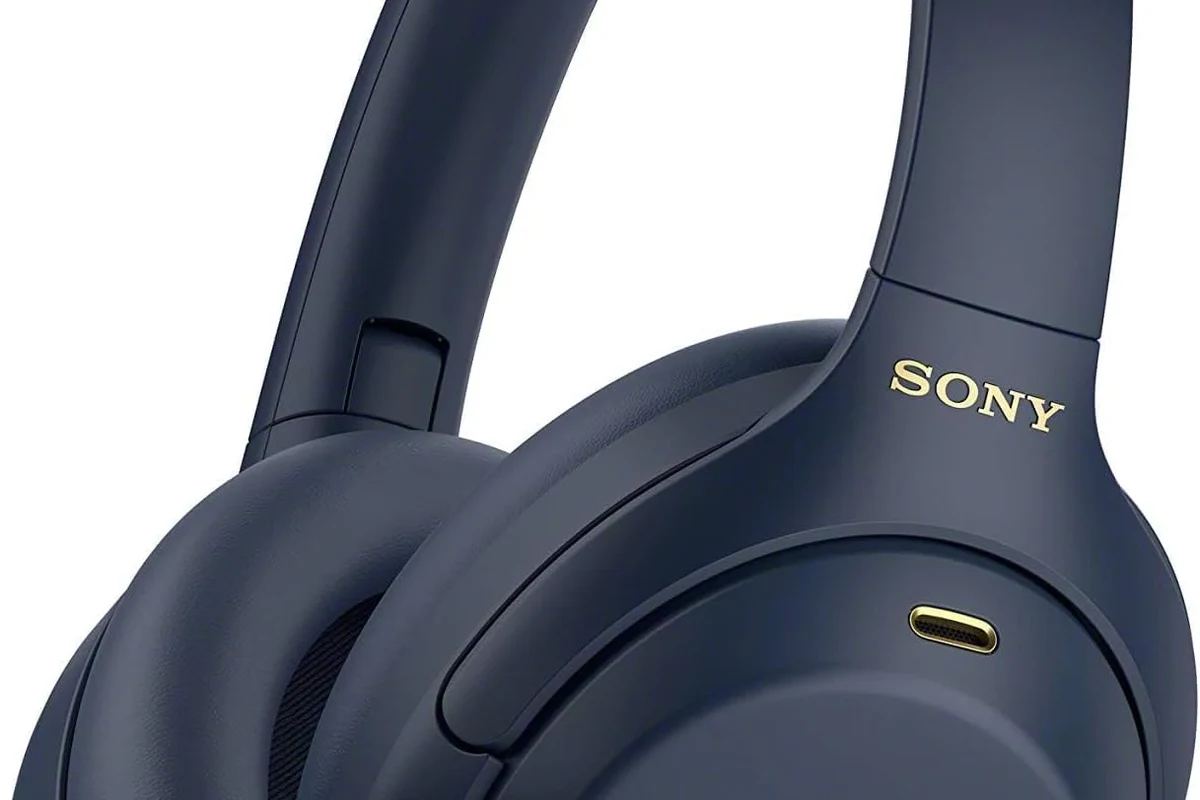
In 2026, Sony headphones generally work very well with Android devices. Basic playback, calls, and volume control usually work right away, while supported models can also use features like Fast Pair, LDAC, noise canceling controls, and app-based sound tuning.
The real difference is not whether they work, but how much of the feature set your specific Android phone can use. Compatibility depends on the headphone model, the phone’s Bluetooth version, codec support, and whether the Sony Headphones Connect app is installed and allowed to run properly.
- Sony headphones are widely compatible with Android phones.
- Wireless models usually pair through Bluetooth, Fast Pair, or NFC.
- Some advanced features depend on your Android phone and app settings.
- Wired connections can still work when Bluetooth is not ideal.
How Sony Headphones Connect to Android Devices
Sony offers several connection methods, and Android users can choose the one that fits their setup. For most people, Bluetooth is the main option, but some models also support wired listening or NFC pairing for faster setup.
Feature availability can vary by model. A headphone may connect to Android perfectly even if not every advanced feature is available on every phone.
Bluetooth pairing steps for Sony wireless headphones
Bluetooth is the standard way to connect Sony wireless headphones to Android. On most models, you turn the headphones on, put them into pairing mode, then open Bluetooth settings on your phone and select the Sony device name.
If your phone supports Google Fast Pair, the setup can be even quicker. You may see a pop-up prompt near the headphones, which reduces the need to dig through settings menus.
Hold the power or pairing button until the indicator shows the headphones are discoverable.
Go to Settings, then Bluetooth, and scan for nearby devices.
Tap the headphone name and wait for the connection confirmation.
If pairing fails, forget the device on your phone, restart both devices, and try again. This simple reset fixes many Bluetooth connection problems.
If you want a deeper walkthrough of the setup process, our guide on how to connect Bluetooth headphones explains the general pairing flow that also applies to many Sony models.
Wired USB-C and 3.5mm connection options
Some Sony headphones can also be used with a cable. That is helpful when you want to avoid wireless lag, save battery, or keep listening when Bluetooth is unstable.
Many over-ear Sony headphones include a 3.5mm audio cable option, while some newer devices and accessories use USB-C depending on the model. Always check your exact headphone version, because not every Sony model supports the same wired features.
Not all USB-C cables carry audio the same way. If your headphone or phone does not support USB-C audio properly, a cable may charge the device without sending sound.
NFC pairing support on select Sony models
Some older or select Sony headphones support NFC pairing, which lets you tap the headphone against a compatible Android phone to start the connection. It is fast and convenient, but it is not available on every model.
Even when NFC is present, Bluetooth still does the actual audio streaming. Think of NFC as a shortcut for setup, not a replacement for wireless audio.
Best Android Features You Can Use with Sony Headphones
One reason Sony headphones are popular with Android users is that they can unlock useful phone features beyond basic audio playback. Depending on the model and phone, you may get faster pairing, higher-quality wireless audio, and more control over noise cancellation and sound tuning.
Google Fast Pair and instant setup
Google Fast Pair can make Sony headphones feel almost instant to set up on Android. When supported, your phone detects the headphones nearby and offers a quick pairing prompt without manual searching.
This is especially useful if you switch between devices often. It saves time and reduces setup friction, which is one reason many Android users prefer newer Sony wireless models.
Fast Pair is not a Sony-only feature. It is an Android ecosystem tool, so support depends on both the phone and the headphone model.
LDAC audio support on compatible Android phones
LDAC is one of the most useful features for Android listeners who want higher-quality Bluetooth audio. If both your Sony headphones and your Android phone support it, LDAC can offer a richer wireless listening experience than basic Bluetooth audio.
That said, LDAC is not always the best choice in every situation. In crowded wireless environments or on phones with weaker Bluetooth stability, a lower codec setting may sound more reliable overall.
If you want a broader explanation of Bluetooth audio behavior, our article on Bluetooth headphones explained simply is a helpful companion read.
Noise canceling, Ambient Sound, and touch controls in the Sony app
The Sony Headphones Connect app is where many Android users get the most value. It can help manage noise canceling, ambient sound modes, equalizer settings, and touch controls depending on the headphone model.
For commuters, ANC can be a major advantage. For people walking outside or working in shared spaces, Ambient Sound can make the headphones more practical and safer to use.
For readers who want to understand the basics behind these modes, our guide on how noise cancelling headphones work breaks down the difference between blocking sound and letting outside noise through.
Common Compatibility Issues Android Users Run Into
Even though Sony headphones usually work well with Android, problems can still happen. Most issues are not deal-breakers, but they can affect sound quality, battery life, or connection stability.
Bluetooth version mismatches and outdated Android software
Older Android phones may not support the latest Bluetooth features found in newer Sony headphones. In that case, the headphones may still connect, but some functions like advanced codecs or smoother multipoint behavior may be limited.
Outdated Android software can also cause pairing glitches or unstable audio. If your headphones behave strangely, checking for system updates is one of the first things to do.
Codec limitations on budget Android phones
Budget Android phones often connect fine, but they may not support premium codecs like LDAC. That means you still get audio, but not always the best wireless quality Sony can offer.
This is where expectations matter. A great headphone can still sound good on a basic phone, but the phone may limit the final result more than the headset itself.
App permissions, battery optimization, and connection drops
Android battery optimization can sometimes interfere with the Sony app. If the app is restricted in the background, features like notifications, sound control, or automatic switching may not work as smoothly.
Connection drops can also happen when the phone is aggressively saving power, when too many Bluetooth devices are nearby, or when the headphones need a firmware update.
Listening at high volumes for long periods can cause hearing damage. Keep volume at 60% or below for extended sessions.
Practical Examples: Which Sony Headphones Work Best with Android
Different Sony models fit different Android users. The best choice depends on whether you prioritize travel, workouts, office use, casual listening, or budget value.
Everyday use with Sony WH-1000XM series
Sony’s WH-1000XM over-ear line is often a strong fit for Android users who want comfort, noise canceling, and feature-rich wireless listening. These headphones are especially appealing for travel, office work, and long listening sessions.
They tend to make the most sense if you want a premium experience and plan to use the Sony app regularly. For many Android buyers, this is the category where Sony feels most complete.
Workout and commute use with Sony WF earbuds
Sony WF earbuds are a practical choice when you want a smaller, more portable option for commuting, errands, or casual exercise. They are easier to carry than over-ear headphones and often pair quickly with Android phones.
Earbud fit matters a lot here. If the seal is not right, bass and noise isolation can suffer, so choosing the right ear tip size is important.
Budget-friendly Sony models for casual Android listening
Budget Sony headphones can still be a smart Android choice if you mainly want reliable wireless sound and simple controls. They may not have every premium feature, but they can be a good value for everyday use.
If you are comparing low-cost options, focus on battery life, comfort, call quality, and whether the model supports the connection method you prefer. For shoppers looking more broadly, our best headphones under 100 guide can help frame the value conversation.
Expert Advice: How to Get the Best Sound and Stability on Android
To get the most from Sony headphones on Android, it helps to think about both sound quality and connection reliability. The best setup is usually the one that sounds good and stays stable in your real daily use.
When to enable LDAC and when to leave it off
Turn on LDAC if your phone supports it and you want the best possible wireless sound from a compatible Sony model. It is a useful option for quieter environments and for users who care about detail and clarity.
Leave it off if you notice skips, dropouts, or reduced battery life. In those cases, a more stable codec may sound better overall because it avoids interruptions.
For readers comparing connection styles, our article on Bluetooth vs wired headphones sound quality explains why wired listening can still be useful in certain situations.
How to update firmware and the Sony Headphones Connect app
Firmware updates can improve stability, fix bugs, and sometimes refine how the headphones behave with Android. The Sony app is usually where you check for updates and manage settings.
It is also smart to keep your Android phone updated. Even small system updates can improve Bluetooth behavior, codec support, and app compatibility.
Warning signs that your Android phone is limiting performance
If your Sony headphones connect but sound thin, cut out often, or refuse to use advanced features, your phone may be the limiting factor. This is common with older devices or entry-level models.
Other warning signs include missing codec options, unstable multipoint behavior, or app features that never save correctly. In those cases, the headphones may be fine, but the phone is not giving them full support.
If you have persistent hearing fatigue, ringing in the ears, or discomfort after listening, speak with an audiologist. For ongoing connection issues that survive resets and updates, a phone or headphone specialist can help isolate the problem.
Price, Value, and Model Comparison for Android Buyers in 2026
For Android buyers, Sony’s value depends on how much of the premium feature set you will actually use. A more expensive model only makes sense if your phone and listening habits can benefit from it.
Premium Sony headphones vs mid-range alternatives for Android
Premium Sony headphones usually justify themselves through better noise canceling, stronger app support, more refined controls, and a fuller feature set for Android. Mid-range alternatives can still sound good, but they may skip some of the convenience features that make Sony easy to live with.
If you mainly listen at home or on short trips, a mid-range model may be enough. If you commute often or want fewer compromises, premium Sony options are easier to recommend.
| Model | Best For | Price Range |
|---|---|---|
| Sony WH-1000XM series | Travel, ANC, all-day comfort | Varies by model |
| Sony WF earbuds | Portable daily use, commuting | Varies by model |
| Budget Sony wireless models | Casual listening, simple Android pairing | Lower range |
What features are worth paying more for
For Android users, the most valuable upgrades are usually strong noise canceling, reliable Bluetooth stability, good app controls, and support for higher-quality codecs when available. Comfort also matters more than many buyers expect, especially for long sessions.
Pay extra only if those features match your routine. If you do not commute, do not need ANC, or mostly stream casual audio, a cheaper Sony model may already be a good fit.
- Easy Android pairing on many models
- Useful app controls and ANC options
- Good wireless and wired flexibility
- Some features depend on phone support
- Budget phones may limit codecs
- App settings can affect stability
Final Recap: Are Sony Headphones a Good Match for Android?
Yes, Sony headphones are a very good match for Android in most cases. They usually connect easily, sound strong, and offer extra features that Android users can actually take advantage of.
The main thing to remember is that the phone matters too. If your Android device supports the right Bluetooth features and you keep the app and firmware updated, Sony headphones can be one of the most convenient and capable choices in this category.
- Sony headphones work well with most Android phones.
- Fast Pair, LDAC, and the Sony app add real value on supported devices.
- Wired options can help when wireless stability is not ideal.
- Phone software and codec support affect the final result.
Frequently Asked Questions
Yes, most Sony headphones work with Android phones right away through Bluetooth. Some models also unlock extra features like Fast Pair, app controls, and higher-quality codecs.
Wireless is more convenient, especially for commuting and daily use. Wired can be better if you want stable playback, lower latency, or to avoid battery drain.
Yes, Sony noise cancelling headphones generally work very well with Android. You can often adjust ANC and Ambient Sound settings in the Sony app, depending on the model.
Closed-back headphones are usually better for most Android users because they isolate outside noise more effectively. Open-back headphones can sound more spacious, but they leak sound and are less practical on the go.
Check Bluetooth codec support, driver tuning, comfort, battery life, and whether the headphone app offers EQ controls. Frequency response alone does not tell the full story, so real-world compatibility matters too.
For commuting, prioritize ANC and comfort. For gaming, look for low latency and stable connection, while studio-style use may benefit from wired support and a more neutral sound profile.