What Is DSEE on Sony Headphones and Why It Matters

DSEE is Sony’s audio enhancement feature that tries to make compressed music sound clearer and more detailed. It can help with streaming and Bluetooth listening, but it cannot fully restore lost audio quality.
If you’ve seen “DSEE” in a Sony headphone app or spec sheet and wondered what it actually does, the short version is this: it’s Sony’s audio upscaling feature for compressed music. It tries to make streamed, Bluetooth, or MP3 audio sound a little fuller and more natural.
For many listeners, DSEE is a nice bonus rather than a make-or-break feature. But if you use wireless headphones often, especially with everyday streaming apps, it can be worth understanding what it does and what it cannot do.
- What it does: Enhances compressed audio on Sony headphones.
- Best use: Streaming, Bluetooth, and older music files.
- Big limitation: It cannot fix bad recordings or low-quality source audio.
- Version matters: DSEE, DSEE HX, and DSEE Extreme are not the same.
- Buying tip: Check the exact model’s app features before you buy.
What Is DSEE on Sony Headphones? A Clear Explanation for 2026
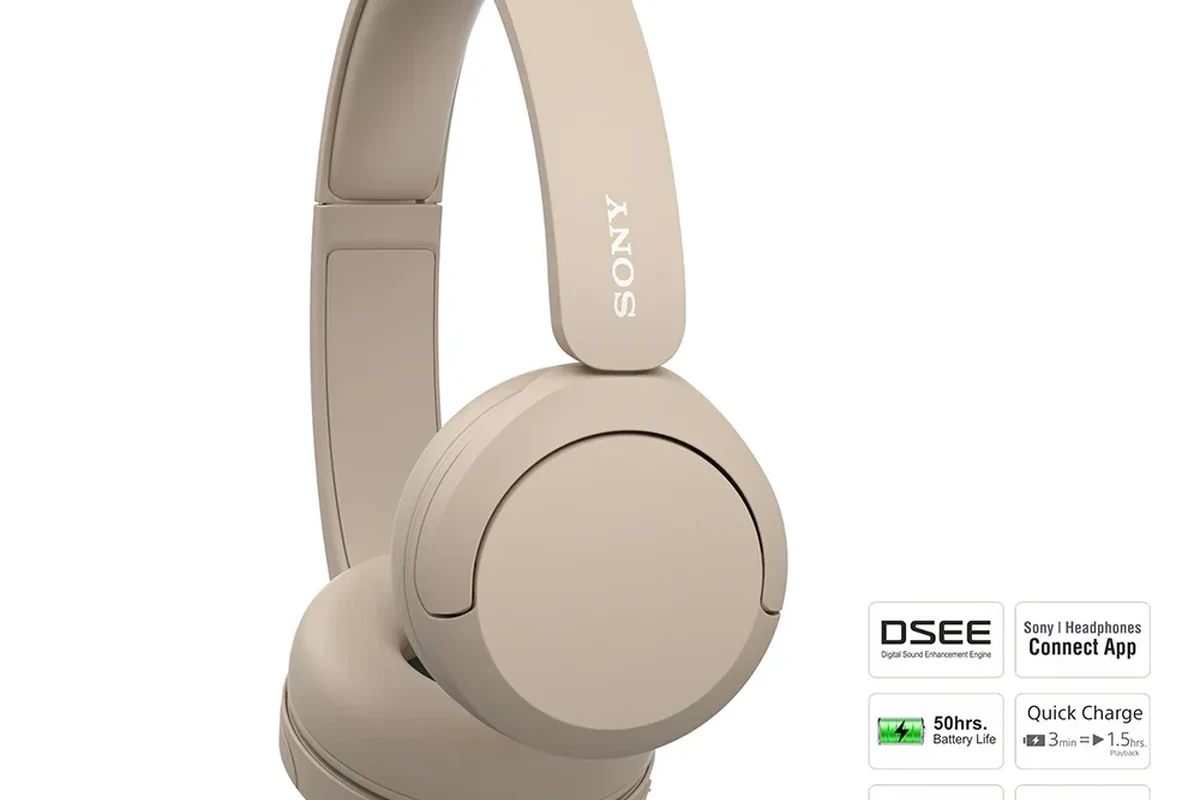
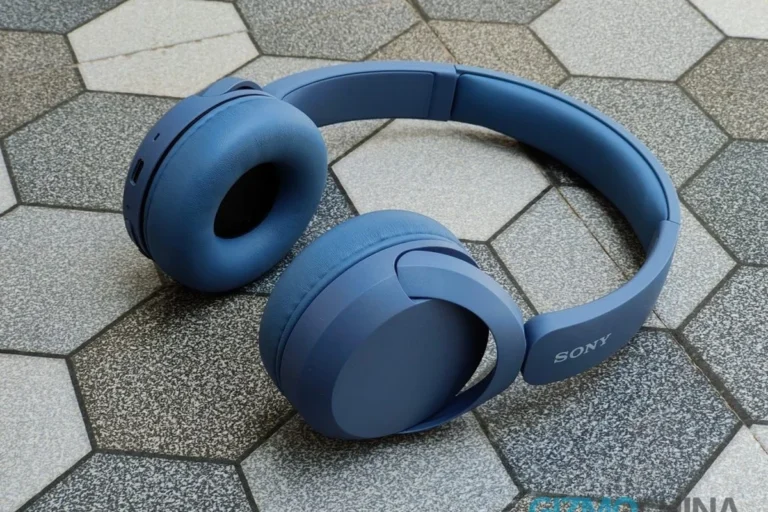
DSEE stands for Digital Sound Enhancement Engine. On Sony headphones, it is designed to improve the sound of compressed audio by restoring some of the detail that may be lost when music is reduced in size for streaming or file storage.
In practical terms, DSEE is Sony’s attempt to make lower-bitrate audio sound closer to the original recording. It does not create true high-resolution audio out of nothing, but it can make vocals, cymbals, and other fine details seem less flat or dull.
DSEE is most relevant on wireless Sony headphones and earbuds, where Bluetooth compression can reduce audio detail before it reaches your ears.
For readers comparing headphone features, DSEE sits in the same “helpful but not magical” category as many software-based sound enhancements. It can be useful, but it works best when the rest of your setup is already decent.
How DSEE Works: Upscaling Compressed Audio on Sony Headphones
DSEE analyzes incoming audio and tries to rebuild high-frequency information that may have been removed during compression. Think of it as a smart enhancement layer that fills in some of the missing texture in a song or podcast.
That matters because many common listening sources are not lossless. Streaming services, Bluetooth transmission, and older music files often use compression to save bandwidth or storage space.
What DSEE Tries to Restore in MP3s, Streaming, and Bluetooth Audio
When audio is compressed, some small details are removed to make the file smaller. DSEE tries to bring back the feel of those lost details, especially in the treble range where sparkle, air, and clarity often live.
That can help music sound less “squashed” or muted. It may also make speech sound a little cleaner on podcasts or video content, depending on the source quality.
If you want a broader overview of wireless audio behavior, our guide to Bluetooth headphones explained simply can help connect the dots between codecs, compression, and real-world sound.
Why Sony Calls It a “Digital Sound Enhancement Engine”
The name is Sony’s way of describing a digital processing system that enhances sound after it has been received by the headphone. “Engine” suggests that it is doing active work in the background, not just applying a simple preset.
That said, the name can make the feature sound more dramatic than it is. DSEE is useful, but it is still bounded by the quality of the source audio, the Bluetooth connection, and the headphone itself.
Many headphone features sound similar on paper, but their real-world impact depends heavily on the source track, codec, and your own hearing sensitivity.
Why DSEE Matters for Everyday Listening
Most people do not listen to perfect studio masters all day. They use Spotify, YouTube, podcasts, social media clips, and older downloads, often through Bluetooth headphones. That is exactly the kind of everyday use case where DSEE can be relevant.
It may not transform your headphones into a different product, but it can make casual listening feel a little more polished. For some users, that extra refinement is enough to notice.
If you already like your Sony headphones’ sound, try DSEE on and off with the same song before deciding. Small processing changes are easier to judge with familiar tracks.
Real-World Examples: Spotify, YouTube, Podcasts, and Older Music Files
With Spotify or similar streaming apps, DSEE may help compressed tracks sound slightly clearer and less brittle. The effect is usually subtle, but it can be more noticeable on busy songs with lots of percussion or layered vocals.
On YouTube, the benefit depends on the upload quality. A clean music video or live performance may sound a bit smoother, while a heavily compressed clip may still sound limited.
For podcasts, DSEE may help speech sound a touch more natural, but it will not fix poor recording quality, background noise, or bad mic placement. If the source is rough, the result will still be rough.
Older MP3 files are another common use case. If you have a large library of files encoded years ago at modest bitrates, DSEE can sometimes make them feel a little less harsh.
For readers who want to improve source quality before relying on processing, our article on how to connect Bluetooth headphones can help you check basic setup first, and our guide to best EQ settings for headphones can help you fine-tune the sound afterward.
Who Benefits Most from DSEE and Who May Notice Little Difference
DSEE tends to help listeners who use wireless Sony headphones with streamed or compressed audio. It is also more useful if you listen casually across many sources instead of only high-quality local files.
People who may notice less difference include listeners using lossless files, very high-bitrate streams, or sources that are already well mastered. If the original audio is clean and detailed, there is less for DSEE to improve.
DSEE is not a substitute for better source audio. If a recording is badly mixed, clipped, or overly compressed, enhancement can only do so much.
DSEE vs. DSEE HX vs. DSEE Extreme: What’s the Difference?
Sony has used several versions of its enhancement system over time, and the naming can be confusing. In simple terms, the newer versions are generally more advanced and more adaptive than the basic DSEE label.
DSEE HX is typically positioned as a stronger upscaling approach than standard DSEE, while DSEE Extreme is usually the most advanced version found on higher-end Sony headphones. Exact behavior can vary by model and software generation.
Feature Comparison by Sony Headphone Tier and Price Range
As a general rule, entry-level Sony models are more likely to include basic sound enhancement or fewer processing options. Midrange and premium models are more likely to include DSEE HX or DSEE Extreme, along with stronger noise canceling and more app controls.
Because Sony updates features across product generations, it is always smart to check the exact model page before buying. Feature names can stay similar while the underlying processing changes.
| Version | Typical Use | General Tier |
|---|---|---|
| DSEE | Basic upscaling for compressed audio | Entry to midrange |
| DSEE HX | More advanced enhancement for wireless listening | Midrange to premium |
| DSEE Extreme | More adaptive processing for higher-end models | Premium |
Which Sony Models Typically Include Which Version in 2026
In 2026, model inclusion can still vary by region, firmware, and product generation. Premium Sony over-ear headphones are the most likely place to find the newest version, while mainstream wireless earbuds may offer a simpler version or a related enhancement feature.
If you are shopping by feature rather than model name, check the Sony app listing, product page, and supported sound settings carefully. That is the safest way to avoid assuming a feature is included when it is not.
- Basic idea: DSEE tries to improve compressed audio.
- Best use: Wireless streaming and older music files.
- Biggest limit: It cannot fully restore lost audio detail.
- Best check: Confirm the exact DSEE version on the model page.
How to Turn DSEE On and When to Leave It Off
On most Sony headphones, DSEE is controlled through the companion app or sound settings. The exact menu path can vary, but the feature is usually easy to find once the headphones are connected.
If you are not sure where to start, look for audio quality, sound enhancement, or advanced sound processing options in the app. Sony often groups these settings with EQ, noise canceling, and codec controls.
Connect your headphones and look for sound or audio enhancement settings.
Toggle it on or off, then listen to the same track before changing anything else.
Best Settings for Battery Life, Sound Quality, and Bluetooth Stability
If battery life matters most, you may want to leave DSEE off unless you clearly hear a benefit. Any extra processing can use a little more power, though the real-world impact may vary by model.
If sound quality is your main priority, test DSEE with the music and apps you use most. Some listeners prefer it on for streaming, while others prefer the cleaner, more direct sound with it off.
For Bluetooth stability, DSEE is not usually the first thing to blame if you hear dropouts or lag. Connection quality is more often affected by distance, interference, codec choice, and device compatibility. If you are troubleshooting, our guide on Bluetooth headphone lag fix may help more than toggling enhancement settings.
Common Mistakes People Make When Using DSEE
One of the biggest mistakes is expecting DSEE to fix a bad recording. If the source is noisy, distorted, or poorly mixed, enhancement can only make the flaws easier to hear in some cases.
Another common issue is changing too many settings at once. If you adjust EQ, codec, ANC, and DSEE all at the same time, it becomes hard to tell what actually improved the sound.
Expecting DSEE to Fix Low-Quality Recordings or Bad Streaming Settings
DSEE is not a magic rescue tool for low-quality audio. A poor microphone, bad mastering, or aggressive compression will still limit the final result.
If your streaming app is set to a very low quality mode, the better fix is to increase the stream quality first. DSEE can complement that, but it should not be asked to do the whole job.
- Can make compressed audio sound smoother
- May improve detail in everyday streaming
- Useful for wireless listening
- Cannot fully restore lost detail
- Effect may be subtle
- Not equally useful on every source
Assuming DSEE Replaces EQ, LDAC, or Better Source Audio
DSEE is not a replacement for EQ. If you want more bass, less treble, or a more balanced sound signature, EQ is still the more direct tool.
It also does not replace a better codec or a better source file. If your headphones support higher-quality Bluetooth options, that can matter more than post-processing alone. For readers comparing connection types, our article on wired vs wireless headphones is a useful companion read.
In other words, DSEE is one part of the chain, not the whole chain. Source quality, Bluetooth quality, tuning, fit, and headphone design all still matter.
Expert Advice: When DSEE Is Worth It and When It Isn’t
DSEE is worth trying if you mostly listen to streaming music, YouTube, podcasts, and other compressed sources on Sony wireless headphones. It is especially relevant if you like a slightly smoother, more polished presentation without spending time on manual EQ.
It may not be worth obsessing over if you already listen to high-quality audio files, use wired headphones most of the time, or prefer a very direct sound with minimal processing.
If you notice ear fatigue, ringing, or discomfort during long listening sessions, reduce volume and consider speaking with an audiologist. No enhancement feature is worth pushing your hearing too hard.
Editorial Tips for Choosing Sony Headphones Based on Listening Habits
If you stream music constantly, prioritize a Sony model with strong app support, reliable Bluetooth, and the DSEE version you want. If you care more about pure sound quality, also compare driver tuning, codec support, and comfort.
If you use your headphones for commuting, noise canceling may matter more than DSEE. If you game or watch video, latency and device compatibility can matter more than upscaling.
For buyers comparing styles, our guide to types of headphones explained can help you decide whether over-ear, on-ear, or in-ear is the better fit for your routine.
- Does the model include the DSEE version you want?
- Do you stream compressed audio often enough to benefit?
- Are comfort, ANC, and battery life stronger priorities than upscaling?
Final Recap: Should You Care About DSEE on Sony Headphones?
Yes, if you listen to a lot of compressed audio and want a small but useful sound upgrade with minimal effort. No, if you expect a dramatic transformation or already use high-quality sources that leave little room for improvement.
For most Sony headphone buyers, DSEE is a worthwhile bonus feature rather than the main reason to buy. The best approach is to treat it as one tool among many and judge it with your own music, your own app settings, and your own ears.
Frequently Asked Questions
DSEE is most relevant on wireless Sony headphones because Bluetooth compression can reduce detail. Wired listening may leave less room for the feature to make a noticeable difference.
DSEE can improve the perceived detail of audio, but it does not perform noise cancelling. ANC and DSEE solve different problems, so one does not replace the other.
Over-ear and in-ear headphones can both use DSEE if the model supports it. The difference you hear will depend more on tuning, fit, and source quality than on the headphone style alone.
DSEE mainly targets lost detail and perceived clarity, especially in compressed audio. It is not a dedicated bass boost or soundstage feature, though it may make music feel a little more open.
Check the exact DSEE version, app support, codec compatibility, battery life, and comfort. Those factors usually matter more than the feature name alone.
Look at ear cushion material, clamping force, weight, and overall build quality. If you listen for long periods, comfort and fit often matter more than software features like DSEE.