Do Bose Headphones Have a Tracker Find Out Now

No, Bose headphones usually do not have a built-in GPS-style tracker. They may help you reconnect through Bluetooth and app history, but that is not the same as live location tracking.
If you’re asking, “do Bose headphones have a tracker,” the short answer is usually no in the GPS sense. Bose headphones can connect to the Bose app and remember recent Bluetooth connections, but that is not the same as built-in real-time location tracking.
- Tracker meaning: Bose usually offers Bluetooth recovery, not GPS.
- App support: The Bose app helps manage pairing and settings.
- Model differences: Newer Bose models are often easier to reconnect.
- Best backup: Use a tracker accessory if loss prevention matters most.
Do Bose Headphones Have a Tracker? The Short Answer for 2026 Buyers
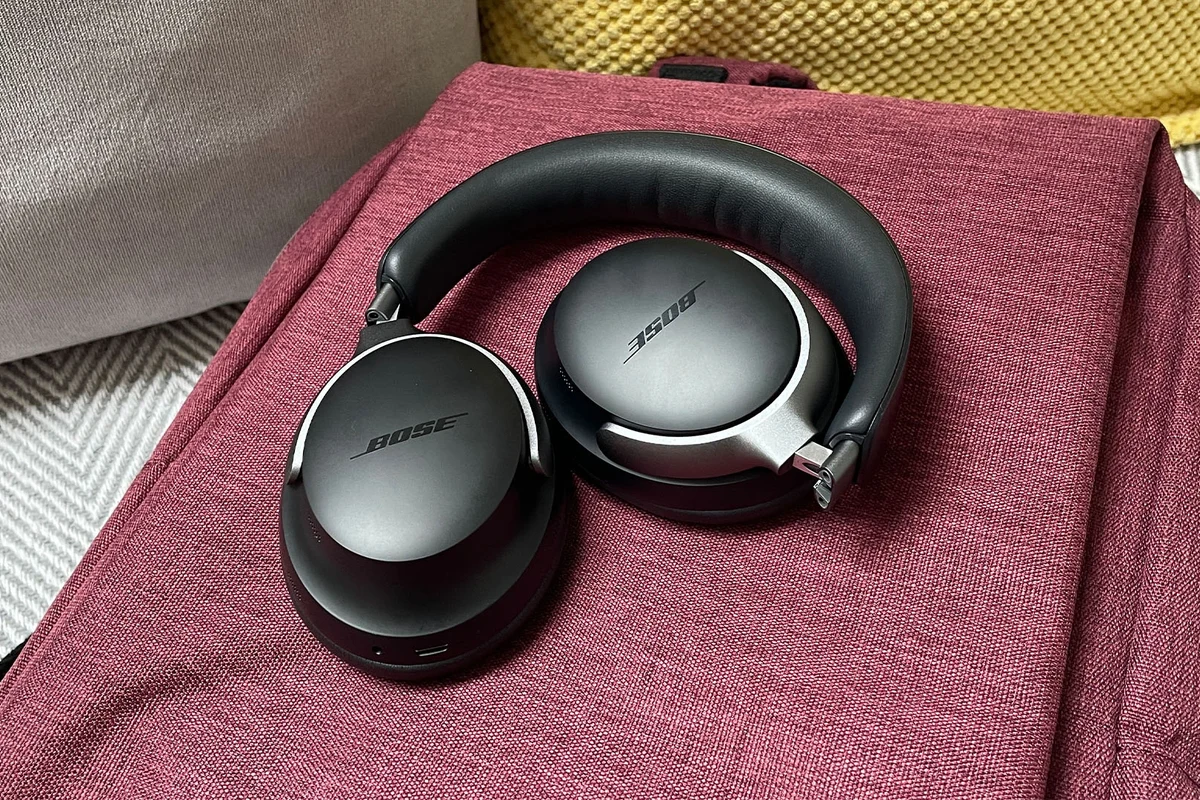
Most Bose headphones do not come with a true tracker like GPS or a dedicated lost-item chip built into the headset. What many buyers mean by “tracker” is a mix of app pairing, last-connected device history, and recovery features that may help you find them nearby.
That distinction matters. Bose is known for comfort, noise cancellation, and wireless convenience, but it is not primarily a tracking-first headphone brand. If location recovery is your top priority, it helps to understand exactly what Bose can and cannot do before you buy.
Headphone tracking features can vary by model, app version, and phone operating system. Always check the latest Bose support information for your exact product.
What “Tracker” Means on Bose Headphones: Bluetooth, App Location, or Anti-Loss Features
The word tracker gets used in a few different ways. For some people, it means GPS-style live location. For others, it means “can I find my headphones again if I misplace them?”
With Bose, the answer depends on which kind of tracking you mean. Bose headphones typically rely on Bluetooth connectivity and app-based device management, not a built-in location beacon that constantly reports where the headphones are.
How Bose headphones connect to the Bose app and what that does and does not track
When you pair Bose headphones with the Bose app, the app can help manage settings, firmware updates, and connection preferences. It may also show previously connected devices or help you reconnect faster.
What it usually does not do is give you a live map showing where the headphones are. The app connection is useful for setup and control, but it should not be mistaken for full location tracking. If you want a deeper look at wireless pairing basics, our guide on Bluetooth headphones explained simply is a helpful starting point.
The difference between device connection history and real-time GPS-style tracking
Connection history tells you that your headphones were last linked to a phone, tablet, or computer. That can be useful if you left them at home or in a car.
Real-time GPS-style tracking is different. It uses active location hardware and software to show where an item is right now. Bose headphones generally are not designed around that kind of system, so you should not buy them expecting AirTag-style recovery out of the box.
Which Bose Headphones Support Find My Device-Style Recovery Features
Some Bose models may be easier to locate than others because of how they connect, how long they stay powered, and whether they remain visible to your phone or app. That said, “find my device-style” recovery is not the same as native GPS tracking.
In general, newer wireless Bose headphones tend to offer better app support and more convenient reconnection behavior than older models. If you often misplace headphones, that convenience can matter just as much as sound quality or ANC performance.
Model-by-model expectations for QuietComfort, Ultra, and older Bose headphones
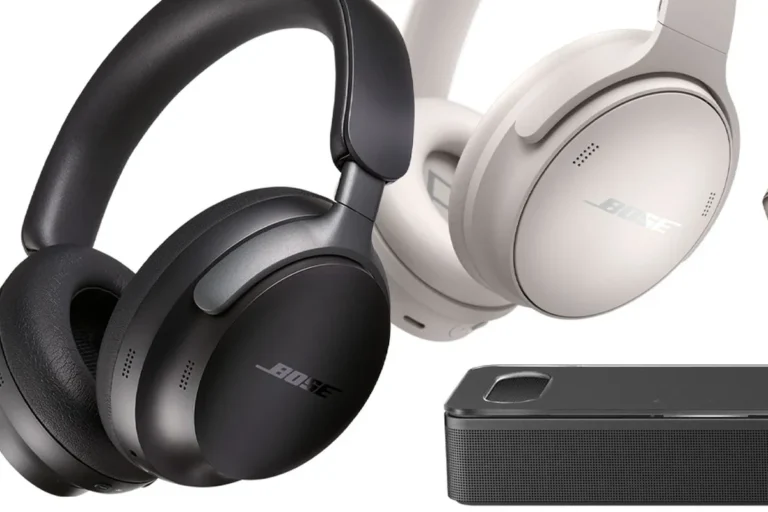
QuietComfort and Ultra models are usually the easiest Bose headphones to manage because they are built for modern Bluetooth use and app pairing. They may be easier to identify in your device list and quicker to reconnect after being used with a phone.
Older Bose headphones may still sound great, but they can be less convenient for recovery if they lack newer app features or if they do not stay discoverable for long. For readers comparing fit styles and use cases, our types of headphones explained guide can help you think through over-ear, on-ear, and in-ear options.
Why some Bose models can be easier to locate than others
A headphone that stays charged, powers on quickly, and reconnects reliably is easier to locate than one that is dead or disconnected. Bluetooth visibility, app support, and last-seen status all improve your odds.
Physical design matters too. Larger over-ear models are easier to notice in a room, while smaller portable models can disappear into bags, cars, or couch cushions. If you want a broader comparison of fit and portability, see our article on over-ear vs on-ear vs in-ear.
How to Check Whether Your Bose Headphones Can Be Tracked
If you already own a Bose headset, the fastest way to check tracking-like recovery features is to look at the Bose app, your Bluetooth settings, and your phone’s last-connected device list. Those tools can tell you whether the headphones are still reachable.
You should also test how the headphones behave when they are powered on, powered off, or out of range. That will give you a realistic idea of how easy they are to find when they go missing.
Steps to verify app pairing, Bluetooth visibility, and last-known connection status
Check whether your headphones appear as a paired device and whether the app shows the last connection status.
Look for the headphone name in your phone’s Bluetooth list to confirm it was paired recently.
A charged headset is much easier to detect than one that has shut down.
- Bose app pairing status
- Bluetooth device history
- Battery level and power state
- Whether the headset is in range
Practical example: finding misplaced headphones at home versus in public
At home, a Bose headset is often easiest to find by checking the last room where you used it, then scanning your phone’s Bluetooth list to see whether it still appears nearby. If the headphones are still powered on, that can narrow the search.
In public, the situation is harder. If the headset is out of battery, in a closed case, or already disconnected, your options are limited. That is why Bose app convenience is helpful, but not a replacement for a dedicated location tracker.
Bluetooth headphones can sometimes seem “findable” only because your phone remembers the last connection, not because the headset is actively sending location data.
Common Mistakes People Make When Looking for a Bose Tracker Feature
Many buyers assume “wireless” automatically means “trackable.” That is not true. Wireless only means the headphones connect without a cable; it does not guarantee recovery tools.
Another common mistake is expecting every premium headphone to include the same location features. Brands often put their budget into sound, ANC, battery life, and comfort instead of anti-loss technology.
Assuming Bose includes built-in GPS
Bose headphones are not generally built like a phone or smartwatch with built-in GPS hardware. That means they cannot usually report a precise live location on a map.
If a product page or accessory listing makes tracking sound more advanced than it is, read carefully. Sometimes the feature is only a Bluetooth reconnect tool, not true tracking.
Confusing third-party tracking accessories with native Bose features
Some users add third-party trackers to a headphone case, bag, or carrying pouch. That can help you find the case, but it is not the same as tracking the headphones themselves.
Also, not all accessories are equally practical. A tracker on a case is useful only if the case stays with the headphones. If you often carry your headphones loose, the accessory may not solve the problem.
Forgetting that a powered-off or out-of-battery headset may not be discoverable
This is one of the biggest realities to understand. If the headphones are off or dead, Bluetooth-based recovery becomes much less useful.
That is why battery management matters. If you want a better understanding of wireless behavior and day-to-day limitations, our wired vs wireless headphones guide covers the trade-offs clearly.
Do not rely on headphone tracking alone if you travel often or carry expensive audio gear. A physical label, case, and backup plan are still important.
Best Ways to Keep Bose Headphones from Getting Lost in 2026
The best loss-prevention strategy is simple: make the headphones easier to identify, easier to reconnect, and harder to leave behind. That usually works better than hoping for a hidden tracker feature.
For many Bose owners, the smartest approach is a mix of Bluetooth organization, app setup, and a small accessory if needed. If you want to improve how your headphones behave in everyday use, our article on how to connect Bluetooth headphones can help you tighten up pairing habits.
Using Bluetooth settings, device labels, and app alerts more effectively
Rename your headphones in Bluetooth settings so they are easy to spot on your phone or laptop. A clear device name can save time when you are checking whether they are nearby.
Keep the Bose app updated and review any notification or reconnect options it offers. If your phone supports it, use Bluetooth alerts or reminders that help you notice when a device disconnects unexpectedly.
Give your headphones a unique device name, like “Bose QC Home” or “Bose Travel,” so they are easier to identify in crowded Bluetooth menus.
Adding compatible tracker accessories and when that makes sense
If you lose headphones often, a small tracker attached to the case can be worth considering. This is especially helpful for commuters, students, and frequent travelers.
It makes less sense if you only use the headphones at a desk or at home. In that situation, better storage habits may be enough. If you are also thinking about how sound and fit affect long-term comfort, our how noise cancelling headphones work article explains why some models are used more often and therefore misplaced more often.
Cost, Value, and Comparison: Bose Tracking Features vs Competitors
When comparing Bose to other brands, it helps to separate sound quality from tracking convenience. Bose often competes well on comfort, ANC, and everyday usability, but some competitors may offer stronger location tools.
If tracking is important, you may end up paying extra for accessories or for a different ecosystem that emphasizes device recovery. That extra cost can be worth it for some people, but not everyone needs it.
What you may pay for tracker accessories or premium app ecosystems
Tracker accessories can range in price depending on brand, battery type, and compatibility. Premium ecosystems may also require you to buy into a specific phone platform or app service to get the best recovery tools.
Because prices change often, it is better to think in categories than exact numbers. Budget options usually cover basic Bluetooth convenience, while premium options may offer better app integration, stronger device-finding tools, or more polished alerts.
How Bose compares with brands that offer stronger built-in location tools
Some headphone and earbud brands are more focused on ecosystem tracking, especially when they are designed to pair tightly with a specific phone platform. That can make them easier to locate in some situations.
Bose, by comparison, is usually chosen more for sound, ANC, and comfort than for advanced item-finding tools. If your main goal is premium audio with straightforward wireless use, Bose still makes sense. If your main goal is recovery features, compare carefully before buying.
| Model | Best For | Price Range |
|---|---|---|
| Bose QuietComfort | Comfort and ANC | Varies |
| Bose Ultra | Premium wireless use | Varies |
| Older Bose models | Basic listening and legacy support | Varies |
Expert Advice and Final Recap: Should You Buy Bose for Tracking Convenience?
If tracking convenience is your top priority, Bose headphones should probably not be your only plan. They can be easy to reconnect and manage, but they are not typically a true location-tracking product.
That said, Bose can still be a smart buy if you care most about comfort, wireless reliability, and strong everyday listening. For many shoppers, that balance matters more than a built-in tracker.
Warning signs to consider before relying on Bose headphones for loss prevention
If you regularly misplace headphones, travel a lot, or switch between multiple bags and devices, depending on Bluetooth history alone may be frustrating. The more often you move around, the more useful a dedicated tracker becomes.
Also, if you buy headphones for a child, a commuter, or someone who leaves gear in public places, think beyond sound quality. Loss prevention should be part of the purchase decision, not an afterthought.
If you are unsure whether you need a tracker accessory or a different headphone ecosystem, compare how often you lose gear and how important recovery is to your routine. If you have hearing concerns or use headphones for long sessions, consider speaking with an audiologist about safe listening habits.
Bottom-line summary for shoppers who want sound quality, convenience, and peace of mind
Bose headphones usually do not have a built-in tracker in the GPS sense. They can offer useful app pairing and Bluetooth recovery clues, but those are not the same as real-time location tracking.
If you want excellent sound, comfort, and easy wireless use, Bose remains a strong choice. If you want the best chance of finding lost headphones quickly, plan on using a tracker accessory or choosing a brand with stronger native location tools.
Listening at high volumes for long periods can cause hearing damage. Keep volume at 60% or below for extended sessions.
Frequently Asked Questions
No, Bose headphones generally do not have built-in GPS tracking. They may show Bluetooth connection status or last-known device history, but that is not live location tracking.
The Bose app can help manage pairing and device settings, which may make reconnecting easier. It usually does not provide a real-time map of where the headphones are.
Often yes, because newer models usually have better app support and more reliable Bluetooth behavior. Older models may still work well for listening, but they can be less convenient to recover.
If you want Bose, sound quality, comfort, noise cancellation, battery life, and Bluetooth stability usually matter more than tracking. Tracking is typically a separate accessory or ecosystem feature, not a core Bose strength.
Wireless headphones can be easier to reconnect through Bluetooth history, but they are not automatically easier to find. Wired headphones do not need battery power for listening, but they also do not offer Bluetooth-based recovery features.
Focus on fit, ear cushion condition, and safe listening volume. If you listen for long periods or have ear discomfort, consider an audiologist’s advice and keep volume at safe levels.