How Beats Headphones Work Explained in Simple Terms

Beats headphones work by converting audio signals into sound through drivers, then shaping that sound with wireless processing, tuning, and fit. Their signature style is usually bass-forward, convenient, and easy to use, but the exact experience depends on the model.
Beats headphones work like most modern headphones at the core: they receive an audio signal, convert it into sound through drivers, and shape that sound with tuning choices, fit, and software features. What makes Beats feel different is not one single part, but the mix of hardware, wireless processing, and a sound profile that often emphasizes bass and punch.
If you are trying to understand the basics, it helps to think of Beats as a combination of speaker hardware, Bluetooth electronics, and design decisions that affect comfort and isolation. For readers comparing models or deciding between wireless and wired options, our guides on wired vs wireless headphones and Bluetooth headphones explained simply can help put the bigger picture in context.
- Drivers matter: They turn electrical signals into the sound you hear.
- Tuning shapes the signature: Beats often emphasize bass and punch.
- Bluetooth affects convenience: Wireless performance depends on codec, range, and device support.
- Fit changes sound: Seal and comfort strongly affect bass and isolation.
What People Really Mean When They Ask How Beats Headphones Work
Contents
- 1 What People Really Mean When They Ask How Beats Headphones Work
- 2 The Core Technology Inside Beats Headphones: Drivers, Tuning, and Amplification
- 3 How Beats Connect and Process Audio in 2026
- 4 Why Beats Sound the Way They Do: Design Choices That Shape the Listening Experience
- 5 Real-World Examples: How Beats Work in Everyday Listening Scenarios
- 6 Common Mistakes People Make When Judging Beats Headphones
- 7 Expert Advice: When Beats Are Worth It and When They Are Not
- 8 Final Recap: The Simple Explanation of How Beats Headphones Work
- 9 Frequently Asked Questions
- 10 Author
Most people are not asking for a circuit-board lecture when they ask how Beats headphones work. They usually want to know why Beats sound the way they do, how they connect to phones, and whether the features actually make a difference in everyday use.
That is a fair question, because the answer depends on both sound hardware and software behavior. A pair of Beats can sound punchy, isolate outside noise well, and pair quickly with a phone, but the exact experience changes by model, fit, and the device you use.
Not every Beats headphone works the same way. Over-ear, on-ear, and in-ear models can sound and feel very different even if they share the same brand name.
Many people judge headphones only by bass, but fit and seal often affect bass more than the driver itself.
The Core Technology Inside Beats Headphones: Drivers, Tuning, and Amplification
At the heart of any Beats headphone is a driver, which is the small speaker component that creates sound. The headphone also includes tuning choices that decide how much bass, midrange, and treble you hear, plus internal electronics that help manage volume, wireless playback, and battery use in supported models.
In simple terms, the driver makes the sound, the tuning shapes the sound, and the amplification helps the driver play clearly at usable volume. If you want a broader explanation of why some headphones need more power than others, see our guide to do headphones need an amp.
How the drivers turn electrical signals into sound
When your phone, laptop, or music player sends audio to the headphones, that signal becomes tiny electrical changes. Inside the driver, those changes move a diaphragm back and forth, which pushes air and creates the sound waves your ears hear.
This process is the same basic idea used in many headphone brands. The real difference is how large the driver is, how it is tuned, and how well the ear cup or ear tip helps the sound reach your ear without losing energy.
Why Beats often sound bass-heavy compared with other headphones
Beats is widely associated with a bass-forward sound signature. That usually means the low frequencies are boosted or emphasized more than they are on more neutral headphones, which can make hip-hop, pop, EDM, and workout playlists feel more energetic.
That does not automatically mean the sound is “better” or “worse.” It means the headphones are tuned for a specific listening style, and some listeners enjoy that extra low-end impact while others prefer a flatter, more studio-style sound.
If bass sounds too strong, try a simple EQ adjustment before replacing the headphones. Small changes in the low end can make a big difference in clarity.
How Beats Connect and Process Audio in 2026
Most current Beats models are designed for wireless listening, so Bluetooth is a major part of how they work. The headphones receive compressed audio over a wireless connection, decode it internally, and then send it to the drivers for playback.
That process is usually smooth for everyday listening, but performance can vary based on range, interference, codec support, and the device you connect to. If you want a deeper look at pairing and setup, our guide on how to connect Bluetooth headphones is a useful companion read.
Bluetooth pairing, codecs, and wireless signal handling
Bluetooth pairing is the first step: your device and headphones recognize each other and create a secure wireless link. After that, audio is sent in a compressed format so it can travel efficiently without a cable.
The codec matters because it affects how much detail survives the wireless process. In everyday terms, better codec support can help reduce delays and preserve sound quality, but real-world results still depend on the headphone model, source device, and listening environment.
Wireless audio quality can vary with distance, walls, crowded signal areas, and software settings. If sound cuts out or lags, the issue may be Bluetooth interference rather than the headphones themselves.
What changes when you use Beats with Apple devices versus Android
Beats often feel especially convenient with Apple devices because pairing and device switching can be more seamless on supported models. That convenience is a major reason many buyers choose Beats in the first place.
With Android, Beats can still work well, but the experience may feel less integrated depending on the model and the phone’s Bluetooth features. In practice, the sound itself is still coming from the same drivers, but the setup experience and feature access can differ.
Does Beats sound different on Apple and Android?
The core sound usually comes from the same hardware, but pairing, switching, and feature support can feel smoother on some Apple devices. Android users can still get good results, but the experience may depend more on the phone model and app support.
Why Beats Sound the Way They Do: Design Choices That Shape the Listening Experience
Sound is not only about the driver. Ear cup shape, cushion material, clamping force, and how tightly the headphones seal around your ears all affect what you hear.
That is one reason two headphones with similar technical parts can still sound very different. For a broader overview of design categories, our article on types of headphones explained can help you compare over-ear, on-ear, and in-ear styles.
Noise isolation, ear cup design, and fit
Good fit helps block outside noise passively, which can make music sound fuller at lower volume. A weak seal can reduce bass and make the sound feel thin, even if the headphones are technically capable of more.
Beats models that fit snugly around or on the ear often create a more immersive feel, especially in noisy places like buses, gyms, and busy streets. Comfort matters too, because a headphone that sounds great for five minutes may become tiring if the fit is too tight or the cushions trap heat.
Listening at high volumes for long periods can cause hearing damage. Keep volume at 60% or below for extended sessions.
Active Noise Cancellation and transparency features in newer models
Some newer Beats headphones include active noise cancellation, which uses microphones and processing to reduce steady background noise. That can make music and podcasts easier to hear without turning the volume up as much.
Many also include transparency-style listening, which lets outside sound in when you need awareness of your surroundings. If you want a deeper breakdown of that feature set, see our guide on transparency mode headphones and our explanation of how noise cancelling headphones work.
If noise cancellation causes discomfort, pressure, or headaches, try a different fit, lower ANC settings, or speak with an audiologist if symptoms continue.
Real-World Examples: How Beats Work in Everyday Listening Scenarios
The best way to understand Beats is to imagine how they behave during normal use. A workout, commute, gaming session, and casual listening all highlight different strengths and limitations.
Some people care most about bass and convenience, while others want the most accurate sound possible. That is why the “best” headphone depends on the job you want it to do.
Workout use, commuting, gaming, and casual music listening
For workouts, Beats often appeal because of their secure fit, strong low-end energy, and easy wireless use. For commuting, noise isolation and ANC can help reduce engine hum and crowd noise.
For gaming, latency and microphone behavior may matter more than raw bass. Casual listeners often just want quick pairing, simple controls, and a sound profile that makes playlists feel lively without needing extra setup.
How battery life and controls affect day-to-day performance
Battery life matters because wireless headphones are only useful if they last through your routine. Like most Bluetooth headphones, Beats models may offer different playback times depending on volume, ANC use, and how often you pause or switch devices.
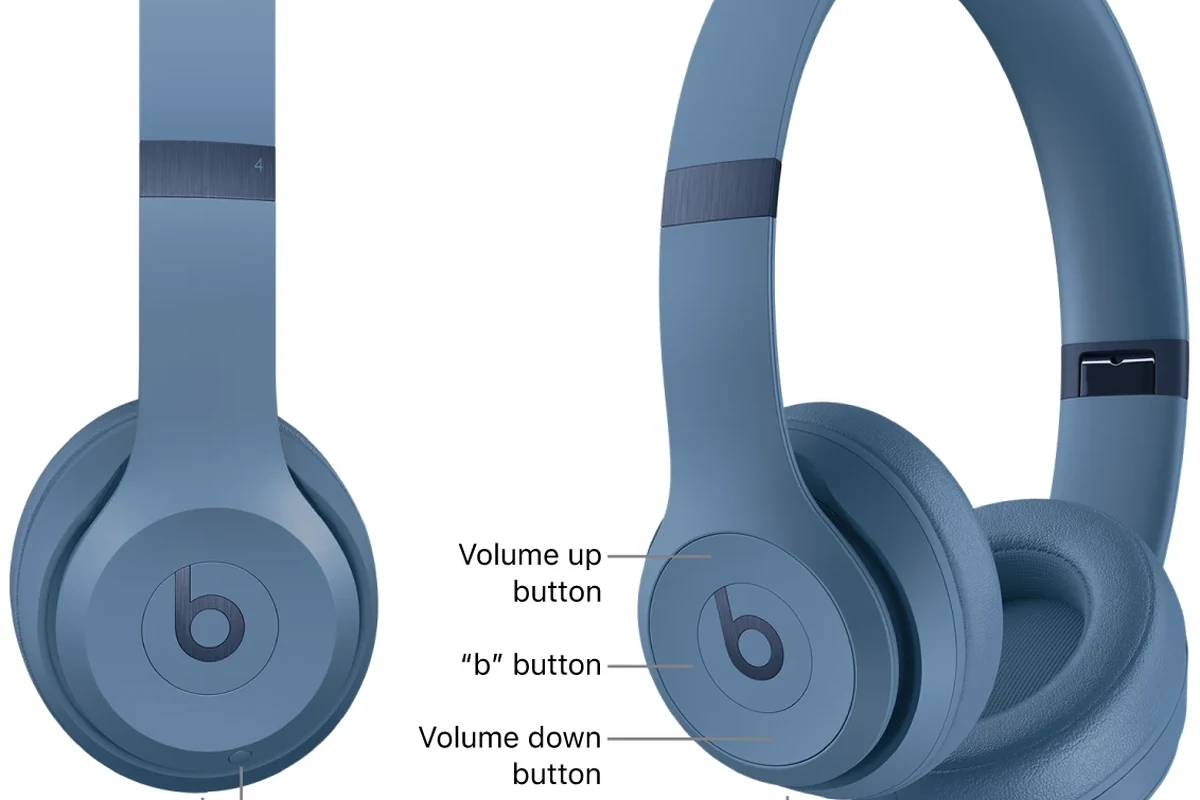
Controls also shape the experience. Easy-to-find buttons or touch controls can make a headphone feel polished, while confusing controls can become annoying fast, especially when you are walking, working out, or commuting.
Lower volume and a good ear seal can often improve clarity more than chasing extra bass or louder playback.
Common Mistakes People Make When Judging Beats Headphones
Beats gets judged quickly, often for the wrong reasons. Some listeners compare it to studio headphones and expect a neutral sound, while others assume every Beats model is tuned the same way.
Both assumptions can lead to bad buying decisions. It is better to judge a headphone by its intended use, fit, and feature set than by brand reputation alone.
Confusing sound signature with sound quality
A bass-heavy sound signature is not the same thing as poor sound quality. A headphone can be intentionally tuned for punch and still sound clean, detailed, and enjoyable for its target audience.
On the other hand, a neutral headphone is not automatically better just because it is flatter. The right choice depends on what you listen to and whether you prefer excitement or accuracy.
Assuming all Beats models work the same way
Different Beats models can use different designs, different levels of noise cancellation, and different control schemes. A compact earbud, an on-ear model, and a full-size over-ear headphone will not behave the same in daily use.
That is why it helps to compare the exact model, not just the logo. If you are also comparing headphones by style, our guide to open-back vs closed-back headphones can help explain why isolation and leakage matter so much.
Expert Advice: When Beats Are Worth It and When They Are Not
Beats can be a smart buy if you want easy wireless use, a recognizable design, and a sound profile that leans lively and bass-friendly. They also make sense if you value convenience and plan to use them in everyday settings more than in critical listening environments.
They may not be the best choice if you want the flattest sound, the widest soundstage, or the most detailed studio-style monitoring. In that case, comparing other brands and categories may give you better value for your needs.
Who should buy Beats for style, convenience, or bass-forward sound
Beats is often a good fit for listeners who want headphones that are simple to use and easy to enjoy right away. If you like energetic bass, quick pairing, and a mainstream look, the brand’s tuning and feature set may suit you well.
It can also be a practical choice for people who mostly listen to pop, hip-hop, EDM, podcasts, and general streaming audio. The key is knowing that you are buying for a particular listening style, not for a one-size-fits-all reference sound.
What to compare before paying premium prices in 2026
Before paying more, compare the exact model’s sound signature, battery life, ANC performance, comfort, and device compatibility. Also check whether you care more about wired listening, low latency, or seamless wireless features.
If you are shopping on a budget, it is worth comparing alternatives in the same price range before deciding. Our readers often start with the best headphones under 100 and then move up only if the extra features truly matter.
- Sound signature and bass level
- Fit, comfort, and clamp force
- ANC, transparency, and battery life
- Bluetooth stability and device compatibility
Final Recap: The Simple Explanation of How Beats Headphones Work
In simple terms, Beats headphones work by turning electrical audio signals into sound through drivers, then shaping that sound with tuning, fit, and wireless processing. Their signature feel usually comes from bass-forward tuning, strong everyday convenience, and design choices that make them easy to use on the go.
If you remember only one thing, make it this: the brand name matters less than the exact model, the fit, and how you plan to use it. That is the best way to decide whether Beats is the right headphone for you.
Frequently Asked Questions
Most Beats models are designed for wireless use, so Bluetooth is usually the main experience. Wired listening, if supported on a specific model, can be useful for lower latency or when battery is low.
Some Beats models include active noise cancellation, but not all of them do. ANC helps reduce steady background noise, while the exact performance varies by model and fit.
It depends on comfort, portability, and isolation. Over-ear models usually feel more immersive, on-ear models are lighter, and in-ear models are the most compact.
Beats is known for a bass-forward sound signature, which many listeners enjoy. Clarity, detail, and soundstage can vary by model, fit, and EQ settings.
Check the exact model, Bluetooth support, battery life, ANC, comfort, and whether the sound signature matches your taste. It also helps to compare them with other headphones in the same price range.
Make sure the fit is secure but not too tight, and choose the right ear tip or cushion size if available. If you feel pressure or discomfort, take breaks and keep volume at a safe level.