What Bluetooth Headphones Work with PS Portal Today

Standard Bluetooth headphones do not connect directly to PS Portal. The best options are PlayStation Link headsets, supported wireless gaming gear with a receiver, or wired headphones.
If you are asking what bluetooth headphones work with ps portal, the short answer is that standard Bluetooth headphones do not connect directly to the PlayStation Portal. The easiest options are PlayStation Link headsets and earbuds, or a wireless setup that uses a compatible USB-C adapter or dongle.
- Direct Bluetooth: Usually not supported on PS Portal.
- Best wireless choice: PlayStation Link is the smoothest option.
- Adapter route: Works only if the headset and dongle are compatible.
- Best fallback: Wired headphones are simple and reliable.
- Buy smart: Check latency, mic support, and return policy first.
What Bluetooth Headphones Work with PS Portal in 2025: The Quick Answer

The PlayStation Portal is designed around remote play, but Sony did not include open standard Bluetooth audio for direct headphone pairing. That means most regular Bluetooth earbuds, over-ear headphones, and travel headsets will not pair the way they do with a phone or laptop.
So when people ask what “works,” they usually mean one of three things: official PlayStation Link audio gear, a wireless headset that can connect through a dongle or adapter, or a wired headphone setup through another device in the chain. If you want a broader primer on wireless audio basics, our guide to Bluetooth headphones explained simply can help.
Why the PS Portal does not support standard Bluetooth audio directly
Standard Bluetooth audio can add delay, and that delay is more noticeable in gaming than in music or podcasts. For a handheld remote-play device, even small lag can make dialogue, footsteps, and action feel out of sync.
That is why the Portal leans toward Sony’s own wireless audio system instead of generic Bluetooth pairing. In practice, this reduces confusion for gamers, but it also means many popular headphones need an adapter or a different connection method.
What “works” really means: PS Portal-compatible wireless audio options
When readers say a headset “works” with PS Portal, they usually mean one of these scenarios: it pairs through PlayStation Link, it connects to a separate device that supports the audio, or it uses a wired fallback. The exact result depends on the headset, the dongle, and whether the setup is supported by your Portal firmware.
Compatibility can vary by headset model, adapter brand, and software updates. Always check the latest product notes before buying.
Best Ways to Use Bluetooth Headphones with PS Portal

There is no one-size-fits-all answer here, because the best setup depends on whether you care most about simplicity, latency, or portability. For many buyers, the safest approach is to choose audio gear built for gaming rather than standard everyday Bluetooth earbuds.
Official PlayStation Link headsets and earbuds
PlayStation Link is the cleanest route for Portal owners who want wireless audio with the least friction. It is designed for gaming use, so pairing and day-to-day use are generally more straightforward than trying to force a generic Bluetooth solution.
This is the option most likely to feel “native” because it is built around the PlayStation ecosystem. If you want the simplest setup and do not mind paying more for integration, this is usually the first place to look.
USB-C Bluetooth adapters and portable dongles
Some gamers look for USB-C Bluetooth adapters or wireless dongles to bridge the gap, especially if they already own a favorite headset. This can work in some setups, but results are not guaranteed because adapter support and audio behavior vary widely.
If you go this route, prioritize low-latency gaming adapters rather than random travel dongles. A poorly matched adapter can create sync issues, unstable pairing, or limited microphone support.
Not every USB-C audio adapter is compatible with the PS Portal. Check the adapter’s device list and return policy before relying on it.
TV, monitor, or remote-play workaround setups
Some users route audio through a TV, monitor, capture setup, or another remote-play device instead of connecting headphones directly to the Portal. This can be useful if you already have a home gaming station and want to keep your favorite headphones in the mix.
The tradeoff is convenience. Workarounds can be less portable, and they may add extra steps or extra latency depending on the gear involved.
If you are sensitive to delay, test your setup in a game with fast sound cues before committing to a new adapter or headset.
Top Headphone Types That Work Well with PS Portal
Not every headphone style is equally practical for Portal play. The best choice depends on whether you want the most seamless connection, the lowest possible delay, or the easiest backup option.
PlayStation Link headphones for the most seamless experience
For most Portal users, PlayStation Link headphones or earbuds are the most straightforward choice. They are built for the platform, which usually means fewer pairing headaches and a more consistent gaming experience.
If you want a set-it-and-forget-it option, this category is the closest thing to a native wireless solution. It is especially appealing for players who do not want to troubleshoot adapters every time they sit down to play.
Gaming wireless systems are often chosen for stability and sync, not just for sound quality. For action games, that can matter more than extra bass.
Low-latency wireless gaming headsets with USB-C receivers
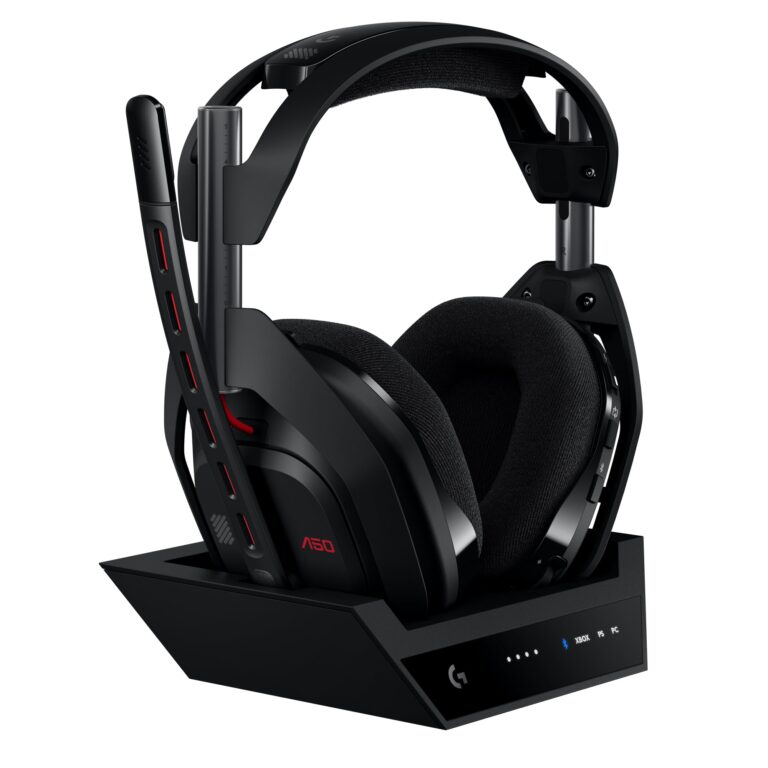
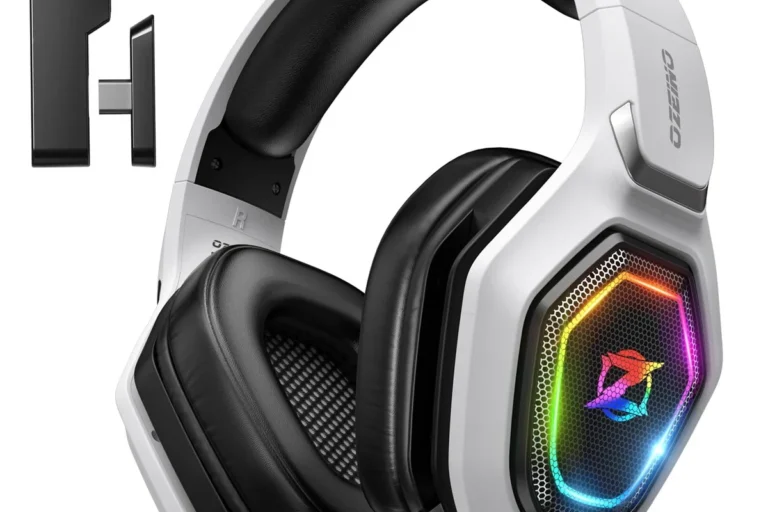
Some wireless gaming headsets use a USB-C receiver and are designed to keep delay low. These can be a good middle ground if you already own a headset or want something that works beyond the Portal.
Still, check compatibility carefully. A headset that works well on a PC, Switch, or phone may not behave the same way with the Portal, especially if the receiver or firmware is not supported.
Are over-ear headsets better than earbuds for PS Portal?
Over-ear headsets usually offer better comfort, larger battery life, and stronger passive isolation. Earbuds can be more travel-friendly and lighter, but fit and microphone quality vary more from model to model.
Wired headphones as the simplest fallback option
If you want the least complicated answer, wired headphones are still the easiest fallback for many gaming situations. They avoid wireless pairing issues and usually deliver consistent audio without battery concerns.
Wired models are especially useful if you already own a comfortable pair or want to keep costs down. For a broader comparison of connection types, see our guide on Bluetooth vs wired headphones sound quality.
What to Look for When Choosing a PS Portal Audio Setup
Choosing the right headset is less about brand hype and more about how the audio setup behaves in real play. Focus on latency, comfort, mic support, and whether the connection method is actually supported.
Latency, pairing stability, and audio sync
Latency is the biggest issue for gaming audio. Even a good-sounding headset can feel frustrating if footsteps, gunfire, or dialogue arrive late.
Pairing stability matters too. A headset that drops connection or needs repeated setup can become annoying fast, especially if you use the Portal often.
- Low-latency connection method
- Stable pairing with the Portal or adapter
- Clear return policy if compatibility is uncertain
Battery life, comfort, and travel-friendly design
Because the Portal is portable, your audio gear should be portable too. Long battery life, a foldable design, or a lightweight build can make a big difference for travel and couch gaming.
Comfort also matters more than many buyers expect. Over-ear cushions, ear tip fit, clamp force, and overall weight can all affect whether you want to keep wearing the headset for long sessions.
Listening at high volumes for long periods can cause hearing damage. Keep volume at 60% or below for extended sessions.
Mic support and voice chat compatibility
If you use party chat or multiplayer voice, make sure the headset supports microphone input in the setup you plan to use. Some adapters carry audio only, while others may not handle voice chat the way you expect.
That is one reason gaming headsets often make more sense than casual Bluetooth headphones. They are usually designed with chat, game audio, and controls in mind.
If you notice ringing in your ears, frequent listening fatigue, or pain after gaming, consider lowering volume and consulting an audiologist or hearing professional.
Common Mistakes Gamers Make When Buying Headphones for PS Portal
The biggest buying mistakes usually come from assuming the Portal works like a phone or tablet. It does not, and that difference changes which headphones are worth buying.
Assuming any Bluetooth headset will connect natively
This is the most common mistake. A headset may be excellent for music or calls, but that does not mean it will pair directly with the Portal.
Before you buy, verify whether the headset uses PlayStation Link, a supported receiver, or a separate workaround. If it only says “Bluetooth,” that is usually not enough.
Buying a headset without checking dongle support
Many wireless gaming headsets depend on a USB receiver. If that receiver is not supported by the Portal setup you plan to use, the headset may not be a good fit.
Always confirm whether the headset needs a USB-A port, USB-C port, or a specific console profile. A quick compatibility check can save a lot of frustration later.
Overlooking update requirements and device compatibility
Headphones and adapters sometimes need firmware updates before they work properly. That matters even more with gaming gear, where platform support can change over time.
It is also smart to confirm compatibility with your exact device version and software update level. A headset that worked for one user may not behave the same way for another.
- PS Portal does not support standard Bluetooth audio directly.
- PlayStation Link is the smoothest wireless option.
- Adapters and dongles can work, but compatibility varies.
Price Comparison: Budget vs Mid-Range vs Premium PS Portal Audio Options
Price is a major factor because Portal audio can get expensive quickly if you chase the most seamless setup. The good news is that there are usable choices at every budget level.
Affordable wired and adapter-based setups
Budget buyers often start with wired headphones or basic adapter-based solutions. These can be practical if you mainly want clear game audio without paying for premium wireless features.
The main compromise is convenience. You may deal with cables, extra accessories, or a less elegant travel setup.
Mid-range wireless choices for everyday gaming
Mid-range wireless headsets are often the sweet spot for people who want comfort and convenience without going all-in on premium ecosystem gear. These can be strong all-rounders if the receiver and compatibility line up.
They are a sensible pick for players who game several times a week and want less cable clutter. Just remember that sound quality, mic quality, and battery life can all vary by model.
Premium PlayStation Link headsets for the best integration
Premium PlayStation Link options are usually the best fit for buyers who value the cleanest integration with the Portal. They tend to cost more, but they also reduce the guesswork.
If you want the most polished experience and do not mind the higher price, this is the category to focus on first. For readers comparing audio ecosystems, our article on how noise cancelling headphones work may also help when evaluating comfort and isolation.
Expert Advice: Best Picks for Different PS Portal Users
The best PS Portal audio choice is not the same for every gamer. A casual player, a competitive user, and a frequent traveler all need slightly different things.
Best choice for casual players
Casual players should prioritize ease of use and comfort. A simple wired headset or a straightforward PlayStation Link option is often the least frustrating choice.
If you only game occasionally, there is usually no need to overcomplicate the setup with multiple adapters and extra cables.
Best choice for competitive or latency-sensitive gamers
Competitive players should lean toward the lowest-latency, most stable connection they can find. That usually means gaming-focused wireless gear or a supported official ecosystem option.
For this group, audio sync matters more than flashy features. A headset that stays locked in is often better than one with extra bells and whistles.
Best choice for frequent travelers and portable setups
Travelers should look for lightweight, durable, and easy-to-pack headphones. Compact earbuds or foldable over-ear models can be more practical than bulky gaming headsets.
Battery life, case design, and how many accessories you need to carry all matter here. The simpler the kit, the easier it is to use on the go.
- PlayStation Link is easiest to use
- Wired options are simple and reliable
- Gaming headsets can improve chat support
- Standard Bluetooth is not natively supported
- Adapters may not work with every headset
- Premium options can cost more
Final Recap: What Bluetooth Headphones Work with PS Portal Today
The best answer for 2025 is that standard Bluetooth headphones usually do not work directly with PS Portal. Instead, buyers should focus on PlayStation Link headsets, supported wireless gaming gear with the right receiver, or wired headphones as the most dependable fallback.
If you are shopping today, start by checking compatibility first, then compare latency, comfort, battery life, and mic support. That order will help you avoid the most common mistakes and choose a setup that actually fits the way you play.
Best overall takeaway for 2025 buyers
For most users, PlayStation Link is the cleanest and most reliable wireless path. If you already own a headset, confirm adapter support before assuming it will work.
Fast checklist before you purchase
Make sure the headset or adapter is Portal-compatible, low-latency, comfortable for long sessions, and clear about microphone support. If you are unsure, choose a wired fallback or a product with a strong return policy.
Frequently Asked Questions
No, standard Bluetooth headphones do not connect directly to PS Portal. You usually need PlayStation Link, a supported adapter, or a wired workaround.
PlayStation Link headsets and earbuds are usually the smoothest wireless choice. They are built for gaming and tend to be easier to use than generic Bluetooth gear.
Wired headphones can be the simplest and most reliable fallback. Wireless can be more convenient, but only if the connection is low-latency and compatible.
Check latency, compatibility, microphone support, and battery life. Also confirm whether the headset needs a USB-C receiver or a specific adapter.
They can work well if the connection method is compatible. Noise cancelling helps with isolation, but it does not solve pairing or latency problems.
Over-ear models are usually best for comfort and longer sessions, while in-ear earbuds are better for portability. On-ear designs can be lighter, but comfort varies more by head shape.