How To Increase Bass On Sony Headphones: Easy Guide

If your Sony headphones sound thin or lack low-end power, you can often improve the bass with the Sony Sound Connect app, your phone’s equalizer, or the equalizer in your music app. Start with a small bass boost, keep the volume moderate, and test the change with a familiar song.
The best method depends on your Sony model, phone, and music service. Many recent wireless models support Sony’s app. Some older or wired models may need the equalizer built into an iPhone, Android phone, computer, or music player.

Use the Sony Sound Connect App
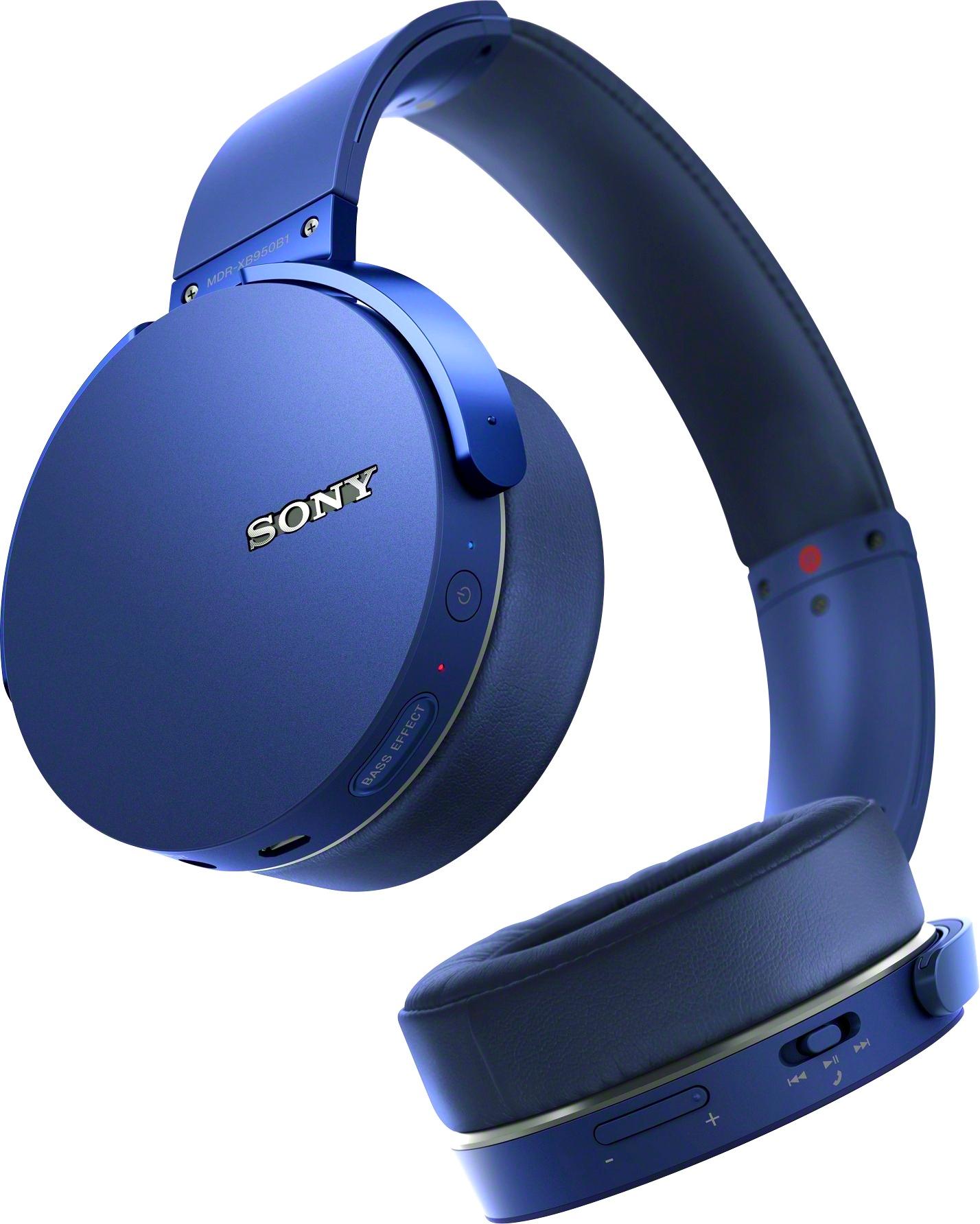
The Sony Sound Connect app is the easiest way to increase bass on supported Sony wireless headphones and earbuds. Sony previously called this app Headphones Connect. The name and menu layout may vary by country, device, and app version.
Steps to boost bass in Sony Sound Connect
- Install Sony Sound Connect from the Apple App Store or Google Play Store.
- Turn on Bluetooth on your phone.
- Pair your Sony headphones with the phone.
- Open the app and select your headphones.
- Look for Sound, Equalizer, or EQ.
- Choose a bass-focused preset, such as Bass Boost or Excited, if your model offers one.
- For manual control, raise the lowest frequency bands slightly.
- Play a familiar song and compare the result.
- Save the setting when the bass sounds full without becoming muddy.
The app may show different controls on different models. Some headphones offer a five-band equalizer. Others offer presets only. Sony’s documentation also notes that some sound settings may not work during calls or with every connection type.
A good starting EQ setting
If your app has a manual equalizer, try this gentle starting point:
| Frequency range | Starting change | Effect |
|---|---|---|
| 63 Hz | +2 dB | Adds deep bass and sub-bass |
| 160 Hz | +1 dB | Adds warmth and punch |
| 400 Hz | 0 dB | Keeps vocals clear |
| 1 kHz and above | 0 dB | Preserves the original tone |
These values are a starting point, not a universal rule. Headphone models have different drivers, ear-cup designs, and sound profiles. If the sound becomes boomy, lower the 160 Hz band first. If vocals sound buried, reduce the bass boost or raise the midrange slightly.
Which Sony presets add the most bass?
Preset names differ by model. In general:
- Bass Boost adds more low-end energy.
- Excited often increases bass and treble for a brighter sound.
- Mellow may sound warmer but not always deeper.
- Manual EQ gives the most control.
Use the preset that sounds best with your music. A preset that works well for hip-hop may sound too heavy for podcasts, classical music, or acoustic recordings.
Adjust Your Phone or Music App Equalizer
If Sony Sound Connect does not offer an equalizer, adjust the EQ in the app that plays your music. This method is useful for wired Sony headphones and Bluetooth models that do not support Sony’s full app controls.
Spotify
Spotify includes an equalizer on many mobile platforms. The exact menu can change, but it is usually found under:
Profile picture or Settings → Playback → Equalizer
Choose a bass preset or raise the lowest bands. Avoid pushing every slider to the top. That can cause distortion and reduce clarity.
Spotify applies its equalizer to music played inside Spotify. It may not change the sound of YouTube, podcasts, games, or other apps.
Apple Music on iPhone
On an iPhone, Apple Music EQ settings are usually found under:
Settings → Apps → Music → EQ
On some older iOS versions, the path may be:
Settings → Music → EQ
Try Bass Booster first. Apple’s system EQ mainly affects Apple Music playback. It may not control sound from every third-party app.
Android phones
Android EQ controls vary by phone maker and Android version. Check:
- Settings → Sound and vibration
- Sound quality and effects
- Dolby Atmos
- Audio effects
- The music app’s own settings
Some Android phones include a system-wide EQ. Others use a manufacturer sound system or no built-in EQ at all. If you cannot find one, use the equalizer in your music app or a reputable audio app from the Google Play Store.
Windows 11 and Windows 10
Windows may expose sound enhancements through the active audio device:
- Right-click the speaker icon.
- Open Sound settings.
- Select your Sony headphones.
- Open the device properties.
- Look for Audio enhancements, spatial sound, or an equalizer supplied by the computer maker.
The available controls depend on the Bluetooth driver and the computer. Some Windows systems do not provide a useful built-in bass control.
macOS
macOS does not provide a full system-wide equalizer for all audio in its standard settings. Use the equalizer in Apple Music or the audio application you use. Third-party audio tools can offer system-wide EQ, but check their privacy, compatibility, and security details before installing them.
Fix Weak Bass Before Changing the EQ
A bass problem is not always an EQ problem. Poor fit, a bad seal, low-quality audio, or a weak Bluetooth connection can make Sony headphones sound lighter than expected.
Check the ear seal
A good seal matters most with in-ear Sony earbuds and closed-back headphones. Low bass depends on the air space around your ears. Even a small gap can reduce the bass you hear.
Try these steps:
- Refit the earbuds or headphones.
- Test a different ear tip size.
- Clean the ear tips and speaker grilles.
- Check that the ear cups sit evenly.
- Remove thick glasses or hair that may break the seal.
- Run the fit test if your model supports one.
For earbuds, the correct tip should feel secure without causing pain. If the bass changes greatly when you press the earbuds inward, the fit or seal likely needs attention.
Check the music quality
A low-bitrate file or poor recording cannot be fully repaired with an EQ. Test your headphones with a well-recorded track that you know well. Use the same song before and after each change.
Also check whether your streaming app has:
- A low-quality data setting
- Volume normalization
- A built-in EQ
- A mono audio setting
- A special playback mode
- Crossfade or sound effects
Volume normalization can make some tracks seem less powerful. Turning it off may increase perceived impact, but it can also create larger volume changes between songs.
Check Bluetooth settings
Disconnect and reconnect the headphones. Then make sure the phone is connected to the Sony headphones rather than another Bluetooth speaker or car system.
If your model supports several Bluetooth codecs, changing the codec may alter stability or sound. Codec settings are usually less important than fit, EQ, and the quality of the recording. Do not change advanced developer settings unless you know how to restore them.
Update and reset the headphones
Open Sony Sound Connect and check for a firmware update. Updates can improve compatibility and fix connection problems, but they may not change the basic sound signature.
If the sound remains wrong, reset the headphones according to the model’s Sony support guide. A reset usually removes saved pairings and custom settings. Pair the headphones again after the reset.

Choose Bass Settings That Stay Clear
More bass is not always better bass. A large boost can hide vocals, soften drum detail, and create distortion.
Understand the main bass ranges
- Sub-bass, about 20 to 60 Hz: Deep rumble and low synth tones.
- Mid-bass, about 60 to 200 Hz: Kick drums, bass guitars, and punch.
- Low mids, about 200 to 500 Hz: Warmth and body, but also muddiness.
If you want deeper electronic bass, make a small change below 100 Hz. If you want stronger kick drums, adjust the 80 to 160 Hz range. If voices sound thick or unclear, reduce the 200 to 400 Hz range rather than adding more treble.
Avoid clipping
Clipping happens when an audio signal becomes too strong for the system to reproduce cleanly. It can sound harsh, cracked, or fuzzy.
To reduce the risk:
- Increase bass in small steps.
- Lower the app’s preamp or main volume if available.
- Avoid maxing out every EQ band.
- Reduce the boost if you hear crackling.
- Keep the headphone volume below its maximum.
Some EQ apps include a preamp control. If you add 5 dB of bass, lowering the preamp by about 5 dB can preserve headroom. This may make the overall sound quieter, so adjust the volume only as needed.
Use different profiles for different content
A single EQ rarely suits every type of audio. Consider separate settings:
| Content | Useful approach |
|---|---|
| Hip-hop and electronic music | Mild sub-bass and mid-bass boost |
| Rock | Small mid-bass boost; protect guitars and vocals |
| Podcasts | Flat EQ or reduced bass for speech clarity |
| Movies | Moderate bass boost; avoid booming dialogue |
| Gaming | Light bass boost so effects do not hide footsteps |
Sony Sound Connect may allow custom sound profiles, depending on the model. If it does not, use the EQ in each playback app when possible.

Sony Headphones That May Not Support the Same Controls
Sony sells several headphone types, and their bass controls are not identical.
Wireless over-ear models
Many Sony Bluetooth over-ear models work with Sony Sound Connect. They may support:
- Preset EQ modes
- Manual EQ
- Custom sound profiles
- Adaptive sound controls
- Firmware updates
The exact features depend on the model and software version.
True wireless earbuds
Sony earbuds often respond strongly to ear-tip fit. A loose fit can remove much of the bass even when the EQ is set correctly. Start with the fit before applying a large bass boost.
Some earbuds also use noise canceling. Test bass with noise canceling on, off, and in ambient sound mode. The sound can change between modes.
Wired Sony headphones
If your Sony headphones connect through a 3.5-millimeter cable, Sony Sound Connect may not control them. Use the EQ in your phone, computer, music player, or streaming app instead.
If the headphones sound weak in only one device, inspect the cable, adapter, and headphone jack. A partially inserted plug can cause strange sound, including reduced bass or missing channels.
Older Bluetooth models
Older Sony headphones may pair with the app but offer fewer settings. Some may not be supported at all. Check the official Sony support page for your exact model number before assuming the app is malfunctioning.

Common Bass Problems and Solutions
| Problem | Likely cause | What to try |
|---|---|---|
| Bass is weak on earbuds | Poor ear seal | Change ear tips and refit the earbuds |
| Bass changed after an update | New settings or app profile | Recheck EQ and sound modes |
| One side has less bass | Blocked grille or fit issue | Clean carefully and test the other ear |
| Bass is loud but muddy | Too much 160–400 Hz boost | Lower low-mid frequencies |
| Sound crackles after boosting | Clipping or damaged audio | Reduce EQ gain and test another track |
| Music has bass but speech is unclear | Excessive low-end boost | Lower the bass or use a speech profile |
| Bass is weak only on a computer | Driver or system EQ issue | Check output device and audio enhancements |
| Bass disappears with a cable | Loose plug or adapter | Reinsert or replace the cable |
| Bass changes with noise canceling | Different processing mode | Compare ANC, ambient, and off modes |
If only one ear sounds weak, do not keep increasing the bass. First check the earbud grille, ear tip, balance setting, and source device. Persistent one-sided changes may point to a hardware problem or an ear-related issue.

Protect Your Hearing While Increasing Bass
A bass boost can make music feel quieter than it really is. That can lead you to raise the volume too far. Use the lowest volume that gives you clear detail, and take breaks during long listening sessions.
The National Institute on Deafness and Other Communication Disorders advises reducing exposure to loud sounds and using hearing protection in noisy places. Noise canceling can help you avoid raising the volume in a loud bus, train, or airport, but it does not make high volume safe.
Stop listening and seek medical advice if you notice ringing, muffled hearing, pain, dizziness, or a sudden change in hearing. Do not place objects deep inside an earbud grille or your ear while trying to fix a sound problem.

Key Takeaways
- Use Sony Sound Connect first if your model supports it.
- Begin with a small boost around the bass bands.
- Check ear-tip fit and ear-cup seal before making large EQ changes.
- Use your music app’s EQ when Sony’s app does not support your model.
- Reduce the boost if vocals become muddy or the sound clips.
- Test ANC, ambient sound, and normal modes because they can sound different.
- Keep listening levels moderate to protect your hearing.
FAQs
Why do my Sony headphones have less bass than expected?
The most common causes are a poor ear seal, a flat EQ setting, a low-quality recording, or a sound mode that changes the headphone response. Refit the headphones first, then check Sony Sound Connect and the playback app’s EQ.
Can I increase bass without an app?
Yes. Use the equalizer in Spotify, Apple Music, your Android phone, Windows computer, or another playback device. Wired headphones often require this approach because Sony’s app may not control them.
Does noise canceling increase bass?
It can change the way bass sounds, but it does not always increase it. Compare noise canceling, ambient sound, and off modes at the same volume. A poor ear seal can still reduce bass in every mode.
Why does more bass make vocals sound unclear?
A large boost in the mid-bass and low-mid range can mask vocals. Lower the bands around 160 to 400 Hz, or use a smaller boost below 100 Hz instead.
Can a bass boost damage Sony headphones?
A moderate EQ adjustment usually does not cause a problem. Excessive boost at high volume can create distortion and place more strain on the headphone drivers. If you hear crackling or harsh sound, reduce the EQ and volume.
Why is one Sony earbud quieter than the other?
Check the earbud fit, clean the speaker grille carefully, inspect the phone’s left-right balance, and test another device. If the imbalance remains, contact Sony support or an authorized service provider.
Conclusion
To increase bass on Sony headphones, start with Sony Sound Connect when your model supports it. Apply a small EQ change, then check the fit, playback settings, and connection if the result is still weak. The best sound is usually not the strongest bass setting. It is the setting that adds weight while keeping voices, instruments, and detail clear.