Gaming Headset for Ps5

The best gaming headset for PS5 is the one that balances comfort, clear chat audio, and the connection type you will actually use. In 2026, most buyers should choose between a simple wired model or a low-latency wireless dongle headset.
If you want the best gaming headset for PS5, focus on comfort, microphone clarity, and reliable connectivity before chasing big spec sheets. In 2026, the right pick is usually the headset that fits your play style, works cleanly with the PS5’s audio features, and stays comfortable through long sessions.
- Comfort first: A headset that fits well is usually better than one with flashy extras.
- Mic matters: Clear voice chat is essential for party play and streaming.
- Connection choice: Wired is simplest; USB dongle wireless is often best for gaming.
- Check compatibility: Not every wireless feature works the same on PS5.
Best Gaming Headset for PS5: What to Buy in 2026
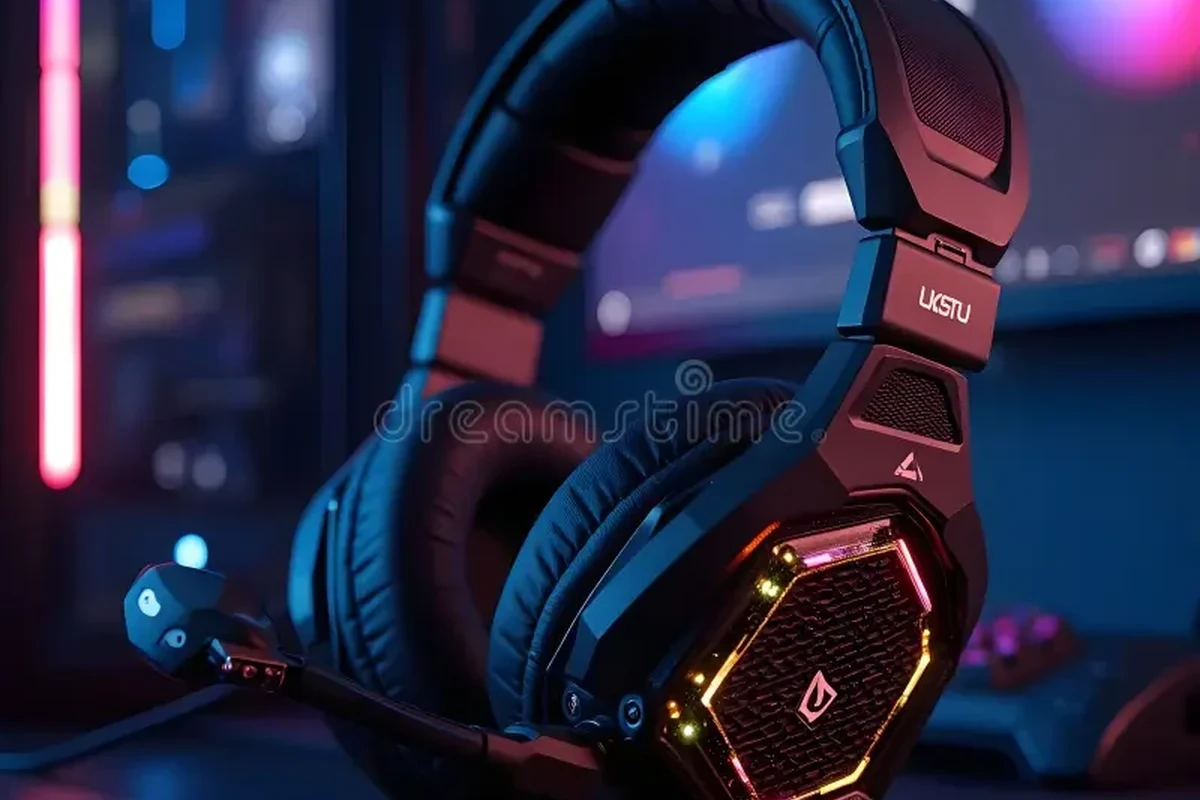
The best PS5 headset is not automatically the most expensive one. For most players, the smartest buy is a headset that balances clear game audio, a dependable mic, and easy setup on the console.
PS5 owners should also pay attention to how the headset connects. If you want a deeper breakdown of connection methods, see our guide on using wireless headphones with PS5 for gaming, plus our explainer on PS5 Bluetooth headphone support and the PS5 headphone jack.
In practice, that means a competitive player may value low-latency wireless or wired simplicity, while a casual player may care more about comfort and easy controls. A streamer or frequent party-chat user should put microphone quality near the top of the list.
Who a PS5 Gaming Headset Is Best For
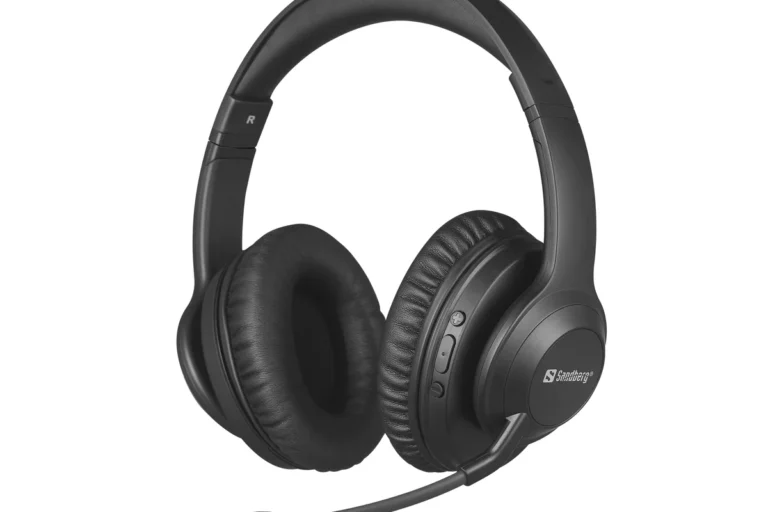
A PS5 gaming headset is a strong fit for anyone who wants private listening, voice chat, and better directional audio than TV speakers usually provide. It is especially useful when you play at night, share a room, or want to hear subtle in-game cues more clearly.
Casual players, competitive gamers, and party chat users
Casual players usually want comfort and simple controls more than advanced tuning. Competitive players often care about imaging, which is the headset’s ability to place sounds accurately left, right, front, and rear.
Party chat users should pay close attention to microphone pickup and sidetone, which lets you hear your own voice in the headset so you do not shout. If you also use your headset on PC or mobile, cross-platform compatibility matters too.
Good if you want comfort, easy controls, and simple PS5 setup without overthinking specs.
Usually not the best fit, since gaming headsets are often bulkier and less portable than everyday headphones.
Best if you want clearer positional audio and a better mic than most TV or earbuds can provide.
When a headset is better than TV speakers or earbuds
A headset is usually better when you want isolation from household noise, more precise game audio, or voice chat that sounds cleaner than a TV microphone setup. It can also help in competitive games where footsteps, reloads, and distant effects matter.
TV speakers still make sense for shared living rooms, and earbuds can be fine for short sessions. But for long play sessions, headsets often win on comfort, chat quality, and immersion.
What to Look for in a PS5 Gaming Headset
Before buying, think about the parts of the headset you will notice every day: sound, mic, comfort, battery life, and how easy it is to live with. Manufacturer specs help, but they do not tell the whole story, so read them as decision criteria rather than promises.
- Intended use case, fit, and connectivity type
- Battery life, warranty, and return policy
- Mic quality, comfort, and platform compatibility
Sound quality, spatial audio, and game-specific tuning
For PS5 gaming, sound quality is about clarity as much as bass. A headset with balanced tuning usually makes dialogue, effects, and environmental cues easier to separate.
Spatial audio can improve the sense of direction, but it is not magic. It works best when the headset has clean imaging and when the game’s audio mix is strong. Game-specific tuning may emphasize footsteps or dialogue, which can help in some genres but may sound less natural for music or movies.
Terms like spatial audio, virtual surround, and 3D audio can mean different things depending on the brand. Check the manufacturer’s PS5 compatibility notes and audio mode descriptions before buying.
Microphone clarity for chat and streaming
A clear mic matters more than many buyers expect. If your voice sounds thin, muffled, or noisy, party chat becomes tiring fast.
Look for a mic that handles speech naturally and reduces background noise without making you sound robotic. If you stream, join Discord calls, or use voice chat often, mic placement and sidetone are just as important as the headset’s driver quality.
Comfort, clamp force, and long-session wearability
Comfort is one of the biggest reasons people return headsets. Clamp force is the sideways pressure the headset puts on your head, and it affects both stability and fatigue.
Also consider ear cup depth, headband padding, and overall weight distribution. A headset that feels fine for ten minutes may become distracting after a two-hour session, especially if you wear glasses or have a larger head shape.
If you are between two models, choose the one with better fit adjustability and softer pressure on the ears. Comfort is easier to notice every day than a small sound difference.
Battery life, latency, and wireless range
Wireless headsets trade cable freedom for battery management. Battery life varies widely by model, volume level, lighting features, and firmware settings, so confirm the manufacturer’s current claim before you buy.
Latency is the delay between the game and what you hear. For gaming, lower latency is better, which is why many players prefer wireless dongles or wired connections over standard Bluetooth. Wireless range also depends on room layout, interference, and how far you sit from the console.
Wired vs Wireless: Which Is Better for PS5?
Both wired and wireless headsets can work well on PS5, but they solve different problems. Wired models are simpler and usually avoid battery concerns, while wireless models offer more freedom and cleaner couch-friendly movement.
USB dongle, Bluetooth, and 3.5mm options
USB dongle headsets are common for gaming because they often provide a more stable low-latency connection. Standard Bluetooth is more convenient for general listening, but it is not always the best option for PS5 gaming performance.
A 3.5mm wired headset can plug into the DualSense controller, which is often the easiest setup. For more detail, our guides on connecting wired headphones to PS5 and getting the best PS5 headphone setup can help.
Real-world tradeoffs in convenience, latency, and compatibility
Wireless is great if you stand up often, play from the couch, or dislike cables. Wired is great if you want the simplest path with fewer things to charge or pair.
Compatibility is the catch. Not every wireless headset behaves the same on PS5, and some features may work on one platform but not another. If you also switch between console and PC, confirm support for both before you buy.
Best for players who want convenience with lower latency than standard Bluetooth. Check PS5 support, battery behavior, and microphone monitoring features.
Best for buyers who want simple setup, no charging, and fewer compatibility surprises. The tradeoff is cable management.
Top Features That Matter Most in Daily Use
The best headset is the one you will actually enjoy using every week. That usually comes down to build quality, controls, and how smoothly the headset fits into your routine.
Build materials, durability, and adjustable fit
Materials matter because gaming headsets get moved, bent, stored, and worn for long periods. Metal reinforcement can improve durability in some designs, but a well-made plastic frame can still be perfectly reliable.
What matters most is whether the headband adjusts easily, the ear cups swivel sensibly, and the hinges feel solid. If you plan to travel with the headset, look for foldability or a case, but do not assume every gaming headset is built for backpack life.
Controls, sidetone, ANC, and game/chat balance
Easy-to-reach controls are a daily convenience. Volume wheels, mic mute toggles, and game/chat balance controls are especially useful if you jump between solo play and party chat.
ANC, or active noise cancellation, uses microphones and processing to reduce outside noise. It can help in noisy rooms, but it is not essential for every gamer. Sidetone is also worth checking if you dislike hearing your own voice too loudly or too softly.
Many gaming headsets sound more balanced after a simple EQ adjustment in the console or companion app, especially if the default tuning is heavy on bass.
Ease of setup on PS5 and cross-platform use
Setup should be straightforward: connect the dongle, plug in the cable, or pair the headset according to the manufacturer’s instructions. If the headset has a companion app, check whether it is needed for basic use or only for extra tuning.
Cross-platform use is valuable if you also game on PC, Switch, or mobile. Still, a headset that works everywhere is not automatically the best PS5 headset if the mic or controls are awkward on console.
Common Mistakes Buyers Make
Many headset regrets come from overbuying, underchecking compatibility, or ignoring comfort. Avoiding a few common mistakes can save money and frustration.
Overpaying for features you will not use
It is easy to pay extra for RGB lighting, app extras, or premium materials that do not improve your actual gaming experience. If you mainly play single-player games, you may not need advanced chat controls or tournament-style tuning.
Instead, spend where it matters: fit, mic quality, and the connection type you will use most.
Ignoring mic quality, weight, or head shape compatibility
Some buyers focus only on sound and then dislike the headset because the mic is weak or the clamping pressure is too high. Head shape compatibility matters more than many spec sheets suggest.
If you wear glasses, have a larger head, or prefer loose-fitting headphones, look for user-friendly adjustability and softer pads. A great-sounding headset that hurts after an hour is not a good purchase.
Assuming all wireless headsets work the same on PS5
This is one of the biggest mistakes. Wireless can mean USB dongle, console-specific wireless, or standard Bluetooth, and those options do not behave the same.
Before buying, confirm how the headset connects, whether the mic works on PS5, and whether any features require a PC app. If you are still sorting out the connection side, our guide on wireless headphones with PS5 explains the practical differences.
Safe Use, Cleaning, and Long-Term Care
A good headset can last a long time if you handle it properly. Safe listening habits, careful charging, and regular cleaning all matter more than most buyers expect.
How to clean ear pads, headbands, and microphones
Use a soft, dry cloth for routine cleaning, and follow the manufacturer’s care instructions for any leatherette, fabric, or memory-foam pads. If a headset has removable pads, clean them according to the brand’s guidance rather than soaking them.
For microphones, use a gentle dry brush or cloth and avoid pushing debris deeper into the mesh. Sweat, skin oils, and dust can build up over time, especially on shared or heavily used headsets.
Disconnect the headset before cleaning so you do not damage the electronics or accidentally change settings.
Use a soft cloth and light pressure on pads, headband, and exterior surfaces.
Do not store the headset until every surface is completely dry.
Battery care, storage tips, and cable management
For wireless models, follow the brand’s charging guidance and avoid damaged cables, extreme heat, or incompatible chargers. If a battery swells, overheats, or behaves strangely, stop using the headset and follow the manufacturer’s safety instructions.
For wired models, coil the cable loosely and avoid sharp bends near the plug. Store either type in a cool, dry place away from direct sunlight and heavy pressure.
Do not keep using a headset, cable, or charging accessory that is frayed, cracked, swollen, or overheating. Follow the manufacturer’s guidance and use recognized charging practices.
Preventing wear, sweat damage, and audio issues
Long-term wear often comes from small habits. Taking off the headset by both cups instead of yanking one side can reduce stress on the frame.
Also keep volume at a moderate level and take breaks, especially during long gaming sessions. For hearing-health guidance, it is wise to follow recognized public-health recommendations from organizations such as the WHO or your national health authority, and speak with a hearing specialist if you have concerns.
- Store the headset dry, clean, and lightly protected
- Use the correct cable and charger recommended by the manufacturer
- Take listening breaks during long sessions
- Charging with damaged or incompatible accessories
- Leaving the headset in hot cars, damp bags, or direct sun
- Cranking volume to mask background noise
Final Verdict: The Best Value Gaming Headset for PS5 in 2026
The best value gaming headset for PS5 in 2026 is usually the one that gives you the right mix of comfort, clear chat audio, and the simplest connection for your setup. For most buyers, that means prioritizing a well-fitting headset with dependable mic quality over flashy extras.
Best choice by budget, performance, and overall value
If you want the best overall value, start with a headset that matches your connection preference: wired for simplicity, or wireless dongle for freedom with lower-latency gaming. Then compare comfort, mic performance, and cross-platform support before paying more for extras.
Budget buyers should focus on fit, basic audio clarity, and a reliable controller jack or simple USB setup. Midrange shoppers often get the best balance of features, while premium buyers should only pay more if they truly want better materials, stronger app control, or more polished noise handling.
When to choose a premium model versus a budget pick
Choose premium if you spend many hours a week gaming, use voice chat often, and care about refined comfort and stronger build quality. Choose budget if you mainly play occasionally and want a straightforward headset that does the essentials well.
Before you buy, confirm the current specs, return policy, and warranty details on the manufacturer’s site or at the retailer. That matters more in 2026 than chasing a generic “best headset” label that may not fit your games, your head shape, or your PS5 setup.
For most PS5 players, the best value comes from a comfortable headset with clear voice chat, low-latency connection, and simple setup. Premium models are worth it for heavy daily use, while budget picks are smart when you only need dependable basics.
Common Questions
A comfortable headset with clear mic quality and reliable PS5 connectivity is usually the best choice. Wired and low-latency wireless models are the most practical options for most players.
Bluetooth can be convenient, but it is not always the best gaming connection. Many players prefer a wired 3.5mm connection or a USB dongle for better latency and fewer surprises.
No, active noise cancellation is helpful in noisy spaces but not required. Comfort, mic clarity, and stable connection usually matter more.
Very important if you use party chat, Discord, or streaming tools. A clear mic can make a bigger difference than small sound-quality upgrades.
Look for adjustable headbands, comfortable pads, and moderate clamp force. If possible, compare fit notes and return policies before buying.
Frequently Asked Questions
Start with comfort, microphone clarity, and the connection type you prefer. Sound quality matters too, but a headset that fits poorly or connects awkwardly will be frustrating quickly.
Wired is usually the easiest and most predictable option. Wireless is worth it if you want freedom of movement, but check latency, battery behavior, and PS5 compatibility first.
Clean the pads and headband gently, store the headset away from heat and moisture, and follow the manufacturer’s charging guidance. If the cable or battery looks damaged, stop using it and replace it safely.
Many people focus only on sound and ignore fit, weight, or mic quality. Another common mistake is assuming all wireless headsets behave the same on PS5.
Often yes, but compatibility varies by model. Check whether the headset works on PC, mobile, or Switch if you want one headset for multiple devices.
Keep the volume moderate and take breaks during long sessions. If you have hearing concerns, follow recognized hearing-health guidance and talk to a professional if needed.