Cat Ear Headset

A cat ear headset is worth buying if you want a fun-looking headset and still care about comfort, mic quality, and compatibility. In 2026, the best choice is the model that performs well as a headset first and looks cute second.
A cat ear headset is a style-forward headphone, usually aimed at gamers, streamers, and casual listeners who want built-in personality along with basic headset features. In 2026, it can still be worth buying if you care about comfort, mic quality, and connectivity first, and treat the cat-ear design as a bonus rather than the main reason to choose it.
- Style first, specs second: Decorative cat ears do not guarantee better sound or mic quality.
- Comfort matters most: Check fit, clamp force, and cushion materials for long sessions.
- Wireless adds convenience: But battery life and latency should be checked before buying.
- Match the device: Confirm compatibility with PC, console, phone, or tablet before purchase.
- Care improves lifespan: Clean cushions gently and avoid damaged cables or overheating batteries.
What Is a Cat Ear Headset and Is It Worth Buying in 2026?

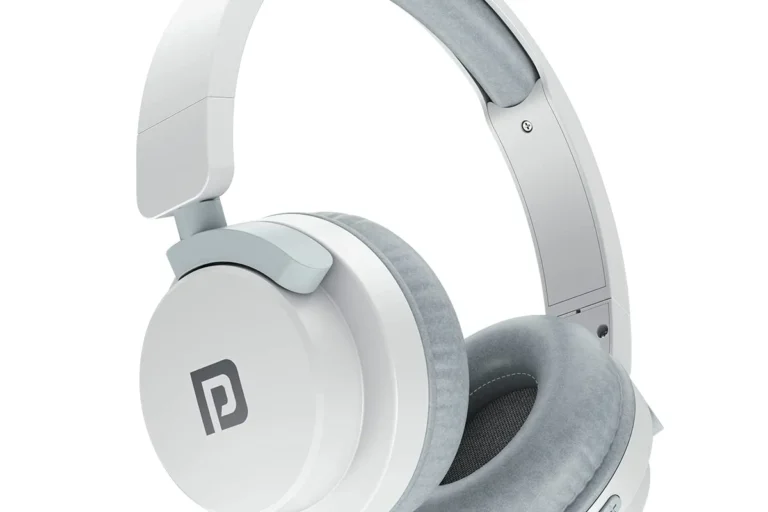
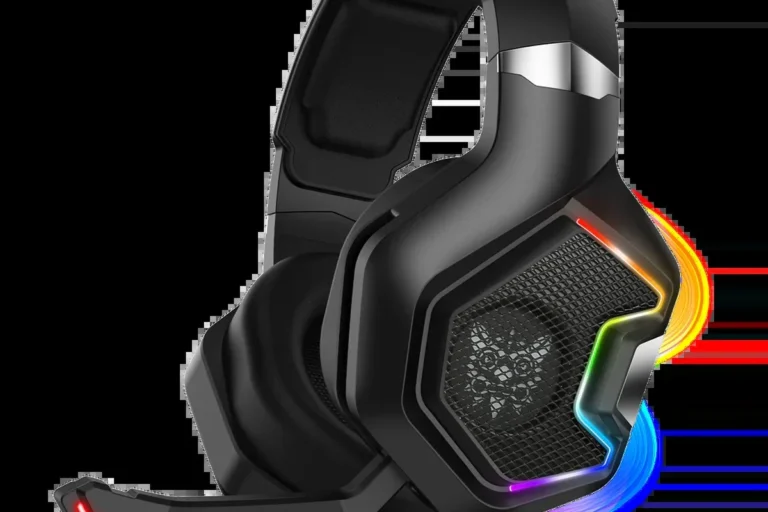
A cat ear headset is typically an over-ear or on-ear headset with decorative ear-shaped accents on the headband or cups. Some models also add RGB lighting, detachable microphones, or wireless support, but the defining feature is the playful look.
Whether it is worth buying depends on your priorities. If you want a headset for gaming, streaming, or a themed setup, the design can be fun without getting in the way. If you want the best possible sound, microphone clarity, or long-term durability, you should judge the headset by the same standards you would use for any other headphone or gaming headset.
Think of cat ear headsets as regular headsets with a visual theme. The ears do not automatically improve sound, and they do not replace the need to check comfort, mic quality, and compatibility.
Who a Cat Ear Headset Is Best For: Gaming, Streaming, and Everyday Use
Cat ear headsets are most appealing to people who want their audio gear to feel expressive. They are common in gaming setups, livestream backgrounds, cosplay-friendly spaces, and gift purchases for younger listeners.
Best use cases and age groups
These headsets often make sense for teens, college students, casual gamers, and streamers who want something visually distinctive. They can also work well for everyday listening if the headband fit is comfortable and the headset supports the devices you actually use, such as a phone, laptop, console, or tablet.
For younger users, the design may be part of the appeal, but adults should still check volume controls, cable length, and mic placement. If a child or teen will use it for long sessions, comfort and safe listening habits matter more than the novelty shape.
When a cat ear design is more style than substance
In many cases, the cat ears are purely decorative. That means they may not affect audio quality at all, and they can sometimes add weight or make the headset slightly less compact for travel.
Most important decision pointBuy for the headset’s core audio and comfort first, then treat the cat-ear styling as the finishing touch.
If you are choosing between a cat ear headset and a more traditional headset at the same price, compare the drivers, microphone, fit, and build quality before you compare the look.
Key Features to Compare Before You Buy
The best cat ear headset is the one that fits your use case, not the one with the flashiest lighting. Before buying, compare sound, mic quality, comfort, connection type, battery life, and build materials.
- Check whether you need wired, Bluetooth, or both
- Confirm device compatibility with PC, console, phone, or tablet
- Look for a comfortable headband and ear cushions for long sessions
- Verify mic style, mute controls, and battery details if wireless
- Review warranty and return policy before purchase
Sound quality, mic performance, and volume limits
Sound quality depends on the headset’s drivers, tuning, and seal around your ears. A “driver” is the speaker inside the ear cup, and its tuning affects whether the sound leans bass-heavy, balanced, or bright.
For gaming and streaming, mic performance matters just as much as playback. Look for a microphone that picks up speech clearly, minimizes background noise reasonably well, and can be positioned near your mouth without blocking your face or glasses. If the headset includes a built-in volume limiter or app-based EQ, that can be useful, but it should not replace healthy listening habits.
For safe listening guidance, it is wise to keep volume moderate and take breaks, especially during long gaming or music sessions. For hearing-health questions, refer to recognized guidance from health authorities rather than relying on marketing claims.
Comfort, fit, clamp force, and long-session wear
Comfort is one of the biggest reasons people return headsets. Look at headband padding, ear cushion depth, and overall weight, because decorative cat ears can occasionally make a headset feel less balanced.
Clamp force is the pressure the headset places on the sides of your head. Too much clamp can become tiring, while too little can make the headset slip during movement. If you wear glasses, pay attention to cushion softness and how the cups seal around the temples.
For long sessions, breathable materials and a stable fit matter more than styling. A cute headset that becomes uncomfortable after an hour is usually a poor value, even if the sound is decent.
For a broader look at fit styles, see our guide to over-ear, on-ear, and in-ear headphones.
Wired vs. wireless connectivity and battery life
Wired cat ear headsets are often simpler, cheaper, and easier to use with desktop PCs, controllers, and older devices. They also avoid battery concerns, though cable length and plug compatibility become important.
Wireless models offer more freedom, especially for streaming or casual use around the house. If you choose wireless, check how it connects, whether it supports low-latency use for gaming, and how long the battery lasts according to the manufacturer. Battery life can vary by volume level, lighting use, and firmware.
Some models support both wired and wireless use, which can be a practical middle ground. That flexibility is often worth paying for if you switch between console, laptop, and phone.
Build materials, durability, and RGB or lighting features
Cat ear headsets often rely on plastic frames, synthetic leather cushions, and light decorative parts. That is normal, but it means durability can vary a lot between models.
If RGB lighting is included, check whether it can be turned off. Lighting can be fun for a desk setup, but it may reduce battery life on wireless models and is not useful to everyone. Also look at the hinge design, cable strain relief, and whether the microphone detaches or folds away safely.
Stop using any charging cable, battery, or unit that is frayed, swollen, cracked, or overheating, and follow the manufacturer’s safety guidance. Avoid charging on damaged cables or in extreme heat.
How Cat Ear Headsets Perform in Real-World Use
In everyday life, cat ear headsets are usually judged less by the novelty design and more by how well they handle different tasks. The best ones are flexible enough for gaming, calls, streaming, and casual music without feeling like a compromise in every category.
Gaming, calls, streaming, and casual music listening
For gaming, a cat ear headset should make voices, footsteps, and in-game effects easy to distinguish without sounding harsh. For streaming or voice chat, the microphone should keep speech understandable even if it is not studio-grade.
For calls and meetings, comfort and mic clarity often matter more than bass. For casual music listening, a balanced sound signature is usually more versatile than one with exaggerated lows. If the headset has an app or EQ settings, that can help you tailor the sound to your preferences, but it is not a substitute for good hardware.
Some users also wear headsets on travel days or in office settings. In those cases, style may draw attention, so think about whether the design fits your environment. If you are sensitive to ear pressure during flights, you may also want to read our guide to noise cancelling ear pressure and whether headphones help with airplane pressure and ear pain.
Benefits, limitations, and common trade-offs
- Fun, expressive design that stands out on camera or at a desk
- Often available in multiple connection styles and colors
- Can be a good gift or starter headset for casual users
- Some models include RGB, detachable mics, or dual-mode connectivity
- Decorative ears may add bulk without improving audio
- Comfort and durability vary widely by model
- Mic and sound quality are not guaranteed by the design
- Lighting can reduce battery life on wireless versions
The biggest trade-off is that style can distract from the features that matter most. A well-made traditional headset may outperform a cat ear model in sound, mic quality, or comfort at the same price. That does not make cat ear headsets bad; it just means shoppers should judge them carefully.
How to Choose the Right Cat Ear Headset for Your Budget
Your budget should determine how much convenience, sound quality, and durability you can expect. Entry-level models can be fun and functional, while mid-range and premium options may offer better microphones, stronger materials, or more flexible connectivity.
Entry-level vs. mid-range vs. premium options
Entry-level cat ear headsets are usually best for light gaming, occasional calls, or gifting. They can be perfectly fine if the buyer mainly wants the look and only needs basic audio.
Mid-range models often make the most sense for most people because they tend to balance comfort, sound, mic quality, and build better than the cheapest options. Premium versions may add stronger wireless performance, better materials, more refined tuning, or more reliable software support.
| Budget tier | Best for | What to check |
|---|---|---|
| Entry-level | Casual use and gifting | Comfort, mic clarity, and basic compatibility |
| Mid-range | Most gamers and streamers | Fit, battery life, and build quality |
| Premium | Frequent use and feature seekers | Software support, materials, and wireless stability |
What features are worth paying extra for
Pay extra for comfort first, then for better microphone quality, then for connectivity that fits your devices. If you use the headset for long sessions, a better headband and softer cushions are usually more valuable than brighter RGB effects.
It is also worth paying for a headset with clearer controls, a detachable or better-positioned mic, and a return policy that gives you time to check fit. If a model lists advanced features but hides basic details like compatibility or battery behavior, that is a sign to verify the manufacturer page before buying.
Setup and First-Time Use: Getting the Best Experience
Most cat ear headsets are easy to set up, but small mistakes can affect sound or mic quality. Taking a few minutes to check pairing, plug type, and app settings can make a noticeable difference.
Pairing, plug-in setup, and device compatibility
For wired models, confirm whether the headset uses USB, 3.5 mm audio, or both. Some consoles, laptops, and phones may need adapters or splitters, so compatibility should be checked before purchase rather than after the box is opened.
For wireless models, follow the manufacturer’s pairing steps and update firmware only through official software. If the headset supports both wired and wireless modes, test each mode separately so you know which one works best for gaming, calls, or travel.
Check whether your device needs USB, 3.5 mm, Bluetooth, or a dongle before setting up.
Use the official pairing process or a secure cable connection, and avoid forcing any port.
Check playback, voice input, and mute controls before you rely on it for gaming or calls.
Basic sound and mic adjustments
Adjust volume gradually and test the headset with spoken voice, game audio, and music. If the sound is too bass-heavy or too sharp, use the built-in EQ or your device’s audio settings if available.
For the microphone, make sure it sits close enough to your mouth without touching your face or blocking airflow. If background noise is a problem, use a quieter room or the headset’s noise-reduction setting if it has one, but remember that software cannot fully replace a good mic position.
Safe Use, Care, and Cleaning Tips
Cat ear headsets can last longer and stay more comfortable if you care for them properly. That means safe listening, careful charging, and regular cleaning of the pads, headband, and decorative parts.
Protecting the headset, ears, and lighting components
Keep listening volume moderate and take breaks, especially for long gaming or streaming sessions. Safe listening guidance from health authorities generally emphasizes avoiding prolonged loud sound rather than chasing a specific “perfect” volume number.
For wireless models, charge with the manufacturer-recommended cable or a compatible charger, and avoid using damaged adapters or leaving the headset in hot cars or direct sun. If the headset has RGB or decorative lighting, treat those parts gently because they are often more fragile than the main frame.
- Charge with approved or compatible accessories
- Store the headset in a cool, dry place
- Take breaks during long listening sessions
- Using swollen, cracked, or overheating batteries
- Wrapping cables tightly around fragile hinges
- Ignoring pain, ringing, or pressure in your ears
Cleaning ear cushions, headbands, and decorative cat ears
Cleaning matters because ear cushions collect skin oils, dust, and sweat. If you need a refresher on pad care, see our guide on how to clean ear pads.
Use the manufacturer’s cleaning guidance whenever possible. In general, a soft dry cloth works for the frame and decorative ears, while cushions may need gentle surface cleaning with appropriate materials that will not damage the finish or loosen adhesives.
- Wipe the headset after long sessions to reduce buildup on cushions and headbands
- Clean gently around lighting parts and decorative ears to avoid cracking or loosening them
- Let any cleaned surfaces fully dry before storing or charging
- Store the headset on a stand or in a case if the model includes one
If the ear pads are removable, follow the brand’s instructions before washing or replacing them. If they are not removable, avoid soaking them, since excess moisture can damage the foam, stitching, or internal electronics.
Final Verdict: The Best Cat Ear Headset Buying Advice for 2026
A cat ear headset is a good buy in 2026 if you want a fun-looking headset that still works well for gaming, calls, or streaming. The smartest approach is to choose the model with the best comfort, mic clarity, and device compatibility, then let the cat-ear styling be the extra feature rather than the deciding factor.
Final Verdict
Choose a cat ear headset if you value personality, light-to-moderate daily use, and a setup that looks good on camera or on a desk. If you need the strongest sound quality, the most durable build, or the most reliable microphone for work, compare it carefully with traditional headsets before buying.
Common Questions
No. They are popular with teens and adults too, especially for gaming, streaming, and themed desk setups.
Usually not. They are mostly decorative, so sound quality depends on the headset’s actual drivers and tuning.
Wired is simpler and avoids charging, while wireless offers more freedom. The better choice depends on your devices and how you plan to use it.
Comfort, microphone clarity, and compatibility matter most. The design should be a bonus, not the main reason to buy.
Store it in a cool, dry place and avoid crushing the ear cups or bending the decorative ears. A stand or case can help protect it.
Frequently Asked Questions
The main difference is the decorative cat-ear styling, sometimes paired with RGB lighting or themed color options. The audio hardware may be similar to a regular headset, so the real differences are usually in design and presentation.
It is best for gamers, streamers, teens, and anyone who wants a fun-looking headset for daily use. It can also work well as a gift, as long as the fit and device compatibility are checked first.
Check sound quality, microphone clarity, comfort, connection type, battery life, and build quality. If you plan to use it for work or school calls, make sure the mic and controls are dependable.
They can be, but only if the fit is comfortable and the clamp force is not too tight. Keep the volume moderate and take breaks to reduce listening fatigue.
Follow the manufacturer’s cleaning instructions and use a soft cloth for the frame and decorative parts. Avoid soaking cushions or exposing the headset to heat, moisture, or damaged charging accessories.
The biggest mistake is choosing one for the look alone and ignoring comfort, sound, and compatibility. Another common mistake is assuming all wireless models have the same battery life or gaming performance.