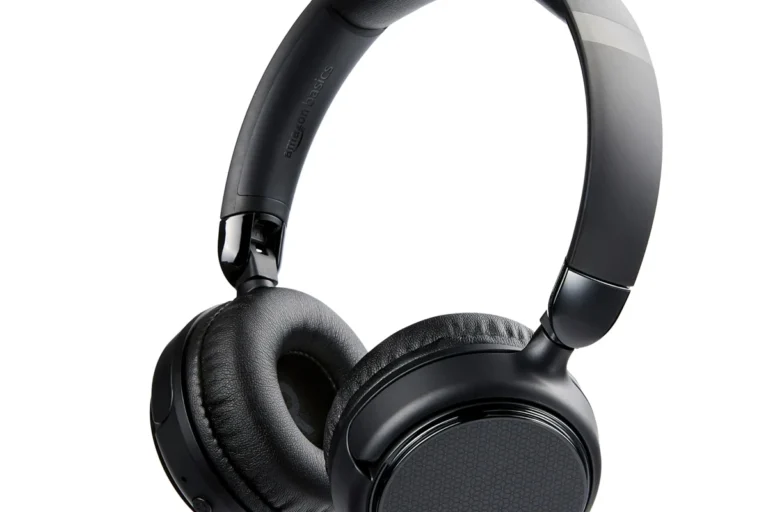
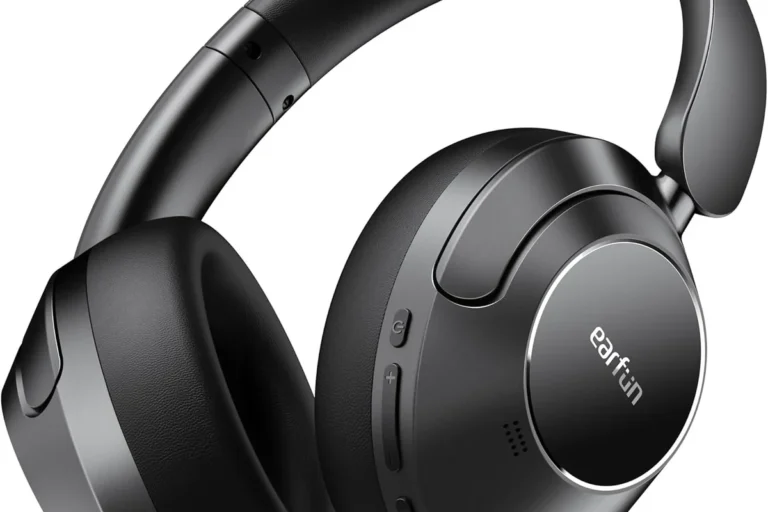
Ps4 Headphones

Choose PS4 headphones by connection type first, then compare sound, mic quality, and comfort. For most players, a comfortable wired or dongle-based headset is the simplest and most reliable choice.
If you want ps4 headphones that make game audio clearer, voice chat easier, and long sessions more comfortable, focus on connection type, mic quality, and fit before you focus on brand names. The best choice depends on whether you play casually, competitively, or in shared spaces where low noise leakage matters.
- Connection first: Wired 3.5mm is simplest; wireless can be convenient, but PS4 support varies by model.
- Mic matters: Clear voice chat, sidetone, and easy mute controls are important for multiplayer and party.
- Comfort wins long-term: Pad depth, clamp force, and weight often matter more than brand or flashy features.
- Check compatibility: Verify PS4 Slim, PS4 Pro, and PS5 cross-use support before you buy.
- Care extends lifespan: Clean gently, store properly, and replace worn pads or damaged cables promptly.
What Are PS4 Headphones and Which Type Fits Your Playstyle?
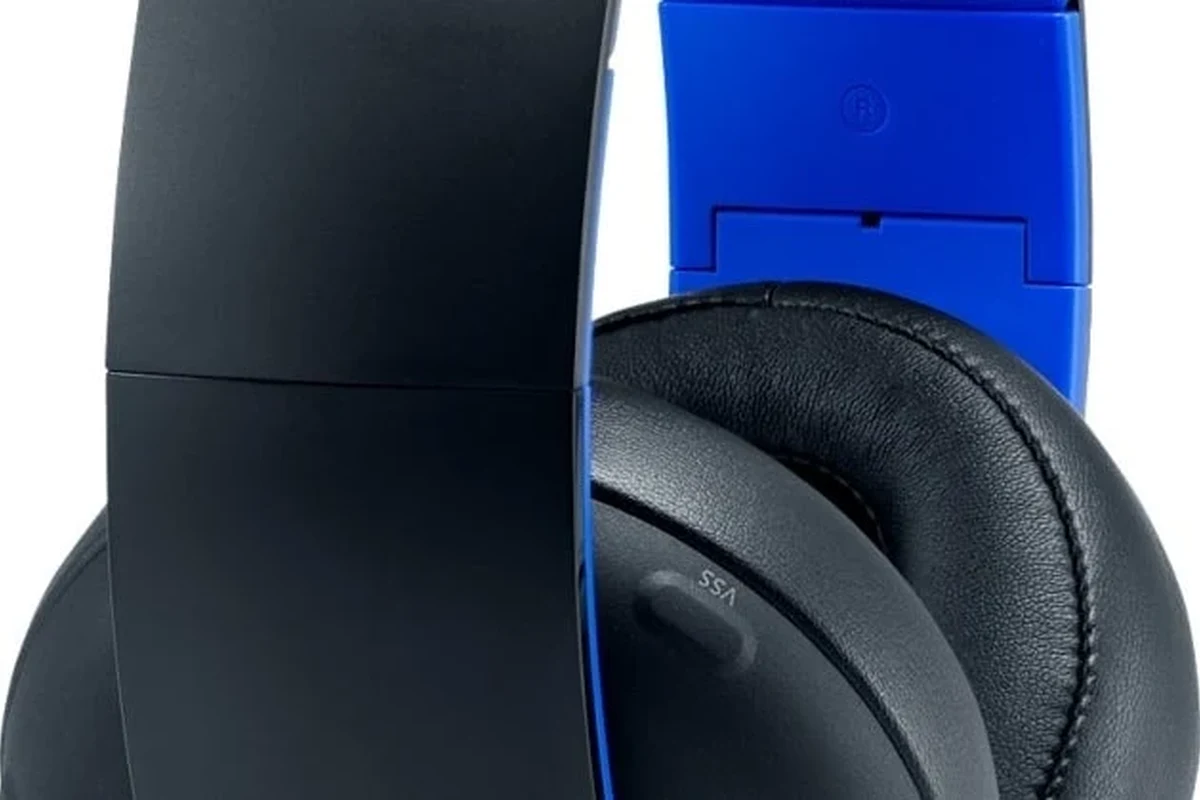
PS4 headphones are headsets or headphones that connect to a PlayStation 4 for game audio, party chat, or both. Some are simple wired models that plug into the DualShock 4 controller, while others use USB dongles, a base station, or a console audio connection for wireless use.
The right type is less about the word “PS4” on the box and more about how you play. If you want simple setup and low hassle, wired is often the easiest path. If you want more freedom to move, wireless can be better, but only if the headset’s connection method is fully compatible with PS4 and you are comfortable with battery care.
Wired vs. wireless PS4 headphones: what matters most for gaming
Wired PS4 headphones usually offer the most straightforward compatibility. A 3.5mm connection to the controller often avoids pairing issues, battery concerns, and extra latency from wireless links. That makes wired models a strong fit for players who want plug-and-play reliability.
Wireless PS4 headphones can be more convenient for couch gaming, streaming, or tidier desk setups. However, “wireless” can mean different things: some use a USB dongle, some use a base station, and some Bluetooth headphones need extra steps or may not work as smoothly on PS4. If you are comparing connection methods, our guide on how to connect headphones to PS4 can help you narrow down the setup.
Who should buy PS4 headphones: casual players, competitive gamers, and party chat users
Casual players usually want comfort, simple controls, and decent sound more than advanced tuning. If that sounds like you, a well-fitting wired headset or a basic wireless model may be enough.
Competitive players often care more about directional audio, fast communication, and a mic that keeps callouts intelligible. Party chat users, meanwhile, may prioritize sidetone, easy mute controls, and a microphone that does not sound thin or noisy. If you often switch between systems, it may also be worth checking whether a model can work across consoles; our compatibility guide on PS5 headphones on PS4 explains the cross-use questions shoppers ask most.
Best PS4 Headphones: Key Features to Compare Before You Buy
When people say “best,” they usually mean best for their own use case. For PS4, the most useful comparison points are sound clarity, microphone quality, comfort, and build quality. These matter more than flashy app features you may never use on console.
Sound quality and game audio clarity for footsteps, dialogue, and immersion
For gaming, sound quality is not only about bass. Clear mids and controlled treble can make dialogue easier to understand and help small details stand out, such as footsteps, reloads, or environmental cues. A headset with heavy bass may sound exciting, but it can also blur fine details if the tuning is too warm.
Drivers, which are the small speaker components inside the headphones, affect how sound is produced, but driver size alone does not guarantee better audio. The overall tuning, cup design, and seal around your ears matter just as much. If you play story-driven games, clarity and imaging may matter more than aggressive bass. If you play action games, a more energetic sound signature can be fun, as long as it does not drown out important cues.
Microphone performance for party chat and multiplayer communication
Mic quality is one of the biggest differences between a headset that feels “good enough” and one that feels genuinely useful. For PS4 party chat, the best mics usually keep your voice understandable without making you sound hollow, muffled, or overly sensitive to background noise.
Look for practical features such as a boom mic, a quick mute control, and sidetone if you dislike shouting into the headset. Sidetone lets you hear your own voice in the headphones, which can make long chats feel more natural. If you are comparing wireless models, also check whether the microphone works over the headset connection or only through the console’s chat settings, since behavior can vary by model and firmware.
Comfort, clamp force, and long-session wearability
Comfort is often the deciding factor after the first hour of play. Clamp force is the pressure the headset puts on the sides of your head. Too much can cause fatigue, while too little can make the headset feel unstable. Ear pad depth also matters because shallow pads can press against the ears during long sessions.
People with glasses, larger heads, or longer play sessions should pay close attention to fit. Lightweight designs can help, but only if the headband spreads the weight evenly. Soft pads are nice, yet material quality and depth matter more than marketing terms like “premium comfort.”
If you can, compare headsets by fit features first: weight, pad depth, and headband adjustment range. Those details usually predict comfort better than a product photo.
Build quality, materials, and durability for daily use
Daily gaming can be rough on cables, hinges, and ear pads. Metal reinforcement may improve durability in some designs, but the quality of the joints and swivels matters too. A headset with strong-looking materials can still fail early if the folding mechanism is weak or the cable is thin and poorly strain-relieved.
For long-term value, check whether replacement pads, cables, or microphones are available from the manufacturer. That matters more than many shoppers realize, especially if you plan to use the headset across several years instead of replacing it often.
PS4 Headphones Buying Guide: Connectivity, Compatibility, and Setup
Compatibility can be confusing because “works with PS4” may mean different things depending on the connection method. Before buying, confirm how the headset connects, what features are supported, and whether chat and game audio both work the way you expect.
USB, 3.5mm, optical, and Bluetooth: what works best on PS4 in 2026
On PS4, 3.5mm wired headsets remain the simplest option for many players because they connect directly to the controller. USB headsets and wireless dongles can also work well, especially if the model is designed for console use. Optical audio is less common in modern PS4 setups than it was in earlier gaming audio systems, and support depends on the specific console version and accessory chain.
Bluetooth is the trickiest category. Some Bluetooth headphones can connect to PS4 in limited ways, but not every pairing method supports chat, low latency, or stable audio. If you want a deeper breakdown, see our guide on using Bluetooth headphones with PS4 and our setup walkthrough for connecting Bluetooth headphones to PS4.
Manufacturer compatibility pages are the best place to verify whether a headset supports game audio, chat audio, or both on PS4. Feature support can change by region, firmware, or adapter.
How to check compatibility with PS4 Slim, PS4 Pro, and PS5 cross-use
PS4 Slim and PS4 Pro generally support the same broad headset categories, but accessory behavior can still vary. The safest approach is to confirm whether the headset uses the controller jack, USB audio, or a wireless dongle. If you expect to use the same headset on PS5 later, check that the manufacturer explicitly lists cross-console support rather than assuming it will work the same way everywhere.
Cross-use matters because some headsets are console-friendly on one system but limited on another. If you want to compare options that may move between generations, our article on PS5-to-PS4 compatibility is a helpful starting point.
Easy setup tips for controller, console, and external dongle connections
For wired headsets, the usual setup is simple: plug into the controller, then check the PS4 audio settings to make sure output and microphone routing are correct. For USB or dongle-based models, connect the adapter first, then select the headset in the console’s sound settings if needed.
For Bluetooth, pairing may take extra steps and can involve trade-offs in chat support. If you are unsure which route is easiest, our guide on how to connect headphones to PS4 gives a broader overview of the setup paths people use most often.
Confirm whether the headset uses 3.5mm, USB, a dongle, or Bluetooth before you buy.
Choose wired for simplicity, dongle-based wireless for convenience, or Bluetooth only if the model is known to work well on PS4.
Real-World Benefits and Limitations of PS4 Headphones
Good headphones can make PS4 gaming more focused and more enjoyable, but they are not magic. They help most when the headset fits well, the mic is clear, and the audio tuning matches the game style you play most.
When gaming headsets improve performance, focus, and communication
PS4 headphones can improve performance indirectly by making important sounds easier to notice and voice chat easier to understand. In competitive games, clear audio cues can help you react faster. In co-op or party chat, a usable microphone can reduce misunderstandings and make teamwork smoother.
They also help in shared living spaces because they keep game audio more private and can reduce the need to play at high volume. That is especially useful for apartment living, late-night gaming, or rooms where someone else is sleeping nearby.
Common drawbacks: latency, battery life, mic pickup, and software quirks
Wireless models can introduce latency, which is a slight delay between the game and the sound you hear. Some players notice it more than others, but it is one reason wired headsets remain popular for competitive use. Battery life is another practical limitation, especially if you forget to charge before a long session.
Mic pickup can also be uneven. A headset may sound great for listening but still struggle in chat if the mic picks up keyboard noise, fan noise, or room echo. Software or firmware quirks can add another layer of frustration, especially if the headset relies on companion apps that are not essential on console.
Evidence limits and what specs do not tell you about real comfort or sound
Spec sheets are useful, but they do not tell the whole story. Frequency response, driver size, codec names, and battery claims can sound impressive while leaving out the things that matter most in real use: fit, tuning, and chat clarity. A headset with strong numbers on paper can still feel uncomfortable or sound awkward if the design does not suit your head shape or play style.
That is why editorial judgment should focus on decision criteria, not just the longest spec list. If you are comparing options, use the manufacturer’s details as a starting point, then confirm warranty terms, return policy, and real compatibility before you commit.
Safe listening guidance from health authorities generally emphasizes moderate volume and regular breaks rather than chasing the loudest possible setting.
PS4 Headphones Comparison: Which Style Is Best for Your Budget?
Budget is not just about price. It is about how much performance, comfort, and reliability you get for the money you spend. Since prices and availability can change quickly in 2026, confirm current listings before you buy.
Entry-level picks for budget buyers
Entry-level PS4 headphones are best for players who want simple chat and game audio without paying for extra features. In this range, prioritize a stable wired connection, a decent microphone, and pads that do not feel scratchy after a short session.
The main trade-off is usually build quality or refinement. You may get acceptable sound and chat performance, but less durable materials, fewer controls, or weaker isolation. That can still be a smart buy if you play a few hours a week and want a low-risk option.
Mid-range options for balanced sound and comfort
Mid-range headsets often hit the best balance for most PS4 players. You are more likely to get better comfort, clearer microphones, and more polished tuning without jumping into premium pricing. This is usually the sweet spot for players who game several nights a week or share the headset with another household member.
Look for a model that gives you enough ear room, easy mute access, and a connection method that matches your setup. If you are deciding between a few models, our broader article on wireless headphones on PS4 can help you think through convenience versus simplicity.
Premium headsets for features like ANC, stronger mics, and better materials
Premium PS4 headphones may add active noise cancellation, better microphone hardware, more durable materials, or more refined wireless systems. ANC, short for active noise cancellation, uses microphones and processing to reduce outside noise. It can be useful in noisy homes or shared spaces, though it is not a replacement for a good physical seal around the ear.
The limitation is that premium features do not always translate into better gaming value. A more expensive headset can still be a poor fit if the clamp is too tight or the connection method is awkward for PS4. If you want the highest value, buy the feature set you will actually use, not the longest list.
Budget wired headset
Good for simple PS4 chat and casual gaming if you want easy setup and fewer compatibility surprises. The main limitation is usually modest build quality or less detailed sound.
Mid-range wireless dongle headset
Better for players who value freedom of movement and cleaner desk setup. Check battery behavior, PS4 support, and mic quality before relying on it for long sessions.
Common Mistakes to Avoid When Choosing PS4 Headphones
Many buyers focus on the wrong details and end up with a headset that looks good online but frustrates them in daily use. A little planning can prevent most of the common regrets.
Buying for brand name instead of fit and connection type
Big brands can still make mismatched products for a specific setup. A headset that is popular on PC may not be the easiest choice for PS4 if the connection method is awkward or the console support is limited. Fit and compatibility should come before brand loyalty.
Ignoring mic quality, sidetone, and chat balance
If you play multiplayer, a weak microphone can become the headset’s biggest flaw. Sidetone and chat balance are also worth checking because they affect how natural your voice feels in the headset and how easily you can hear teammates without raising volume too much.
Overlooking weight, ear pad depth, and headband pressure
Heavy headsets are not automatically bad, but they can become tiring faster if the weight is poorly distributed. Shallow ear pads can press on the ear, and strong headband pressure can cause soreness over time. These comfort issues often show up only after repeated use, which is why they are so easy to overlook.
- Confirm the PS4 connection type and chat support
- Check comfort details like pad depth, weight, and clamp force
- Review warranty, return policy, and replacement-part availability
Safe Use, Care, and Cleaning Tips for PS4 Headphones
Good care helps a headset last longer and keeps it more comfortable to use. It also supports safer listening habits, especially for players who spend long sessions in voice chat or story games.
How to clean ear pads, mesh, and microphones without damaging components
Use a soft, dry cloth for routine cleaning and follow the manufacturer’s guidance for removable pads or foam covers. For grime on ear pads or the mic boom, a lightly damp cloth is usually safer than spraying liquid directly onto the headset. Avoid soaking mesh, ports, or charging areas.
If the headset has a detachable microphone, remove it before cleaning if the manual allows that. A gentle brush or microfiber cloth can help lift dust from grilles and mesh surfaces.
Battery care, cable handling, and storage habits that extend lifespan
For wireless headsets, charge with the cable and adapter recommended by the manufacturer whenever possible. Avoid damaged cords, extreme heat, and charging on unstable surfaces. For wired models, do not yank the cable from the controller or console; unplug it by the connector instead.
Stop using any charging cable, battery, or headset that is frayed, swollen, cracked, or overheating, and follow the manufacturer’s safety guidance. For hearing safety, keep volume at a moderate level and take breaks, especially during long sessions.
When to replace worn pads, cables, or charging accessories
Replace ear pads when they become flattened, cracked, or difficult to clean, because worn pads can hurt comfort and reduce the seal around your ears. Replace cables if they cut out, fray, or only work at certain angles. Charging accessories should also be replaced if they overheat, disconnect easily, or show visible damage.
- Store the headset on a stand, hook, or in a case when not in use
- Use moderate volume and take listening breaks
- Check the manufacturer’s cleaning and charging instructions
- Do not charge with visibly damaged accessories
- Do not wrap cables tightly around the headset
- Do not ignore heat, swelling, or crackling sounds
Final Recommendation: How to Choose the Right PS4 Headphones in 2026
The best PS4 headphones are the ones that match your gaming style, your room, and your tolerance for setup complexity. If you want the safest all-around bet, a comfortable wired headset with a clear mic is still the easiest recommendation for most players in 2026.
Best choice by use case: competitive play, casual gaming, streaming, and shared living spaces
Competitive players should prioritize clear imaging, a reliable microphone, and low-latency connection options. Casual players can lean toward comfort and simple controls. Streamers and frequent party-chat users should place extra weight on mic quality and sidetone. In shared living spaces, wireless convenience and optional noise reduction may be more appealing, as long as the headset is truly PS4-compatible.
What value means in a PS4 headset: performance, comfort, and long-term reliability
Real value is not the cheapest price or the longest feature list. It is the headset that stays comfortable, communicates clearly, and holds up under regular use without frustrating setup issues. Before you buy, verify the current specs, warranty, and return policy with the manufacturer or retailer so you know exactly what you are getting.
For most PS4 players, the safest value choice is a comfortable wired or dongle-based headset with a clear mic and straightforward setup. If you need more freedom, choose wireless only after confirming PS4 support, battery expectations, and chat behavior for your exact model.
Common Questions
Not always. Some are simple headphones, while others include a microphone and gaming-focused controls.
Wired 3.5mm is usually the easiest and most reliable. It avoids pairing issues and battery concerns.
No. A well-fitting headset with a clear mic often matters more than a premium price tag.
Sometimes, but not always. Check the manufacturer’s compatibility information before assuming cross-use will work.
Keep the volume moderate and take breaks. If you notice ringing or discomfort, lower the volume and rest your ears.
Frequently Asked Questions
Look for a clear microphone, low-latency connection, and comfortable ear pads for long sessions. Sidetone and easy mute controls are especially helpful in party chat.
Wireless models are more convenient, but wired headsets are often simpler and more dependable. The better choice depends on your setup, play style, and tolerance for charging.
Check the connection type and the manufacturer’s PS4 support page. Compatibility can vary by model, firmware, and region, especially with Bluetooth.
Use a soft cloth and follow the brand’s cleaning instructions. Avoid getting liquid into ports, drivers, or charging areas.
Many shoppers choose by brand name or looks instead of fit and connection type. Others ignore mic quality, clamp force, and ear pad depth.
Keep listening volume moderate and take regular breaks. For wireless models, use safe charging habits and replace damaged cables or batteries immediately.