What Headphones Work with PlayStation Portal for Best Audio

PlayStation Link wireless headsets and earbuds are the best wireless option, while any wired 3.5mm headphones are the simplest and most reliable choice. Standard Bluetooth headphones are usually not the ideal match for PlayStation Portal.
If you’re trying to figure out what headphones work with PlayStation Portal, the short answer is: PlayStation Link wireless earbuds and headsets, or any wired headphones with the 3.5mm jack, are the safest choices. Standard Bluetooth headphones are usually not the best fit because Portal’s wireless audio support is more limited than many buyers expect.
- Best wireless: PlayStation Link gear offers the cleanest low-latency experience.
- Best value: Wired 3.5mm headphones are simple, dependable, and widely compatible.
- Avoid assumptions: Standard Bluetooth and some USB dongle headsets may not work well.
- Comfort matters: Over-ear for long sessions, earbuds for portability.
What Headphones Work with PlayStation Portal: Understanding the Audio Options in 2025
The PlayStation Portal is designed around Remote Play, so its audio setup is a little different from a regular console or TV. That means compatibility depends less on “will it play sound?” and more on how Sony handles wireless connections, latency, and supported accessories.
For most readers, the real question is not just whether headphones connect, but whether they deliver clean, low-delay game audio without frustrating setup steps. If you want a deeper look at how wireless audio behaves in general, our guide on Bluetooth headphones explained simply can help frame the basics.
Why PlayStation Portal headphone compatibility is different from a standard console
With a PS5, you have more flexibility because the console can handle many headsets, USB dongles, and system-level audio options. The PlayStation Portal is more limited because it is a handheld Remote Play device, not a full console replacement.
That matters because some headphones that work perfectly on a PS5 may not be ideal on Portal. The main issues are latency, pairing support, and whether the audio route is officially recognized by Sony’s system.
What readers are really looking for when they search this question
Most people asking what headphones work with PlayStation Portal want one of three things: a simple plug-in option, a wireless gaming headset with low lag, or a travel-friendly earbud setup. They usually want the easiest path to good sound without buying the wrong headset first.
They also want to know if they can use the headphones they already own. That is a smart question, because compatibility can vary by model, connection type, and whether the headset depends on Bluetooth or a USB dongle.
Best Ways to Connect Headphones to PlayStation Portal
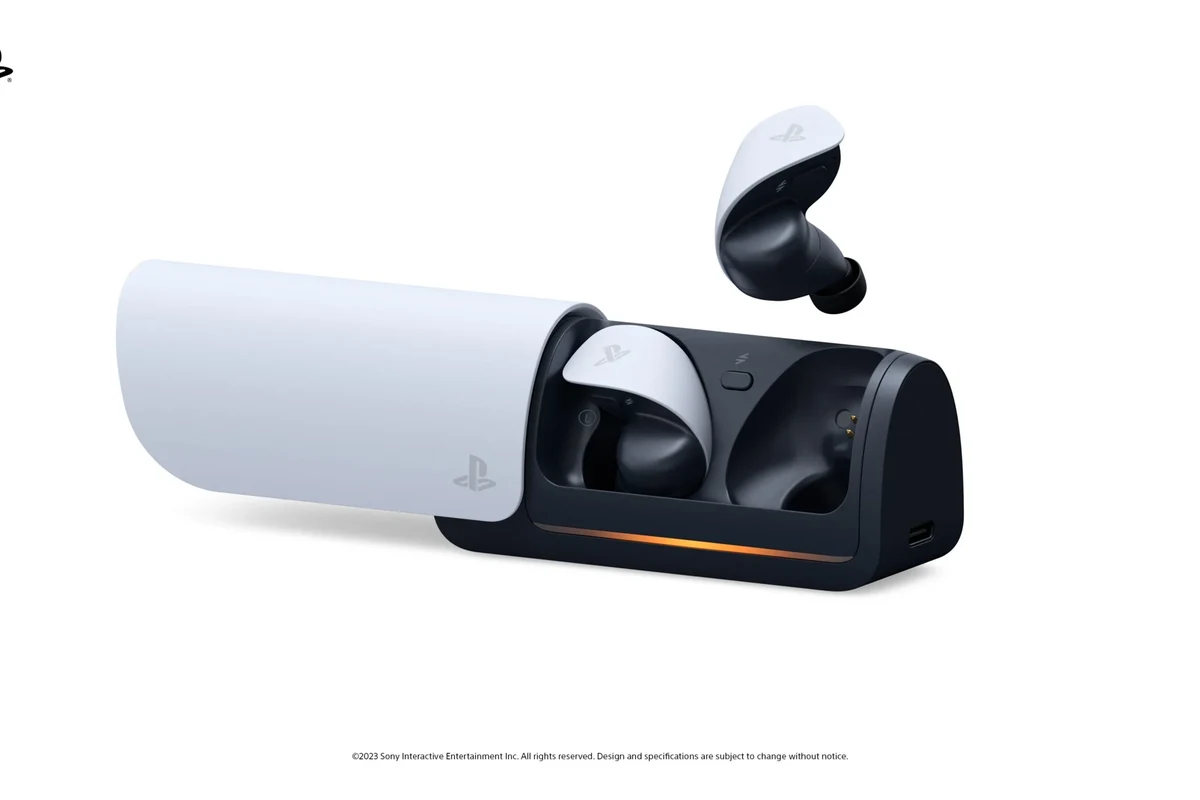
There are a few ways to listen through the Portal, but not all of them are equally practical. The best method depends on whether you care most about convenience, audio quality, or low latency during gaming.
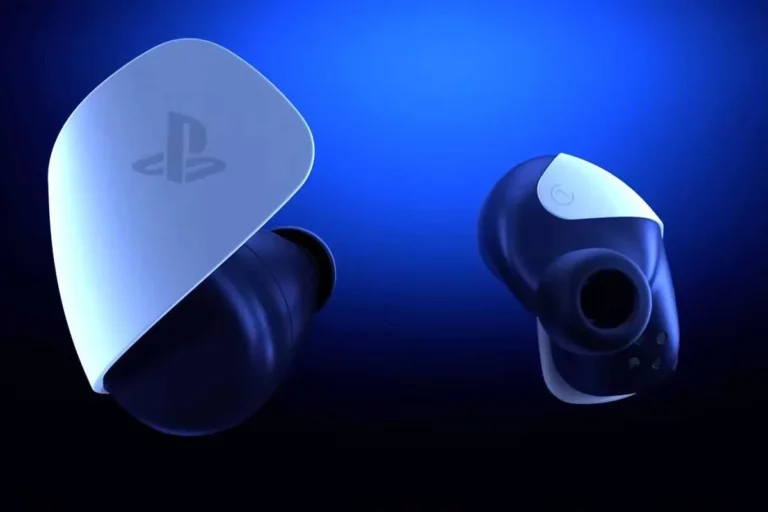
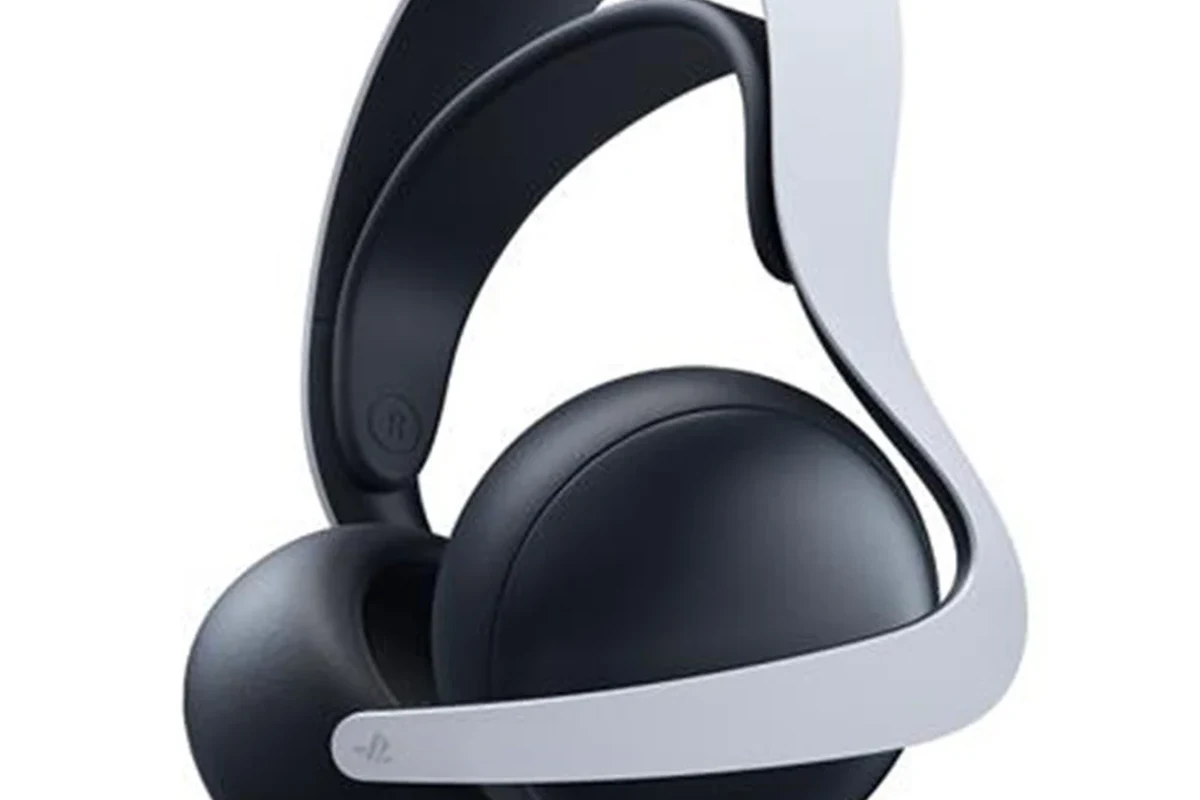
PlayStation Link wireless earbuds and headsets
PlayStation Link is Sony’s official low-latency wireless audio option for supported devices. If you want the most seamless wireless experience, this is the route that makes the most sense for Portal owners.
The biggest advantage is reduced delay compared with many generic wireless setups. That can make a noticeable difference in shooters, action games, and anything where audio timing matters.
3.5mm wired headphones through the built-in jack
The Portal includes a 3.5mm headphone jack, which makes wired headphones the simplest plug-and-play option. If you already own a comfortable pair of wired over-ear headphones or earbuds, this is often the easiest solution.
Wired audio avoids battery drain on the headset side and usually keeps latency very low. For many players, that makes wired headphones the most reliable everyday choice.
If you already like your current wired headphones, test them first before buying anything new. A good wired pair can be the most affordable and dependable Portal setup.
Bluetooth workarounds and why they are not the ideal choice
Standard Bluetooth headphones are where many buyers get confused. In practice, Portal’s Bluetooth support is not the same as the open pairing you get on a phone, laptop, or tablet.
Even when a workaround exists, Bluetooth can introduce lag, connection hassle, or extra accessories that make the setup less convenient. If you care about smooth gameplay, Bluetooth is usually the last option to consider rather than the first.
Top Headphone Types That Actually Work Well with PlayStation Portal
Not every headphone category is equally suited to Portal use. The best type depends on whether you want the cleanest gaming sound, the easiest setup, or the most portable option for travel.
Official PlayStation Link headsets for low-latency gaming audio
If your priority is wireless convenience with the fewest compatibility headaches, official PlayStation Link headsets and earbuds are the most straightforward pick. They are built for the ecosystem, so they tend to be the easiest match for Portal users.
This category is especially appealing if you dislike cables and want a more console-like experience while using Remote Play. It is also the best fit for players who want to keep the setup tidy.
Availability and exact model support can change over time, so always check the latest compatibility details before buying.
Wired over-ear headphones for simple plug-and-play use
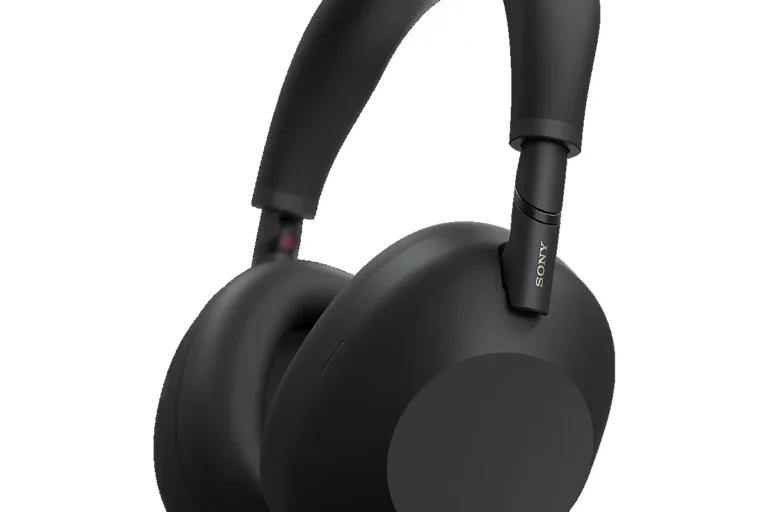
Wired over-ear headphones are a strong choice for players who want comfort and dependable sound. They usually offer better long-session comfort than many small earbuds, especially if you wear headphones for hours at a time.
They also tend to deliver fuller sound, which many gamers prefer for story games, open-world titles, and cinematic audio. If you need help understanding different headphone styles, our guide to types of headphones explained is a useful starting point.
Earbuds for travel, portability, and casual Remote Play sessions
Earbuds can be a smart choice if you use PlayStation Portal in bed, on the couch, or while traveling. They are lightweight, easy to pack, and often more comfortable than bulky headsets for short play sessions.
That said, comfort and sound quality vary a lot from one earbud model to another. Some people prefer earbuds because they disappear in the ears; others find over-ear headphones better for immersion and fatigue reduction.
Best Headphone Picks by Use Case and Budget
Because headphone performance and pricing vary by brand and model, the “best” choice is really about your use case. The right pick for a commuter is not always the right pick for someone playing at home every night.
Best premium option for the cleanest wireless experience
If you want the most polished wireless setup, official PlayStation Link-compatible gear is the premium route to consider. It is usually the best answer for players who want fewer cables and a more integrated experience.
Premium wireless options may cost more, but you are often paying for lower latency, easier setup, and better ecosystem fit. If you already know you want wireless, that convenience can be worth it.
Best mid-range wired choice for everyday players
For most Portal owners, a solid mid-range wired headphone is the easiest value pick. You avoid wireless pairing concerns, and you usually get better sound consistency than with many cheap wireless alternatives.
This is a smart category if you want dependable performance without paying for ecosystem-specific extras you may not need.
Best budget-friendly option for casual gaming and comfort
If you mostly play casually, a budget wired headset or a comfortable pair of wired earbuds can be enough. The key is to choose something with a comfortable fit and a cable that feels sturdy enough for regular use.
Budget options are best when you keep expectations realistic. You may not get premium soundstage or advanced mic features, but you can still get clear, enjoyable game audio.
Price comparison: what you gain by paying more
At lower prices, you usually save money by giving up wireless convenience, premium materials, or advanced gaming features. At higher prices, you may gain better comfort, more reliable wireless behavior, and richer sound tuning.
That said, more expensive does not always mean better for your needs. A simple wired headset may outperform a pricier wireless model if your main goal is low-lag audio and easy setup.
| Model | Best For | Price Range |
|---|---|---|
| PlayStation Link headset | Low-latency wireless gaming | Varies by brand |
| Wired over-ear headphones | Simple plug-and-play use | Budget to mid-range |
| Wired earbuds | Travel and casual sessions | Budget to mid-range |
What Does Not Work Well with PlayStation Portal and Why
Some headphones may technically connect or work around the system, but that does not mean they are a good choice. The main problem is usually usability, not just sound quality.
Standard Bluetooth headphones and typical pairing limitations
Standard Bluetooth headphones are often the most disappointing option for Portal buyers. Even if you find a workaround, you may deal with lag, setup complexity, or inconsistent behavior.
For gaming, delay is the biggest issue. Music and podcasts can tolerate a little latency, but gameplay feels much worse when audio is out of sync.
USB dongle headsets that are not officially supported
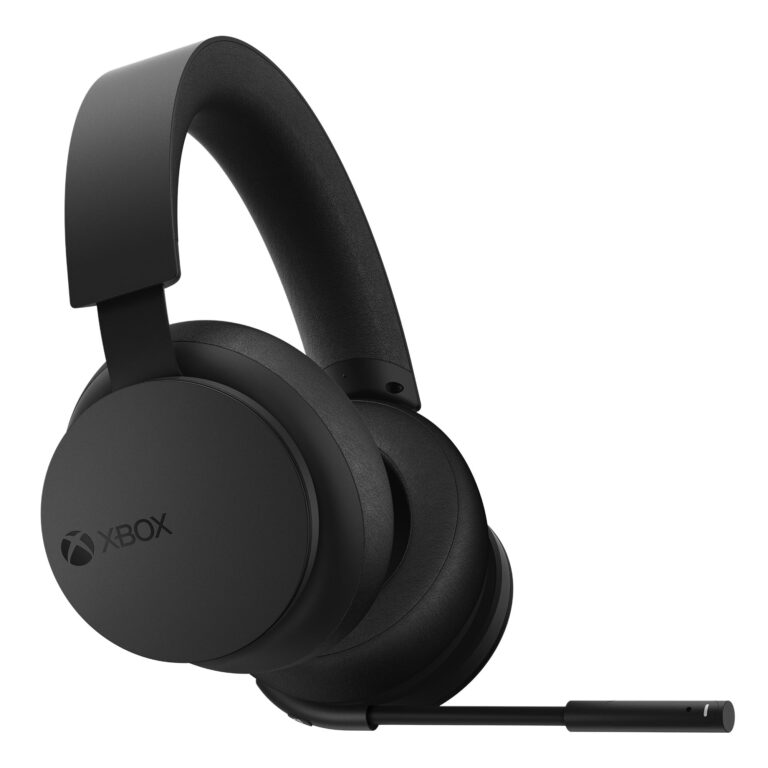
Some wireless gaming headsets rely on USB dongles, and those may work on certain devices but not be the cleanest fit for Portal. The Portal is not a full desktop or console USB audio environment.
That means a headset that works great on a PC may be a poor choice here if it depends on unsupported accessories or complicated adapters.
Common compatibility mistakes buyers make in 2025
One common mistake is assuming that “wireless” automatically means “compatible.” Another is buying a gaming headset based only on brand reputation without checking the Portal connection method first.
People also overlook comfort. A headset can have great sound but still be a bad buy if it feels heavy, clamps too tightly, or becomes uncomfortable after an hour.
Always verify connection type before buying. A headset that depends on standard Bluetooth or an unsupported USB dongle may not be the smooth Portal choice you expect.
Expert Advice for Getting the Best Audio on PlayStation Portal
The best Portal audio setup is not just about compatibility. It is also about how the headphones feel, how they sound, and how well they fit the way you actually play.
Latency, mic support, and why gaming headsets are not all equal
Latency matters most in fast games, rhythm-heavy gameplay, and competitive play. If audio delay bothers you, wired headphones or official low-latency wireless gear should be at the top of your list.
Mic support also varies. Some setups are better for chat than others, so check whether the headset microphone works the way you expect before assuming every gaming headset is equal.
Comfort, battery life, and sound profile considerations
Comfort is one of the most overlooked buying factors. Over-ear headphones can feel more immersive, while earbuds can feel lighter and easier to carry.
Battery life matters mainly for wireless models, but sound profile matters for everyone. Some players like strong bass for action games, while others prefer clearer mids and treble for dialogue and footsteps.
A headphone’s tuning can affect how easy it is to hear footsteps, dialogue, and environmental detail in games, even when the raw sound quality is similar.
Warning signs before buying a headset for Portal use
Be cautious if a product description focuses only on “Bluetooth” without mentioning Portal-friendly use. Also watch out for vague claims about universal compatibility with no clear connection method.
If a headset looks too good to be true for the price, check the return policy and the supported devices list first. That small step can save you a lot of frustration.
If you have tinnitus, hearing sensitivity, or ear pain during long sessions, speak with an audiologist or hearing professional before making volume or headphone-fit decisions.
Real-World Scenarios: Which Headphones Work Best for Different Players
The best answer depends on how you use the Portal in daily life. A home player, commuter, and frequent traveler will not need the same setup.
Best choice for PS5 owners who want seamless remote play
If you already use PS5 and want the least complicated Portal setup, official PlayStation Link gear is usually the cleanest route. It keeps the experience more unified and reduces the chance of pairing headaches.
This is the best match for players who want to pick up the Portal and start playing with minimal setup time.
Best choice for commuters, travelers, and dorm-room gaming
For travel, wired earbuds or compact wired headphones are often the easiest and most portable solution. They pack well, work quickly, and avoid the need to manage another battery.
If you prefer isolation on the go, consider a closed-back design or earbuds with a secure fit. If you want to understand how headphones behave in different environments, our guide on how noise cancelling headphones work can be helpful.
Best choice for players who already own premium headphones
If you already own a high-quality wired pair, start there before buying anything new. Many premium wired headphones can sound excellent through the Portal’s 3.5mm jack.
If your premium headphones are wireless-only, check compatibility carefully before assuming they will be a perfect fit. In some cases, a wired connection may still be the better path for gaming performance.
Final Recap: The Best Headphones for PlayStation Portal in 2025
When people ask what headphones work with PlayStation Portal, the safest answer is simple: official PlayStation Link wireless headphones or earbuds, and wired 3.5mm headphones. Those are the most practical options for low-latency, dependable audio.
Quick summary of the safest compatibility choices
Wireless PlayStation Link gear is best if you want the most seamless ecosystem experience. Wired over-ear headphones are best if you want easy plug-and-play use, while wired earbuds are best for portability and casual sessions.
Final verdict on the best audio setup for most players
For most people, a good wired headset is the easiest value pick, while official wireless gear is the best premium choice. Avoid assuming standard Bluetooth will be the smooth answer, because Portal compatibility is more limited than many shoppers expect.
Quick Summary
Choose PlayStation Link for the cleanest wireless experience or use the 3.5mm jack for the simplest setup. If you already own a comfortable wired headset, that is often the best place to start.
Frequently Asked Questions
Yes, wired headphones with a 3.5mm plug work through the Portal’s built-in headphone jack. This is often the simplest and most reliable option for low-latency audio.
Standard Bluetooth headphones are usually not the ideal choice for Portal. Compatibility and latency can be limited, so many players prefer wired or official wireless options instead.
For Portal use, PlayStation Link headsets are often the safer wireless choice because they are designed for low-latency gaming audio. Regular wireless headsets may work differently depending on the model and connection method.
Over-ear headphones are usually better for long comfort and fuller sound, while earbuds are more portable and travel-friendly. The best choice depends on where and how long you play.
Check the connection type first, then look at comfort, latency, and whether the sound profile matches your gaming style. Bass, clarity, and fit can matter more than chasing a long spec sheet.
Choose a lightweight fit, soft ear cushions, and a sound level that stays comfortable over time. For hearing safety, keep volume moderate and follow safe listening guidelines if you play for long sessions.