Does Bluetooth Headphones Work on Xbox Explained

No, most Bluetooth headphones do not work directly with Xbox consoles. You’ll usually need an Xbox Wireless headset, a wired 3.5mm headset, or a workaround like a TV-connected Bluetooth transmitter.
If you’re asking does bluetooth headphones work on xbox, the short answer is usually no for direct pairing. Xbox consoles do not support standard Bluetooth audio the way phones, tablets, and PCs do, so most Bluetooth headphones won’t connect natively.
That does not mean you’re out of options. In 2026, Xbox players can still use wired headsets, Xbox Wireless headsets, TV audio routes, or certain Bluetooth workarounds depending on how they want to play.
- Direct support: Xbox does not natively pair with standard Bluetooth headphones.
- Best alternatives: Xbox Wireless and wired headsets are the most reliable choices.
- Workarounds: Bluetooth transmitters can help, but latency may be an issue.
- Chat support: Mic and party chat compatibility can be limited with Bluetooth setups.
- Best use case: Bluetooth is more suitable for casual listening than competitive gaming.
Does Bluetooth Headphones Work on Xbox? Quick Answer for 2026 Gamers
For most players, Bluetooth headphones do not work directly with Xbox Series X, Series S, or Xbox One. Xbox uses its own wireless audio system, which is different from the Bluetooth connection found on phones and many other devices.
So if you try to put a normal Bluetooth headset into pairing mode and search from your Xbox, it usually will not appear. The good news is that Xbox still supports several practical alternatives that can deliver good game audio and chat.
Why Xbox Does Not Support Standard Bluetooth Audio
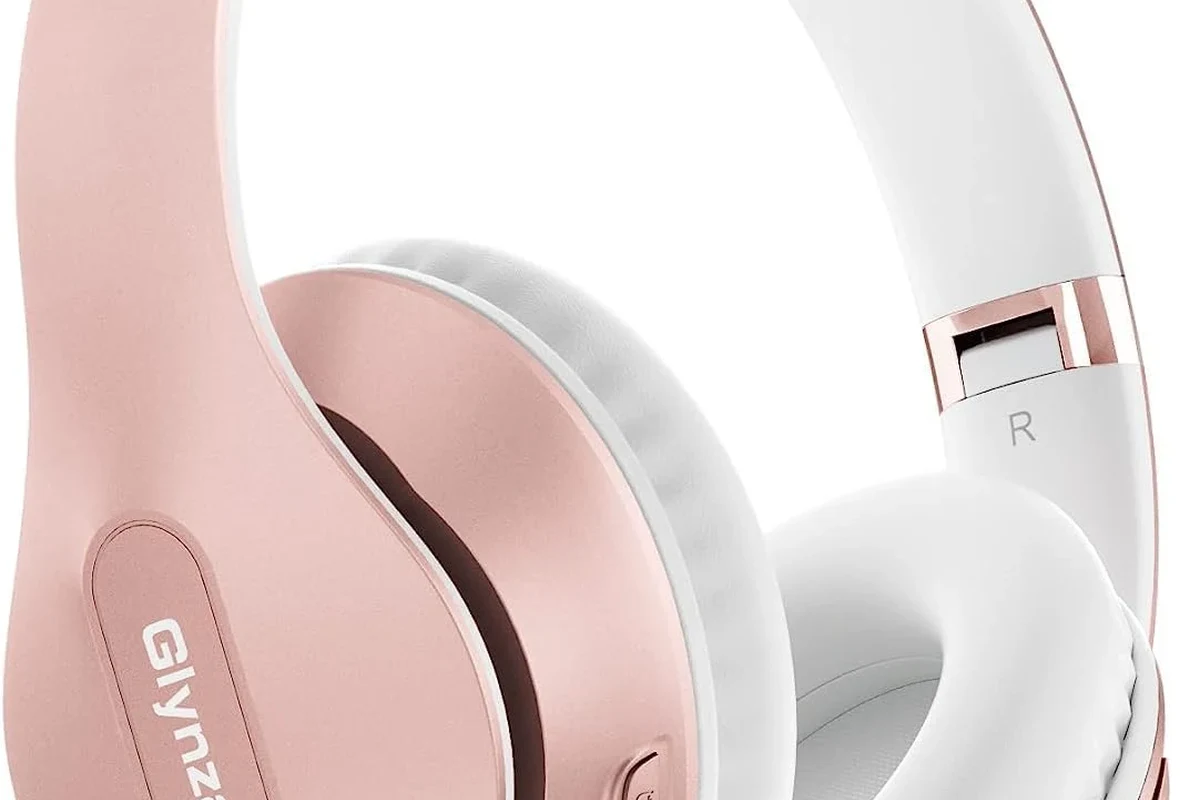
Xbox consoles were designed around Microsoft’s own wireless audio ecosystem rather than standard Bluetooth audio. That choice helps with reliability, controller communication, and gaming performance, especially when low delay matters.
Bluetooth is convenient, but it is not always ideal for gaming because latency can be noticeable. In action games, even a small delay between the picture and the sound can feel distracting.
Xbox wireless audio vs. Bluetooth: what actually differs
Bluetooth is a general-purpose wireless standard used by phones, laptops, earbuds, and speakers. Xbox Wireless is a separate protocol built for Xbox accessories, and it is what many Xbox-compatible headsets use instead of Bluetooth.
The practical difference is simple: Bluetooth headphones are usually made for broad device compatibility, while Xbox Wireless headsets are made for console use. That is why some headsets can connect to Xbox, but only if they specifically support Xbox Wireless or a wired connection.
Some headsets advertise “wireless” support, but that does not automatically mean Bluetooth. Always check whether the headset supports Xbox Wireless, USB audio, or 3.5mm wired input.
Which Xbox models are affected: Xbox Series X, Series S, and Xbox One
This limitation affects the main Xbox family, including Xbox Series X, Xbox Series S, and Xbox One models. The exact menu layout may differ by console generation, but the Bluetooth limitation remains the same.
In other words, the issue is not just one console or one update. If you are hoping for direct Bluetooth audio, you should assume the answer is no unless the headset or adapter has a special workaround.
How to Use Headphones with Xbox Instead of Bluetooth
The easiest way to get good sound on Xbox is to use a headset built for the platform. Depending on your budget and how you play, wired and wireless options can both work well.
If you are comparing headset styles more broadly, it can help to read about types of headphones explained so you can match the design to your gaming setup.
Xbox Wireless Headsets and the built-in Xbox Wireless protocol
Xbox Wireless headsets are often the cleanest solution because they connect directly to the console without needing Bluetooth. They are designed for game audio and voice chat, which makes setup simple for most players.
These headsets can be a strong choice if you want fewer cables and less setup hassle. Just remember that features vary by model, including mic quality, battery life, comfort, and surround sound support.
If a headset says “Xbox Wireless,” that is usually a better sign than “Bluetooth” for direct console use.
Wired 3.5mm headset options for controller-based audio
Many Xbox controllers include a 3.5mm headset jack, which makes wired headphones the simplest universal option. Plug in, adjust volume, and you are ready to play with no pairing process.
This is often the best budget route too. Wired headsets avoid battery concerns and usually avoid the audio delay that can happen with wireless Bluetooth setups.
Listening at high volumes for long periods can cause hearing damage. Keep volume at 60% or below for extended sessions.
TV, monitor, and audio extractor workarounds for sound output
Another route is to send game audio through your TV or monitor, then connect headphones to that display or to an audio extractor. This can work if your screen has a headphone output or if your setup supports audio passthrough.
The tradeoff is convenience. Depending on your TV, monitor, or extractor, you may need to adjust settings to keep game audio and chat working the way you want.
Bluetooth Workarounds That Can Still Help in 2026
Even though Xbox does not support standard Bluetooth headphones directly, a few workarounds can still be useful. These are not perfect for every player, but they can make existing headphones more practical.
Bluetooth transmitters for Xbox controllers or TVs
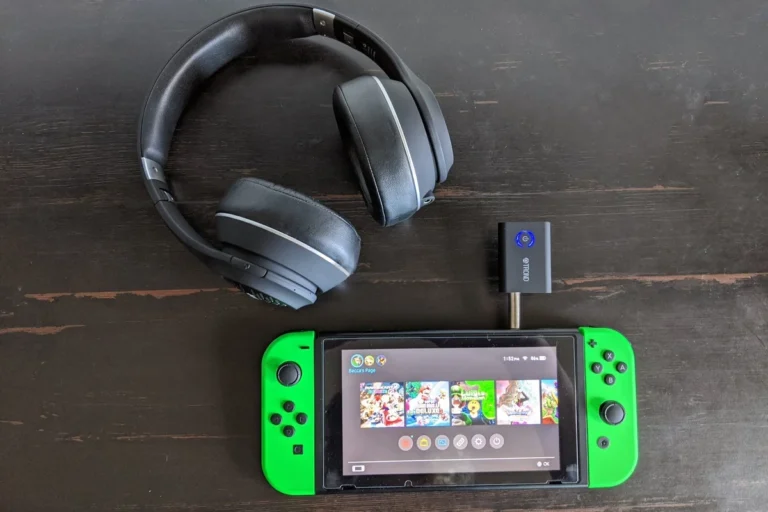
A Bluetooth transmitter can sometimes be connected to a TV, monitor, or other audio source, then paired with your headphones. In some setups, this lets you use a Bluetooth headset for game audio even though the Xbox itself is not pairing with it.
That said, transmitter quality matters a lot. Cheap adapters may add delay or have weak range, so they are best treated as convenience tools rather than ideal gaming solutions.
- Where the transmitter gets audio from
- Whether latency is acceptable for gaming
- Whether your headset supports the needed connection
Using the Xbox app on mobile for party chat and remote audio
The Xbox app can help with party chat and account features on mobile, which may be useful if you want a separate voice-chat path. Some players use their phone for chat while listening to game audio another way.
This is more of a workaround than a true headset fix. It can be handy for casual play, but it is not the cleanest answer for every gaming session.
When Bluetooth adapters are worth buying and when they are not
Bluetooth adapters are worth considering if you already own a good headset and only play casually. They may also make sense if you mainly want to listen to story-driven games, menus, or streaming apps through one headset.
They are less appealing for competitive players, mic-heavy multiplayer, or anyone who wants a simple plug-and-play Xbox experience. If low delay and full chat support matter, a native Xbox headset or wired option is usually the safer buy.
Best Use Cases: Gaming, Chat, Streaming, and Casual Play
The best headset choice depends on how you use your Xbox. A setup that feels fine for movies can feel frustrating in a fast multiplayer match.
Latency concerns for competitive shooters and fast-paced games
Latency is the biggest issue with Bluetooth headphones on Xbox-style setups. In shooters, racing games, and rhythm games, audio delay can make footsteps, gunfire, and timing cues feel off.
If you play competitively, wired headsets or Xbox Wireless headsets are usually the better choice. They are more likely to feel responsive and consistent during long sessions.
Even when Bluetooth sound is “good enough” for music, gaming can expose delay much more easily because your eyes and ears are trying to stay synced.
Casual gaming, single-player titles, and media viewing
For casual gaming, Bluetooth workarounds can be acceptable if you are less sensitive to delay. Single-player games, slower adventures, and streaming apps are usually more forgiving than competitive matches.
If you mostly use your Xbox for relaxing play or watching content, comfort and battery life may matter more than ultra-low latency. That is where many wireless headphones can still feel worthwhile.
Voice chat limitations with Bluetooth headphones on Xbox
Voice chat is where Bluetooth setups often become frustrating. Many Bluetooth headphones do not provide the same smooth microphone and chat integration that Xbox headsets do.
Some adapters and workarounds may handle audio but not chat very well, or vice versa. If party chat is important, check compatibility carefully before buying anything.
Do not assume a Bluetooth headset will automatically support Xbox party chat. Microphone support, chat balance, and sidetone features can vary widely by adapter and headset model.
Common Mistakes Players Make When Trying Bluetooth on Xbox
A lot of confusion comes from the word “wireless.” Xbox supports wireless audio, but not standard Bluetooth headphones, so the distinction matters more than many shoppers expect.
Confusing Bluetooth support with wireless headset support
One of the most common mistakes is assuming all wireless headsets work the same way. A headset can be wireless through Xbox Wireless, USB dongle, or Bluetooth, and those are not interchangeable.
If the packaging does not clearly mention Xbox compatibility, take a closer look before you buy. This is especially important if you want both game audio and microphone support.
Buying cheap dongles without checking codec or latency
Low-cost Bluetooth dongles may look like an easy fix, but they can introduce lag or unstable audio. Codec support and transmission quality can affect how smooth the experience feels, especially in games.
For many players, it is better to spend a little more on a solution that is meant for gaming than to chase a bargain adapter that causes problems later.
Expecting full microphone and chat compatibility
Another mistake is expecting a Bluetooth headset to behave like a full Xbox chat headset. Audio may work while the mic does not, or the mic may work only in limited ways.
If you need reliable chat, look for a headset or setup that explicitly supports Xbox voice features. That is the most dependable way to avoid disappointment.
Expert Advice: What Top Headphone Reviews Recommends in 2026
At Top Headphone Reviews, our editorial advice is simple: choose the connection type that matches your use case, not the one that sounds most convenient on paper. For Xbox, that usually means Xbox Wireless or wired 3.5mm before Bluetooth.
If you want a deeper look at wireless behavior in general, our guide to Bluetooth headphones explained simply can help you understand what Bluetooth is good at and where it falls short.
Best value alternatives by budget: under $50, $100, and premium
Under $50, a wired headset is often the smartest value because it keeps setup simple and avoids latency concerns. Around $100, you may find stronger comfort, better mics, and some wireless options with broader compatibility.
In the premium range, Xbox Wireless headsets or higher-end gaming headsets can offer better build quality, stronger battery life, and more refined voice chat performance. Actual value will vary by brand and personal comfort preference.
What to prioritize: latency, comfort, mic quality, and battery life
For Xbox gaming, latency should come first if you play fast-paced titles. After that, comfort and mic quality usually matter more than flashy features.
Battery life is important for wireless headsets, but it should not come at the cost of poor fit or weak chat performance. A headset that feels good for two hours but hurts after four is rarely a great long-term buy.
If you have ongoing ear pain, ringing, or hearing changes, speak with an audiologist or hearing professional before assuming the problem is only your headset or volume level.
Final Recap: The Best Answer to “Does Bluetooth Headphones Work on Xbox”
So, does bluetooth headphones work on xbox? In most cases, not directly. Xbox consoles do not support standard Bluetooth audio natively, which means most Bluetooth headphones will not pair the way they do with phones or laptops.
If you want the easiest and most reliable solution, choose an Xbox Wireless headset or a wired 3.5mm headset. Bluetooth workarounds can help in some setups, but they are usually better for casual listening than for low-latency gaming and dependable voice chat.
- Xbox does not natively support standard Bluetooth headphones.
- Xbox Wireless and wired headsets are the most reliable options.
- Bluetooth adapters can work, but latency and chat support may be limited.
- Competitive games are better with low-latency headset connections.
Frequently Asked Questions
Usually no, not directly. Xbox Series X and Series S do not support standard Bluetooth audio, so most Bluetooth headphones will not pair natively.
Wired headphones are usually better for Xbox if you want simple setup and low latency. Bluetooth can be fine for casual listening, but it is less reliable for gaming and chat.
No. Wireless headphones only work on Xbox if they support Xbox Wireless, USB audio, or another Xbox-compatible connection method.
Yes, they can be useful for blocking outside noise and improving focus. Just make sure the headset still has the right Xbox connection and a comfortable fit for long sessions.
Closed-back headphones are usually better for Xbox gaming because they isolate more outside noise and keep game audio contained. Open-back models can sound more spacious, but they leak sound and are less private.
Check connection type, latency, microphone support, comfort, battery life, and build quality. If you care about sound tuning, also look at driver type, bass balance, and whether EQ options are available.