Do Turtle Beach Headphones Work on PS5 Find Out Now

Yes, many Turtle Beach headphones work on PS5, especially wired 3.5mm models and supported USB wireless headsets. The exact features you get depend on the specific model, connection type, and PS5 audio settings.
If you’re asking do Turtle Beach headphones work on PS5, the short answer is yes for many models, but not all of them work the same way. Compatibility depends on whether your headset is wired, wireless with a USB dongle, or an older model that was mainly designed for PS4 or PC use.
For PS5 owners, the safest approach is to check the exact model and connection type before buying or setting up. A good headset should deliver game audio, voice chat, and mic input without extra hassle, but some features may be limited depending on the headset and how you connect it.
- Wired is easiest: 3.5mm Turtle Beach headsets usually plug into the DualSense controller.
- Wireless depends on the model: PS5-supported USB dongles are the safest wireless option.
- Check features carefully: Some headsets support audio and chat, while others are more limited.
- Setup matters: PS5 output and input settings can fix many sound and mic issues.
Do Turtle Beach Headphones Work on PS5? Quick Answer and What It Means for Gamers
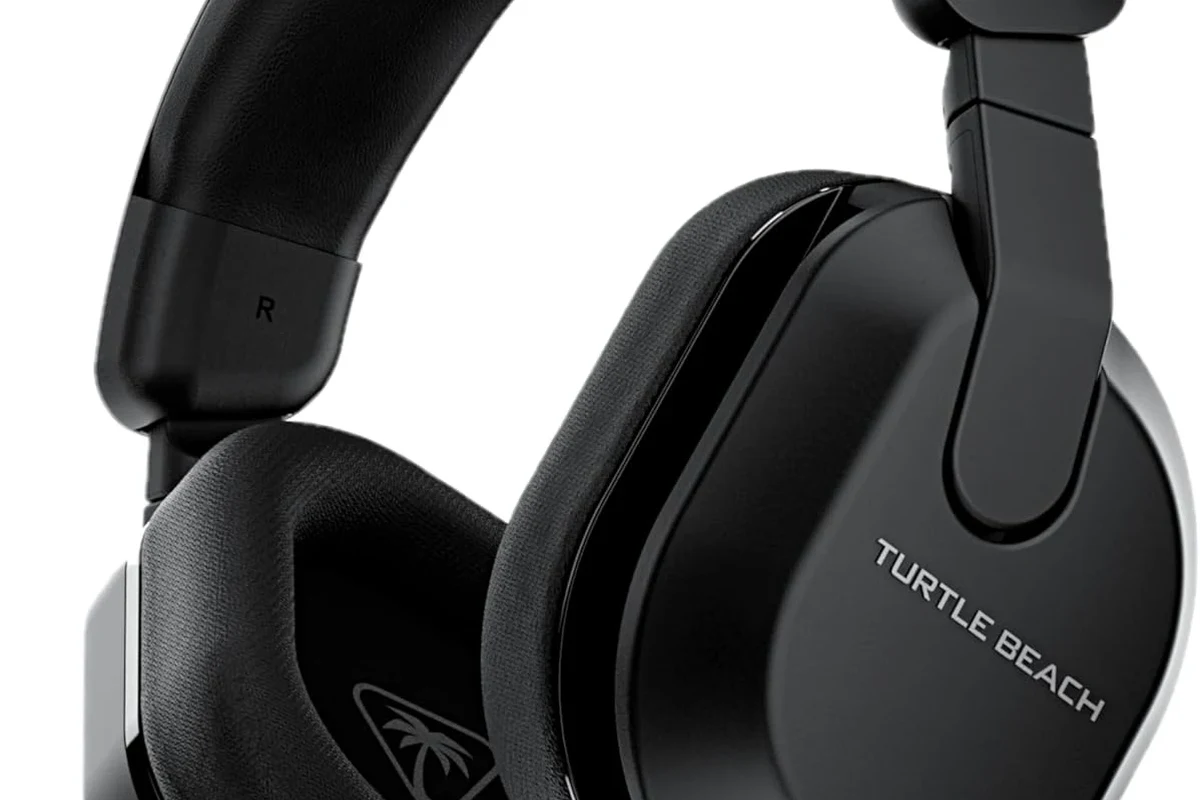
Most modern Turtle Beach headsets can work on PS5 in some form, especially if they use a 3.5mm wired connection or a USB wireless transmitter. In many cases, you can get full game audio and chat support, but the experience depends on the specific model and whether Sony’s PS5 audio settings are configured correctly.
That means “works on PS5” does not always mean “all features work perfectly.” Some headsets may play audio but miss out on mic monitoring, chat mix controls, or special companion-app features, while others work almost like native PS5 headsets.
Compatibility can vary by model, firmware, and connection method. Always check the Turtle Beach product page and PS5 audio settings before assuming every feature will work.
Which Turtle Beach Headphones Are Compatible with PS5 in 2026
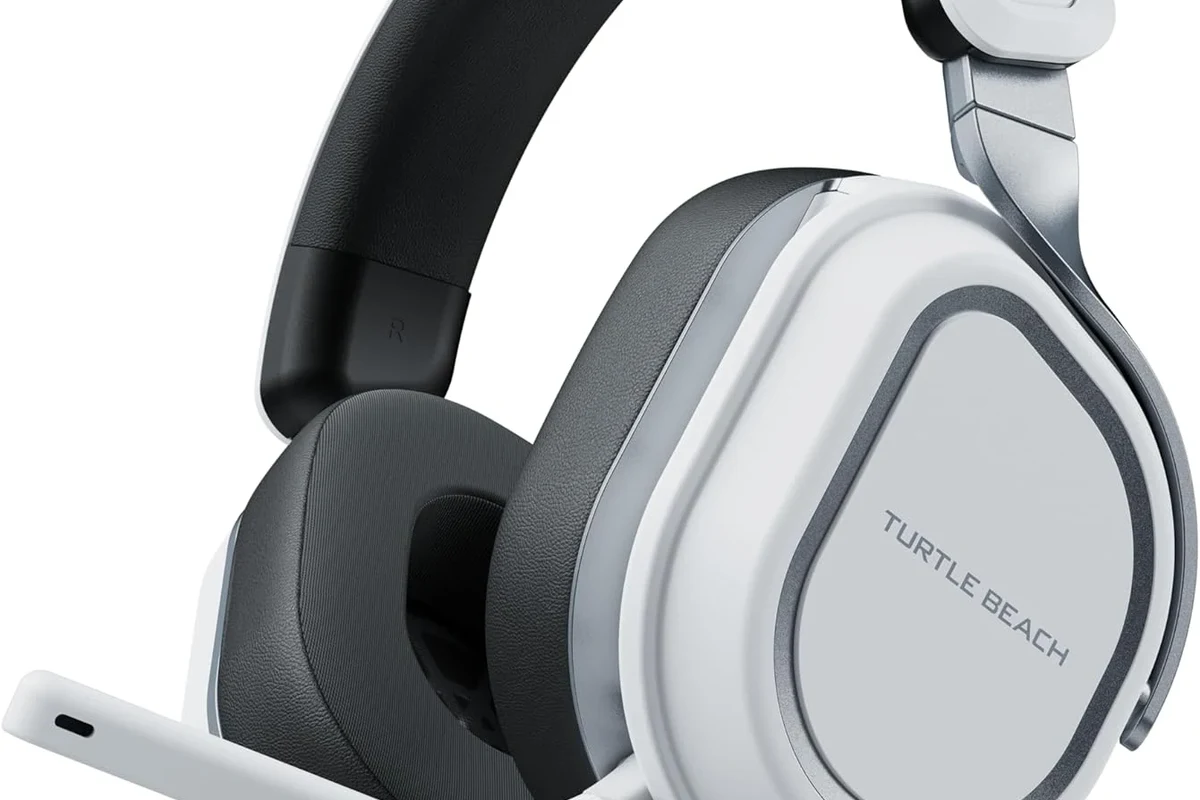
In 2026, the easiest Turtle Beach options for PS5 are usually newer wired and wireless gaming headsets that explicitly support console use. If a model is built for Xbox-only wireless protocols or relies on older software features, it may not deliver the same PS5 experience.
For readers comparing options, it helps to think in three groups: wired models, USB wireless models, and headsets with partial or limited support. That simple breakdown makes it easier to avoid buying the wrong headset for your console setup.
Wired 3.5mm models that plug directly into the DualSense controller
Wired Turtle Beach headsets with a standard 3.5mm plug are usually the easiest choice for PS5. You connect them straight into the DualSense controller’s headset jack, and the console can typically route both game audio and mic input through that connection.
This is a simple plug-and-play setup, which is ideal if you want fewer pairing steps and no charging worries. It is also a smart option if you want a lower-cost headset for casual gaming or party chat.
USB wireless models and PS5-supported dongle connections
Many Turtle Beach wireless headsets use a USB transmitter or dongle instead of Bluetooth. When that dongle is supported on PS5, the headset can provide wireless game audio and voice chat with a more console-friendly setup than standard Bluetooth audio.
Wireless USB models are often preferred by players who want freedom of movement and a cleaner desk setup. Just remember that wireless compatibility is model-specific, so a headset that works on PS5 may still need the correct USB port and firmware updates.
Models with full PS5 audio and chat support versus limited compatibility
Some Turtle Beach headsets offer full PS5 support, meaning you can hear game audio, use the microphone, and adjust chat settings without much trouble. Others may only support audio playback, or they may need extra setup to get the mic working properly.
If you are buying for multiplayer, look for confirmed PS5 support rather than assuming any Turtle Beach headset will work the same way. That is especially important if you want chat mix control, sidetone, or other headset features that are not universal across the lineup.
Older PS4-era features may not translate perfectly to PS5. If a headset depends on proprietary software, special console modes, or outdated dongles, double-check support before you buy.
How to Connect Turtle Beach Headphones to a PS5 the Right Way
Getting Turtle Beach headphones working on PS5 is usually straightforward, but the connection method matters. The wrong input or output setting can make it seem like the headset is broken when the issue is really just routing or pairing.
For best results, connect the headset first, then confirm the PS5 audio output and microphone input settings. That order helps prevent confusion during setup.
Using the controller headphone jack for simple plug-and-play setup
For wired Turtle Beach headphones, plug the 3.5mm cable into the DualSense controller. In most cases, the PS5 will detect the headset automatically and switch the audio output from the TV or monitor to the controller.
If you do not hear anything, check the PS5 sound menu and make sure the output device is set correctly. Also confirm that the controller volume is turned up and that the headset cable is fully inserted.
Pairing a USB transmitter for wireless gameplay
For wireless Turtle Beach headsets, insert the USB transmitter into one of the PS5’s USB ports and power on the headset. If the headset and dongle are already paired, they should connect automatically after a few seconds.
If pairing does not happen right away, try a different USB port, restart the console, or check whether the headset needs a firmware update. Wireless headsets are convenient, but they depend more on correct setup than simple wired models.
Use the 3.5mm jack for wired models or plug the USB transmitter into the PS5 for wireless models.
Open PS5 sound settings and confirm the headset is selected for output and mic input.
Adjusting PS5 audio settings for game sound, chat mix, and mic input
Once the headset is connected, open the PS5 audio menu and check output and input settings. You may also need to adjust chat mix or microphone levels depending on the headset model and your preferred balance between game sound and party chat.
If the mic sounds too quiet or too loud, test it in a party chat or system audio test. Small changes in volume and input level can make a big difference in clarity.
If your Turtle Beach headset sounds fine for game audio but the mic is weak, recheck the PS5 input device setting before changing the headset itself.
Real-World Use Cases: Gaming, Party Chat, and 3D Audio Performance
On PS5, Turtle Beach headphones can be a practical choice for a wide range of players. They are often strongest when used in the exact scenario they were designed for: console gaming, voice chat, and quick setup.
Performance still depends on the model, but the PS5 is generally a friendly platform for both wired and wireless gaming headsets. If you want a deeper look at headset fit and style, our types of headphones explained guide can help you compare over-ear, on-ear, and in-ear designs.
Single-player immersion and Tempest 3D Audio compatibility
PS5’s Tempest 3D Audio can work well with many Turtle Beach headsets, especially over-ear models that seal reasonably well around the ears. A good headset can make footsteps, environmental effects, and directional cues easier to notice in story games and action titles.
That said, 3D audio quality is influenced by the headset’s tuning and your personal hearing preference. Some players prefer a more balanced sound, while others like stronger bass for cinematic games.
PS5 3D audio is processed by the console, so many standard wired and USB gaming headsets can still benefit without needing a special “3D audio” label.
Multiplayer voice chat performance and microphone clarity
For party chat, Turtle Beach headsets are often appealing because they are built with gaming communication in mind. Many models prioritize a clear mic and easy voice chat access, which is useful for squad play and online co-op.
Mic quality can still vary by model, fit, and background noise. If you play in a noisy room, a headset with a more focused microphone pickup pattern may sound cleaner than a basic budget model.
When Turtle Beach headphones shine for competitive play
Competitive players often care most about fast response, clear directional cues, and a comfortable fit during long sessions. Turtle Beach can be a strong fit here if you choose a headset with a stable connection, low-latency wireless, or a reliable wired setup.
For competitive gaming, comfort matters almost as much as sound. A headset that feels good for three hours is usually more valuable than one with flashy features you rarely use.
Listening at high volumes for long periods can cause hearing damage. Keep volume at 60% or below for extended sessions.
Common Problems Users Run Into with Turtle Beach Headphones on PS5
Most PS5 issues with Turtle Beach headsets are setup-related, not permanent faults. The most common problems are no sound, a mic that does not work, or audio being sent to the wrong device.
Before assuming the headset is defective, check the PS5 sound menu, the controller connection, and whether the headset needs charging or pairing. Those simple steps solve a lot of problems.
No sound, mic not working, or audio routed to the wrong device
If you hear nothing, first confirm the PS5 is sending audio to the headset instead of the TV. If the mic does not work, check that the input device is set to the headset and that the mute switch is not enabled.
For wired headsets, a loose plug or damaged cable can also cause dropouts or silent audio. For wireless models, the dongle connection and battery level are the first things to verify.
Wireless lag, pairing issues, and firmware update oversights
Wireless headsets can run into lag, dropouts, or failed pairing if the dongle is not seated properly or the headset firmware is outdated. In many cases, updating the headset through Turtle Beach software on a compatible device can improve stability.
If the headset works poorly after moving it between devices, a reset and re-pairing process may help. If you also use Bluetooth headphones, our Bluetooth headphone lag fix guide explains why wireless delay happens and how to reduce it.
Misunderstanding PS4-only features and older headset limitations
Some older Turtle Beach models may still produce audio on PS5, but they may not support every feature people expect. That includes advanced chat controls, app-based tuning, or console-specific buttons that were built around PS4-era behavior.
This is why it is important to read the exact compatibility notes instead of relying on the brand name alone. Turtle Beach makes many headsets, and the PS5 experience can differ a lot from one model to the next.
If you have recurring audio imbalance, ear discomfort, or hearing concerns during long gaming sessions, speak with an audiologist or hearing professional. If the issue is headset-specific and not a hearing concern, a console audio specialist or retailer support team may also help.
Expert Advice: Mistakes to Avoid Before Buying or Using Turtle Beach on PS5
The biggest mistake is assuming every Turtle Beach headset is automatically PS5-ready. Brand familiarity helps, but compatibility is still model-specific, especially for wireless and feature-rich headsets.
It also pays to think about how you actually play. A headset that is perfect for late-night single-player sessions may not be the best choice for competitive chat or shared living-room gaming.
Checking PS5 compatibility instead of assuming all Turtle Beach models work the same
Before buying, verify that the exact headset model lists PS5 support. Look for language about controller jack compatibility, USB transmitter support, and mic functionality rather than just “PlayStation” branding.
If you are comparing console and PC use, our Turtle Beach headphones on PC guide can also help you understand how the same headset may behave differently across devices.
Watching for charging, dongle, and USB port limitations
Wireless Turtle Beach headsets may need charging, while USB dongles need a free port on the PS5. If your console setup is already crowded with external drives or accessories, that can matter more than you expect.
Also check whether the headset can charge while in use and whether the dongle works best in a front or rear USB port. Small hardware details can affect convenience and reliability.
Why software updates and firmware support matter in 2026
In 2026, firmware support matters because console accessories often improve over time. Updates can fix pairing bugs, improve stability, and sometimes refine audio behavior or microphone performance.
If a headset has poor ongoing support, even a good initial purchase can become frustrating later. That is one reason newer, actively supported models are usually safer than older clearance stock.
Price, Value, and Comparison: Are Turtle Beach Headphones Worth It for PS5
Turtle Beach can be a strong value brand for PS5 gamers, especially if you want a headset focused on gaming features instead of general-purpose audio. Still, value depends on whether you need simple wired convenience or a more premium wireless experience.
Budget wired options versus premium wireless Turtle Beach models
Budget wired Turtle Beach headsets are usually the easiest to recommend if you want low hassle and solid core performance. Premium wireless models make more sense if you value freedom of movement, better convenience, and extra gaming features.
The tradeoff is simple: wired models are often easier and cheaper, while wireless models can be more comfortable and flexible but require more setup and maintenance.
How Turtle Beach compares with other PS5 gaming headset choices
Compared with other PS5 headset brands, Turtle Beach is usually attractive for gaming-first features and broad console familiarity. The best choice still depends on whether you care most about sound, mic clarity, battery life, or comfort.
If you are shopping broadly, it helps to compare Turtle Beach against other headset types rather than just other gaming brands. Our headphones vs earphones complete guide can help you decide whether an over-ear gaming headset is the right style for your setup.
Best value factors: comfort, battery life, mic quality, and sound profile
The best Turtle Beach headset for PS5 is not always the most expensive one. Look for a comfortable fit, a mic that sounds clear in your room, enough battery life for your sessions, and a sound profile you actually enjoy.
If you play for long stretches, ear cushion material and clamping force matter a lot. A headset that feels good after two hours is usually the better buy than one that only sounds impressive on a spec sheet.
Final Verdict: Should You Use Turtle Beach Headphones on PS5?
Yes, Turtle Beach headphones can work well on PS5, especially if you choose a model with confirmed wired or USB wireless support. The key is matching the headset to your gaming habits and checking compatibility before you buy.
For most players, Turtle Beach is a practical PS5 option because it balances gaming features, easy setup, and a wide range of price points. Just be careful with older models and always confirm whether the exact headset supports the features you need.
Best choice for casual players, competitive gamers, and chat-heavy users
Casual players often do best with a simple wired 3.5mm Turtle Beach headset. Competitive gamers may prefer a low-latency wireless model, while chat-heavy users should prioritize microphone clarity and PS5 voice support.
If you are unsure, start with the connection type first and the feature set second. That order will save you from most compatibility mistakes.
Simple recap of what works, what does not, and what to check before buying
Wired Turtle Beach headsets usually work easily on PS5 through the DualSense controller. Many USB wireless models also work, but older or feature-limited models may not support every function you expect.
Before buying, check PS5 compatibility, mic support, dongle requirements, and firmware support. That quick checklist is the best way to make sure your Turtle Beach headset is a good match for your console.
Frequently Asked Questions
Many Turtle Beach headsets work on PS5 through a 3.5mm wired connection or a supported USB wireless dongle. Exact features depend on the model, firmware, and PS5 audio settings.
They are usually better suited to gaming because they focus on chat, comfort, and console-friendly features. Sound quality for music can still be good, but it varies by model and tuning.
Check the PS5 audio output settings, headset fit, and any EQ options first. Bass and clarity can also vary by model, ear seal, and your personal hearing preference.
Wireless is worth it if you want movement freedom and a cleaner setup. Wired models are usually simpler, cheaper, and less likely to have pairing or battery issues.
Look at connection type, microphone quality, comfort, battery life, and whether the headset supports PS5 chat and audio. If you want better sound tuning, check for EQ support and note whether the headset is open-back or closed-back.
Choose a headset with light weight, soft ear cushions, and a fit that does not clamp too hard. Take breaks and keep the volume at a safe level during long sessions.