How to Use Bose QC Ultra Headphones Like a Pro

Set up Bose QC Ultra headphones in the Bose app, learn the core controls, and choose Quiet Mode or Aware Mode based on your environment. Keep EQ changes modest, charge them sensibly, and store them in the case to get the best everyday experience.
If you want to learn how to use Bose QC Ultra headphones without guessing through menus and buttons, this guide walks you through the essentials. We’ll cover setup, controls, noise cancellation, sound customization, and everyday tips for work, travel, and commuting.
- Setup first: Pair, update firmware, and test the app before customizing anything.
- Use the right mode: Quiet Mode for focus, Aware Mode for awareness and safety.
- Keep sound balanced: Small EQ changes usually sound better than heavy boosts.
- Protect comfort: Clean cushions, safe volume, and proper storage extend usability.
How to Use Bose QC Ultra Headphones: What This Guide Covers and Who It’s For
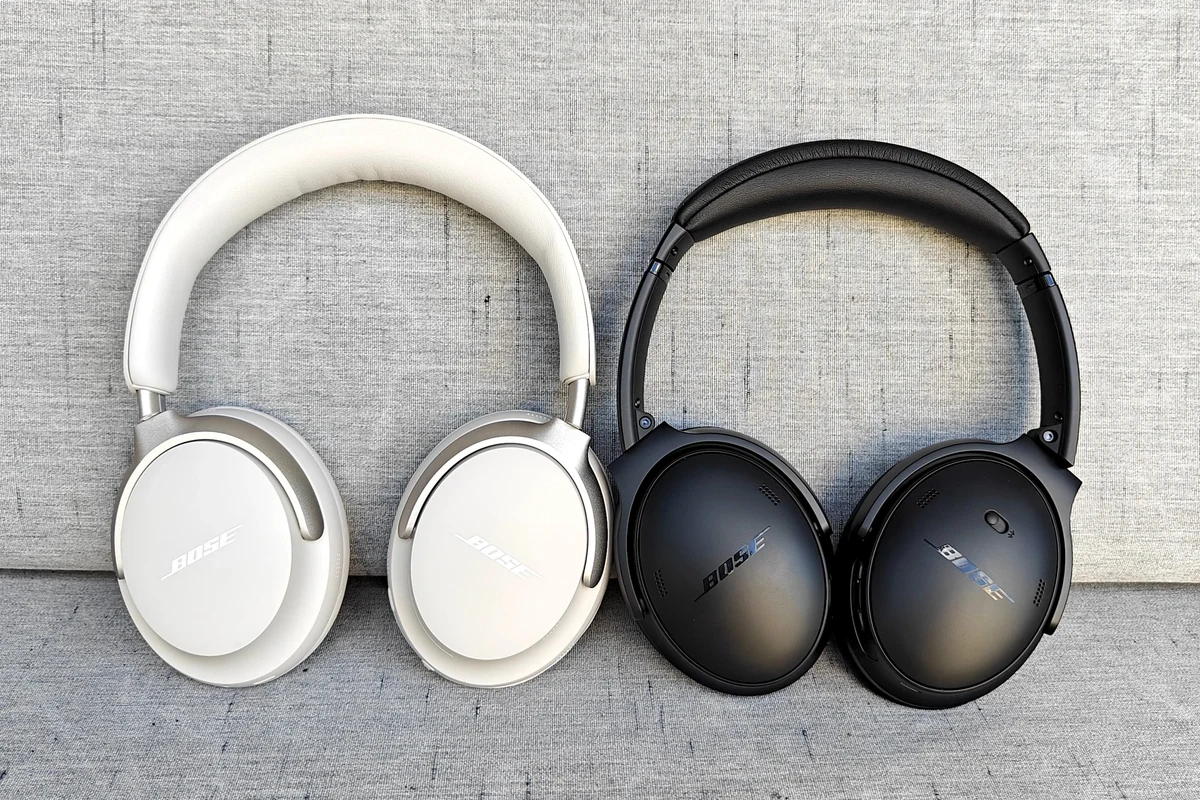
The Bose QC Ultra is designed for people who want premium wireless headphones that are easy to live with day to day. That usually means clear sound, strong noise cancellation, comfortable wear, and simple controls once everything is set up correctly.
This guide is for first-time owners, anyone switching from another brand, and readers who want a cleaner, more practical setup process. If you also want a quick refresher on Bluetooth basics, our guide to connect Bluetooth headphones can help before you begin.
- Set up the headphones in the Bose app first for the smoothest experience.
- Use Quiet Mode for focus and Aware Mode when you need more awareness.
- Keep EQ changes modest so sound stays balanced and clean.
- Charge, store, and clean them carefully to protect battery life and comfort.
Getting Started in 2026: Unboxing, Charging, Pairing, and First-Time Setup
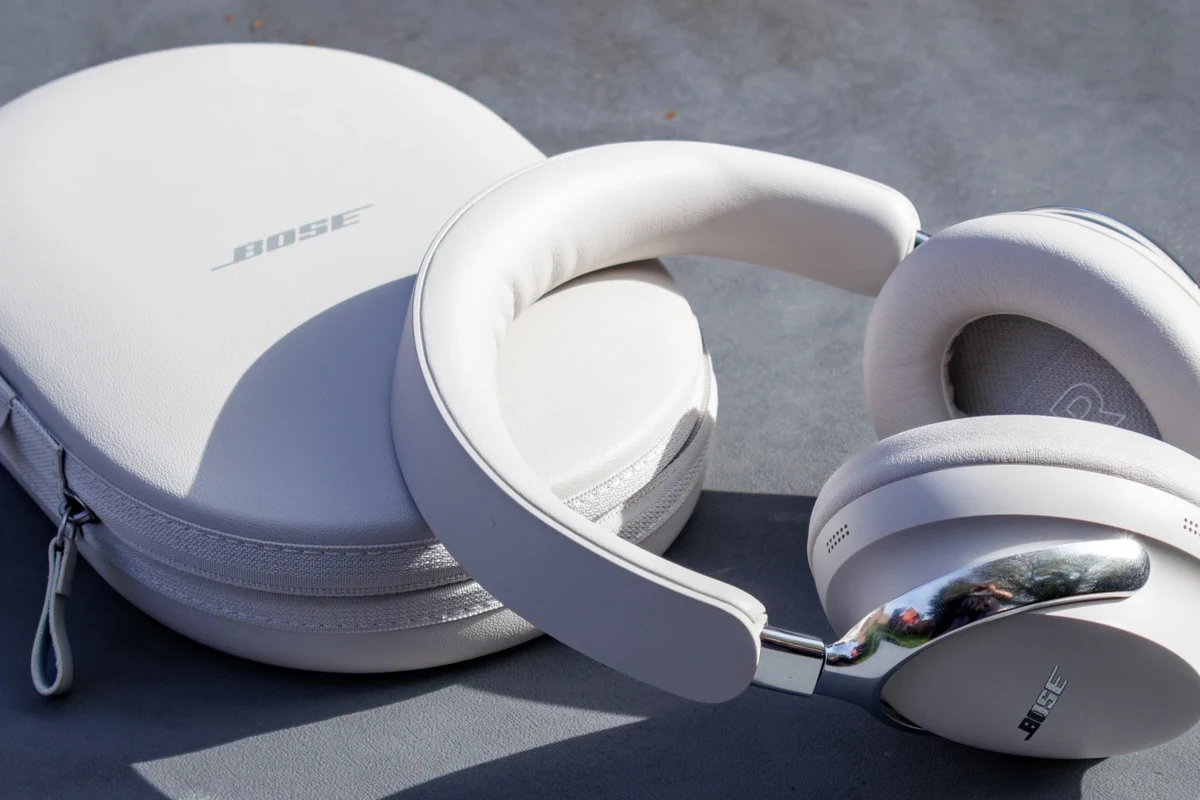
The first setup matters because it affects pairing stability, app controls, and firmware updates. A careful start also helps you avoid the most common problems, like missing updates or pairing the headphones to the wrong device first.
What to check in the box before you begin
Before powering anything on, check that the headphones, charging cable, and carrying case are present. If your package includes printed setup material, keep it nearby for the first pairing.
Note
Bundle contents can vary by region or retailer, so it’s smart to confirm what your specific package includes before assuming anything is missing.
Charge the headphones before your first long session. Even if they arrive with some battery, a full charge makes setup easier and reduces the chance of interruptions during updates.
How to pair with iPhone, Android, Windows, and Mac
Start by turning the headphones on and putting them into pairing mode if they do not appear automatically. Then open Bluetooth settings on your device and select the headphones from the available list.
On iPhone and Android, pairing is usually straightforward through the Bluetooth menu. On Windows, you may also want to confirm the headphones are selected as both the output and input device if you plan to use them for calls or meetings; our guide on select headphones in Windows 11 explains that process more clearly.
On Mac, pair them through Bluetooth settings and then check sound output if audio doesn’t switch automatically. If you use a laptop often, this small step can save time later.
- Headphones are charged before pairing
- Bluetooth is enabled on your device
- The correct Bose model appears in the list
- Audio output switches to the headphones after pairing
Setting up the Bose app for firmware updates and controls
The Bose app is where many owners get the best experience, especially for updates and customization. Install it early so you can check for firmware updates, adjust preferences, and manage supported features in one place.
If you’ve used other wireless models before, think of the app as the control center rather than an optional extra. It’s where you’ll usually fine-tune listening modes and keep the headphones current.
After pairing, open the app once and let it finish any update process before you start customizing sound. That helps prevent settings from changing later.
Mastering the Core Controls: Power, Playback, Calls, and Volume
Once the headphones are connected, the next step is learning the controls well enough to use them without looking down. That makes a big difference during commuting, walking, or working at a desk.
Using touch and button controls without mis-taps
Bose-style controls are usually simple once you learn the layout, but accidental taps can happen when you adjust the headphones too quickly. Take a minute to memorize where playback, volume, and power functions are located.
Use deliberate touches instead of fast swipes when you’re still learning. If you wear gloves, carry the headphones in a bag, or move around a lot, slow and intentional input helps avoid skipped tracks and unintended pauses.
Many headphone control mistakes happen during the first week of use, not because the controls are bad, but because people press too quickly before muscle memory kicks in.
Managing calls, voice assistants, and media shortcuts
For calls, make sure the headphones are selected as the active audio device in your phone or computer before joining a meeting. If voice assistants are supported on your connected device, test them once so you know what trigger gesture or button sequence works.
Media shortcuts are most useful when you keep them consistent. For example, use one method for play and pause, another for volume, and a separate one for skipping tracks, so you don’t have to think about it later.
Practical examples for commuting, work, and travel
On a commute, the most useful setup is usually one-tap playback control plus strong noise cancellation. At work, call handling and quick mute awareness matter more than flashy features.
For travel, the best routine is simple: pair before boarding, keep the headphones charged, and learn how to switch between Quiet Mode and Aware Mode quickly. If you’re flying often, you may also find our article on wireless headphones on a plane useful for travel planning.
Using Noise Cancellation and Aware Mode Like a Pro
Noise cancellation is one of the main reasons people buy premium over-ear headphones, but it works best when you choose the right mode for the environment. The Bose QC Ultra is especially useful when you want to reduce steady background noise without turning the world completely silent.
When to use Quiet Mode versus Aware Mode
Use Quiet Mode when you want the strongest isolation from engines, air conditioning, or office chatter. It’s the better choice for flights, trains, and focused desk work.
Use Aware Mode when you need to hear your surroundings more naturally, such as crossing streets, waiting for announcements, or having a quick conversation without removing the headphones. If you want a deeper explanation of how these listening modes work, our guide on transparency mode headphones is a helpful reference.
How to adjust ANC levels for planes, offices, and city streets
For planes, start with the strongest noise reduction setting available and listen at a lower volume. In offices, a medium setting can be more comfortable because it reduces distraction without making the room feel overly closed off.
On city streets, use a more balanced setting so you can still notice traffic and alerts. The right setting depends on the environment, your sensitivity to sound, and whether you need to stay alert.
Common mistakes that reduce noise-canceling performance
One common mistake is a poor ear seal caused by glasses, hair, or an uneven fit. Another is using noise cancellation while the headphones are sitting too loosely on the head.
Dirty ear cushions can also reduce comfort and may affect how well the headphones block outside sound. If you want a broader overview of how ANC works across brands, see how noise cancelling headphones work.
Customizing Sound for Your Listening Style
Sound preferences are personal, so the best Bose QC Ultra settings may not be the same for every listener. The goal is to improve clarity and balance without making the sound harsh, muddy, or fatiguing.
EQ settings, presets, and spatial audio features
Start with small EQ changes rather than dramatic boosts. A mild adjustment to bass or treble is usually enough for most listeners, especially if the default tuning already sounds close to what you like.
If your model or app version supports spatial audio features, test them with a few familiar tracks before deciding whether to leave them on. Some people enjoy the wider presentation, while others prefer a more direct stereo image.
- Comfortable for long listening sessions
- Useful app-based sound customization
- Strong noise reduction for travel and focus
- Too much EQ can make sound less natural
- Some features depend on app support and device compatibility
Best settings for podcasts, bass-heavy music, and movies
For podcasts, prioritize clarity over bass. A slightly brighter or more neutral sound usually makes voices easier to follow.
For bass-heavy music, raise low frequencies carefully so the sound stays punchy instead of bloated. For movies, a modest bass lift and a little extra vocal clarity can make dialogue easier to hear, especially at lower volume.
Expert advice warning: avoid overboosting EQ and volume
It’s tempting to push bass and volume at the same time, but that often reduces detail and increases listening fatigue. If the sound starts to feel distorted or tiring, back off before chasing more loudness.
Listening at high volumes for long periods can cause hearing damage. Keep volume at 60% or below for extended sessions.
If you notice ringing, discomfort, or ongoing difficulty hearing speech after listening, consider speaking with an audiologist. Safe listening habits matter more than any EQ setting.
Using Bose QC Ultra Headphones for Work, Travel, and Gaming
These headphones are most useful when you match them to the task instead of using the same setup everywhere. A work call, a long-haul flight, and a gaming session each benefit from slightly different settings and habits.
Mic performance tips for meetings and voice notes
For meetings, sit in a quieter room when possible and keep the microphone path clear by wearing the headphones properly. Background noise can still leak into calls, so a calm environment helps more than most people expect.
For voice notes, speak a little more directly and avoid covering the earcups or moving around too much. If your computer audio sounds off during meetings, double-check the selected input and output devices before assuming the headphones are at fault.
Multi-device switching and Bluetooth stability tips
If you use the headphones with a phone and laptop, keep only the devices you need connected or paired. Too many active devices can make switching feel inconsistent, depending on the platform and software version.
For better stability, stay within normal Bluetooth range and avoid interference from crowded wireless environments when possible. If you experience dropouts, re-pairing or resetting Bluetooth settings often helps more than repeated reconnect attempts.
How they compare on value and price versus similar premium headphones
Value depends on what you care about most: comfort, ANC, app control, microphone quality, or sound tuning. Bose tends to appeal to listeners who want a polished, easy-to-use experience rather than a highly technical setup.
Price can vary by retailer, region, and sales cycle, so it’s worth comparing against other premium wireless models before buying. If you’re also trying to understand the broader headphone landscape, our guide to types of headphones explained can help with category comparisons.
Battery Life, Charging Habits, and Long-Term Care
Good battery habits and basic care can make premium headphones feel better for longer. That matters because comfort, battery performance, and hinge or cushion condition all affect the real-world experience over time.
How to extend battery life and avoid charging mistakes
Try not to leave the headphones at very low battery for long periods. Regular charging is usually easier on your routine than waiting until they fully drain every time.
Use the recommended charging cable and avoid forcing connectors into the port. If you travel often, keep the cable in the case so you’re not tempted to borrow an incompatible charger at the last minute.
Cleaning, storage, and protecting the headband and ear cushions
Wipe the headphones gently with a dry or slightly damp soft cloth after sweaty or dusty use. Avoid harsh cleaners, and don’t soak the ear cushions or headband.
Store them in the case when they’re not in use, especially in a backpack or carry-on bag. That helps protect the hinges, finish, and padding from unnecessary wear.
Moisture, heat, and rough storage can shorten the life of ear cushions and battery performance. Keep the headphones dry, cool, and protected when not in use.
Final Recap: The Fastest Way to Get the Best Bose QC Ultra Experience
The easiest way to use Bose QC Ultra headphones well is to start with a proper app setup, learn the core controls, and choose the right listening mode for each situation. After that, keep EQ changes subtle, use safe volume levels, and store the headphones carefully.
If you want the shortest version of the process, think in this order: pair, update, learn controls, test noise cancellation, then personalize sound. Once that’s done, the headphones become much easier to enjoy in daily life.
Frequently Asked Questions
They are primarily wireless Bluetooth headphones, which makes them easy to use with phones, laptops, and tablets. Some setups may support wired listening depending on the included cable and device compatibility.
They use active noise cancellation to reduce steady background noise like engines and air conditioning. Performance can vary by fit, environment, and the listening mode you choose.
Over-ear headphones are often more comfortable for long sessions and can seal out more noise. In-ear models are more compact, so the best choice depends on comfort, portability, and how much isolation you want.
Start with small changes instead of heavy boosts, then test with songs or podcasts you know well. Mild bass increases can help music feel fuller, while small treble boosts may improve speech clarity.
Check comfort, battery life, app support, microphone quality, noise cancellation, and device compatibility. It also helps to compare how the headphones fit your main use case, such as commuting, gaming, or office work.
Make sure the headband and ear cushions fit evenly without too much clamping pressure. Take short breaks, keep volume at safe levels, and replace worn cushions if comfort starts to drop.