Does Bose Headphones Have Tracking and How It Works

Bose headphones may offer limited device-finding support, but they do not usually have real-time GPS tracking. Most recovery depends on Bluetooth history, app status, and your phone’s permissions.
If you’re asking “does Bose headphones have tracking,” the short answer is: some Bose headphones offer limited device-finding features, but they do not work like full GPS tracking. In most cases, Bose can help you find a paired headset through app-based connection history or Bluetooth clues, not live map-style tracking.
- Tracking type: Bose usually offers device-finding, not live GPS.
- Best recovery method: Check the Bose app and Bluetooth settings first.
- Limitations: Power, range, resets, and permissions can block results.
- Buyer value: Tracking is useful, but comfort and ANC matter more.
Does Bose Headphones Have Tracking? What “Tracking” Actually Means in 2026
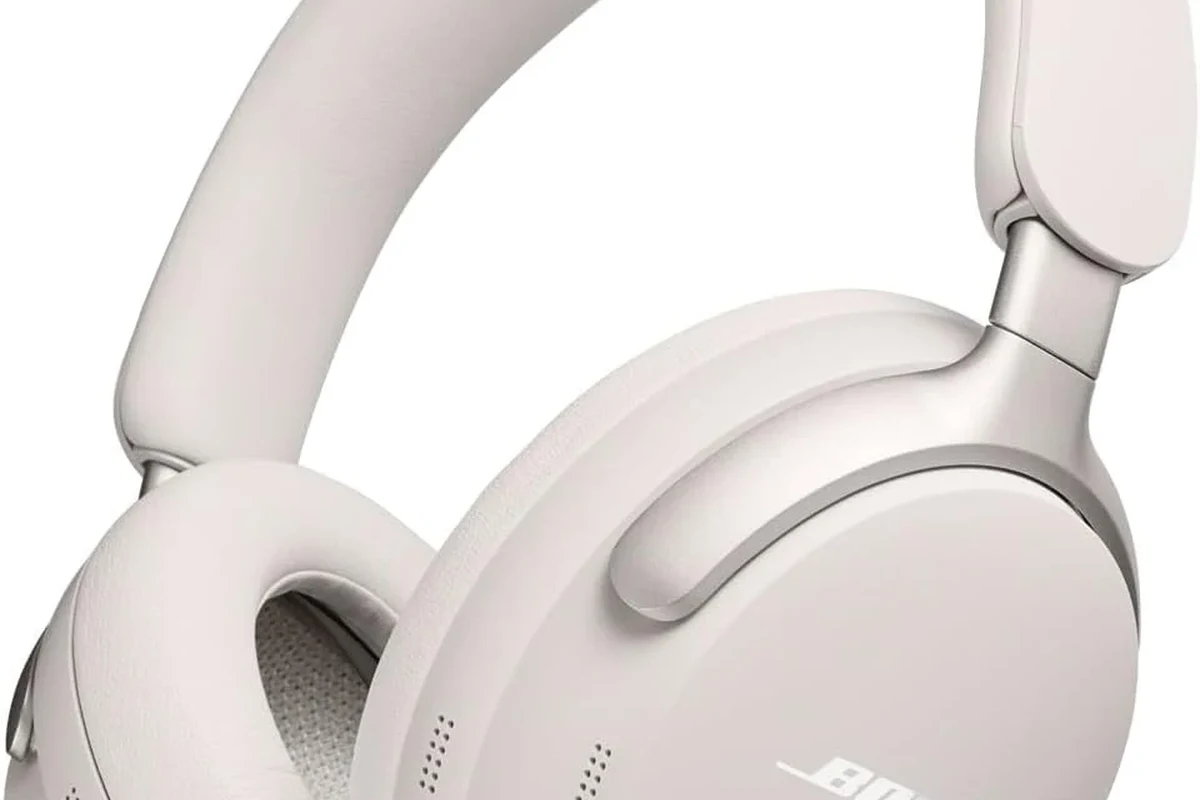
When people say “tracking,” they usually mean one of two things: finding a lost device on a map, or monitoring how the headphones are being used. Bose headphones are much more likely to support the first in a limited way, and even then, only through the phone or Bose app ecosystem.
They generally do not include built-in GPS, cellular data, or constant real-time location tracking. That means Bose headphones are not the same as a phone, smartwatch, or dedicated tracker tag. If you lose them, the best-case scenario is usually a last-seen connection point, not a live location trail.
It also helps to separate “tracking” from privacy concerns. Bose may collect some device and app data for functionality, troubleshooting, and account features, but that is different from continuously tracking your physical movement. If you want a broader overview of wireless behavior, our guide to Bluetooth headphones explained simply is a useful starting point.
How Bose Headphones Tracking Features Work Across Bose Apps and Devices
Bose tracking-style features depend on how the headphones connect to your phone and whether the Bose app supports the model. In practice, the app can show paired devices, connection status, and sometimes a last-known connection context.
This is helpful when you misplace your headphones at home, in a car, or in a bag. It is less useful if the headphones are out of battery, fully reset, or far away from your phone for a long time.
Location-style device finding vs. audio usage tracking
Location-style finding is about identifying where the headphones were last connected or whether they are currently nearby. Audio usage tracking is different and usually refers to app settings, firmware information, battery status, and usage-related data, not your physical location.
In other words, Bose may help you confirm that your headphones were connected recently, but that does not mean the system is watching your every move. If you’re comparing this with other wireless features, our article on how noise cancelling headphones work can help you understand what headphone apps do and do not control.
Bluetooth connection history, paired devices, and last-known location
Bluetooth is the core of most Bose headphone finding behavior. Your phone may remember the last time the headphones connected, and the Bose app may show whether they are available, disconnected, or recently active.
That history can be enough to narrow down a search, especially if you were using the headphones in one room, office, or travel bag. But Bluetooth range is limited, and connection history is not the same as a precise map pin.
Some phone systems can show a last-seen location only if location services and Bluetooth permissions were enabled before the headphones went missing.
Which Bose Models Support Find-My-Device Style Features
Not every Bose headphone model offers the same finding tools. Feature availability can vary by product family, app support, firmware version, and the phone you use.
That means one Bose model may feel easier to locate than another, even if both connect through Bluetooth. Always check the model’s current app support rather than assuming every Bose headphone includes the same tracking tools.
QuietComfort, Ultra, and sport models: what’s included and what isn’t
QuietComfort and Ultra models are often the ones buyers expect to have the most app support, because they sit in Bose’s premium wireless lineup. Sport-focused models may also include app pairing and device management, but that does not automatically mean full tracking.
What’s usually included is connection management, firmware updates, battery information, and device settings. What’s usually not included is true GPS-based recovery, breadcrumb trails, or independent tracking if the headphones are fully offline.
Many headphone “find” features depend more on your phone’s operating system and permissions than on the headphones themselves.
How model differences affect tracking availability
Model differences matter because Bose updates app features over time, and older headphones may not support newer device-finding functions. Even within the same product line, firmware updates can change what appears in the app.
If you are shopping for a new pair and tracking matters to you, check whether the model supports app-based device management, and read the current support pages before buying. If you also care about fit and comfort, our guide to types of headphones explained can help you compare over-ear, on-ear, and in-ear options.
- Current Bose app support for your model
- Whether your phone allows Bluetooth and location permissions
- Firmware update availability
- Battery status and last connection time
Practical Examples: How to Locate Lost Bose Headphones Step by Step
If you lost your Bose headphones, start with the simplest recovery methods first. Most successful searches happen when the headphones are still charged, recently connected, or somewhere within Bluetooth range.
Think of the process as a layered search: app status first, phone Bluetooth second, and physical searching last. That approach is faster than assuming there is a hidden GPS system waiting to be turned on.
Using the Bose app to check connection status
Open the Bose app and look for your paired headphones. If the app shows they are connected, nearby, or recently active, that gives you a strong clue about where to search.
Some apps may also show battery level or last connection details, which can help you determine whether the headphones were used recently. If the app does not recognize the headphones, they may be out of range, powered off, or no longer paired.
Using your phone’s Bluetooth settings and location services
Your phone’s Bluetooth menu can be just as useful as the Bose app. Check the paired device list and see whether the headphones still appear as available or previously connected.
If your phone supports a device-finding view tied to Bluetooth accessories, location services may need to be enabled. This is one reason many users think tracking is “missing” when the real issue is permissions.
Look for the Bose headphones in your paired devices list and note their last connection status.
See whether the app reports battery level, connection history, or nearby status.
Look where you last used them, then check bags, desks, car seats, and charging spots.
What to do if the headphones are powered off, out of range, or reset
If the headphones are powered off or the battery is dead, tracking options become much more limited. The app may only show the last time they were seen, which is still helpful but not enough for live recovery.
If they are out of range, move around the area slowly and watch for reconnection. If they were reset, paired to a new phone, or removed from your account, recovery becomes harder because the app may no longer recognize them.
A factory reset can remove helpful pairing history, so avoid resetting lost headphones unless you have already tried to locate them through the app and Bluetooth settings.
Common Mistakes People Make When Looking for Bose Headphone Tracking
Most confusion comes from expecting Bose headphones to behave like a GPS tracker. That expectation leads people to overlook the more realistic tools that actually help with recovery.
It also causes frustration when app permissions, battery status, or firmware issues block the features that do exist. A few simple checks can save a lot of time.
Assuming Bose has real-time GPS tracking
This is the biggest misunderstanding. Bose headphones do not typically offer live GPS-style tracking, so you won’t get a moving map like you would with a phone or dedicated tracker tag.
Instead, you are usually working with Bluetooth proximity, last seen data, and app-based device status. That distinction matters because it changes what kind of search is realistic.
Ignoring app permissions, firmware updates, and battery status
If your Bose app cannot see the headphones, the issue may be permissions rather than the headphones themselves. Bluetooth access, location services, and background app permissions can all affect what the app shows.
Firmware updates also matter because they can improve stability and device management. And if the battery is empty, even the best app support won’t help much until the headphones are charged again.
When a headphone app seems unreliable, update the app first, then check Bluetooth and location permissions before assuming the device is lost.
Privacy, Security, and Expert Advice: What Bose Tracks and What It Doesn’t
For privacy-minded buyers, the key question is not only whether Bose headphones can be found, but also what data they collect. In general, app-connected headphones may share device, diagnostic, and usage information to support features and troubleshooting.
That is different from continuous personal tracking. Still, it is smart to review permissions and app settings so you know what data your phone and headphone app can access.
Why your location permissions matter
Location permissions can affect whether your phone can help identify a lost Bluetooth accessory. Without them, some phone systems cannot show the last known area where the headphones were connected.
That does not mean Bose is tracking your movements at all times. It usually means your phone needs permission to use nearby-device data in a way that helps you find accessories.
If you rely on headphone finding features often, ask a device support specialist or audiologist-style product advisor to help you check app permissions, firmware, and compatibility before you buy.
Expert warning on third-party tracker attachments and misleading claims
Some sellers attach small tracker devices to headphones and market them as “tracked Bose headphones.” That can be useful, but it is not the same as built-in Bose tracking.
Be careful with vague claims that suggest GPS, live maps, or guaranteed recovery. If a claim sounds too good for a Bluetooth headset, it probably is.
Listening at high volumes for long periods can cause hearing damage. Keep volume at 60% or below for extended sessions.
Does Tracking Add Value? Bose Tracking vs. Competitors and Cost Considerations
Tracking can add real value, especially if you misplace headphones often or travel with them. But it should be considered a convenience feature, not the main reason to buy a premium headphone.
For many listeners, sound quality, comfort, noise cancellation, call quality, and battery life matter more than tracking. If you’re comparing wireless options broadly, our guide to wired vs wireless headphones can help you decide what matters most.
Comparing Bose to Apple, Sony, and other headphone ecosystems
Different brands handle device finding in different ways. Some ecosystems are better integrated with phones or smart assistants, while others focus more on app control and connection management.
Bose is usually strongest in audio comfort, ANC, and straightforward app support, while other ecosystems may offer tighter device-finding integration depending on the phone you use. If you are comparing sound behavior too, our article on best EQ settings for headphone can help you get more from any brand.
Whether tracking features justify the price in premium headphones
For premium headphones, tracking is usually a bonus rather than the feature that justifies the cost. Most buyers are paying for sound tuning, ANC, build quality, and comfort over long listening sessions.
If tracking is a must-have, you may want to compare the headphone ecosystem as carefully as the sound profile. A strong app, reliable pairing, and good battery life can matter more than a flashy “find my device” label.
Final Recap: The Real Answer to Does Bose Headphones Have Tracking
The real answer is that Bose headphones may support limited device-finding tools, but they do not usually have full GPS-style tracking. What you get is more likely to be Bluetooth connection history, app status, and last-known connection clues.
If you want to recover lost Bose headphones, start with the Bose app, then check your phone’s Bluetooth and location permissions, and finally search the last place you used them. For most people, that is the practical and realistic way to think about Bose tracking in 2026.
- Bose tracking is usually limited to device-finding features, not GPS.
- App permissions and firmware updates can affect what you can see.
- Connection history is helpful, but only when the headphones still have power or range.
- Tracking is a bonus feature; comfort, ANC, and sound still matter more for most buyers.
Frequently Asked Questions
Tracking-style features usually rely on Bluetooth, so they are mainly available on wireless Bose models. Wired headphones do not usually need device-finding tools because they are not paired the same way.
Noise cancelling is a sound feature, not a tracking feature, and it does not help locate lost headphones. It can improve listening comfort by reducing outside noise.
Closed-back headphones usually block more outside sound and keep more audio in, while open-back models leak more sound. This affects privacy and soundstage, but not tracking.
Use the Bose app or your phone EQ settings if supported, then make small changes to bass, mids, and treble. Start with subtle adjustments so the sound stays balanced.
Check Bluetooth stability, battery life, latency, microphone quality, comfort, and app support. For gaming or frequent travel, low lag and reliable connection matter a lot.
A lighter headphone with soft ear cushions usually feels better over long sessions. Build quality and clamp force also matter, especially if you wear headphones for hours.