10 Best Gaming Keyboard and Mouse Combos in 2026

A gaming keyboard and mouse combo simplifies one of the most common PC upgrades: getting reliable, responsive input devices without shopping for a keyboard and mouse separately. These bundles range from budget membrane sets aimed at casual play to mechanical-switch kits built for fast-paced competitive titles. Picking the right one comes down to matching the hardware to how the setup will actually get used.
Wired combos still dominate the gaming space because they cut input lag to near zero and never need charging. Wireless combos, on the other hand, trade a small amount of latency for a cleaner desk and more flexibility, which matters more for office work or casual play than for ranked matches. Console compatibility, RGB customization, and included extras like wrist rests or headsets can also shift which combo makes sense for a given budget.
Before buying, pay attention to switch type (mechanical versus membrane), DPI range, anti-ghosting key count, connection type, and software support for remapping buttons. A higher DPI number or flashier RGB lighting doesn’t automatically translate to better in-game performance, so it helps to look past the marketing bullet points and focus on build quality, tracking accuracy, and how the set fits actual daily use. The following picks cover a range of budgets and use cases, from competitive gaming rigs to simple wireless office setups.
Best for competitive gaming: Logitech G413 SE + G502 HERO Bundle
Best for budget gaming value: Redragon S101-3 PRO Combo
Best for wireless flexibility: Redragon S107KS Tri-Mode Combo
Best for comfort during long sessions: RedThunder K10 Combo with Wrist Rest
Best for console compatibility: Orzly Hornet RX-250 4-in-1 Bundle
Best for everyday office use: Logitech MK270 Wireless Combo
Best for ergonomic typing at a desk: Logitech MK345 Wireless Combo
Best for a durable metal-panel build: AULA T102 Metal Panel Combo
Best for small desks: GEODMAER 65% Compact Combo
Best for a complete starter kit: BlueFinger RGB Combo with Mouse Pad
gaming keyboard and mouse combo
Logitech G413 SE + G502 HERO Bundle

This bundle suits gamers who want genuine mechanical typing feel and a mouse sensor built for precision, not just a gaming-branded combo.
Pros
- Tactile mechanical switches with durable PBT keycaps
- HERO sensor tracks accurately up to 25,600 DPI with no smoothing
- Adjustable mouse weights for personalized balance
Cons
- No wireless option
- Premium price compared to combo sets on this list
- RGB lighting requires Logitech software to fully customize
The G413 SE keyboard uses real tactile mechanical switches instead of the membrane domes found in most bundled keyboards, giving每 keystroke a firmer, more consistent response. Its aluminum top case adds rigidity that budget boards lack.
The G502 HERO mouse is the standout piece here. Its optical sensor tracks with zero acceleration or filtering, which matters more for aim precision than raw DPI numbers. Eleven programmable buttons and a tunable weight system let shooters and MOBA players fine-tune feel, though newcomers may not need every feature.
Redragon S101-3 PRO Combo

This is one of the most popular budget gaming combos available, and it earns that reputation with solid basics rather than gimmicks.
Pros
- Full RGB keyboard and mouse for a low price
- Includes a wrist rest for added comfort
- Five programmable macro keys
Cons
- Membrane switches, not mechanical, despite the “gaming” branding
- Software must be downloaded separately from Redragon’s site
- DPI range tops out lower than premium gaming mice
The keyboard uses quiet membrane keys rather than mechanical switches, which keeps noise down but sacrifices the tactile snap serious typists look for. Anti-ghosting support still lets multiple keys register at once, which matters more for gaming than the switch type itself.
DPI adjusts up to 7,200, which covers most gaming and productivity needs without reaching flagship mouse territory. On-board memory saves lighting and DPI settings, so preferences persist across reboots.
Redragon S107KS Tri-Mode Combo
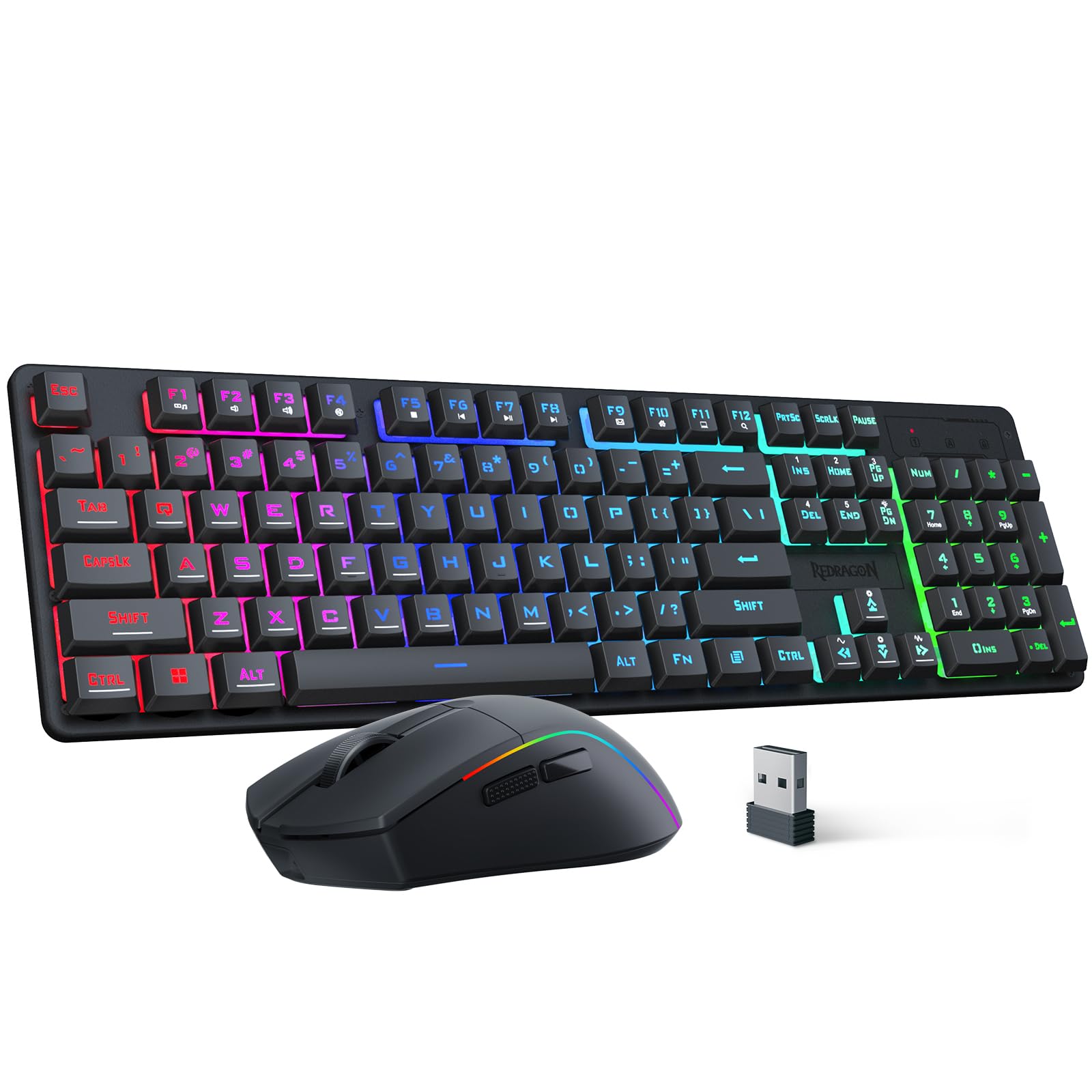
This combo fits shoppers who want to switch between wired, Bluetooth, and 2.4GHz connections without buying separate peripherals for each device.
Pros
- Three connection modes cover desktop, laptop, and multi-device use
- Mouse weighs just 65g for reduced hand fatigue
- Long battery life rated up to 200 hours
Cons
- Keyboard uses membrane switches, not mechanical
- Slightly smaller keycaps than standard full-size boards
- Software customization requires a separate download
Switching between a gaming PC, a laptop, and a tablet becomes simple with three connection modes and support for up to five paired devices. The single 2.4GHz receiver controlling both keyboard and mouse also keeps USB port usage low.
The mouse’s light weight makes fast, low-effort movements easier, which benefits fast-paced shooters more than DPI numbers alone. Battery life claims of up to 200 hours hold up well for typical daily use, though RGB lighting will draw it down faster.
RedThunder K10 Combo with Wrist Rest

This set targets gamers who spend long hours at the keyboard and want built-in wrist support instead of buying an accessory separately.
Pros
- Includes a memory foam wrist rest for reduced hand strain
- Sturdy steel plate keyboard base resists flexing
- Mouse offers 7,200 DPI with adjustable sensitivity
Cons
- Membrane keys only mimic mechanical feel, they aren’t true mechanical switches
- Some buyers report mouse sensor issues after light use
- RGB lighting has limited customization modes
The included leather-and-foam wrist rest is a genuine comfort upgrade over combos that skip this accessory entirely. Combined with the keyboard’s internal steel plate, the whole board feels sturdier than its price suggests.
The “mechanical feel” marketing refers to keycap texture and switch tuning, not true mechanical switches, so typists expecting click-bar feedback should adjust expectations. Reviewers note mostly reliable performance, though a small number report early mouse sensor failures.
Orzly Hornet RX-250 4-in-1 Bundle

This bundle works best for console gamers who need a keyboard, mouse, headset, and mouse pad in one purchase without hunting for compatible accessories separately.
Pros
- Confirmed compatibility with PS5, PS4, Xbox Series X/S, and PC
- Includes a headset and mouse pad, not just keyboard and mouse
- Keyboard rated for 8 million keystrokes
Cons
- Membrane keyboard with basic 19-key rollover, not full anti-ghosting
- Mouse DPI options are limited to four fixed levels
- Build quality feels budget-oriented compared to gaming-first brands
Console compatibility is the deciding factor here. Confirmed support for PlayStation and Xbox platforms makes this one of the few combos on this list built for consoles rather than PC alone.
The included headset and mouse pad add real value for anyone starting from zero, though the mouse itself feels basic next to dedicated gaming mice. DPI is limited to four fixed steps (1200 to 3200) rather than a fine-tuned range, which is fine for casual play but limiting for precision aiming.
Logitech MK270 Wireless Combo
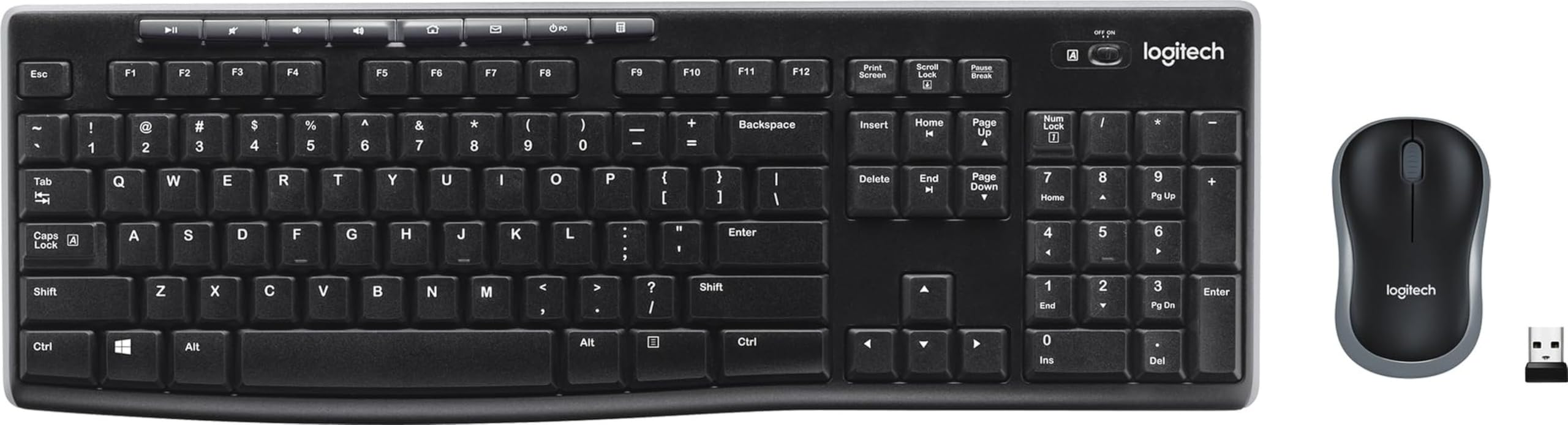
This combo is built for everyday computer use, not gaming, and it delivers reliable wireless performance for office work, browsing, and schoolwork.
Pros
- Simple plug-and-play USB receiver setup
- Long battery life rated up to 36 months on the keyboard
- Spill-resistant keyboard design
Cons
- No RGB lighting or programmable gaming features
- Mouse feels small for larger hands
- Not intended for competitive gaming use
Setup takes seconds thanks to a single nano USB receiver that pairs both devices automatically. That plug-and-forget simplicity makes it a strong pick for shared family computers or a second workstation.
Battery life claims hold up well in practice, with the keyboard often lasting years on a single set of batteries. The mouse’s compact shape suits smaller hands better than larger ones, which is worth noting before buying.
Logitech MK345 Wireless Combo

This combo adds a built-in palm rest and contoured mouse shape, making it a better fit for people who type for hours at a time.
Pros
- Integrated palm rest improves wrist comfort
- Works across Windows, macOS, and ChromeOS
- Long battery life on both keyboard and mouse
Cons
- Mouse is right-handed only
- No backlighting on the keyboard
- Not designed for gaming performance
The built-in palm rest is the main upgrade over the MK270, giving typists a more supported wrist position during long sessions. Broad operating system support also makes it a safe pick for mixed-device households.
The contoured mouse feels comfortable for extended use, though its right-handed-only design rules it out for lefty users. Battery life expectations match Logitech’s other combos, with the keyboard typically outlasting the mouse by a wide margin.
AULA T102 Metal Panel Combo

This combo suits buyers who want a sturdier build than typical plastic gaming keyboards without stepping up to a mechanical price tag.
Pros
- Aluminum alloy panel adds durability
- Includes a phone/pen holder built into the keyboard
- No software needed, works plug and play
Cons
- Membrane switches despite “mechanical feel” marketing
- Some reports of individual keys failing over time
- Mouse feels less refined than the keyboard
The brushed metal top panel gives this keyboard more rigidity than most membrane boards in its price range. A small phone or pen holder built into the top edge is a practical touch for desk organization.
Typing feels responsive thanks to a 2.0mm keystroke depth, though the “mechanical feel” label refers to tuned membrane switches rather than true mechanical ones. The mouse works fine for general use but lacks the polish of the keyboard.
GEODMAER 65% Compact Combo
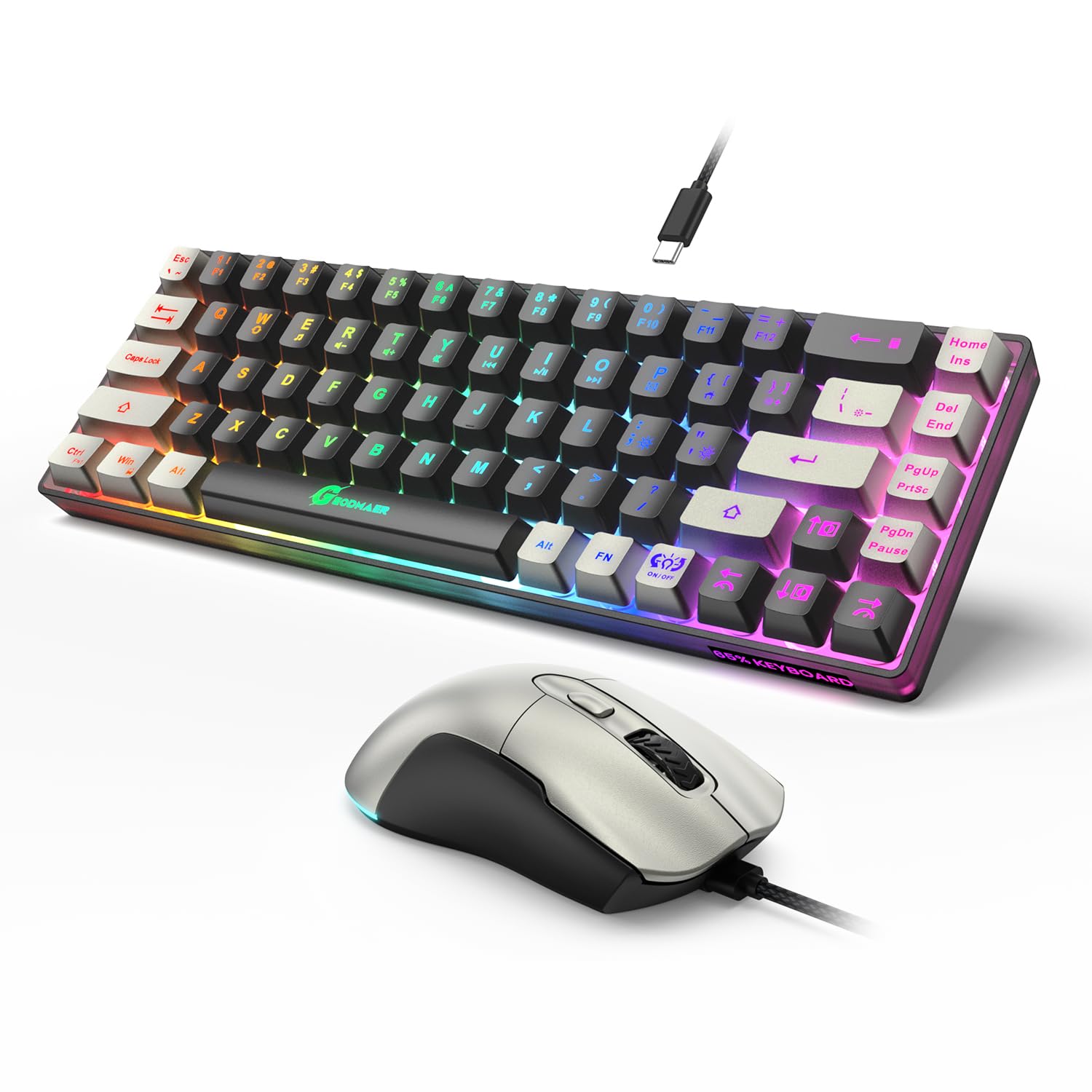
This combo fits small desks and portable setups thanks to its 65% layout, which drops the number pad to save space.
Pros
- Compact size frees up desk space for mouse movement
- RGB backlighting with 16.8 million color options
- Extended 1.8m braided cables on both devices
Cons
- No number pad, which limits spreadsheet or accounting work
- DPI tops out at 7,200 with only preset levels
- Membrane switches, not mechanical
Losing the number pad trims several inches off the keyboard’s footprint, which helps on small desks or in tight dorm room setups. Function key combinations retain most missing keys, so the compact size doesn’t cut deep into usability.
The mouse’s 7,200 DPI ceiling covers casual and moderate gaming needs, adjustable through six preset steps rather than a fully custom range. Braided cables on both devices are a nice detail at this price point, resisting tangles better than standard rubber cords.
BlueFinger RGB Combo with Mouse Pad

This bundle offers a keyboard, mouse, and mouse pad together, making it a straightforward starter kit for a first gaming desk setup.
Pros
- Includes a mouse pad, not just keyboard and mouse
- Works across Windows and Mac without extra drivers
- Built-in steel plate adds keyboard durability
Cons
- Mouse quality lags behind the keyboard’s build
- DPI options are limited to four fixed steps
- Some reports of key wear after extended use
The included mouse pad rounds out this bundle as a complete starter kit, useful for anyone setting up a first desk without existing accessories. Plug-and-play compatibility across Windows and Mac removes any driver installation hassle.
The keyboard holds up well with steel-plate reinforcement and 19-key anti-ghosting for simultaneous key presses. The mouse is the weaker piece of the set, with some buyers noting rougher tracking at higher speeds compared to the keyboard’s solid performance.
Buying Guide
Switch Type: Mechanical vs. Membrane
Mechanical switches use individual physical components under each key, giving tactile or clicky feedback and typically lasting longer than membrane keyboards. Membrane keyboards use a pressure-sensitive rubber layer, which feels softer and quieter but wears out faster under heavy use. Many budget combos advertise a “mechanical feel” without true mechanical switches, so check whether the listing specifically states mechanical switches or just mimics the feel.
Connectivity: Wired vs. Wireless
Wired connections eliminate input lag entirely and never need charging, making them the safer choice for competitive or fast-paced games. Wireless combos add convenience and reduce desk clutter, which benefits everyday use, streaming setups, or shared workspaces more than competitive gaming.
| Connection Type | Best For | Trade-off |
|---|---|---|
| Wired (USB) | Competitive gaming, zero lag | Cable clutter |
| 2.4GHz Wireless | Low-latency wireless gaming | Requires USB receiver |
| Bluetooth | Multi-device switching | Slightly higher latency |
DPI and Sensor Accuracy
DPI (dots per inch) measures how far the cursor moves per inch of physical mouse movement. Higher DPI numbers sound impressive, but tracking accuracy and consistency matter more than the maximum number. A mouse with a lower peak DPI but a clean, accurate sensor will outperform a high-DPI mouse with a poor sensor for actual gaming precision.
Anti-Ghosting and Key Rollover
Anti-ghosting prevents missed or false keypresses when multiple keys are pressed at once, which matters most in fast-paced games requiring several simultaneous inputs. Key rollover numbers (like 6-key or 19-key rollover) indicate how many keys can register accurately at the same time. Full N-key rollover offers the highest reliability, though most gaming combos in this price range use partial rollover, which still covers common gaming key combinations.
Ergonomics and Included Accessories
Wrist rests, palm rests, and adjustable keyboard feet reduce strain during long sessions. Bundles that include a mouse pad, headset, or wrist rest add practical value, especially for buyers setting up a desk from scratch. Weigh these extras against standalone accessory costs before deciding if a bundle is the better deal.
Software and Programmability
Programmable keys and macro support let users assign custom commands or shortcuts, useful for gaming and productivity alike. Some combos require downloading manufacturer software separately, while others work with on-board memory that saves settings without any installation. Check whether customization requires ongoing software use or saves permanently to the device.