Computer Gaming Accessories

For most gamers, the best first upgrade is a comfortable headphone that fits the way they play and chat. Prioritize sound clarity, microphone quality, and compatibility before paying extra for flashy features.
Computer gaming accessories can make a setup more comfortable, more responsive, and easier to use, but the accessory that matters most for most players is still the headphone. If you want better directional audio, clearer team chat, and fewer distractions, the right pair of gaming headphones should be chosen for fit, sound, microphone quality, and platform compatibility—not just RGB or brand hype.
- Sound first: Clear directional audio helps more than flashy RGB or extra software.
- Fit matters: Comfort, clamp, and earcup depth can make or break long sessions.
- Match your setup: Choose wired or wireless based on latency, battery, and convenience needs.
- Mic quality counts: Boom mics usually work better for team chat than tiny built-in mics.
What Are Computer Gaming Accessories and Which Headphones Actually Matter?
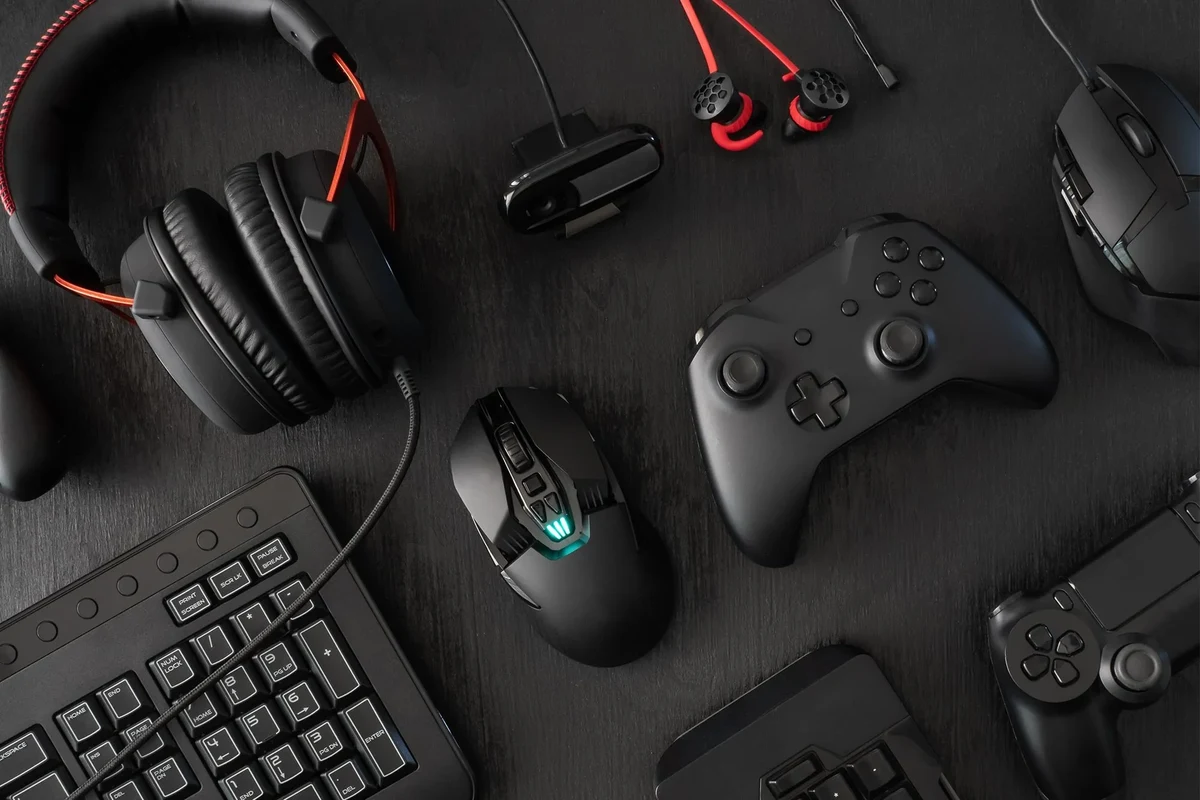
Computer gaming accessories include anything that improves play on a PC or console connected to a computer-style setup: headphones, keyboards, mice, controllers, webcams, microphones, desk mounts, and lighting. In practice, headphones usually deliver the biggest day-to-day improvement because they affect what you hear, how you communicate, and how long you can stay comfortable during a session.
Who this guide is for: casual players, competitive gamers, streamers, and work-from-home users
This guide is for anyone building or upgrading a gaming setup in 2026, especially if you split time between games, calls, and music. Casual players may want comfort and simple plug-and-play use, competitive gamers may care more about positional accuracy and low latency, streamers need a reliable microphone path, and work-from-home users often want one headset that can handle meetings and downtime without constant swapping.
The best gaming headphone is the one that fits your platform, your desk setup, and how many hours you stay in voice chat—not the one with the loudest marketing.
Why headphones are the most important audio accessory in a gaming setup
Headphones matter because they isolate game audio from room noise, make footsteps and dialogue easier to follow, and keep voice chat from leaking into a microphone. They also influence comfort more than most accessories: if the clamp is too tight, the pads get hot, or the headset feels heavy, even a great sound signature becomes hard to enjoy.
How to Choose the Right Gaming Headphones in 2026
Choosing gaming headphones is mostly about trade-offs. The best model for you depends on whether you value accuracy, bass impact, microphone performance, wireless convenience, or all-day wear.
Sound quality priorities: directional audio, bass balance, and clarity for footsteps and dialogue
For gaming, sound quality is not only about “good audio” in the music sense. Directional cues help you place sounds in space, bass balance keeps explosions from overpowering everything else, and clear mids make dialogue, reloads, and subtle game effects easier to hear.
If you play competitive shooters, a more controlled bass response can make it easier to notice footsteps and environmental cues. If you prefer cinematic single-player games, a fuller low end may feel more immersive. Neither is automatically better; the right tuning depends on the games you play most.
Microphone quality: voice clarity, noise rejection, and team chat performance
Mic quality matters if you play multiplayer regularly, stream, or spend time in Discord. The most useful microphones for gaming are usually those that keep speech understandable and reduce room noise enough that teammates do not hear every keyboard tap or fan hum.
Boom mics on headsets often sound more consistent because they sit closer to your mouth. A separate desktop microphone can sound better overall, but it adds cost, desk space, and setup complexity. If you want an all-in-one solution, prioritize voice clarity over flashy software features.
Comfort and fit: clamping force, earcup depth, headband padding, and long-session wear
Comfort is one of the biggest reasons people replace otherwise decent headphones. Clamping force affects pressure on the sides of your head, earcup depth determines whether your ears touch the driver housing, and headband padding can decide whether the headset disappears after an hour or becomes distracting after three.
Look for a fit that stays stable without squeezing too hard. Glasses wearers should pay extra attention to pad softness and seal, since a strong clamp can create pressure points around the temples. Because comfort is highly personal, manufacturer measurements help less than return policy flexibility and a careful review of design details.
Wired vs wireless: latency, battery life, reliability, and convenience
Wired headphones are still the simplest choice for low fuss, low latency gaming. They do not need charging, and they usually work across more devices with fewer compatibility surprises.
Wireless headphones are more convenient for desk movement, couch play, and multitasking, but they introduce battery management and occasional pairing issues. In 2026, many wireless gaming headphones are good enough for most players, yet competitive users should still pay attention to latency claims, connection stability, and whether the model supports both Bluetooth and a low-latency wireless dongle.
If you are choosing between wired and wireless, decide based on your routine first: desk-only players often prefer wired reliability, while people who move between gaming, calls, and media usually appreciate wireless convenience.
Build materials and durability: plastic, metal reinforcement, replaceable parts, and cable quality
Materials influence longevity, but they do not tell the whole story. A mostly plastic headset can be perfectly durable if the hinges, yokes, and pads are well designed, while a metal-reinforced model can still fail if the cable, battery, or swivel joints are weak.
Replaceable ear pads, detachable cables, and user-serviceable parts are worth paying attention to because they can extend the life of the headset. For wired models, cable quality matters just as much as shell materials, especially if your desk setup pulls or twists the cord often.
Budget considerations: what to expect at entry-level, midrange, and premium price points
Entry-level gaming headphones usually focus on basic comfort and acceptable voice chat, but they may compromise on mic quality, pad durability, or tuning consistency. Midrange models often deliver the best value because they balance comfort, sound, and build without pushing into luxury pricing.
Premium models may add better materials, stronger microphones, more polished software, or active noise cancellation, but they are not automatically better for gaming. If you are upgrading on a budget, it is often smarter to buy the best headphone first and add other computer gaming accessories later.
Top Headphone Types for Gaming Setups
Different headphone designs suit different rooms and play styles. The best type depends on how much isolation you need, whether other people are nearby, and whether you want a wide, open sound or a more sealed, focused presentation.
Closed-back headphones for isolation and immersive play
Closed-back headphones have sealed earcups that block more outside noise and keep more sound from leaking out. That makes them a strong choice for shared spaces, late-night play, and games where you want the audio to feel concentrated and immersive.
The trade-off is that closed-back models can feel less airy than open-back designs. They may also trap more heat around the ears during long sessions, so comfort and pad material become especially important.
Open-back headphones for wider soundstage and home use
Open-back headphones allow air and sound to pass through the earcups, which often creates a more spacious soundstage. Many gamers like this style for single-player titles, strategy games, and home setups where noise leakage is not a problem.
They are usually less suitable for noisy rooms or shared spaces because they do not isolate well. If you live with others or play in a busy environment, open-back headphones may sound excellent but still be impractical for everyday use.
Headsets with boom mics vs headphones with separate microphones
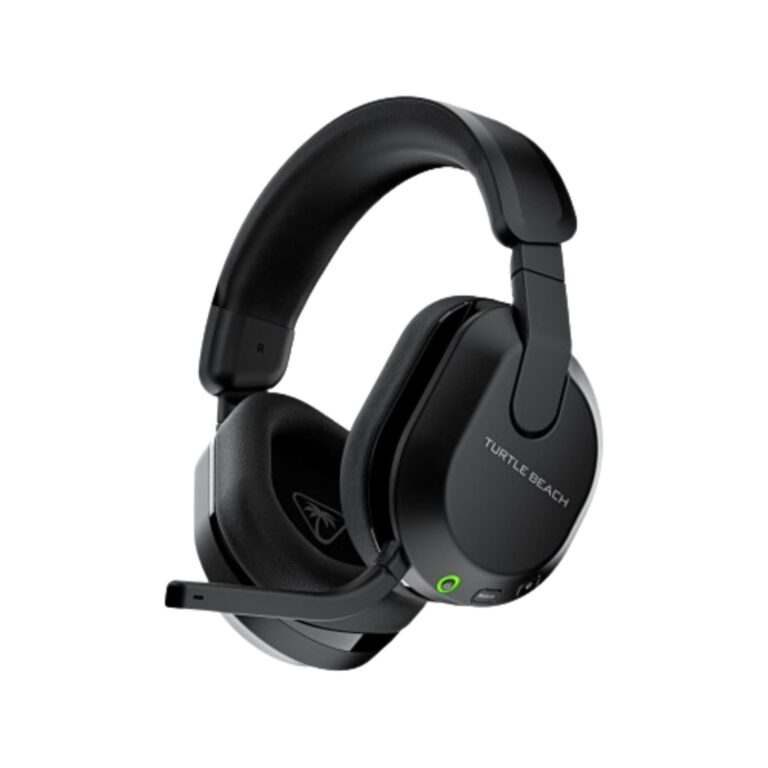
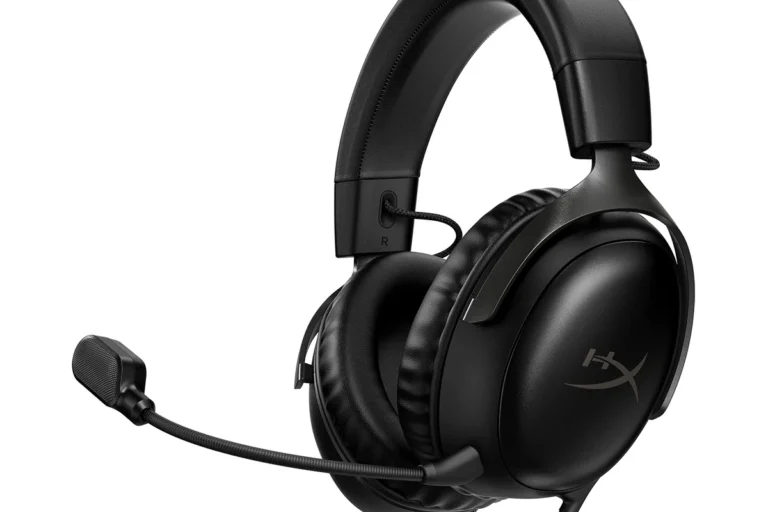
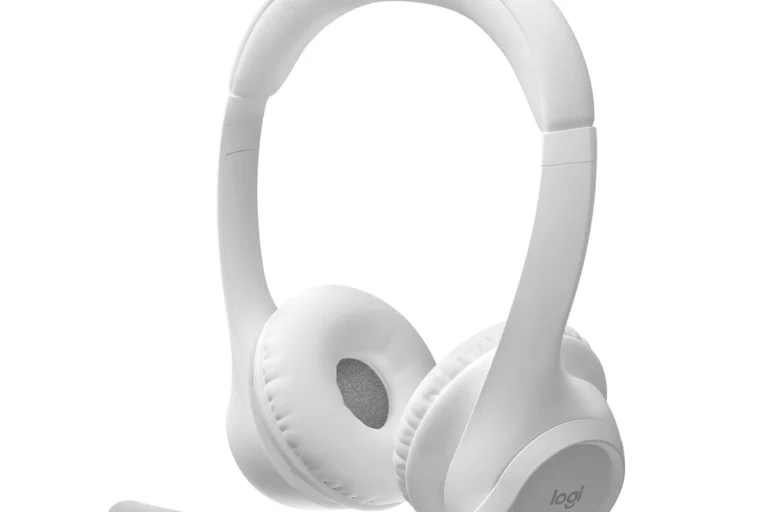
Headsets with boom mics are the easiest all-in-one option because they combine listening and speaking in one device. They are especially useful for console play, Discord-heavy sessions, and people who want fewer cables on the desk.
Headphones paired with a separate microphone can be a better long-term setup if you care about voice quality, content creation, or future upgrades. That said, a separate mic is not necessary for everyone, and many gamers are better served by a well-tuned headset than by a complicated multi-device setup.
Wireless gaming headphones for desk setups, couch play, and multitasking
Wireless gaming headphones are ideal if you stand up often, move between rooms, or use the same headset for gaming, calls, and media. They are also helpful for people who dislike cable drag or want a cleaner desk.
If you are considering wireless, check whether the model supports your platform through Bluetooth, USB dongle, or both. For platform-specific guidance, readers can also review wireless headphones with PS5 and Bluetooth headphones that work with PS4 before buying.
Real-World Benefits and Limitations of Gaming Headphones
Good headphones can improve how clearly you hear the game, how easily you communicate, and how immersed you feel. They can also reduce the need to turn up the volume, which is helpful for both comfort and hearing awareness.
How good headphones improve reaction time, communication, and immersion
When audio cues are easier to separate, you spend less time guessing where a sound came from. That can support faster reactions in shooters, better awareness in battle royale games, and smoother coordination in team-based play.
Clear voice chat also matters more than many buyers expect. If your teammates can understand you without repeated calls, the whole session feels less frustrating, especially in ranked matches or co-op games that depend on quick communication.
Where gaming headphones fall short: mic compromises, battery tradeoffs, and software bloat
Many gaming headphones make compromises to keep the package simple. Built-in microphones may be good enough for chat but not ideal for polished streaming audio, and wireless models always involve some battery tradeoff.
Software can also become a downside if it adds too many settings, background apps, or confusing surround-sound presets. In some cases, the hardware is solid, but the companion software makes the experience feel more complicated than it should be.
Common mistakes buyers make when choosing based on RGB, brand hype, or marketing claims
RGB lighting can be fun, but it rarely improves sound, comfort, or mic quality. The same is true for broad marketing claims like “pro-grade” or “studio quality,” which may not mean much without context.
Another common mistake is assuming that a famous brand automatically fits gaming better than a less flashy option. The more useful question is whether the headphone matches your platform, your room, your head shape, and your chat habits.
Evidence limits: why specs do not always predict comfort or actual in-game performance
Specifications are useful, but they do not predict everything. A headset can list strong features on paper and still feel hot, clamp too tightly, or sound less natural than expected once you use it in a real room.
That is why it helps to separate verified specs from manufacturer language and editorial interpretation. For current details, check the official product page, warranty information, and platform compatibility notes before you buy.
Safety, Care, and Long-Term Maintenance
Gaming headphones last longer and feel better when you treat them like daily-use electronics instead of disposable accessories. Safe listening, careful cleaning, and basic battery habits all matter.
Safe volume habits to protect hearing during long gaming sessions
Keep volume at a moderate level and take breaks during long sessions. Recognized health guidance, including advice from the World Health Organization and national hearing-health agencies, generally emphasizes avoiding prolonged loud listening rather than chasing a specific “perfect” number.
If you notice ringing, muffled hearing, or fatigue after gaming, lower the volume and give your ears a break. If symptoms continue, speak with a hearing professional.
Cleaning ear pads, headbands, and microphones without damaging materials
Use manufacturer guidance whenever possible, especially for leatherette, fabric, memory foam, and removable pads. In general, a soft dry cloth is safest for regular wipe-downs, while lightly damp cleaning should be used carefully and kept away from ports, drivers, and exposed electronics.
If the ear pads are removable, clean them separately and let them fully dry before reattaching them. That helps reduce odor, skin buildup, and long-term wear.
Battery care for wireless models: charging habits and storage tips
Wireless headphones need ordinary lithium-battery care. Avoid damaged chargers, frayed cables, extreme heat, and unsafe storage conditions, and follow the manufacturer’s charging guidance rather than assuming every charger or dock is suitable.
Stop using any charging cable, battery, or unit that is frayed, swollen, cracked, or overheating, and follow the manufacturer’s safety guidance.
Cable care, connector protection, and avoiding wear from desk movement
For wired headphones, cable care often decides how long the headset stays usable. Avoid yanking the cable, bending it sharply at the plug, or letting it catch under chair wheels and desk edges.
If your setup moves a lot, a detachable cable can be a major advantage because it is easier to replace than a permanently attached one. A simple desk clip or routing path can also reduce strain on the connector.
Setup and Optimization Tips for Better Gaming Audio
Even a good headset can sound or perform poorly if it is set up badly. A few small adjustments can improve clarity, reduce glitches, and make voice chat easier to manage.
How to set up headphones on PC, console, and mobile devices
On PC, start with the simplest connection supported by the headset, then confirm the correct audio output and microphone input in system settings. On consoles, check whether the headset needs a USB dongle, a 3.5 mm cable, or a platform-specific wireless mode.
For Xbox-specific setups, it can help to read platform-focused guidance like how to use Xbox headphones easily for better gaming or USB headphones on Xbox One if you are unsure about compatibility. Mobile devices are usually simpler, but they may still require adapter support depending on the headphone type.
Using software EQ, surround sound, and mic monitoring without overprocessing
EQ, or equalization, lets you raise or lower parts of the sound spectrum. A small adjustment can help if a headset sounds too bass-heavy or too sharp, but heavy EQ can make the audio unnatural.
Virtual surround sound can be useful in some games, but it is not always better than a well-tuned stereo signal. Mic monitoring, which lets you hear your own voice, can help you avoid shouting, but too much monitoring can become distracting if it is set too loud.
How to position and test the microphone for clear voice chat
Place the mic close enough to capture your voice clearly without touching your mouth or blocking your breathing. If the microphone is adjustable, angle it slightly off-center to reduce plosives, which are the bursts of air from sounds like “p” and “b.”
Use system or app settings to avoid clipping, distortion, or a voice that is too quiet.
Record a brief sample or ask a teammate whether your voice sounds clear and natural.
Troubleshooting common issues: latency, static, low volume, and connection drops
If you hear latency, first check whether the headset is using Bluetooth instead of a low-latency wireless mode or wired connection. Static and dropouts can come from interference, outdated firmware, weak battery, or loose connectors.
Low volume may be caused by the wrong output device, in-game audio settings, or a headset that needs its own gain control adjusted. If the issue continues, confirm the manufacturer’s support steps before assuming the hardware is defective.
Best Value Recommendations by Use Case
Because exact models, prices, and availability change often, the smartest recommendation is based on use case rather than a fixed shopping list. The best value depends on how you play and what your setup needs most.
Competitive FPS players
Choose a wired closed-back headset or headphone with clear mids, controlled bass, and a stable mic path. The main drawback is that it may feel less spacious than an open-back option.
Immersive single-player gaming
An open-back headphone can create a wider, more natural presentation for story-driven games at home. It is less suitable if you need isolation or play around other people.
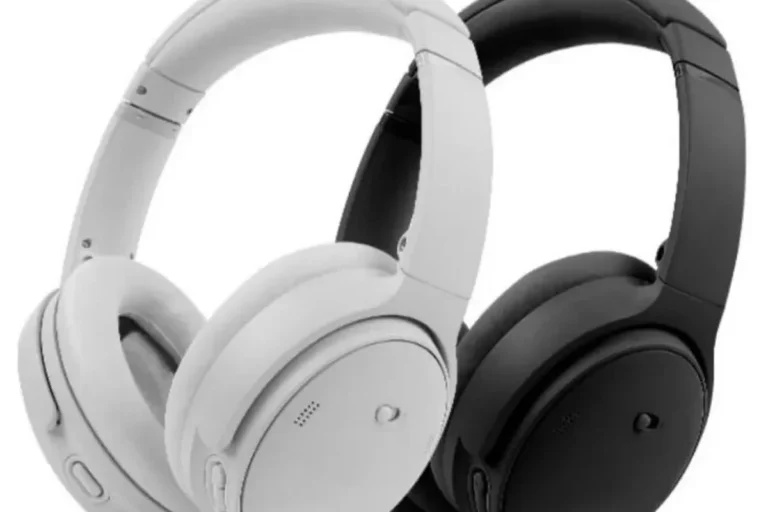
If you are primarily a streamer or Discord-heavy user, prioritize microphone clarity, comfort, and easy muting. If you want more platform-specific context, the guide on using Bose headphones for gaming can help you think through whether a general-purpose headphone is enough or whether you need a true gaming headset.
| Option | Best For | Key Consideration |
|---|---|---|
| Wired closed-back headset | Competitive play | Low fuss, strong isolation, simple compatibility |
| Open-back headphones | Home gaming | Wider soundstage, but little isolation |
| Wireless headset | Desk multitasking | Convenience and battery management |
| Headphone plus separate mic | Streaming and calls | Better voice path, more setup complexity |
Best for budget buyers and first-time setup upgrades
Budget buyers should focus on comfort, a usable microphone, and basic durability before chasing premium features. A simple, reliable headset often improves a setup more than a flashy accessory bundle full of lights and software.
Best for premium buyers who want comfort, ANC, and all-day versatility
Premium buyers may want active noise cancellation, better materials, and a headset that can move from gaming to calls to travel. ANC, or active noise cancellation, uses microphones and processing to reduce outside noise, but it is not a substitute for fit, sound quality, or platform compatibility.
Final Verdict: Which Computer Gaming Accessories Are Worth Buying First?
For most people, headphones are the first computer gaming accessory worth buying because they improve both gameplay and communication immediately. After that, the next upgrade should depend on your biggest frustration: a better mic for chat, a more comfortable chair for long sessions, or a mouse and keyboard if input precision matters more than audio.
Transparent recommendation based on use case, budget, and platform
If you play competitive games, start with a wired headset or headphone that emphasizes clarity and reliable chat performance. If you play mostly at home and want a more immersive sound, consider open-back headphones; if you need one device for gaming and calls, a wireless headset may be the better fit.
When to prioritize headphones over other gaming accessories
Prioritize headphones first when you cannot hear game cues clearly, when voice chat is hard to understand, or when your current headset becomes uncomfortable quickly. In those cases, a better headphone usually changes your experience more than most other accessories.
Closing guidance for building a balanced 2026 gaming setup
A balanced 2026 setup does not need every accessory at once. Start with the headphone that best fits your room, platform, and communication needs, then add other computer gaming accessories only when they solve a real problem.
Common Questions
Not always. A good regular headphone can work very well for gaming if it fits your sound and comfort needs.
Wired is simpler and usually more reliable. Wireless is better if you want freedom of movement and less cable clutter.
Not necessarily. Many players do fine with stereo audio and a well-tuned headset.
Clear speech, low background noise, and consistent placement near your mouth are the biggest factors.
They should stay secure without painful pressure and let your ears rest comfortably inside the pads.
Frequently Asked Questions
Start with comfort, sound clarity, and microphone quality. Then check whether the connection type works with your PC, console, or mobile device.
Yes, especially for home use and single-player games. They usually sound more spacious, but they leak sound and do not isolate well.
Clean the pads and headband gently, store them safely, and avoid pulling on the cable or charging port. Follow the manufacturer’s care instructions when available.
Yes. Charge them with compatible accessories, avoid heat and moisture, and stop using any cable or battery that looks damaged.
Many people buy based on brand hype, RGB lighting, or vague “pro” claims. Fit, comfort, and real compatibility matter much more.
Keep volume moderate and take breaks during long sessions. If you notice ringing or muffled hearing, lower the volume and rest your ears.