Gaming Headset for Ps5

The best gaming headset for PS5 depends on whether you want wired reliability, wireless convenience, or the clearest mic for chat. In 2026, comfort, sound balance, and connection type matter more than brand hype.
If you want a gaming headset for PS5, the best choice depends on whether you care most about wireless freedom, mic clarity, or getting the strongest value for your budget. In 2026, the smartest buy is the headset that matches your play style, room noise, and comfort needs—not just the biggest brand name.
- Sound first: Clear mids and controlled bass help with footsteps, dialogue, and cinematic games.
- Connection matters: Use wired for simplicity or a low-latency wireless dongle for convenience.
- Comfort counts: Clamp force, pad depth, and weight matter a lot in long sessions.
- Mic quality is practical: A clear boom mic is usually more useful than flashy extras.
Gaming Headset for PS5: What It Is and Which Players It’s Best For
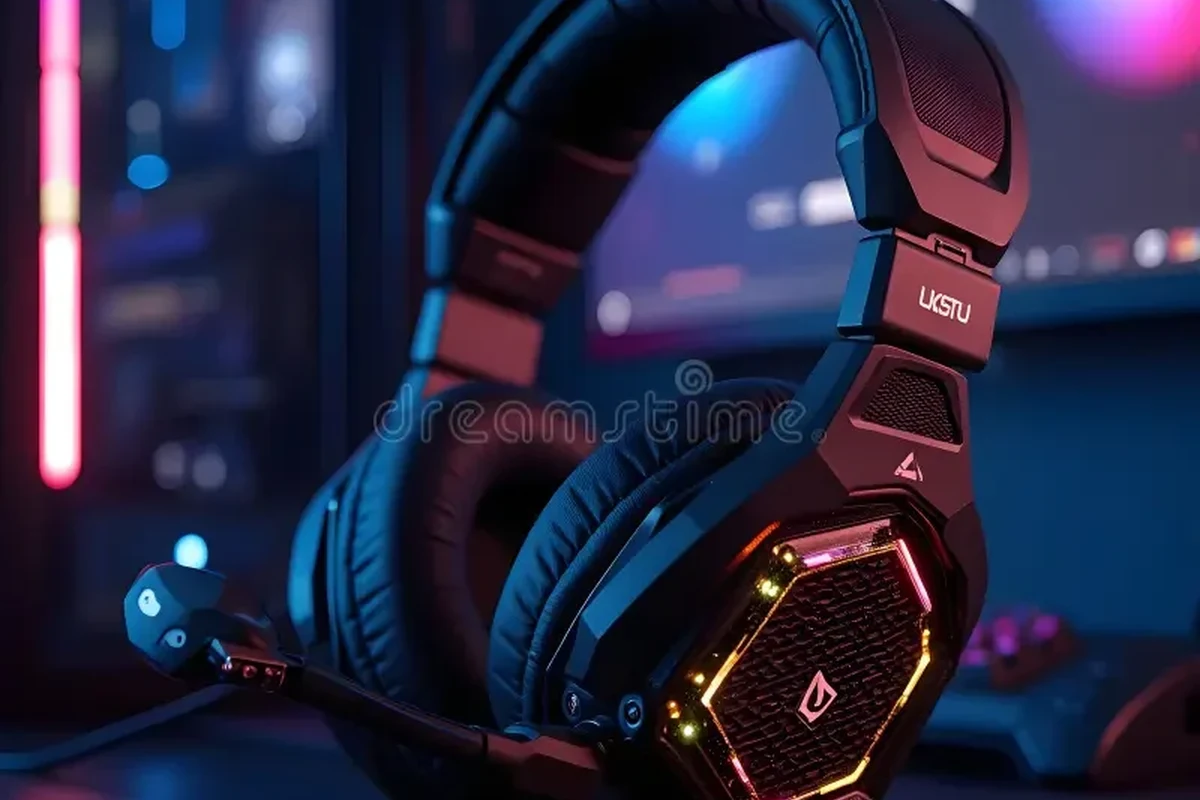
A PS5 gaming headset is simply a headphone-and-mic setup designed for game audio, chat, and long sessions on PlayStation 5. Some models focus on precise directional sound for competitive play, while others emphasize comfort, bass, or easy wireless use.
Quick answer: the best PS5 headset depends on whether you want wireless convenience, competitive audio accuracy, or the best value under budget
If you want the easiest setup, a wireless headset with a USB dongle is often the most convenient. If you want the lowest cost and the most dependable connection, wired 3.5mm or USB models still make a lot of sense. If you want to understand the connection options in more depth, see our guide on whether wireless headphones can connect to PS5.
Who should buy one: casual players, competitive gamers, streamers, and couch co-op users
Casual players usually want comfort and simple controls. Competitive players often care more about directional cues, mic monitoring, and low latency. Streamers need clearer voice pickup, while couch co-op users may value easy muting, shared-room volume control, and a comfortable fit that works for hours.
For PS5 headset shopping, the right choice is usually the one that balances sound, mic quality, comfort, and connection type for your room and games.
How to Choose a Gaming Headset for PS5 in 2026
Modern PS5 headsets vary widely, so it helps to judge them by a few practical criteria instead of marketing language. The most useful features are the ones you’ll notice every day: how clearly you hear footsteps and dialogue, how natural your voice sounds in chat, and whether the headset stays comfortable after a long session.
Sound quality and spatial audio support for footsteps, dialogue, and cinematic games
For PS5 gaming, sound quality is about more than “loud” or “bass-heavy.” You want clear mids for dialogue, controlled bass so explosions do not bury detail, and enough separation to hear footsteps, reloads, and environmental cues. Spatial audio can help create a more directional feel, but it works best when the headset itself is balanced rather than overly boomy.
Microphone clarity for party chat, streaming, and cross-platform play
A good gaming mic should make your voice easy to understand without adding a harsh, hollow, or compressed sound. If you chat often, stream, or play cross-platform, look for a mic with noise reduction, a clear mute indicator, and a boom that stays positioned near your mouth. Headset mics are usually designed for convenience, not studio recording, so realistic expectations help.
Comfort and fit: clamping force, ear cup depth, headband padding, and weight
Comfort becomes more important the longer you play. A headset that feels fine for 20 minutes can become tiring if the clamp is too tight, the ear cups are shallow, or the headband padding is thin. Glasses wearers often prefer softer pads and moderate clamp pressure, while players who run hot may want breathable materials and cups that do not trap too much heat.
Connectivity: wired USB, 3.5mm jack, Bluetooth limitations, and wireless dongles
PS5 headset connectivity is one of the biggest decision points. Wired 3.5mm headsets are simple and usually reliable through the DualSense controller. USB headsets can be straightforward too, depending on the model. Bluetooth is more complicated on PS5, which is why many players use a dedicated wireless dongle instead of standard Bluetooth audio. If you want a deeper breakdown, our article on PS5 Bluetooth headphone support explains the limitations clearly.
Battery life, charging speed, and low-latency performance for wireless models
Wireless headsets are only as good as their battery behavior and connection stability. Manufacturer battery claims can vary by volume level, lighting, firmware, and use of extra features like ANC or mic monitoring. Low-latency performance matters more than total battery time for gaming, because delay between action and sound can be distracting in shooters and rhythm games.
Build quality and materials: plastics, metal reinforcement, replaceable cushions, and durability
Build quality affects long-term value. Reinforced hinges, flexible yokes, and replaceable ear pads can help a headset last longer. Lightweight plastics can be perfectly fine if the design is solid, but loose joints, thin cables, and non-replaceable cushions may shorten the useful life. Always check the manufacturer’s warranty and replacement-part availability when possible.
Budget and value: what features matter most at entry-level, midrange, and premium prices
At entry level, prioritize comfort, stable connection, and a usable mic over fancy extras. In the midrange, better tuning, stronger build quality, and more convenient controls become more important. Premium models may justify themselves with better materials, stronger wireless performance, or more refined sound, but only if those upgrades match your actual use case.
- Confirm whether you need wired, wireless dongle, or controller-connected audio.
- Check mic style, comfort features, and whether parts like cushions are replaceable.
- Review warranty, return policy, and compatibility with PC, Switch, or mobile if you plan to use it elsewhere.
Best Features to Prioritize for Real-World PS5 Gaming
The best headset is not always the one with the most features. It is the one that improves your actual sessions, whether that means hearing enemy movement more clearly, reducing room noise, or making party chat easier to manage.
Immersion for story-driven games versus precision for competitive shooters
Story-driven games often benefit from a wider, more cinematic soundstage and a fuller low end. Competitive shooters usually reward cleaner positional cues and less bass bloom. If you split your time between both, a balanced headset is usually the safest choice because it handles dialogue, action, and directional audio without overemphasizing one part of the mix.
Noise isolation and optional ANC for shared rooms and noisy setups
Passive noise isolation comes from the ear cups and pad seal, while ANC, or active noise cancellation, uses electronics to reduce steady background noise. ANC can be useful in shared rooms, but it is not essential for everyone. A good seal and comfortable fit often matter more than ANC for gaming, especially if you want to stay aware of your environment.
Easy controls: mute switch, volume wheel, sidetone, and on-ear presets
Convenient controls save time during play. A physical mute switch is easier to trust than a tiny software toggle, and a volume wheel can help you adjust quickly without leaving the game. Sidetone, which lets you hear your own voice in the headset, can make long chat sessions feel more natural and reduce the urge to speak too loudly.
Compatibility with PS5, PC, Switch, mobile, and TV use
If you want one headset for multiple devices, confirm how it connects across platforms. Some wireless gaming headsets work well with PS5 and PC but may need different adapters for Switch or TV use. For broader device flexibility, our guide on using wireless headphones on PS5 is a helpful starting point.
Wired vs Wireless Gaming Headsets for PS5
Both wired and wireless headsets can work well on PS5, but they solve different problems. Your best choice depends on whether you value simplicity, freedom of movement, or the lowest possible cost.
Why wired headsets still make sense for reliability and lower cost
Wired headsets are attractive because they do not need charging, pairing, or dongle management. They are often cheaper, and they can be a strong fit for players who mostly sit close to the console. For many people, the biggest advantage is peace of mind: plug it in and play.
Why wireless headsets appeal to PS5 players who want freedom and cleaner desk setups
Wireless models remove cable clutter and make it easier to lean back, stand up between matches, or move around a room. They can also feel more premium and more convenient for people who use the same headset at a desk and on a couch. If you are comparing setup options, our article on connecting wired headphones to PS5 can help you understand the simple route first.
Latency, range, interference, and charging trade-offs
Wireless gaming headsets usually use a USB dongle or another low-latency wireless system, which is different from standard Bluetooth. Range can be excellent, but walls, crowded Wi-Fi environments, and other wireless devices may affect stability. Charging is the trade-off: even a great wireless headset becomes inconvenient if you forget to recharge it before a long session.
- Cleaner setup with no cable tug
- Better freedom on the couch or in a shared room
- Often includes quick-access controls
- Requires charging
- May include dongle or pairing steps
- Can cost more than a wired alternative
Common mistakes when choosing connectivity for PlayStation 5
One common mistake is assuming every Bluetooth headset will work the same way on PS5. Another is buying a wireless headset without checking whether it uses a USB dongle, which may be required for low-latency gaming. A third mistake is overlooking controller compatibility and then realizing the headset cannot be used the way you expected.
Top Use Cases: Which Gaming Headset Fits Your Play Style
Different players need different strengths. A headset that is ideal for a competitive shooter may not be the best choice for a cinematic RPG or a family living room.
Best for competitive FPS players who need accurate directional cues
Competitive FPS players should focus on clarity, imaging, and low latency. Imaging is the headset’s ability to place sounds in the right direction, which helps you hear where movement is coming from. A flatter or more balanced tuning is often more useful than exaggerated bass for this style of play.
Best for single-player and cinematic gaming with rich bass and wide soundstage
If you mainly play story-driven games, you may prefer a fuller sound with more atmosphere. A wider soundstage can make environments feel larger, while controlled bass can add impact without hiding dialogue. This is where comfort also matters, because cinematic games often lead to longer sessions.
Best for party chat, co-op sessions, and shared family rooms
For social gaming, mic clarity and easy muting matter more than audiophile-style tuning. A headset with simple controls, decent isolation, and a clear boom mic can make party chat much smoother. If you want to understand why some Bluetooth options are awkward on PS5, our guide on why PS5 struggles with Bluetooth headphones is useful background.
Best for long sessions, glasses wearers, and players sensitive to heat buildup
Long-session comfort usually comes from a lighter design, softer pads, and enough ear cup depth to avoid pressure points. Glasses wearers often need a headset that seals comfortably without pinching the temples. If heat buildup bothers you, look for breathable pads and avoid overly tight clamping force.
How to Set Up a Gaming Headset for PS5 Correctly
Even a good headset can sound disappointing if it is set up poorly. A few minutes of configuration can make a real difference in chat balance, game clarity, and wireless stability.
Pairing wireless headsets and checking dongle or USB connection status
Check whether your headset uses a USB dongle, direct USB cable, or controller connection before you start.
Use the headset manual or official support page, since pairing methods vary by model and firmware.
Adjusting PS5 audio output, 3D audio settings, and microphone levels
After pairing, verify that the PS5 is sending game audio to the right output device and that the microphone is selected correctly. If the headset supports 3D audio well, test it in a game you know. Mic level should be high enough for clear voice pickup without clipping or distortion.
Testing chat balance, sidetone, and game volume before long sessions
Do a quick test in party chat or a voice channel before starting a long session. Make sure the balance between game audio and voice chat feels comfortable, and adjust sidetone if you hear yourself too loudly or too softly. A few small adjustments can prevent fatigue later.
Troubleshooting common setup issues like no sound, weak mic output, or connection drops
If you get no sound, confirm the output device, cable seating, dongle connection, and mute status. If the mic sounds weak, check boom placement, input gain, and whether the headset is being routed through the correct profile. For connection drops, move the dongle closer, reduce interference, and restart the headset according to the manufacturer’s instructions.
Before you blame the headset, check PS5 audio settings, mute switches, and physical connections first. Many “bad sound” problems are just setup issues.
Care, Cleaning, Safety, and Long-Term Value
A headset can last much longer if you treat it gently and clean it regularly. Good care also protects comfort, sound quality, and charging safety.
How to clean ear pads, headbands, and microphones without damaging materials
Use the manufacturer’s cleaning guidance whenever possible. In general, a soft dry cloth is safest for most surfaces, while removable pads may need gentler cleaning. Avoid soaking materials, harsh solvents, or aggressive scrubbing, especially around microphones and seams.
Safe use tips: volume limits, hearing protection, and break-in habits for comfort
Keep listening volume moderate and take breaks during long sessions. Health authorities such as the World Health Organization recommend safe listening habits because prolonged loud sound can damage hearing over time. If you notice ringing, discomfort, or temporary muffling after gaming, lower the volume and consider speaking with a hearing professional.
Do not ignore a swollen battery, frayed charging cable, cracked housing, or overheating during charging. Stop using the device and follow the manufacturer’s safety guidance right away.
Storage, cable care, battery care, and avoiding wear from heat or moisture
Store the headset in a cool, dry place away from direct sunlight and moisture. Coil cables loosely instead of bending them sharply, and avoid leaving wireless headsets plugged into questionable chargers or damaged cables. For battery care, follow the manufacturer’s instructions rather than guessing at charging habits.
Stop using any charging cable, battery, or unit that is frayed, swollen, cracked, or overheating, and follow the manufacturer’s safety guidance.
What makes a headset a good long-term value instead of just a cheap buy
Long-term value comes from a mix of comfort, durability, replaceable parts, and dependable support. A cheaper headset can be a better buy if it fits well and lasts, while a more expensive model may disappoint if the pads wear out quickly or the controls are awkward. Before purchasing, confirm warranty terms, return options, and whether replacement cushions or cables are available.
Final Recommendation: The Best Gaming Headset for PS5 Depends on Your Priorities
There is no single best gaming headset for PS5 for everyone. The right choice comes down to sound balance, comfort, mic quality, and whether you want wired reliability or wireless convenience more than you want extra features.
Transparent verdict: choose based on sound, comfort, mic quality, and budget rather than brand hype
For most buyers, the best PS5 headset is the one that fits your room, your games, and your session length. If you are still deciding, compare a few models by connection type, comfort, and microphone quality before you look at flashy extras or marketing claims.
Best next step for readers: compare features against your favorite PS5 games and play environment
Think about what you play most often: shooters, story games, co-op, or streaming. Then match the headset to that reality, and verify current specs, compatibility, and availability on the manufacturer’s official product page before you buy.
Common Questions
The best type depends on your priorities. Wired is usually simplest, while wireless is better if you want freedom and a cleaner setup.
No, but it can improve immersion in some games. A balanced headset matters more than the feature alone.
They can be limited on PS5, so many players prefer USB dongles. That usually gives more reliable low-latency audio.
Comfort matters most: clamp force, ear pad depth, and weight. A headset that sounds good but hurts after an hour is not a good fit.
Keep volume moderate, take breaks, and avoid damaged charging cables or swollen batteries. Store it in a cool, dry place.
Frequently Asked Questions
Focus on sound clarity, comfort, microphone quality, and the connection type you actually want to use. Then confirm compatibility and check the warranty or return policy before buying.
Wired headsets are usually cheaper and more reliable, while wireless models offer more freedom and less cable clutter. The better choice depends on your room setup and how you play.
PS5 Bluetooth support can be limited, and not every headset connects the same way. Many gamers use a USB wireless dongle instead because it is often more stable for gaming.
Check the boom position, mic level, mute switch, and PS5 audio settings first. If the sound is still weak, follow the manufacturer’s setup guide for your specific model.
Use a soft cloth and follow the manufacturer’s cleaning instructions for pads and microphones. Store the headset in a cool, dry place and avoid sharp bends in cables.
Keep the volume moderate and take listening breaks to reduce fatigue. If you notice ringing or discomfort, lower the volume and consider speaking with a hearing professional.